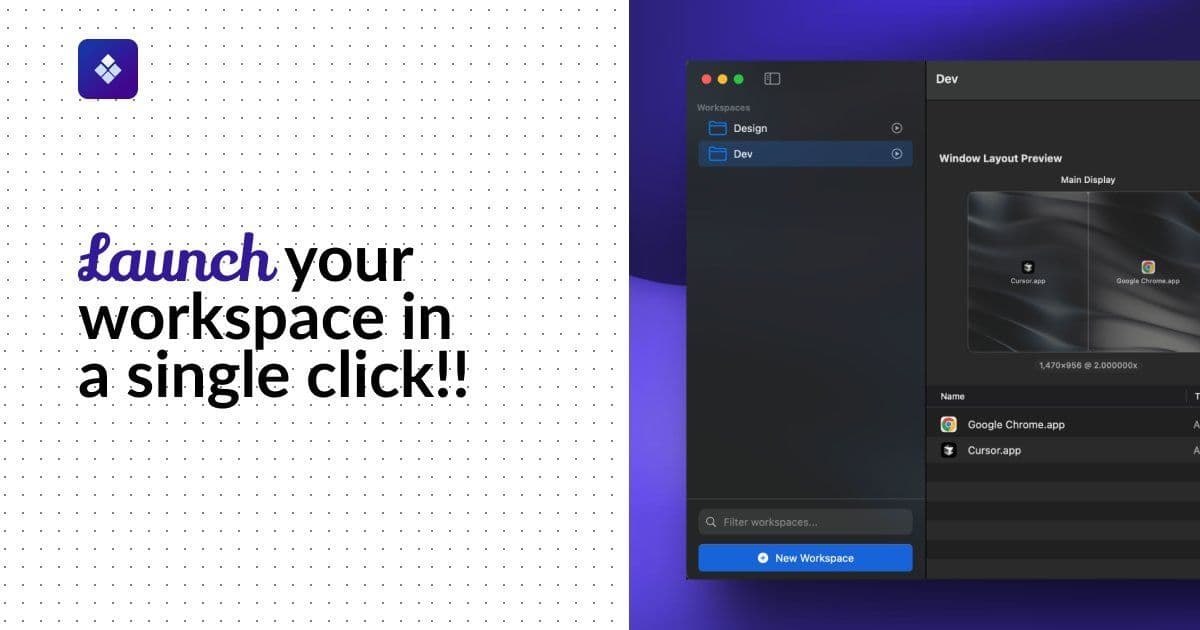
A new macOS app called Lattix tackles the productivity drain of manual workspace setup by enabling one-click deployment of pre-configured app layouts. Targeting developers, designers, and multi-role professionals, it promises to eliminate repetitive window management with automated workflows.
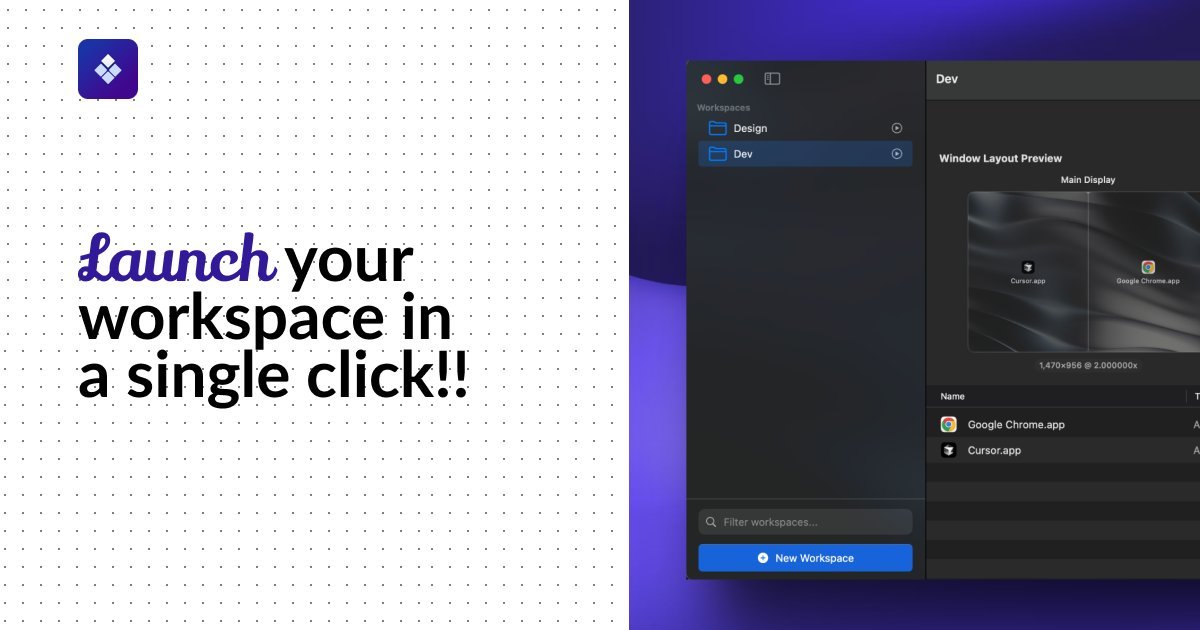
For developers, designers, and knowledge workers juggling multiple workflows, the daily ritual of opening apps, arranging windows, and loading files is a notorious productivity killer. Lattix, a new macOS application, aims to eradicate this friction by enabling users to save and launch entire workspace configurations with a single keystroke. The tool responds to widespread frustrations voiced by technical professionals about context switching—a problem particularly acute for those managing hybrid roles or complex development environments.
The Workspace Management Crisis
Reddit threads and developer forums overflow with complaints about macOS's native limitations for workspace preservation. As one user lamented:
"I want to just press a button that spins up my backend software and IDE working. When closing I want to close everything."
Another echoed:
"I want true work mode... configurations of work apps that open exactly where I need them."
Lattix directly addresses these pain points by allowing users to define "Workspaces"—custom groups of applications, files, and URLs—that launch in predetermined layouts across single or multi-monitor setups. Unlike basic window managers, Lattix handles full-state initialization: Docker containers launch, terminals load in specific directories, and Figma files open alongside Slack channels.
How It Works
{{IMAGE:3}} Caption: Lattix's interface for managing workspace layouts
- Workspaces & Layouts: Users save combinations of apps (e.g., VS Code + Terminal + Docker), documents, and web URLs. Each workspace remembers window positions, sizes, and display assignments.
- Menubar & Hotkeys: Workspaces deploy instantly via the menu bar or keyboard shortcuts, bypassing manual app hunting.
- Multi-Monitor Support: Crucially for developers, layouts adapt to external displays—essential for coding on one screen while monitoring terminals or browsers on another.
- Local-Only Operation: No cloud syncing ensures sensitive development environments remain private.
Early Adoption and Use Cases
Early users report significant time savings. A Softpedia review noted its "intuitive features and streamlined, native UI," while an IT engineer praised its reliability in maintaining "exact window positions." Real-world workflows highlighted include:
- Developers: Single-command launch of IDEs, terminals, and local servers
- Designers: Instant setup of Figma, asset libraries, and communication tools
- Traders: Synchronized deployment of TradingView, analytics dashboards, and Discord
The app's one-time pricing model ($19.99, currently discounted 30%) includes lifetime updates, contrasting sharply with subscription-based alternatives. It requires macOS Ventura or newer.
Why This Matters
In an era of fragmented attention, reducing cognitive load during context switches is critical. Lattix eliminates the "setup tax" plaguing technical workflows—especially valuable for developers transitioning between projects, debugging sessions, or hybrid work environments. While similar tools exist (e.g., Rectangle for window snapping), Lattix uniquely combines application launching, layout persistence, and resource grouping into a unified workflow accelerator.
As remote work and multi-role careers proliferate, tools that automate environmental scaffolding will become indispensable. For now, Lattix offers a focused solution to a universal annoyance: starting work should begin with creating, not configuring.
Source: lattix.app
Comments
Please log in or register to join the discussion