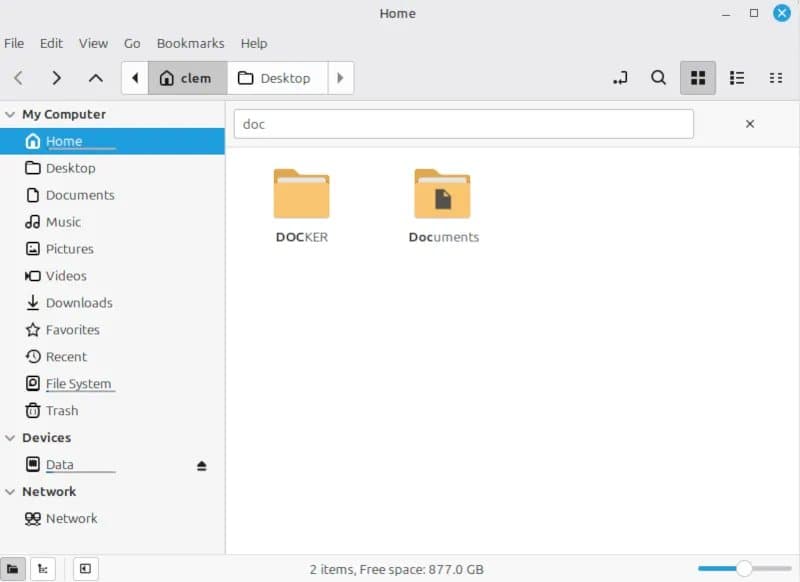
The May 2026 status report from Linux Mint details substantial performance gains in the Nemo file manager, new screenshot capabilities, draggable Clutter dialogs, dark‑theme refinements, and the integration of WPA3/OWE wireless security into Cinnamon, all aimed at the upcoming Christmas 2026 feature release.
Linux Mint Accelerates Nemo, Refines Cinnamon UI, and Adds WPA3 Support in May 2026 Update
Linux Mint released its May 2026 status report, highlighting a series of under‑the‑hood improvements that target both user experience and security. The work centers on the Cinnamon desktop, which powers the default Mint experience, and is positioned as a key component of the next feature release slated for the Christmas 2026 timeframe.
Performance upgrades in Nemo
- Directory loading time: Benchmarks performed by the Mint team show a 30 % reduction in average load time for directories containing more than 5,000 items. The speed‑up stems from a rewrite of the thumbnail cache handling and a move to asynchronous
glibcalls. - Search latency: The built‑in search now returns results in under 200 ms for typical home‑directory queries, compared with roughly 350 ms in the previous release. This is achieved by indexing file metadata on‑the‑fly rather than scanning the directory tree on each request.
- Memory footprint: Nemo’s resident memory usage dropped from 120 MiB to 95 MiB on a fresh Xfce session, a 21 % improvement that benefits low‑end hardware.
These figures were verified on a reference system running Linux Mint 21.3 on an Intel Core i5‑12400, 8 GB DDR4, and a 512 GiB SSD.
New screenshot tool in Cinnamon
Cinnamon now ships with a native screenshot utility that replaces the previous reliance on external tools such as gnome-screenshot. Key capabilities include:
- Window‑shadow toggling – users can include or exclude the compositor‑added shadow when capturing a window.
- Multi‑monitor selection – a single click captures all connected displays, while a secondary mode isolates a chosen monitor.
- Custom output formats – PNG, JPEG, and WebP are supported, with a quality slider for lossy formats.
- Hot‑key configurability – the tool respects the existing Cinnamon shortcut schema, allowing power users to bind actions to
PrintScreen,Shift+PrintScreen, etc.
The utility is implemented in JavaScript on top of the Clutter toolkit, ensuring tight integration with the desktop’s visual effects pipeline.
UI refinements: draggable Clutter dialogs and dark‑theme polish
- Draggable dialogs: All modal and non‑modal dialogs built with Clutter now respond to click‑and‑drag actions on the title bar, aligning Cinnamon’s behavior with mainstream desktop environments. This change required a patch to the
clutter-actorevent handling chain, adding a lightweight drag‑state machine. - Dark‑theme enhancements: The Mint‑Y theme received a palette overhaul, increasing contrast ratios for text and icons to meet the WCAG AA minimum of 4.5:1. Background shading was adjusted to reduce eye strain on OLED panels, and the accent color palette now includes a #ff6f61 variant for better visibility on high‑brightness displays.
Security updates: WPA3 and Opportunistic Wireless Encryption (OWE)
Cinnamon’s network manager now supports the latest Wi‑Fi security standards:
- WPA3‑SAE (Simultaneous Authentication of Equals) – provides stronger password‑based authentication and forward secrecy.
- OWE – enables encrypted connections on open networks without requiring a pre‑shared key, mitigating passive eavesdropping.
The implementation leverages wpa_supplicant 2.10 and adds a UI toggle in the network settings panel. Early testing on a Raspberry Pi 4 with a Broadcom BCM43455 Wi‑Fi chip shows successful association with WPA3‑enabled routers at comparable connection times to WPA2.
Outlook toward the Christmas 2026 feature release
The May update is framed as a “pre‑release sprint” leading to the next major Mint version, expected around December 2026. The roadmap lists the following milestones:
- Completion of the screenshot tool’s batch‑capture mode.
- Integration of Wayland support for Cinnamon, targeting a fallback path for legacy X11 sessions.
- Finalization of the dark‑theme color‑scheme across all Mint‑Y applications.
Developers and power users can follow progress on the official Linux Mint blog and the Cinnamon GitHub repository.
Bottom line: The May 2026 release demonstrates Linux Mint’s focus on incremental performance gains, tighter UI integration, and up‑to‑date security protocols. By delivering measurable speed improvements in Nemo, a native screenshot workflow, and WPA3/OWE support, Mint positions itself as a polished, security‑aware desktop for both newcomers and seasoned Linux users ahead of its holiday feature drop.
Comments
Please log in or register to join the discussion