
Microsoft has resolved a bug that caused the password sign-in option to disappear from Windows 11 lock screens after installing updates released since August 2025.
Microsoft has resolved a bug that caused the password sign-in option to disappear from Windows 11 lock screens after installing updates released since August 2025. The issue, which affected users who had multiple sign-in options enabled, has been fixed in the January 2025 KB5074105 optional cumulative update released on January 29.
The Password Sign-In Bug Explained
The problem manifested when users with multiple authentication methods configured (such as PIN, security key, or fingerprint) suddenly found their password icon missing from the lock screen. This occurred specifically for those who installed the August 2025 KB5064081 non-security preview update or subsequent updates on Windows 11 24H2 or 25H2 systems.
Despite the missing icon, Microsoft initially assured users that the password functionality remained accessible. By hovering over the space where the icon should appear, users could reveal a hidden button that allowed them to enter their password and sign in normally.
KB5074105: The Fix Arrives
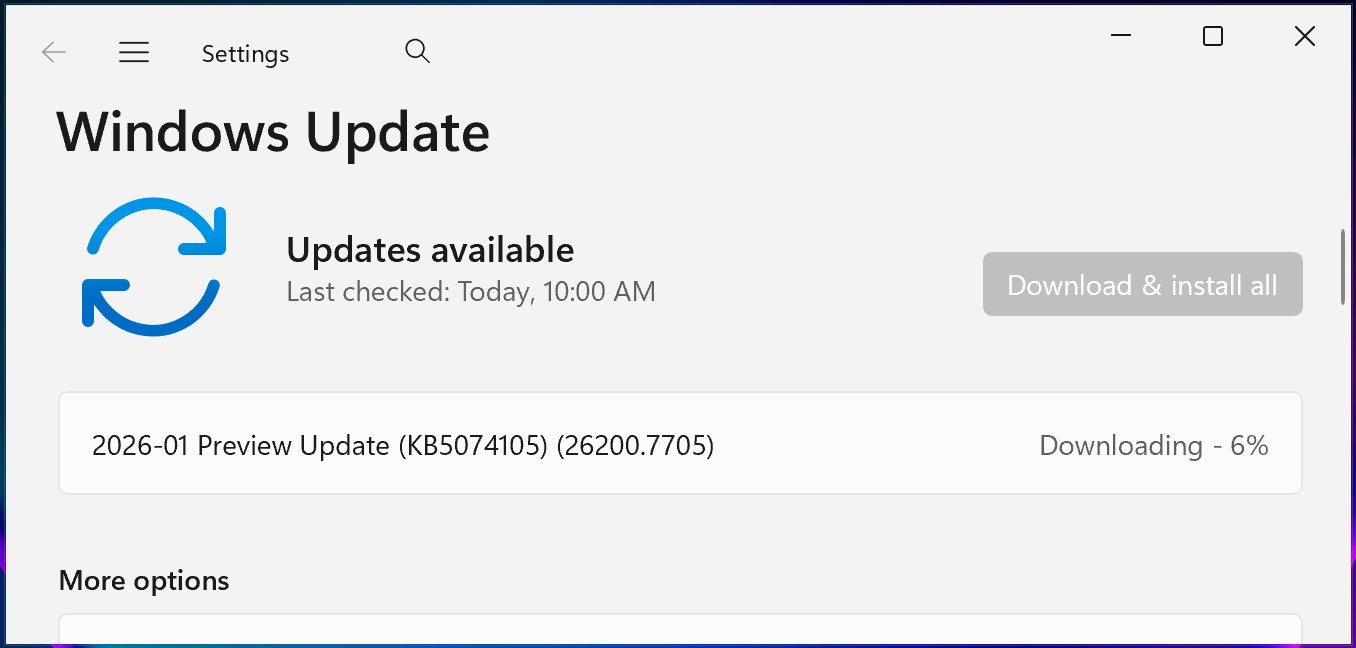
Microsoft has now resolved this known issue in the January 2025 KB5074105 optional cumulative update for Windows 11 systems. This update is available through Windows Update by navigating to Settings > Windows Update > Check for Updates, or can be manually downloaded from the Microsoft Update Catalog.
Beyond fixing the password sign-in bug, KB5074105 includes 32 changes addressing various system issues:
- Boot failures with iSCSI systems showing "Inaccessible Boot Device" errors
- System hangs during startup when Windows Boot Manager debugging is enabled
- Explorer.exe hangs during first login with certain startup apps configured
- Windows license migration failures during upgrades due to registration issues with the Windows Activation server
The update represents Microsoft's ongoing efforts to address problems introduced by the problematic August 2025 Windows updates.
Context: August 2025 Update Issues
The password sign-in bug was just one of several issues traced back to the August 2025 updates. In late September 2025, Microsoft also fixed:
- Playback interruptions, freezing, or black screens when playing DRM-protected video in Blu-ray/DVD/Digital TV apps
- Severe lag and stuttering affecting NDI streaming software on Windows 10 and Windows 11 devices
- App installation problems for non-admin Windows users due to unexpected User Account Control (UAC) prompts
These fixes demonstrate the cascading effects that can occur when major Windows updates introduce multiple changes simultaneously.
How to Install the Fix
To resolve the password sign-in issue, users should:
- Open Settings on their Windows 11 device
- Navigate to Windows Update
- Click "Check for Updates"
- Look for the KB5074105 update and click "Download and install"
Alternatively, tech-savvy users can download the update directly from the Microsoft Update Catalog and install it manually.
Looking Forward
This incident highlights the importance of optional updates in Microsoft's Windows update strategy. By releasing fixes through optional updates before making them mandatory, Microsoft provides users with more control over when to apply potentially disruptive changes to their systems.
The resolution of this bug should restore normal functionality for affected users, ensuring that the password sign-in option appears reliably on the lock screen regardless of which authentication methods are configured on their Windows 11 devices.
Comments
Please log in or register to join the discussion