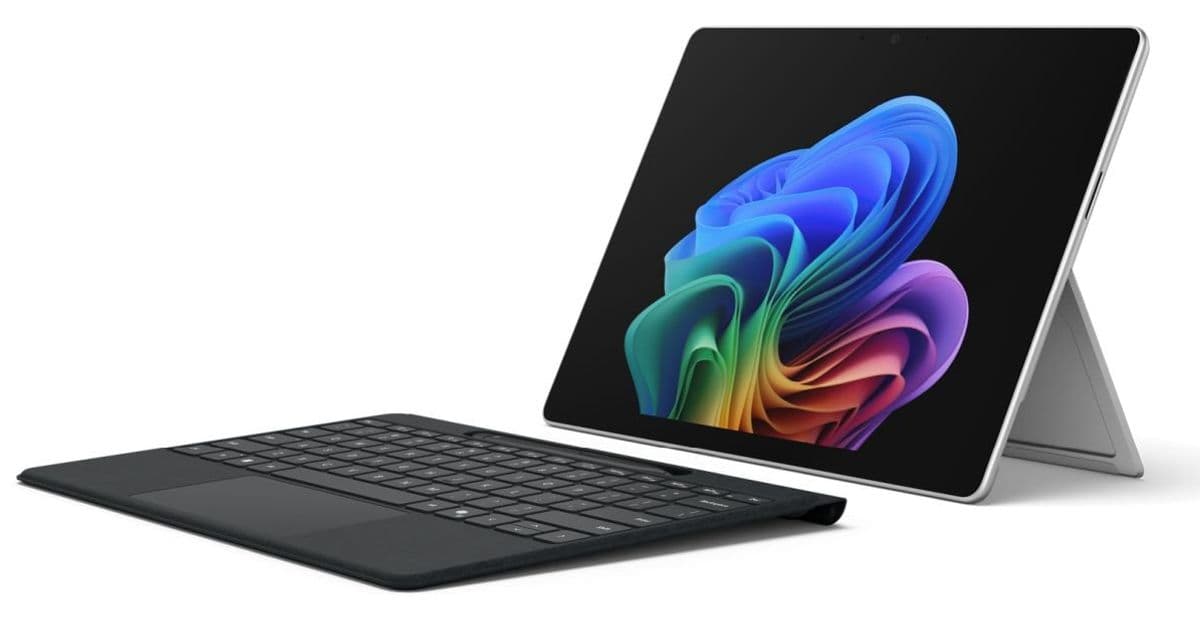
The new Surface Pro for Business adds Intel’s 13th‑gen ‘Panther Lake’ Core Ultra processors, up to 64 GB of LPDDR5x RAM, and optional Snapdragon X2 5G, but starts at $1 950. We break down the hardware specs, Windows 11 Pro support, and what the changes mean for developers targeting Windows tablets and cross‑platform apps.
Microsoft Surface Pro for Business (12th Gen) – What Developers Need to Know
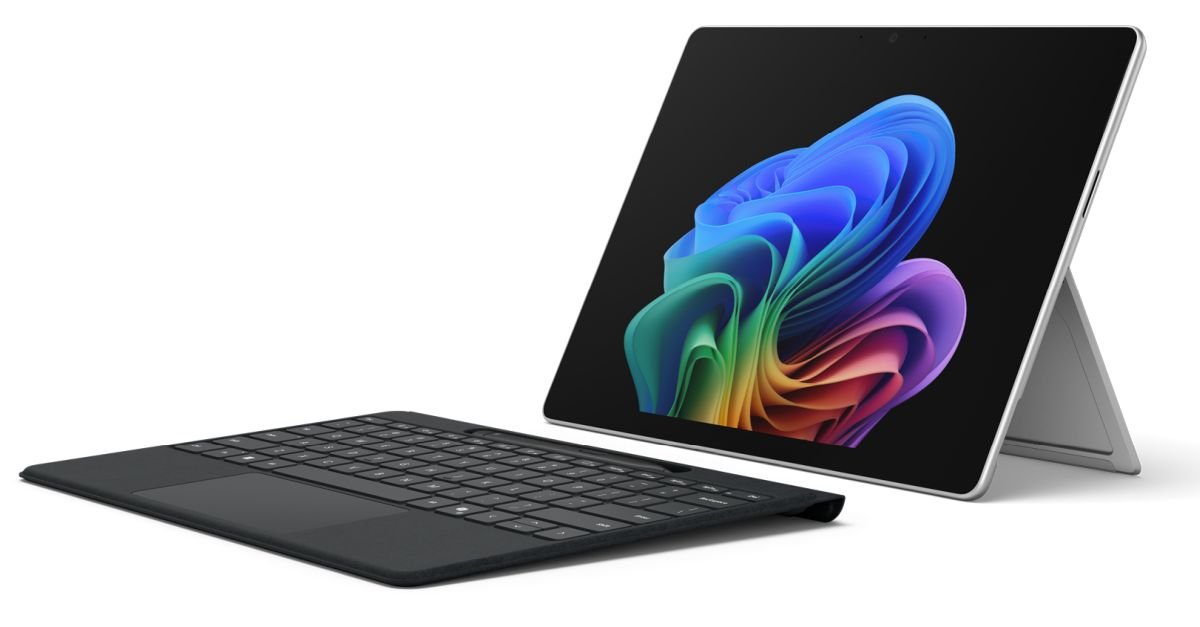
Microsoft has refreshed its flagship 2‑in‑1 tablet line with the Surface Pro for Business (12th Gen). The device is aimed at enterprise customers who need a portable Windows machine that can double as a thin client, a development workstation, or a field‑ready device with optional 5G. Below we walk through the hardware updates, the impact on app development, and how teams can prepare for the new platform.
1. Platform Update – Hardware Highlights
| Feature | Details |
|---|---|
| Processor | Intel Core Ultra Series 3 “Panther Lake” (Core Ultra 5 335 up to Core Ultra 7 366H). Microsoft also promises later‑year models with Qualcomm Snapdragon X2 SoCs for ARM‑based 5G variants. |
| Memory | Up to 64 GB LPDDR5x (16 GB base). |
| Storage | User‑replaceable PCIe NVMe SSD up to 1 TB. |
| Display | 13‑inch, 2880 × 1920 (3:2) at 120 Hz. Options: IPS‑LCD (standard) or OLED (premium). |
| Battery | 47 Wh (LCD) / 53 Wh (OLED). |
| Ports | Two Thunderbolt 4 (DisplayPort 2.1, 40 Gbps, 60 W+ charging). |
| Connectivity | Wi‑Fi 6E, optional 5G (Snapdragon model), Bluetooth 5.2. |
| Camera & Audio | 10 MP rear, 1440p front (Windows Hello), dual mics, Dolby Atmos stereo speakers. |
| OS | Windows 11 Pro pre‑installed. |
| Price | Starts at US$1 950 (Core Ultra 5, 16 GB RAM, 256 GB SSD). |
The device retains the classic detachable keyboard and Surface Slim Pen (2nd‑gen) ecosystem, but both accessories are sold separately. The chassis is anodized aluminum in black or platinum, with a built‑in kickstand that now supports angles up to 165°.
2. Developer Impact – What Changes for Your Apps?
a. CPU Architecture Shifts
- x86‑64 (Panther Lake) – The new Core Ultra chips are built on Intel’s 7 nm process and support AVX‑512, DL Boost, and the latest instruction sets. Existing Windows desktop and UWP apps will run unchanged, but you can now take advantage of higher single‑core performance for compute‑heavy workloads (e.g., image processing, AI inference).
- ARM (Snapdragon X2) – The upcoming ARM variant means you’ll need to ship ARM64 binaries if you want to support the 5G model. .NET 8, .NET MAUI, and the latest Visual Studio toolchains already produce universal Windows Platform (UWP) packages that include both x86‑64 and ARM64. For native C++ code, ensure you compile with the /arch:ARM64 flag and test on the Qualcomm reference device.
b. Memory & Storage
With up to 64 GB of LPDDR5x, memory‑intensive apps (e.g., large‑scale data visualisation, CAD, or multi‑instance development environments) can stay resident without paging. However, the user‑replaceable SSD is still limited to 1 TB, so consider streaming large assets from the cloud when possible.
c. Thunderbolt 4 / DisplayPort 2.1
Two Thunderbolt 4 ports give you 40 Gbps bandwidth. This opens up a few scenarios for developers:
- External GPU (eGPU) support – While Windows 11 already supports eGPUs, the higher bandwidth can reduce latency for graphics‑intensive UWP or WinUI 3 apps.
- Multi‑monitor setups – DisplayPort 2.1 can drive dual 4K@120 Hz or a single 8K display, useful for remote‑desktop or digital‑signage solutions.
d. 5G Connectivity (ARM model)
If your enterprise app relies on low‑latency, always‑on connectivity (e.g., real‑time inventory, field service), the Snapdragon X2 version provides sub‑10 ms round‑trip times on supported carriers. You’ll need to test your networking stack under variable LTE/5G conditions and possibly implement offline‑first sync patterns.
e. Windows 11 Pro Features
- Modern App SDK (WinUI 3) – The new tablet ships with the latest Windows 11 SDK (10.0.26000). Targeting this SDK gives you access to Rounded Corner APIs, Mica material, and improved Touch/Ink handling.
- Microsoft Intune & Autopilot – Business customers can enroll the device directly into MDM pipelines. Ensure your app’s MSIX packaging includes the correct
PackageFamilyNameandPublisherIdto avoid deployment issues.
3. Migration Path – Getting Your Code Ready
- Update Tooling
- Install the latest Visual Studio 2022 17.9 or later.
- Add the Windows 11 SDK via the Visual Studio installer.
- For ARM support, enable the ARM64 build tools component.
- Create Universal Packages
- In your project file, set
<TargetPlatformMinVersion>10.0.22621.0</TargetPlatformMinVersion>to target Windows 11. - Add
<PlatformTarget>AnyCPU</PlatformTarget>for .NET projects, or build bothx64andARM64configurations for native code.
- In your project file, set
- Test Touch & Pen Input
- The Surface Slim Pen uses the Microsoft Pen Protocol (MPP). Verify that your app’s
InkCanvasor custom stylus handling respects pressure levels up to 4096 and tilt.
- The Surface Slim Pen uses the Microsoft Pen Protocol (MPP). Verify that your app’s
- Validate Thunderbolt Peripherals
- Connect an eGPU or dual‑4K monitor and run performance benchmarks (e.g., 3DMark or Geekbench) to confirm the expected throughput.
- Network Resilience
- Simulate 5G latency using tools like Network Link Conditioner. Implement retry logic and background sync for critical data.
- Package for Enterprise Distribution
- Use MSIX with
PackageIntegrityset toSignedand include theWindows10.0.22621.0Dependenciesnode for the latest Windows 11 components.
- Use MSIX with
- Performance Profiling
- Leverage Windows Performance Analyzer (WPA) to capture CPU, GPU, and memory usage on the Panther Lake silicon. Look for AVX‑512 utilization opportunities.
4. Bottom Line
The 12th‑gen Surface Pro for Business is a premium, highly configurable Windows 11 tablet that pushes the hardware envelope with Panther Lake CPUs, up to 64 GB RAM, and optional 5G. For developers, the key takeaways are:
- Support both x86‑64 and ARM64 if you want to cover the upcoming Snapdragon model.
- Leverage Thunderbolt 4 for external GPUs and high‑resolution displays.
- Update to the Windows 11 SDK to access the newest UI and Ink APIs.
- Plan for enterprise deployment using MSIX and Intune.
While the price tag is steep, the device’s specs make it a viable reference platform for demanding line‑of‑business apps, field‑service tools, and any solution that benefits from a high‑performance, portable Windows environment.
Further Reading
- Official Microsoft announcement – Surface Pro for Business (12th Gen) launch page
- Windows 11 SDK documentation – https://learn.microsoft.com/windows/apps/windows-app-sdk/
- Guidance on building universal Windows apps for ARM – https://learn.microsoft.com/windows/uwp/porting/arm64
- Thunderbolt 4 on Windows – https://learn.microsoft.com/windows-hardware/drivers/usb/overview-of-thunderbolt-4
This article is independent of any affiliate links and reflects the hardware specifications as of May 2026.
Comments
Please log in or register to join the discussion