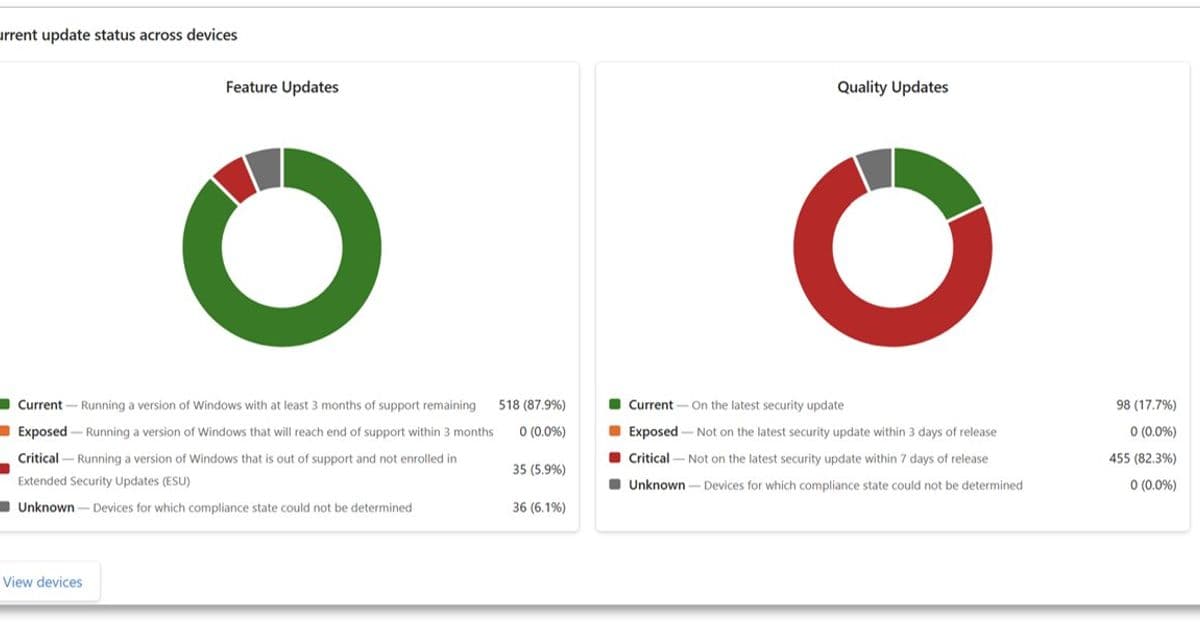
Microsoft is significantly tightening its Windows update compliance requirements, reducing the acceptable patch window from 14-28 days to just 3-7 days as part of its response to an AI-accelerated threat environment. The company is rolling out enhanced reporting capabilities to help organizations identify and address policy risks.
Microsoft is fundamentally rethinking its Windows update compliance recommendations, responding to an increasingly sophisticated threat landscape that has been accelerated by AI capabilities. The company announced significant changes to its Windows Autopatch reporting framework, introducing more aggressive patching timelines and enhanced visibility into update compliance across enterprise environments.
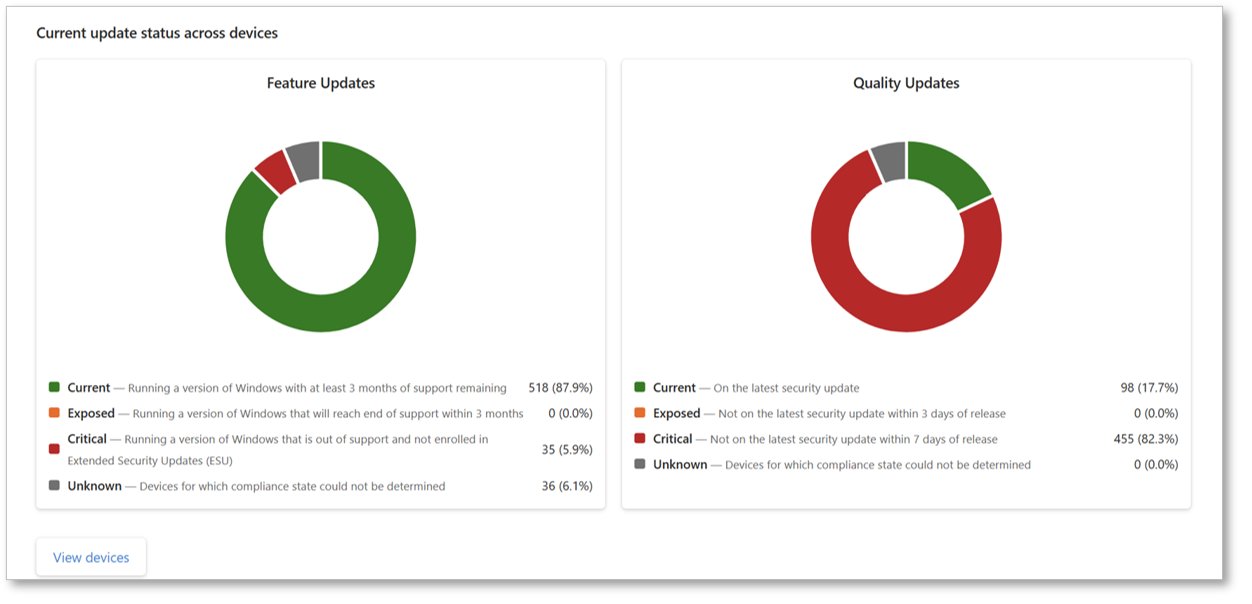
The new Windows Autopatch report, currently rolling out to tenants, represents a substantial shift in Microsoft's approach to patch management. This dashboard provides centralized visibility into update compliance across Windows client, Windows Server, and Microsoft 365 applications, eliminating the need for IT teams to navigate multiple reports and tools. The extension to this dashboard offers more granular information on client patching status and policy risk exposure, breaking down specific patch versions within an organization's estate and identifying policies that may increase vulnerability.
Revised Patching Timelines: A Response to AI-Accelerated Threats
The most significant aspect of this update is Microsoft's revised patching timeline recommendations. Historically, organizations operated with 14- or 28-day service level agreements (SLAs) for patching devices across their estates. In today's threat environment, these timelines leave devices exposed to critical vulnerabilities for extended periods.
Microsoft's new recommendations categorize devices based on their patch status:
- Current: Devices updated within 3 days
- Critical: Devices updated within 7 days (not subject to known vulnerabilities)
- Exposed: Devices updated between 3-7 days (vulnerable to threats)
"As noted in a recent post on AI-powered defense for an AI-accelerated threat landscape by Ales Holecek, Chief Architect and Corporate Vice President of Microsoft Security, organizations need to rethink exposure, response, and risk," the announcement explains. "This is especially true when it comes to keeping Windows devices patched with the latest security updates."
Policy Recommendations for Enhanced Security
To help organizations implement these more aggressive timelines while maintaining user productivity, Microsoft has provided specific policy recommendations:
- Quality update deferral: Less than 3 days
- Quality update deadline: 0 or 1 day
- Grace period: 1 or 2 days
- Hotpatch updates: Enable for eligible devices (note: hotpatch updates will be enabled by default for all eligible devices that haven't been opted out starting in May 2026)
Additionally, Microsoft recommends using Extended Security Updates (ESU) for all eligible devices still running Windows 10 to ensure these systems continue receiving critical security updates.
Enhanced Visibility and Risk Assessment
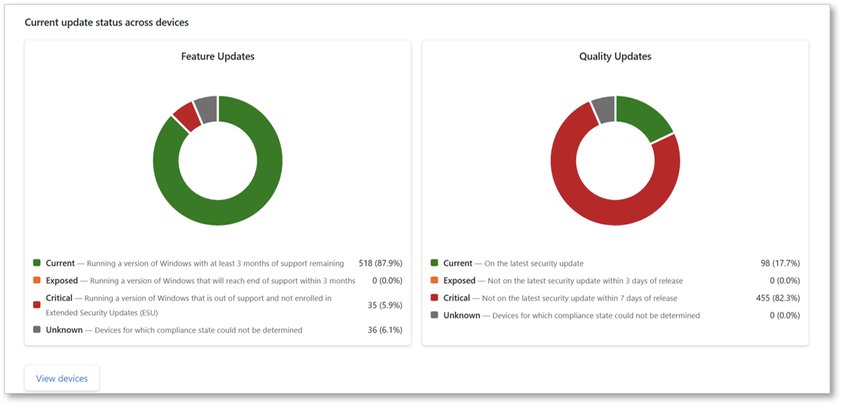
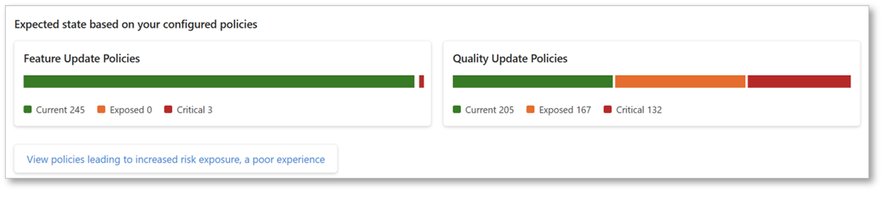
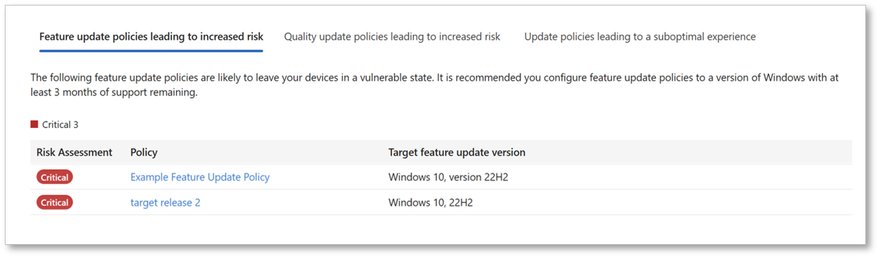
The new Windows Autopatch dashboard provides IT and security teams with unprecedented visibility into their update compliance status. Organizations can now easily identify which policies in their tenant are not configured according to the new recommendations by navigating to the Windows Autopatch overview pane and selecting "View policies leading to increased risk exposure."
This enhanced reporting capability shows:
- Current device status across the estate
- Exposed devices that fall outside the recommended update window
- Critical devices that require immediate attention
- Policies configured in ways that fall short of the new recommendations
Balancing Security and Productivity
Microsoft acknowledges that more aggressive patching timelines can introduce operational disruption. However, given the pace of today's threat landscape, the company believes these updated recommendations strike an appropriate balance between stronger security and maintaining user productivity and stability.
"We recognize that more aggressive timelines can introduce disruption," the announcement states. "However, given the pace of today's threat landscape, these updated recommendations are intended to balance stronger security while maintaining user productivity and stability."
Business Impact Across Multi-Cloud Environments
For organizations operating multi-cloud strategies, these changes have significant implications:
- Consistency across environments: Ensuring consistent patching timelines becomes critical when Windows workloads span on-premises, multiple public clouds, and edge locations
- Compliance considerations: Organizations operating in regulated industries will need to reassess their compliance posture with the new, more aggressive timelines
- Resource allocation: IT teams may need to adjust staffing and resource allocation to support the accelerated patching schedule
- Change management: Organizations should prepare for potential application compatibility issues that may arise with more frequent updates
Microsoft's new reporting capabilities will be particularly valuable for organizations managing heterogeneous environments, as they provide a unified view of compliance regardless of where Windows devices are deployed.
Strategic Recommendations for Organizations
In light of these changes, organizations should consider the following strategic actions:
- Reassess risk profiles: Evaluate how the new patching timelines affect your organization's risk posture and security objectives
- Review existing policies: Identify which policies need modification to align with the new recommendations
- Implement hotpatching: Take advantage of hotpatch updates to minimize downtime during patching processes
- Leverage automation: Consider implementing additional automation to support the accelerated patching timeline
- Communicate with stakeholders: Ensure business units understand the potential impact of more frequent updates on application availability
Microsoft continues to enhance Windows Autopatch reports to provide organizations with the information needed to reduce threats to their digital estate. By leveraging these new capabilities and implementing the recommended policy changes, organizations can better protect themselves in an ever-evolving threat landscape.
For organizations looking to implement these changes, Microsoft provides additional resources on vulnerability management at AI speed and how the Microsoft Security Response Center (MSRC) is evolving with AI to strengthen secure software at global scale.
Comments
Please log in or register to join the discussion