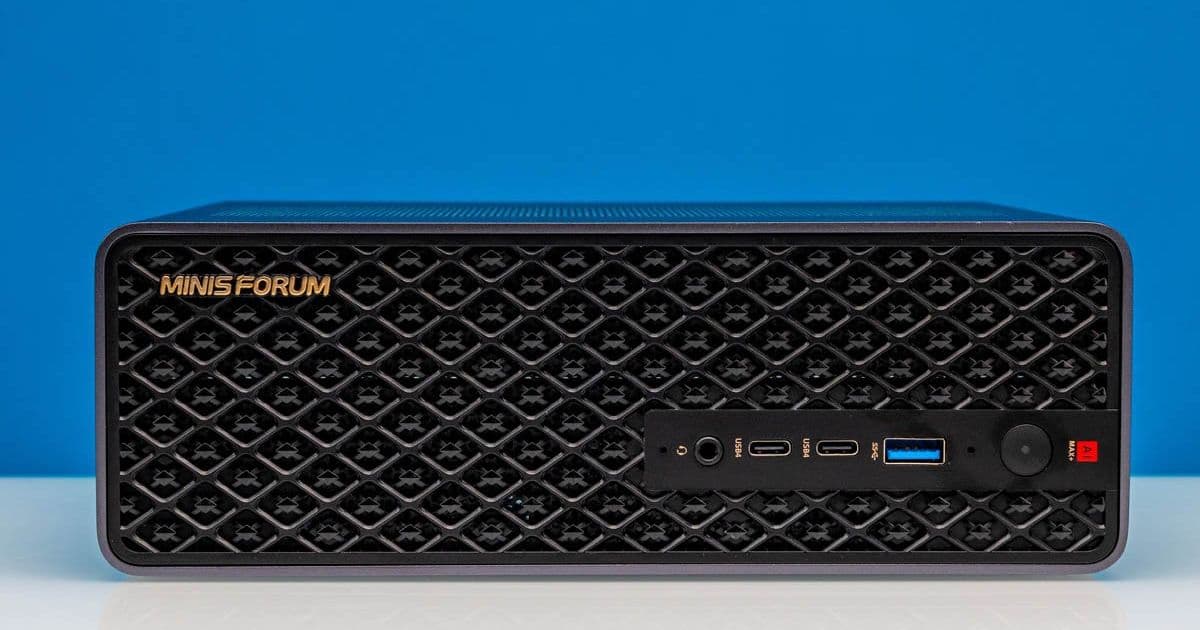
Minisforum's MS-S1 Max combines AMD's flagship Ryzen AI Max+ 395 processor with 128GB of LPDDR5X memory and an industrial design that prioritizes both vertical and horizontal orientation, creating a mini-PC that challenges traditional workstations for AI development workloads.
The mini-PC market has seen its share of interesting hardware, but few products combine ambition with execution quite like Minisforum's latest offering. The MS-S1 Max represents a calculated push into the AI developer workstation space, built around AMD's most powerful Ryzen AI Max silicon and wrapped in a design that finally abandons the company's cookie-cutter chassis approach.
At the heart of this system sits the AMD Ryzen AI Max+ 395, a fully-enabled "Strix Halo" SoC that AMD designed specifically for high-performance mobile and embedded applications. What makes this particular combination compelling isn't just the 16 Zen 5 CPU cores or the Radeon 8060S graphics with 40 compute units—it's the memory subsystem. Minisforum has paired this chip with 128GB of LPDDR5X-8000 memory on a 256-bit bus, delivering 256GB/s of memory bandwidth directly to the integrated GPU.
For AI developers working with local models, this architecture solves one of the fundamental bottlenecks: VRAM capacity. Traditional mini-PCs with discrete GPUs typically max out at 16GB or 24GB of VRAM, limiting the size of models that can be run locally. The MS-S1 Max's unified memory architecture allows the integrated GPU to access virtually all of that 128GB pool, making it feasible to load and run 70B parameter models or larger with reasonable token generation rates.
External Design and I/O: A Clean Break
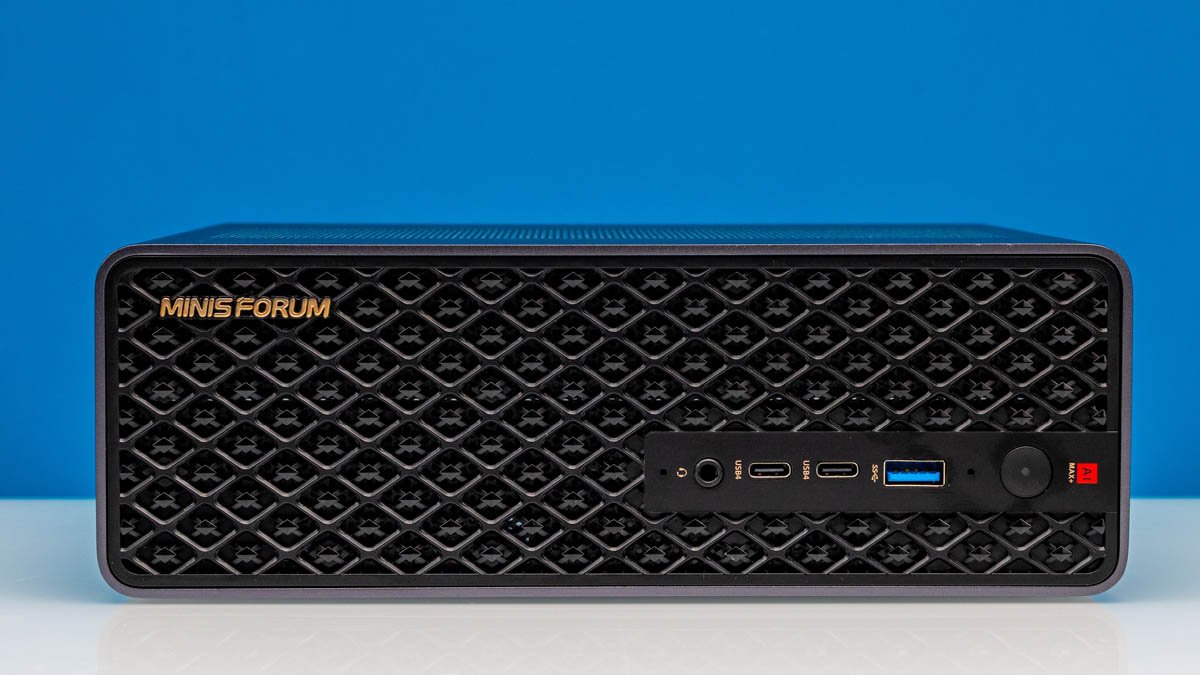
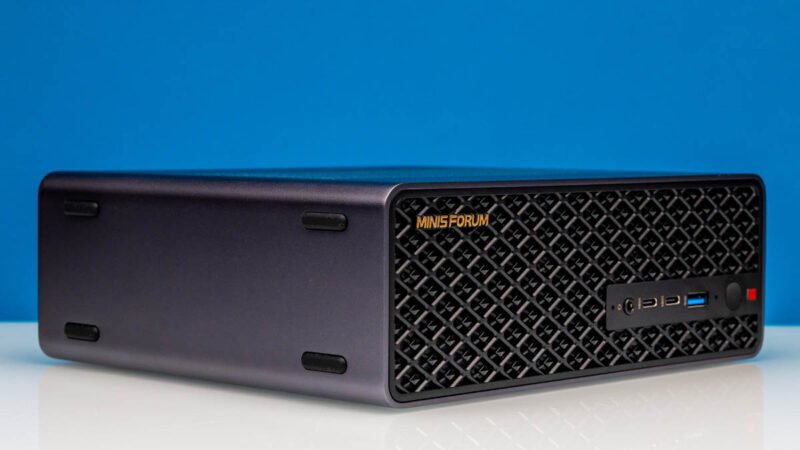
Minisforum's industrial design has historically been functional but unremarkable. The MS-S1 Max changes this with a grated front panel that feels purposeful rather than decorative. The system measures 222.1mm × 206.3mm × 77.1mm and weighs 2.8kg—substantial for a mini-PC, but necessary given the integrated 320W power supply and beefy cooling solution.
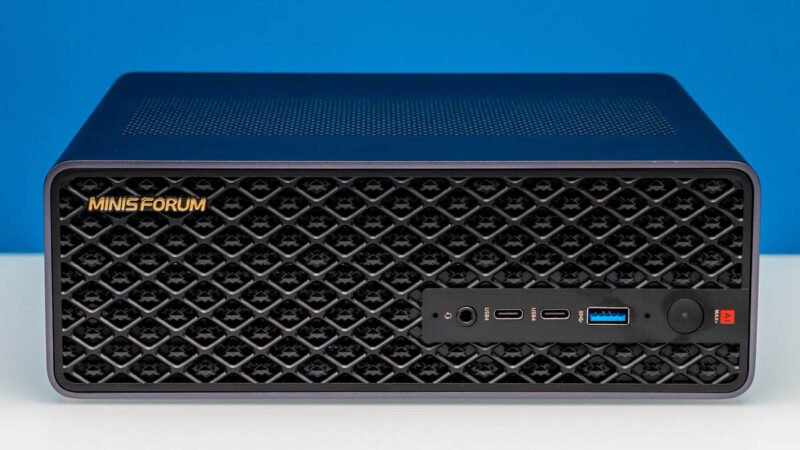
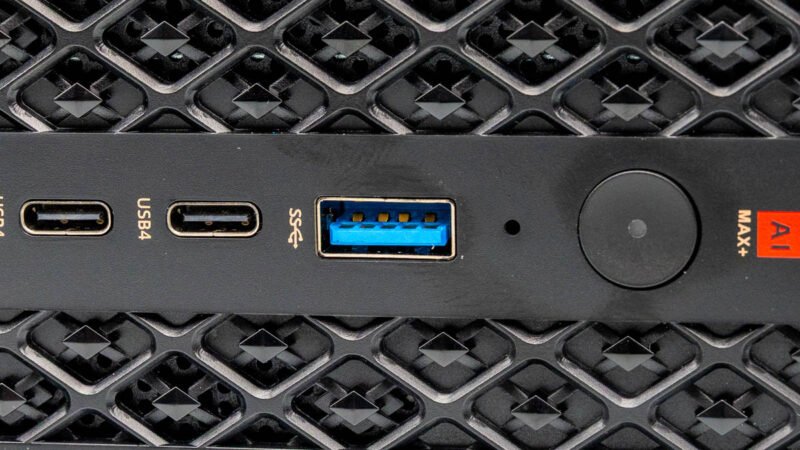
The front I/O sets the tone for the system's capabilities. Two USB-C ports both support USB4 at 40Gbps, alongside a single USB-A 10Gbps port and combo audio jack. This is a notable shift from Minisforum's recent Type-A-only designs, acknowledging that USB-C peripherals have become the standard for high-performance devices.
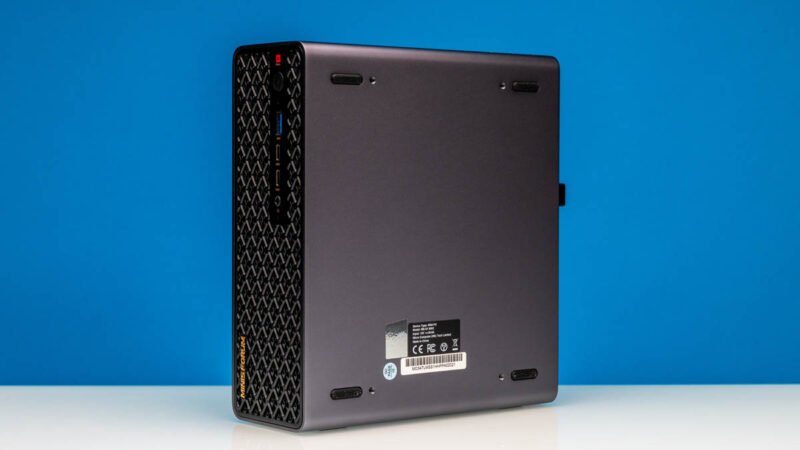
What's particularly interesting is the system's orientation flexibility. The MS-S1 Max features rubber feet on both the bottom and one side, allowing it to sit horizontally or vertically without modification. This isn't just a convenience—it's a nod to the system's potential role in dense compute clusters where rack-mounting might be desirable.
The side-mounted rubber feet also reveal something about the cooling strategy. The bottom is completely sealed, with all air intake occurring through the front panel and top vents. This creates a clear airflow path that minimizes dust ingress while ensuring the high-TDP Ryzen AI Max chip receives adequate cooling.
Rear I/O: Workstation-Class Connectivity
Flipping the unit around reveals where Minisforum has truly invested in the MS-S1 Max's capabilities. The rear panel houses six USB ports total, but the story here is the USB4 V2 implementation.
Rather than using standard 40Gbps USB4 controllers, Minisforum installed a discrete USB4 V2 controller on the motherboard, enabling two USB-C ports capable of 80Gbps bidirectional bandwidth. This is cutting-edge connectivity—USB4 V2 is still relatively new, and having it on a mini-PC is unusual. For AI developers, this means the ability to connect external GPUs or high-speed storage arrays without bottlenecking the interface.
The display outputs are handled entirely through USB-C's DisplayPort Alt Mode, with a single HDMI 2.1 port providing traditional display connectivity. According to Minisforum, the HDMI port supports 8K@60Hz, though Linux users should note current limitations with AMD's HDMI 2.1 implementation under Linux.
Perhaps the most impressive addition for homelab builders and infrastructure-focused users is the dual 10GbE RJ45 ports. Minisforum uses Realtek's RTL8127 controllers, which we've found to be reliable and relatively efficient. Having dual 10Gbps Ethernet on a mini-PC eliminates the need for external switches in many small-scale virtualization or container orchestration setups.
The rear panel also includes a cutout for a low-profile PCIe slot—more on that when we examine the internals. Finally, the move to an internal power supply means the system uses a standard C14 AC connector instead of a barrel plug. While this requires a larger connector, it eliminates the external power brick entirely.
Internal Architecture: Expandability in a Small Package
Opening the MS-S1 Max reveals an interior layout that prioritizes serviceability and expansion. The 320W internal PSU sits in its own compartment, isolated from the main system board to minimize interference.
The cooling solution is substantial, with a large vapor chamber covering the Ryzen AI Max SoC and dedicated heatsinks for the VRM components. The fan assembly is designed for high static pressure, necessary given the dense fin array and the system's relatively compact dimensions.
Storage expansion comes courtesy of a single M.2 2280 slot populated with a 2TB PCIe 4.0 QLC NVMe drive. While QLC NAND offers good capacity for the price, performance-conscious users may want to upgrade to a TLC-based drive for sustained write performance. The slot itself supports PCIe 4.0 x4, ensuring no bottleneck for even the fastest Gen4 SSDs.
The real surprise is the half-height PCIe slot. This isn't a standard x16 slot—it's a flexible riser that can accommodate various low-profile cards. While Minisforum hasn't officially specified the lane count, it appears to be PCIe 4.0 x4, which is sufficient for a variety of expansion cards: additional network interfaces, FPGA cards, or even a small discrete GPU for specific acceleration tasks.
This PCIe slot transforms the MS-S1 Max from a closed system into a genuinely expandable workstation. For AI developers, it opens possibilities like connecting specialized inference accelerators or additional storage controllers without resorting to external Thunderbolt enclosures.
Performance Considerations
The Ryzen AI Max+ 395's performance characteristics deserve some attention. With 16 Zen 5 cores running at up to 5.1GHz, CPU performance rivals many desktop processors. However, the real story is the GPU performance and memory bandwidth.
The Radeon 8060S with 40 compute units and hardware ray tracing support provides substantial graphics horsepower for a integrated solution. The 256GB/s memory bandwidth—nearly double what you get from typical DDR5-5600 dual-channel setups—means the GPU isn't starved for data. This is critical for AI workloads where model weights need to be loaded into VRAM quickly.
Power consumption is another area where the integrated approach shines. The 320W PSU provides plenty of headroom, but actual power draw under typical AI inference workloads should stay well under 150W at the wall. This translates to lower cooling requirements and quieter operation compared to a traditional desktop with a discrete GPU.
Use Cases and Target Audience
The MS-S1 Max occupies an interesting niche. For AI developers working with local models, it offers a balance of memory capacity, compute performance, and I/O bandwidth that's hard to match in this form factor. The 128GB of memory means you can load 70B parameter models with quantization, or run multiple smaller models simultaneously.
For homelab builders, the dual 10GbE ports and PCIe expansion make it an excellent platform for virtualization and container orchestration. You could run Proxmox or ESXi with multiple VMs, leveraging the 16 cores and large memory pool. The PCIe slot could accommodate a storage controller for a ZFS array or additional network interfaces for a router/firewall setup.
Content creators will appreciate the USB4 V2 ports for connecting high-speed external storage or capture devices, while the integrated GPU provides hardware acceleration for video encoding and decoding.
Trade-offs and Limitations
No product is perfect, and the MS-S1 Max has some compromises worth noting. The soldered memory means you can't upgrade beyond 128GB, though that's unlikely to be a limitation for most users in the near term. The single M.2 slot limits internal storage expansion—you'll need to rely on external storage or that PCIe slot for additional drives.
The use of QLC NAND in the stock SSD is a cost-saving measure that impacts sustained write performance. For AI training workloads involving large dataset writes, this could be a bottleneck.
The Realtek 10GbE controllers, while efficient, are newer hardware that may require additional driver installation for some Linux distributions. This isn't a dealbreaker, but it's worth planning for if you're deploying these in large numbers.
The Bottom Line
Minisforum's MS-S1 Max represents a maturation of the mini-PC market into legitimate workstation territory. By combining AMD's most powerful mobile SoC with workstation-class I/O and genuine expansion capabilities, Minisforum has created a system that doesn't compromise on capability while maintaining the small form factor benefits.
For AI developers, homelab enthusiasts, and power users who need substantial compute in a small package, the MS-S1 Max offers a compelling package that's difficult to match with traditional desktop hardware. The combination of 128GB unified memory, dual 10GbE, USB4 V2, and PCIe expansion creates a platform that should remain relevant for years.
The system is available through Minisforum's official channels and select retailers. For current pricing and availability, check Minisforum's official product page or their Amazon store.
For detailed specifications and documentation, visit the MS-S1 Max product page on Minisforum's website.
Comments
Please log in or register to join the discussion