Mistral AI introduces Custom Connectors for le Chat, enabling developers to integrate any MCP-compatible service through a flexible protocol. This powerful feature brings unprecedented extensibility to AI workflows while introducing critical security considerations for enterprise adoption.
The AI assistant landscape just gained significant flexibility with Mistral AI's release of Custom Connectors for its le Chat platform. Built on the emerging Model Context Protocol (MCP), this feature enables technical teams to bridge le Chat with specialized internal tools or niche third-party services beyond Mistral's pre-configured integrations—a game-changer for enterprises needing bespoke AI workflows.
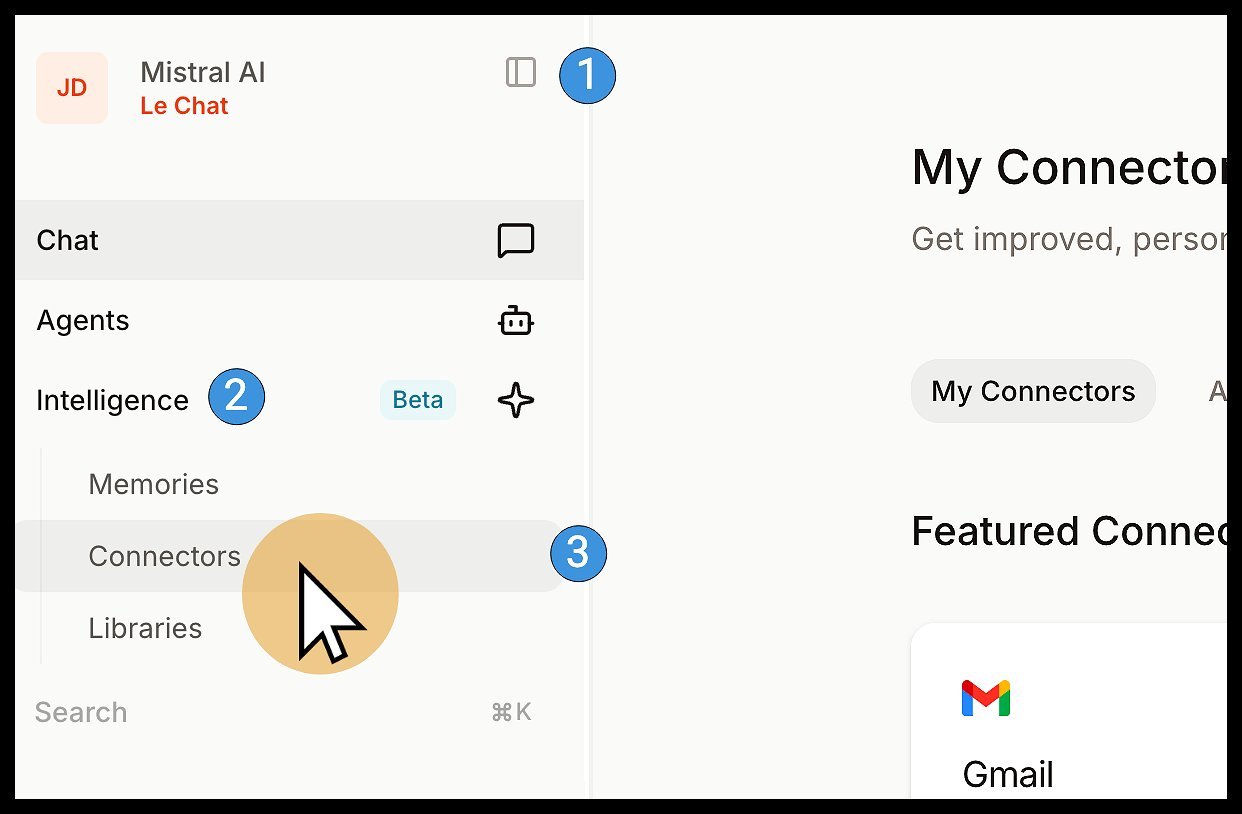 Connectors menu in le Chat interface (Source: Mistral AI)
Why Custom Connectors Matter
Unlike rigid chatbot platforms, Custom Connectors transform le Chat into an extensible AI orchestration engine. The MCP foundation allows developers to:
- Integrate proprietary internal APIs or databases
- Connect to specialized industry tools absent from standard marketplaces
- Create tailored workflows combining multiple systems
- Future-proof integrations against evolving AI toolchains
"This moves beyond simple plugin architecture," observes an AI integration specialist. "MCP represents a standardized protocol for tool augmentation in language models—similar to what GraphQL did for APIs."
Implementation Walkthrough
Creating a Custom Connector requires admin privileges and follows four key steps:
- Access Connectors Hub: Navigate through le Chat's Intelligence panel
- Initiate Creation: Click "+ Add Connector" and select the Custom MCP tab
- Configure Endpoint:
- Provide a unique connector name (alphanumeric only)
- Enter the full URL of your MCP-compatible server
- Select authentication method (None, Token, or OAuth 2.1)
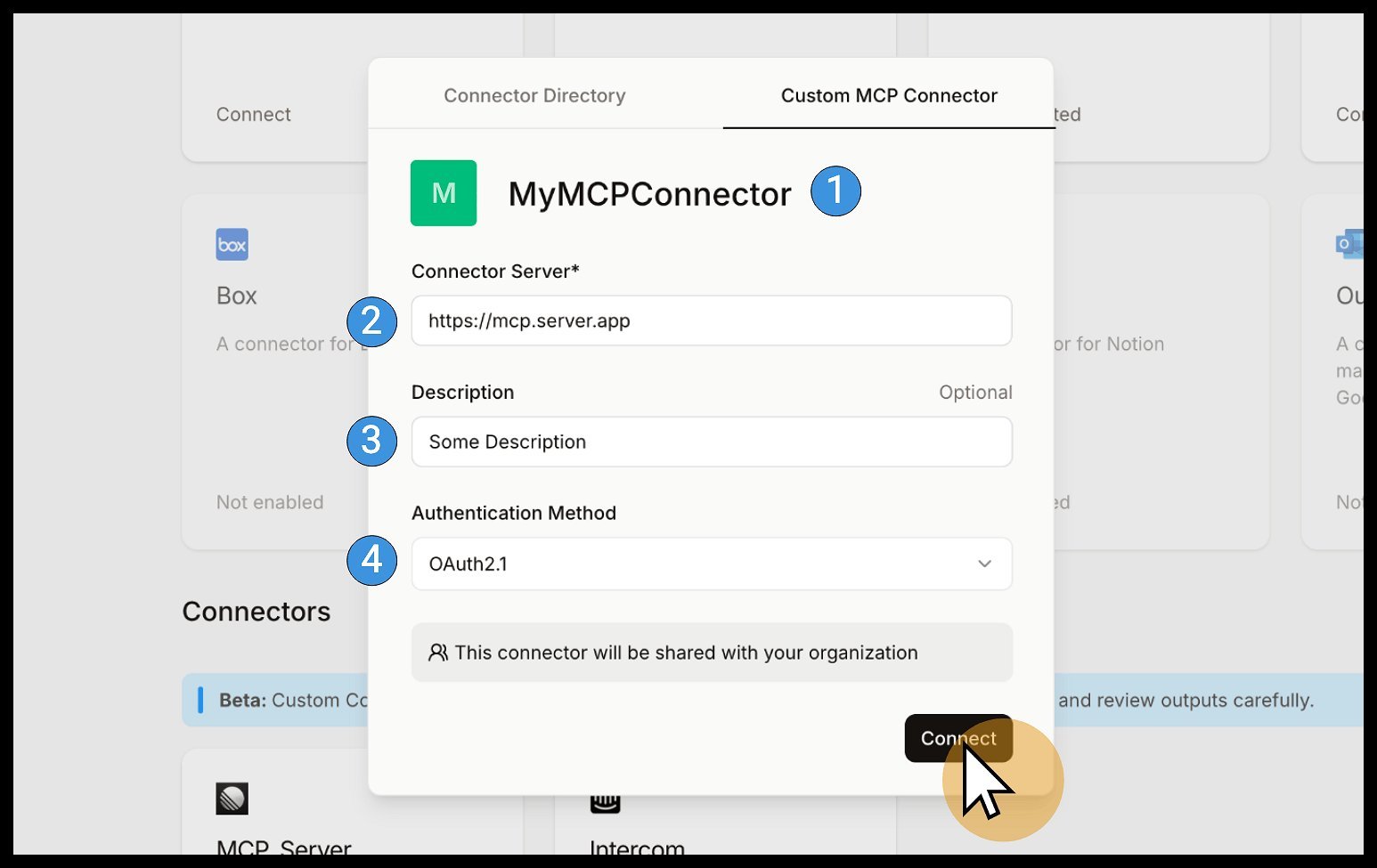 MCP server configuration modal (Source: Mistral AI)
- Authentication Flow: For OAuth 2.1, users complete standard consent workflows. The system automatically validates the connection before activation.
Critical Security Considerations
Mistral's documentation includes stark warnings:
"🚨 Custom Connectors let you hook le Chat up to MCP Servers not reviewed by Mistral AI... It is your sole responsibility to only connect to remote MCP servers you trust."
Key risks include:
- Prompt injection attacks from malicious servers
- Data leakage through compromised endpoints
- Unvetted tool behavior causing unintended actions
Security best practices emphasize:
- Rigorous vetting of third-party MCP servers
- Minimal permission scoping using function-level controls
- Monitoring for unexpected output changes
- Immediate reporting of suspicious endpoints
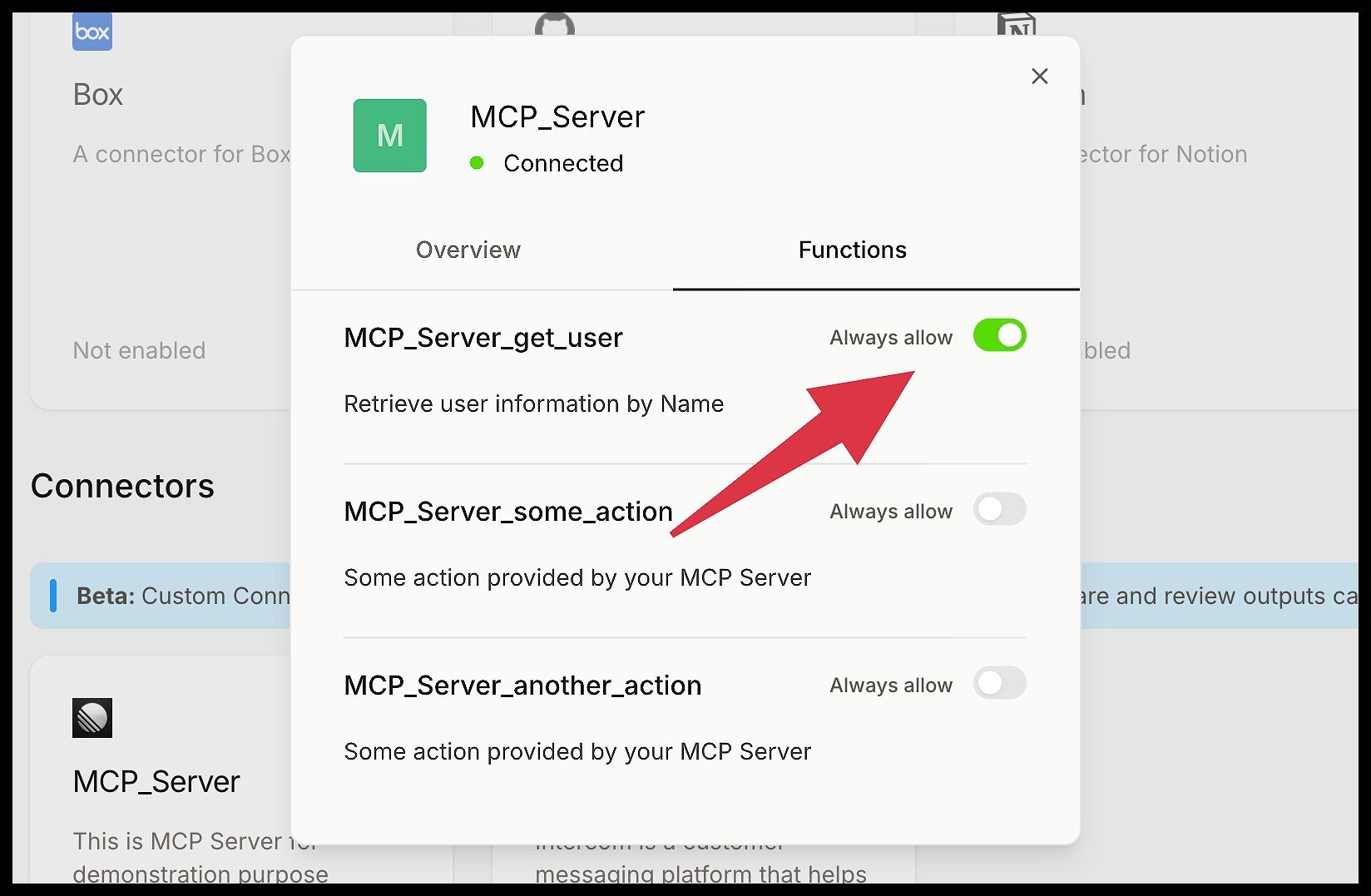 Function-level permission controls (Source: Mistral AI)
Current Limitations and Future Roadmap
As an emerging protocol, MCP currently lacks support for:
- Dynamic tool discovery
- Resource handling
- Automatic prompt templates
Mistral confirms these features are in development, signaling MCP's evolution toward becoming a comprehensive standard for AI tool integration.
The New Integration Frontier
For developers, Custom Connectors represent both opportunity and responsibility. While enabling unprecedented workflow customization, they demand rigorous security practices. As MCP matures, it could catalyze an ecosystem of interoperable AI tools—provided the community prioritizes security alongside innovation. Enterprises now face a critical choice: embrace extensibility while implementing robust guardrails, or risk being outpaced by more agile competitors.
Comments
Please log in or register to join the discussion