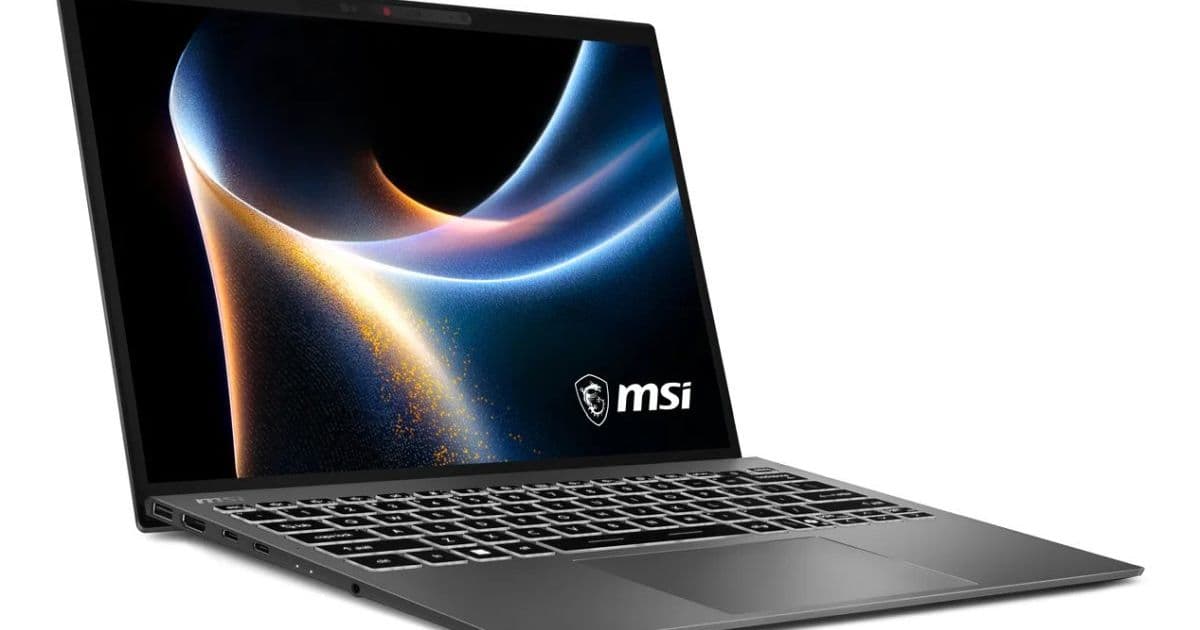
MSI's latest ultraportable brings Intel's new Panther Lake platform to a chassis weighing just 899 grams, but the trade-offs in performance and battery life reveal the current limits of thin-and-light design.
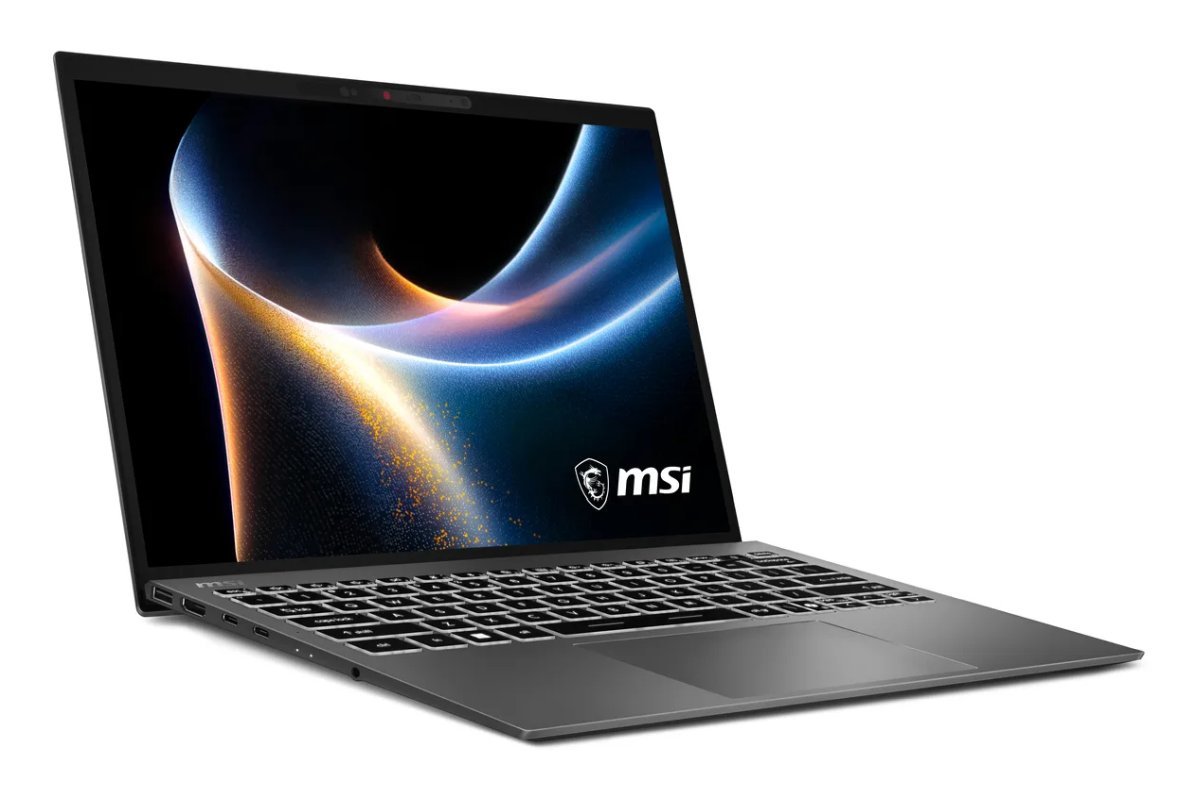
MSI's Prestige line has long been a staple for professionals who need portability without sacrificing too much performance. The new Prestige 13 AI+ A3M continues this tradition, but with a significant update: it's one of the first laptops to feature Intel's new Panther Lake platform. While the headline specs include a 13.3-inch OLED display and a weight that's barely over two pounds, the real story is what you get—and what you give up—to achieve that portability.
The Panther Lake Platform in a Compact Form
Intel's Panther Lake represents the next evolution in their mobile processor lineup, building on the architecture introduced with Meteor Lake. The Prestige 13 AI+ A3M ships with a Core Ultra 9 386H processor, which features Intel's integrated Arc graphics with 4 cores. This is notably less powerful than the Core Ultra X9 388H available in larger Prestige models, which includes 12-core graphics. The difference isn't just in raw numbers—it affects the laptop's ability to handle graphics-intensive tasks like video editing, 3D modeling, or even some modern gaming.
The processor choice reflects a deliberate trade-off. The 386H is designed for efficiency rather than peak performance, which makes sense given the laptop's thermal constraints and battery limitations. For developers working primarily in code editors, terminal applications, or even mobile app development, this processor should be more than adequate. However, if your workflow involves compiling large projects, running multiple virtual machines, or working with GPU-accelerated machine learning models, you'll feel the limitations.
The system supports up to 64GB of LPDDR5x memory, which is soldered directly to the motherboard. This is both a pro and a con: you get fast memory with low latency, but you can't upgrade it later. For mobile developers, 32GB should be the minimum consideration, especially if you're running Android emulators alongside your IDE and other tools. The single M.2 slot supports PCIe Gen 4 x4 NVMe storage, which is plenty fast for most development workflows, though you'll need to choose your storage capacity carefully at purchase since there's no expansion slot.
Display and Portability: The Core Appeal
The 13.3-inch OLED panel with 2880 x 1800 resolution is the standout feature. OLED technology delivers perfect blacks and vibrant colors, which makes it excellent for creative work and content consumption. The 16:10 aspect ratio provides more vertical space than traditional 16:9 displays, which is particularly useful for coding and document editing. However, developers should note that some older development tools and IDEs may not scale perfectly on high-DPI displays, though this is becoming less of an issue with modern applications.
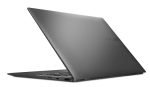
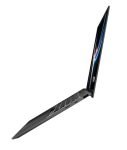
At 899 grams (2 pounds), this laptop is genuinely portable. For comparison, that's lighter than many 13-inch tablets with keyboard attachments. The weight savings come from several design choices: the magnesium-aluminum alloy chassis, the smaller battery, and the integrated graphics instead of a discrete GPU. This makes it ideal for developers who commute regularly or work from different locations throughout the day.
Connectivity and Real-World Usage
The port selection is pragmatic for a laptop this size:
2x Thunderbolt 4 (40 Gbps): These are your lifelines. They support external displays (up to three total with the integrated graphics), high-speed storage, and even external GPUs if you need more graphics power for specific tasks. For mobile developers, this means you can connect a 4K monitor for your primary workspace and still have bandwidth for fast external SSDs or other peripherals.
2x USB 3.2 Gen 1 Type-A (5 Gbps): Having two legacy USB ports is a thoughtful inclusion. Many development tools—debuggers, USB-to-serial adapters for embedded work, external drives—still use Type-A. The 5 Gbps speed is adequate for most peripherals, though you'll want Thunderbolt for high-speed storage.
HDMI 2.1: Useful for connecting to external monitors or projectors without needing adapters. HDMI 2.1 supports 4K at 120Hz, which is overkill for most development work but future-proofs the laptop for other uses.
microSD card reader: Essential for developers working with IoT devices, Raspberry Pi projects, or mobile photography for app development.
3.5mm audio: Standard for headphones or external microphones.
The inclusion of Intel Killer WiFi 7 and Bluetooth 5.4 is forward-looking. WiFi 7 offers significantly higher throughput and lower latency than WiFi 6E, which matters for developers who work with cloud services, remote servers, or large file transfers. Bluetooth 5.4 improves battery life for wireless peripherals and supports higher-quality audio codecs.
Battery Life: The Compromise
The 53 Wh battery is the most significant limitation of this design. For context, many 13-inch laptops in this category have batteries in the 60-70 Wh range. The smaller capacity is a direct consequence of the weight reduction. Real-world battery life will depend heavily on your workload:
- Light development (text editing, web browsing, documentation): 6-8 hours
- Moderate development (IDE work, local server, multiple browser tabs): 4-6 hours
- Heavy development (compiling, virtualization, Android emulators): 2-4 hours
For developers who spend most of their time at a desk with access to power, this is manageable. For those who work in coffee shops, on trains, or in meetings throughout the day, it means carrying a charger. The good news is that the laptop supports USB-C charging, so you can use a compact 65W GaN charger instead of the larger proprietary power brick.
Security and Input Devices
The FHD IR webcam with a physical privacy shutter is a welcome addition. The privacy shutter addresses a growing concern about webcam security, while the IR camera enables Windows Hello facial recognition for quick logins. The fingerprint sensor provides an alternative biometric option.
The single-color white backlit keyboard is functional but basic. For developers who spend hours typing, the key travel and layout are more important than RGB lighting. The trackpad is large and responsive, supporting Windows Precision drivers for accurate gesture control.
Developer-Specific Considerations
For mobile app developers, this laptop handles iOS development reasonably well (though you'll need a Mac for actual iOS builds). Android development is fully supported, though you'll want to allocate at least 8GB of RAM to the Android Studio and emulator. The integrated Arc graphics can handle the Android emulator, but performance may lag with multiple emulators or complex UI previews.
Web developers will find this laptop excellent. The OLED display makes color-critical work easier, and the processor handles modern development stacks (Node.js, React, Vue) without issue. For backend development, the processor is capable of running local databases and services, though heavy compilation tasks will take longer than on more powerful machines.
The single M.2 slot means you need to plan your storage needs carefully. A 1TB drive is recommended for most developers, as development tools, SDKs, and project files can consume significant space. External storage via Thunderbolt is always an option for archives and large media files.
The Competition: Prestige 14 AI+
MSI also offers the Prestige 14 AI+ D3M, which provides a different set of trade-offs. With a 14-inch FHD+ display, 81 Wh battery, and support for the more powerful Core Ultra X9 388H processor, it's better suited for developers who need more performance and battery life. However, at 1.32 kg (2.9 pounds), it's nearly 50% heavier than the 13-inch model.
The choice between these models comes down to your primary use case:
- Prestige 13 AI+: Maximum portability, adequate performance for most development tasks, OLED display
- Prestige 14 AI+: Better performance, longer battery life, more screen real estate, but significantly heavier
Pricing and Availability
The Prestige 13 AI+ A3M starts at $899, though this price likely reflects a base configuration with 16GB of RAM and 512GB of storage. The fully configured model with 64GB of RAM and 2TB of storage will be substantially more expensive. For developers, the sweet spot is likely 32GB of RAM and 1TB of storage, which should provide enough headroom for most workflows.
The Bottom Line for Developers
The MSI Prestige 13 AI+ A3M is a compelling option for developers who prioritize portability above all else. The combination of Intel's Panther Lake platform, OLED display, and sub-2-pound weight makes it one of the most portable development machines available. However, the compromises are real: limited battery life, modest graphics performance, and no upgrade path for memory.
This laptop excels for:
- Developers who work from multiple locations daily
- Web and mobile developers who don't need heavy GPU acceleration
- Professionals who value display quality for design work alongside development
- Those who already have a more powerful desktop or workstation for heavy tasks
It's less suitable for:
- Developers working with GPU-intensive tasks (machine learning, game development)
- Those who need all-day battery life without access to power
- Users who prefer to upgrade their systems over time
For developers considering this laptop, the key question isn't whether it can handle your work—it probably can. The real question is whether the portability benefits outweigh the limitations in battery life and performance ceiling. For many mobile professionals, the answer will be yes.
The Prestige 13 AI+ represents the current state of ultraportable development machines: impressive engineering that pushes the boundaries of what's possible in a lightweight package, but still bound by the fundamental constraints of physics and thermodynamics. As Intel continues to refine Panther Lake and manufacturers improve thermal designs, we'll see these trade-offs become less pronounced. For now, the Prestige 13 AI+ is a capable tool for developers who need to work anywhere, as long as they understand its limitations.
For more details, visit the official MSI Prestige series page or check out Intel's Panther Lake platform documentation.
Comments
Please log in or register to join the discussion