When a critical SQL Server at a Swiss biopharma firm started failing backups in late 2023, the troubleshooting process revealed hard truths about enterprise hardware support, the limits of standard recovery tools, and why verifying backups is just as important as taking them.
I have spent four years working as an ICT engineer at a small biopharma company in Switzerland, where our IT team supports a range of specialized lab systems. My background is in software engineering and cybersecurity, but like most IT generalists, I have had to troubleshoot my share of hardware failures. The incident that stood out most happened at the end of 2023, when a critical server storing lab instrument data started failing backups, threatening to disrupt high-cost biological runs.
The Problem
The affected server hosted an MS SQL Database that collects results from desktop clients connected to lab instruments running complex analyses. These instruments control runs that use living cell cultures, each of which takes days to prepare and cannot be repeated easily. The server has almost no tolerance for downtime, because if a client cannot push results to the database after a run completes, all data from that run is lost. This is a design flaw in the client software, but it is one we have had to work around.
In late 2023, our backup system flagged that snapshots for this server were failing consistently. Opening Windows EventViewer showed a series of disk errors tied to unreadable sectors 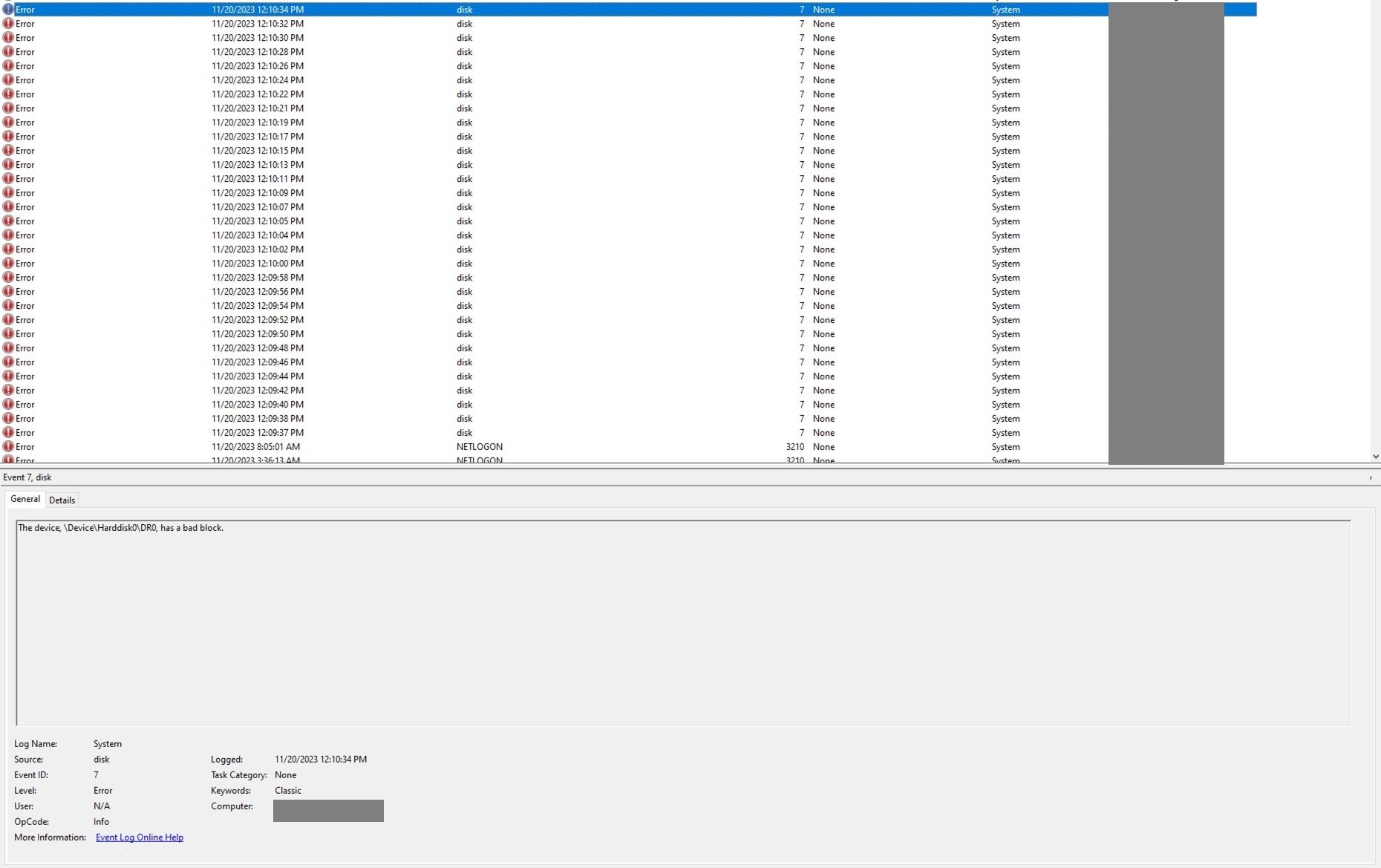 . As a temporary fix, we switched to using MS SQL Server's native backup tool to dump the database directly, bypassing the regular backup software. This worked for a few weeks, until a lab user reported that several recent analyses were no longer accessible in the database. Further checks confirmed the worst: the server's hard drive had developed bad blocks.
Investigation
My first hypothesis was that a recently deployed Endpoint Detection and Response (EDR) system was interfering with the backup process. We had finished rolling out the EDR agent across all servers a week before the issues started, so it seemed like a likely culprit. I disabled the agent and attempted a backup, but the failure persisted. Uninstalling the EDR entirely did not help either. At that point, I knew the issue was not related to the new security tool  .
.
Next, I dug into the error logs for the Volume Shadow Copy Service (VSS), the Windows framework that coordinates snapshot creation for backups. The logs showed that a VSS provider could not read a disk snapshot, which is a red flag for underlying storage issues. VSS works by coordinating between backup applications, running applications like SQL Server, and storage hardware to create point-in-time snapshots that do not require taking systems offline. Microsoft's VSS architecture diagram breaks down how these components interact 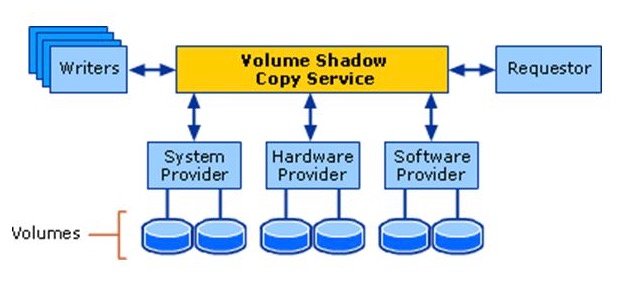 .
.
I initially assumed the issue was with the backup software, Synology Active Backup for Business, which we use across our environment. I stopped the backup service, deleted all existing VSS shadow copies, and attempted a fresh backup, but the error remained. The VSS configuration was clean, and the backup tool was not throwing its own errors, so the problem had to be lower in the stack.
I ran two standard Windows repair commands: DISM (Deployment Image Servicing and Management) with the RestoreHealth flag to repair the Windows image, and SFC (System File Checker) to scan for corrupted system files. Both tools detected corruption but could not repair it, which meant the issue was not with Windows system files. DISM and SFC are designed to fix software-level corruption, not hardware failures, so this was an early clue that the disk itself was the problem.
I then listed all recent changes to the server over the prior three months. A technician from the lab instrument vendor had run a SQL patch to update the database for a new version of the client software, and the date of that patch lined up exactly with the start of the backup failures. My initial theory was that the patch had corrupted database pages directly, but that is not how SQL Server works. T-SQL commands cannot write bad sectors to a hard drive. Instead, the patch likely triggered heavy I/O operations on audit pages that had not been accessed in years. These pages were stored on sectors whose magnetic signal had decayed over time, and the heavy read/write activity exposed sectors that were already failing. The patch did not cause the corruption, it just made it impossible to ignore.
Resolution
We knew we needed to repair the corrupted sectors and replace the failing drive. The server was still under enterprise warranty from Dell, so we contacted their support team. They agreed to ship a replacement hard drive but offered no further assistance with data recovery or troubleshooting. This is a common limitation of enterprise hardware support: vendors will replace faulty components, but they will not help you recover data from failed drives.
We first tried EaseUS Data Recovery, a well-known commercial recovery tool, even purchasing the paid version. It could not repair the unreadable sectors. We then tested HDD Regenerator, a tool with a website that looks like a scam from the early 2000s, but had positive reviews from users with similar issues. The tool costs $90, which we paid out of desperation. To our surprise, it worked.
HDD Regenerator claims to repair bad sectors on magnetic hard drives using a proprietary algorithm. At first, this sounds impossible, software cannot fix physical hardware damage. The explanation is that most "bad" sectors are not physically destroyed, they are just weakly magnetized. Over time, the magnetic signal on a hard drive platter fades, especially for sectors that are not accessed regularly. When the signal decays past a certain point, the drive's error correction cannot read the data reliably, and it marks the sector as bad. HDD Regenerator works by repeatedly reading and rewriting these sectors with a strong, clean magnetic signal. If a sector is truly physically damaged, the drive's firmware will remap it to a spare sector from a reserved pool, so the operating system sees a healthy sector again.
We had to remove the failing drive from the server, because the server uses a proprietary SATA interface that is not compatible with standard recovery machines. We connected it to a separate Windows workstation with better cooling to prevent overheating during the long rewrite process 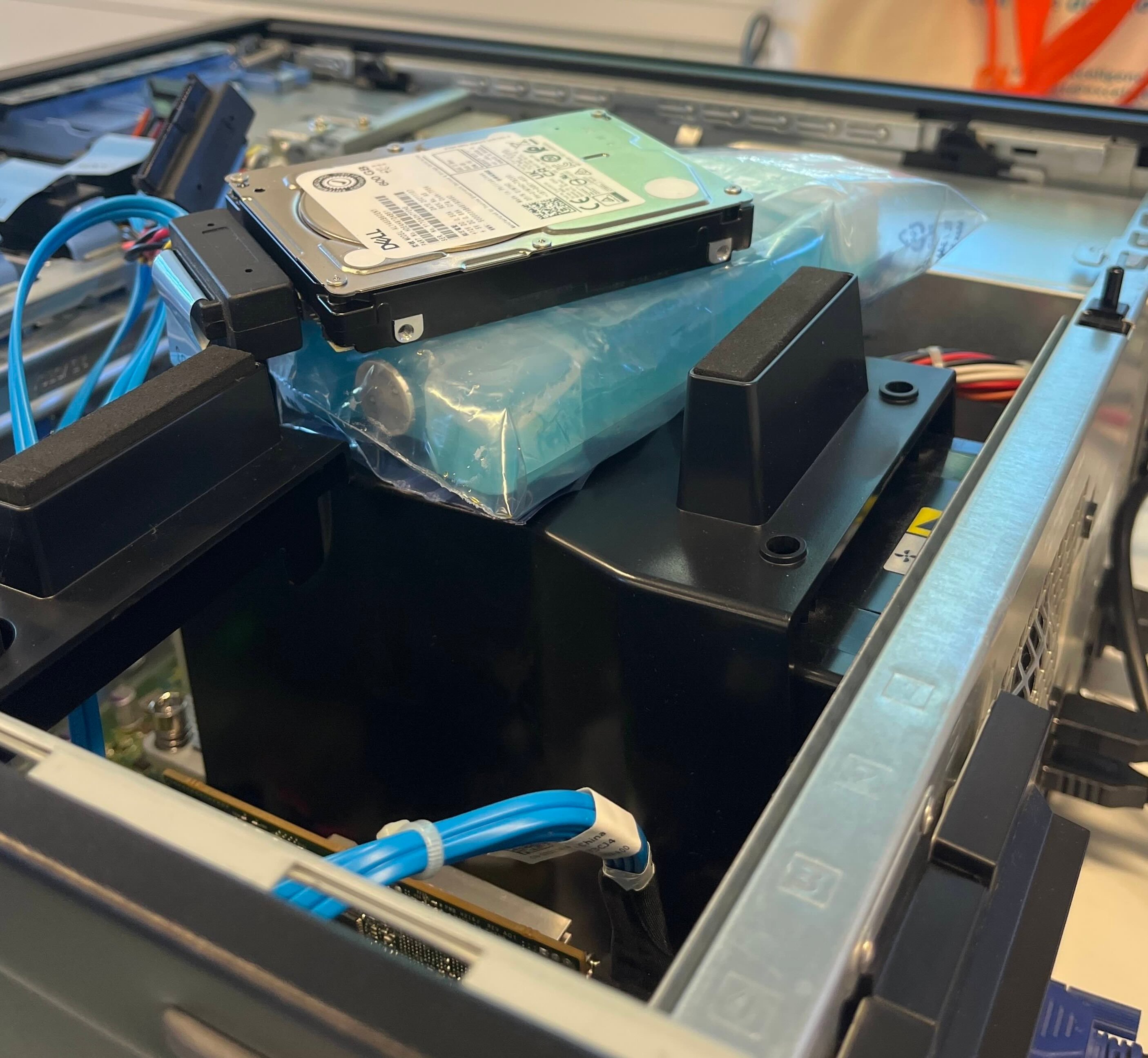 . The recovery took several hours, but once it completed, we were able to run SQL Server checksums on the database to verify that all pages were intact. SQL Server's page verify option, when set to checksum, adds a checksum to each database page that is checked every time the page is read. No checksum errors were thrown, which confirmed that the data was intact.
The corruption was limited to a small number of sectors with faded magnetic signals, not physical platter damage. If the platters had been scratched, no software tool could have recovered the data. We were lucky that the failure was limited to signal decay, which is repairable in many cases.
Lessons Learned
This incident changed how our team handles backups and production changes. First, backups are only useful if they can be restored, and the restored data is valid. We now run monthly test restores of critical databases to verify that our backups are not corrupted. Second, even small vendor patches on production systems need to be treated as high-risk changes. We now require a full backup before any patch is applied, monitor system performance during the patch, and verify data integrity after the patch completes.
Third, enterprise hardware warranties are limited. Dell sent us a new drive, but they did not offer any support for data recovery, even though the server was under a premium support contract. Data recovery is ultimately the responsibility of the user, not the hardware vendor. Fourth, do not dismiss tools just because their marketing looks unprofessional. HDD Regenerator's website is outdated and looks untrustworthy, but it solved a problem that a more well-known tool could not.
Finally, curiosity is the most important skill for troubleshooting. Half of fixing this issue was being willing to keep testing hypotheses even when the first five leads turned out to be dead ends. The other half was being open to trying a $90 tool that looked like a scam, because we had no other options left.
Broader Context
This incident highlights a common problem in enterprise storage: silent data corruption. Unlike a complete drive failure, where the drive stops working entirely, silent corruption happens when sectors decay or data is written incorrectly, and the error is replicated to all backups. RAID arrays, which are standard for enterprise servers, protect against complete drive failure by mirroring data across multiple disks, but they do not protect against silent corruption. If a sector is corrupted on the source disk, the corruption is replicated to the mirror, so both copies are bad.
Regular data verification, using checksums at the application and storage level, is the only way to catch silent corruption before it causes data loss. SQL Server's page checksums are a good example of this, but they need to be enabled and monitored. For storage systems, features like ZFS checksums or Windows Storage Spaces Direct checksumming can help detect corruption early.
We replaced the failing drive with the new Dell unit, and migrated all data to the new disk after verifying it was intact. The server has been running without issues since, and we have added regular VSS and backup verification to our maintenance schedule.
Comments
Please log in or register to join the discussion