
A new PowerShell module enables seamless conversion of MOF configurations to Microsoft DSC's JSON format, simplifying migration paths for enterprises adopting cloud-native infrastructure management.

Enterprises maintaining legacy PowerShell DSC configurations now have a migration path to Microsoft's cloud-native Desired State Configuration (DSC) engine. The newly released Convert-MofToDsc PowerShell module addresses a critical pain point for organizations transitioning between Microsoft's two configuration management paradigms.
What Changed
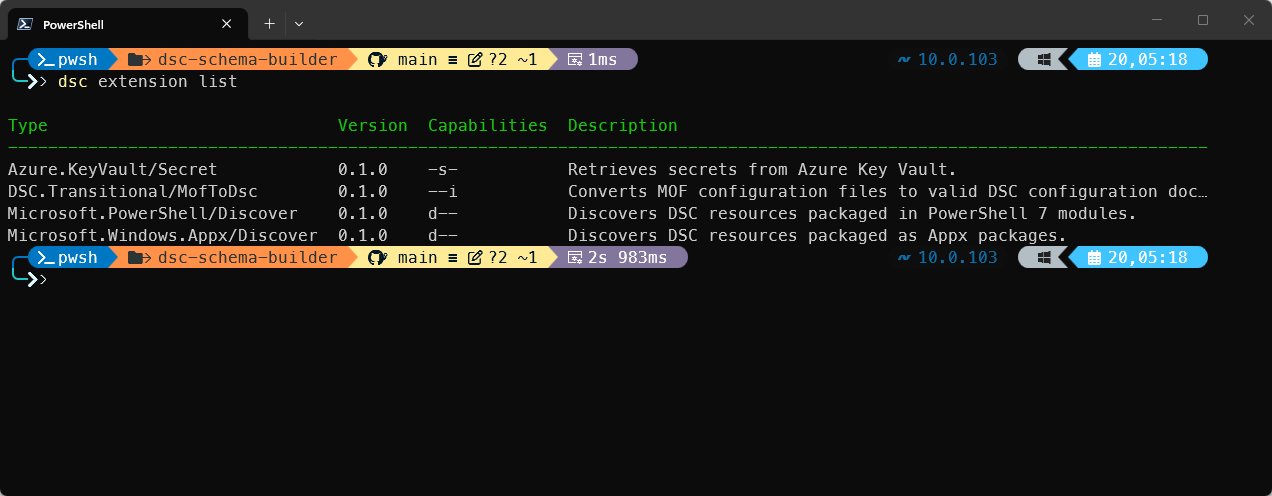
Traditional PowerShell DSC relies on Managed Object Format (MOF) files generated through compilation of PowerShell scripts. While functional, MOF presents version control challenges and developer experience limitations. Microsoft's modern DSC implementation uses JSON documents aligned with cloud-native practices but lacks native MOF compatibility. The new converter bridges this gap by programmatically transforming MOF artifacts into Microsoft DSC's JSON schema.

Configuration Management Comparison
| Aspect | PowerShell DSC (MOF) | Microsoft DSC (JSON) |
|---|---|---|
| Artifact Format | Compiled MOF files | Human-readable JSON |
| Version Control | Difficult diffing | Git-friendly diffs |
| Execution Engine | Local Configuration Manager (LCM) | dsc executable |
| Extensibility | Limited | Extension model for custom handlers |
| Cloud Alignment | On-premises focus | Cloud-native workflows |
Business Impact
For enterprises with substantial MOF investments, this converter enables:
- Phased Migration: Run legacy MOF and modern JSON configurations simultaneously during transition periods
- Cost Reduction: Avoid complete rewrites of existing configuration codebases
- Future-Proofing: Prepare configurations for Microsoft DSC's upcoming LCM-equivalent functionality
- DevOps Integration: Improve CI/CD pipelines through JSON's compatibility with modern toolchains
The module leverages Kingsland.MofParser for accurate syntax transformation, preserving resource definitions while adding Microsoft DSC's required schema elements. Crucially, it maintains compatibility with existing LCM-dependent workflows while enabling experimentation with Microsoft DSC's engine.
Strategic Migration Considerations
Organizations should evaluate:
- Hybrid Scenarios: The converter enables dual-mode operations where LCM-managed nodes coexist with Microsoft DSC deployments
- Extensibility Advantage: Microsoft DSC's extension model allows direct MOF execution via wrapper scripts, creating transitional workflows
- Technical Debt Reduction: Converting existing MOF repositories provides cleaner artifacts for peer review and auditing
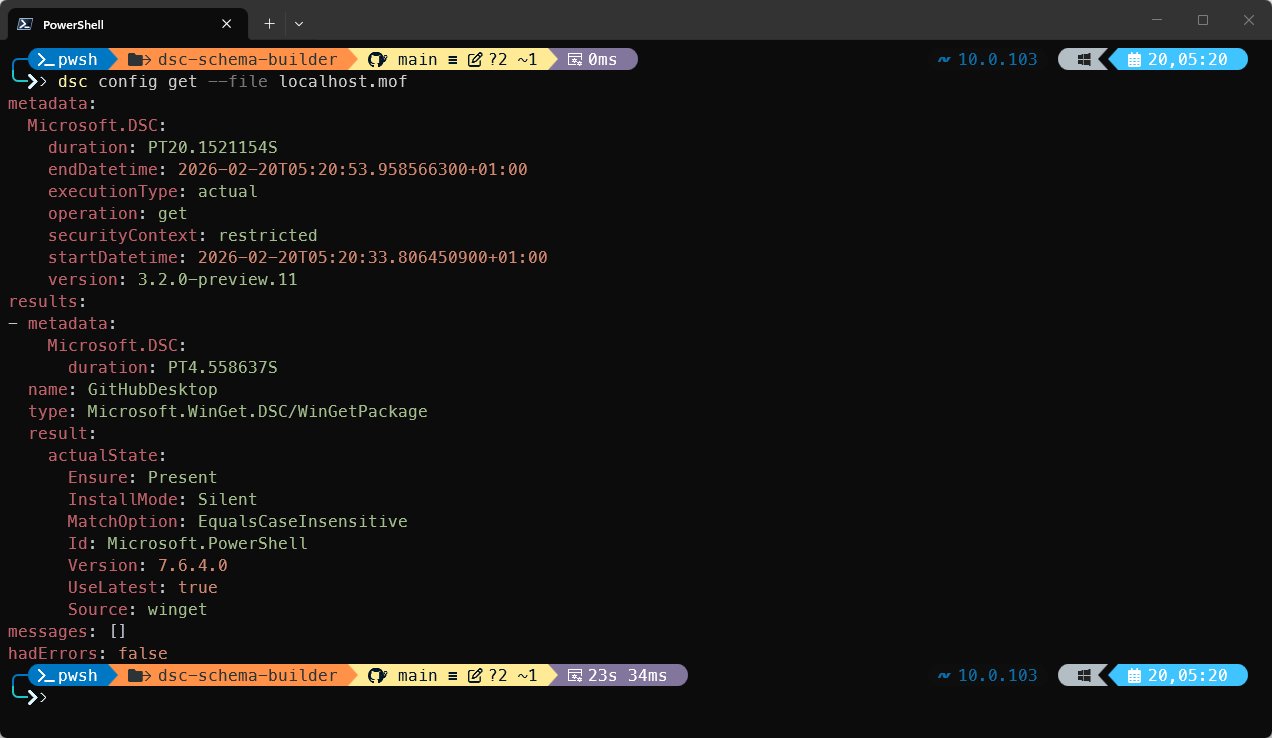
The DscSchemaBuilder module is available in the PowerShell Gallery. While not eliminating MOF dependencies where LCM is required, it significantly lowers barriers to adopting Microsoft DSC. Enterprises can now strategically transition configurations while maintaining operational continuity—a critical consideration for multi-cloud environments where configuration management consistency across hybrid infrastructure delivers tangible business value.
For comprehensive implementation guidance, refer to the official Microsoft DSC documentation and explore the extensibility model detailed in the DSC V3 Handbook.
Comments
Please log in or register to join the discussion