
The Omni Group's latest outlining app update represents a significant shift toward unified design across Apple's ecosystem, introducing a new linking system and on-device AI capabilities while maintaining its traditional focus on structured thinking.
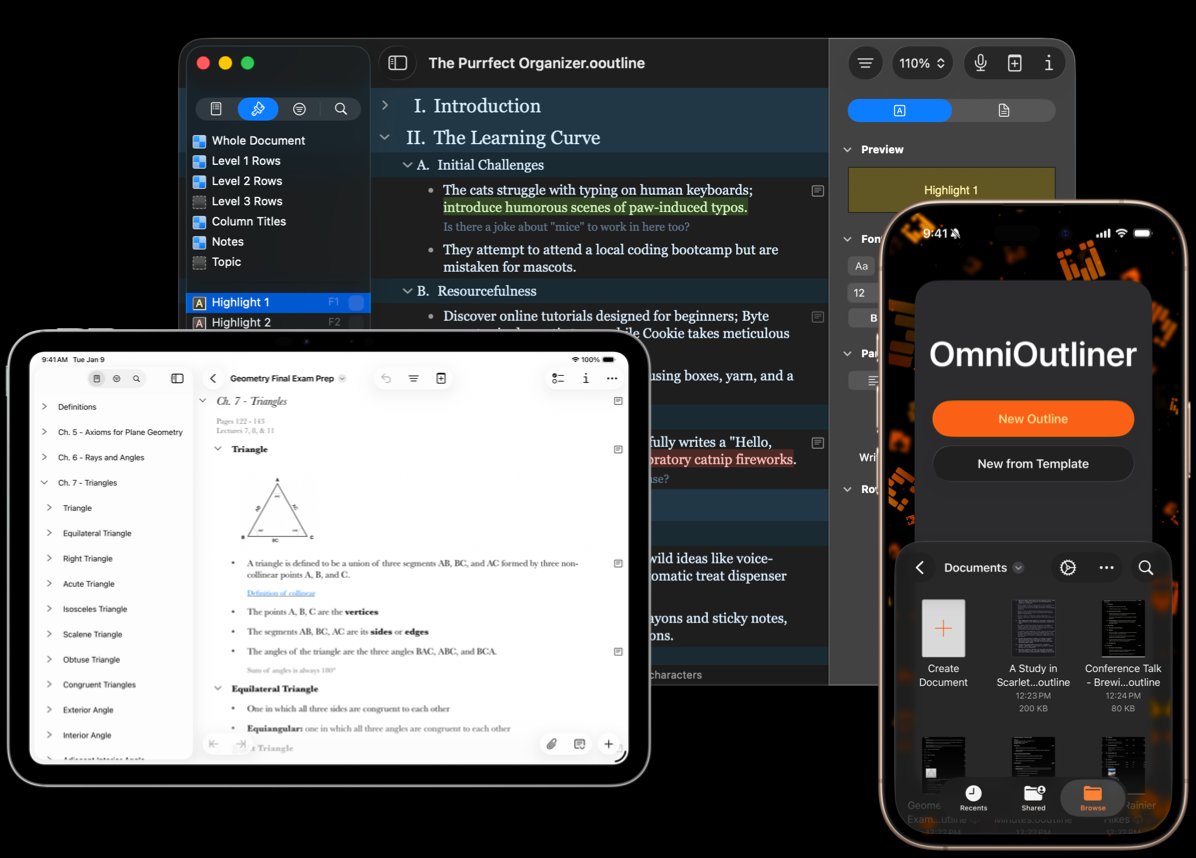
The Omni Group has released OmniOutliner 6, marking a departure from its platform-specific development history with a simultaneous redesign across Mac, iPad, iPhone, and Apple Vision Pro. This universal approach, built on SwiftUI and Apple's new Liquid Glass design language, represents the company's first coordinated cross-platform refresh in the app's 25-year history.

A Return to Outlining Fundamentals
Ken Case's personal history with outlining tools—from paper and pencil in college to Emacs on BSD and Concurrence on NeXT—reveals the app's philosophical foundation. OmniOutliner originated from a tool Case built to catalog his wife's book collection, adapted for Mac OS X in the early 2000s. The app's evolution from Mac-only to iPad (during the "iPad or Bust!" era) and eventually iPhone created a fragmented design experience where each platform developed its own feature set.
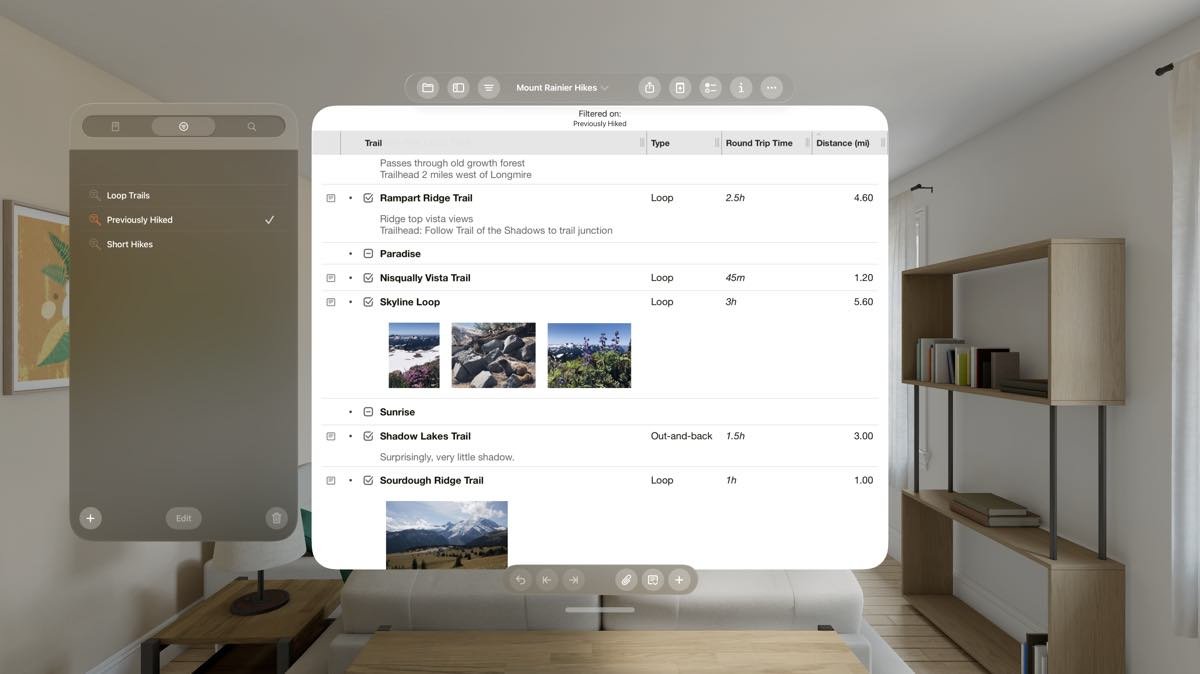
OmniOutliner 6 attempts to solve this fragmentation by rebuilding toolbars, sidebars, and inspectors from scratch for Liquid Glass. The result is a consistent visual language across platforms while maintaining platform-specific optimizations. On Mac, users gain the ability to open multiple concurrent windows of the same document—particularly useful for long outlines. iPad and iPhone versions introduce advanced Saved Filters and a Style Attributes Inspector, while the Apple Vision Pro version allows users to place outlines in spatial computing environments around their physical space.
Omni Links: Solving the Document Linking Problem
One of the more technical challenges OmniOutliner 6 addresses is cross-platform document linking—a problem Case referenced in previous announcements. Omni Links provide a unified system for linking to content across devices, sharing links with teams, and referencing documents in scripts and plugins.
The system leverages existing sync solutions like iCloud Drive or shared Git repositories. When you select a row in OmniOutliner and copy its Omni Link, team members can open it in the free viewer mode on any Apple platform without requiring a paid license. This addresses a common collaboration friction point in document-based workflows.
More significantly for technical users, Omni Links integrate with Omni Automation scripts and plugins. This creates a programmatic way to reference and update content in linked documents across team devices. For developers building custom workflows, this provides a consistent addressing system that works across the entire Omni suite.
Apple Intelligence: On-Device Processing as a Design Choice
OmniOutliner 6 integrates with Apple Intelligence through opt-in mechanisms that process data locally on the device. This approach aligns with Apple's broader AI strategy but represents a deliberate technical choice for a productivity app.
The integration works through two mechanisms: direct querying of on-device Foundation Models via Omni Automation scripts, and support for plugins that provide AI Tools for Apple Intelligence to query. The Omni Group provides sample plugins for immediate installation, including tools for summarizing articles into outlines or generating meeting agendas from simple prompts.
From a technical perspective, this on-device approach offers reliability advantages—no dependency on external servers or API rate limits—but comes with the limitations of smaller, local models. The company emphasizes that AI features are "not fundamental to using OmniOutliner," positioning them as optional enhancements rather than core functionality.
Universal Licensing and Pricing
OmniOutliner 6 Pro launches at $99.99, matching the price of OmniOutliner 5 Pro for Mac despite now covering four platforms. This universal licensing model extends to existing users: anyone with a previous OmniOutliner license (including those bundled with MacBooks decades ago) can register their license to receive a 50% upgrade discount.
The pricing strategy reflects a broader trend in Apple's ecosystem where universal purchases have become expected. For the Omni Group, this represents a technical and business model shift from platform-specific SKUs to a single product that adapts to each device.
Technical Trade-offs and Considerations
The move to SwiftUI and Liquid Glass introduces both opportunities and constraints. While SwiftUI enables more consistent cross-platform development, Liquid Glass's design language presents challenges—particularly for an outlining app that traditionally relied on dense, information-rich interfaces. The redesign required rethinking how hierarchical information is presented across different screen sizes and input methods.
The Omni Links system, while elegant, depends on existing sync infrastructure. Teams using alternative sync solutions or custom Git workflows may need to adapt their processes. The linking mechanism also requires users to understand the distinction between document-level links and row-level links, adding a layer of complexity to the sharing workflow.
For developers, the Apple Intelligence integration offers new automation possibilities but ties custom solutions to Apple's on-device model capabilities. The privacy and reliability benefits come at the cost of model performance compared to cloud-based alternatives.
Community Reception and Adoption Signals
Early reactions from the outlining and productivity communities highlight the universal licensing as a significant value proposition. The ability to purchase once and use across all Apple platforms addresses a common complaint about previous versions. The Omni Links feature receives particular praise for solving a long-standing collaboration problem in document-based workflows.
However, some power users have expressed concerns about the Liquid Glass redesign potentially reducing information density—a critical factor for complex outlines. The shift to a more visually consistent but potentially less customizable interface represents a trade-off between aesthetics and functionality.
The Apple Intelligence integration has generated mixed reactions. Privacy-conscious users appreciate the on-device processing, while others note that local models may not match the quality of cloud-based alternatives for complex summarization or generation tasks.
Broader Context in Productivity Software
OmniOutliner 6's release occurs as the productivity software market sees increased focus on AI features and cross-platform consistency. Competitors like Notion, Obsidian, and Craft have all introduced AI capabilities, though typically through cloud-based models. The Omni Group's on-device approach distinguishes it in the privacy-conscious segment of the market.
The universal licensing model also reflects Apple's broader ecosystem strategy, where users expect seamless experiences across devices. This creates pressure on developers to maintain feature parity while optimizing for each platform's unique capabilities—particularly challenging for complex applications like outlining tools.
OmniOutliner 6 represents a mature product adapting to modern technical constraints and user expectations. Its success will depend on whether the benefits of universal design, on-device AI, and improved collaboration outweigh the learning curve of new interfaces and the limitations of local processing.
The app is available as a two-week trial through the App Store, requiring an Omni Account for activation. Existing users can register previous licenses for upgrade pricing, while new users can purchase the universal license directly.
Comments
Please log in or register to join the discussion