
OpenSnitch, a powerful Linux port of macOS's Little Snitch, empowers users by monitoring every outgoing network request from applications. This open-source application firewall exposes covert telemetry and unauthorized connections, letting users block suspicious activity. For privacy-conscious developers and sysadmins, it's an essential tool for reclaiming control in an era of opaque data collection.
In an age of pervasive telemetry and opaque data collection, Linux users have gained a potent guardian for their network privacy: OpenSnitch. This open-source application firewall, a port of the renowned macOS tool Little Snitch, meticulously tracks every outgoing network connection initiated by applications on your system. It then empowers you to allow or block these requests based on granular rules, putting critical control over data exfiltration firmly back in the user's hands.
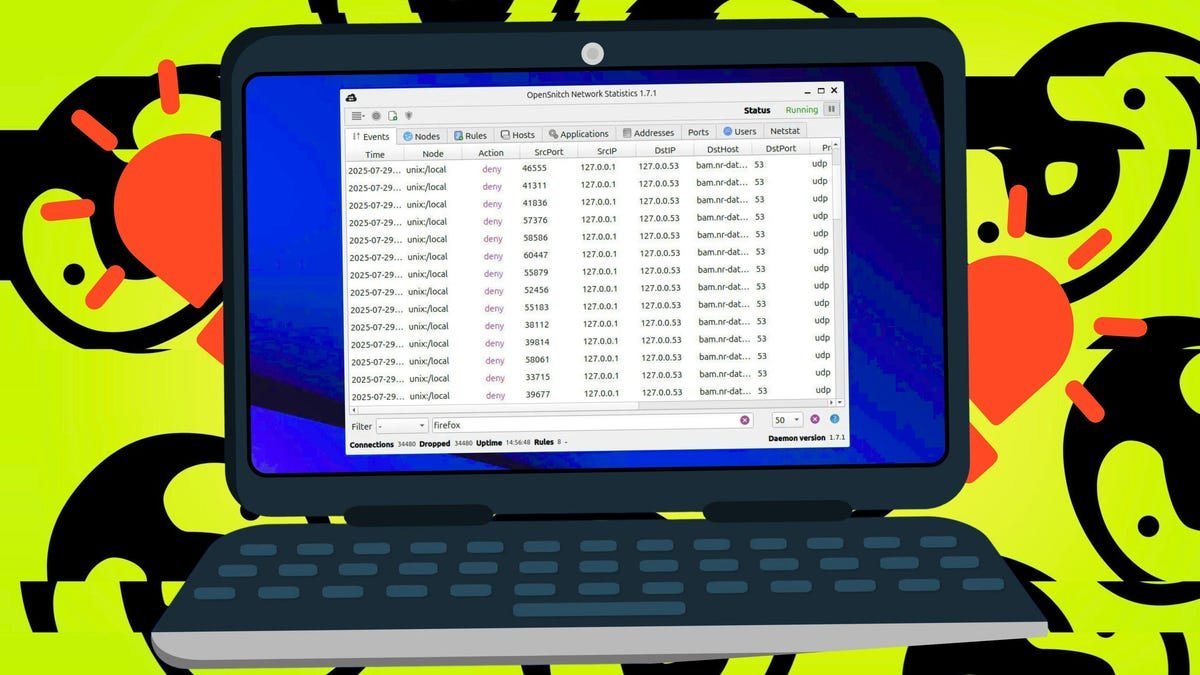 OpenSnitch provides real-time visibility into application network behavior. (Credit: Jack Wallen / Elyse Betters Picaro / ZDNET)
Why Visibility Over Outbound Connections Matters
The value of OpenSnitch lies in its ability to expose the often-hidden network behavior of applications:
- Unmasking Telemetry & Spyware: Even seemingly innocuous applications might silently phone home with usage statistics, diagnostic data, or worse. OpenSnitch reveals these connections, allowing you to question their necessity.
- Detecting Compromised Software: Malware or compromised legitimate software often establishes covert command-and-control channels. Unexpected outbound connections to unknown domains are a major red flag.
- Enforcing Least Privilege: Why should a local text editor or calculator need internet access? OpenSnitch lets you enforce the principle of least privilege at the network level.
- Understanding Application Behavior: Developers and power users gain insights into the dependencies and external services their software relies on.
"OpenSnitch transforms passive network usage into an active defense," explains the ZDNET review based on hands-on testing. "It answers the critical question: 'What is this specific app trying to talk to that specific server for, right now?'"
Getting Started with OpenSnitch: Installation & Core Functionality
Installation on Ubuntu/Debian systems is straightforward, requiring two key packages:
# Download the Daemon and GUI Client (from https://github.com/evilsocket/opensnitch/releases)
sudo dpkg -i opensnitch*.deb          # Installs the core daemon
sudo apt-get install -f               # Resolve potential dependencies
sudo dpkg -i python3-opensnitch*.deb  # Installs the GUI interface
sudo systemctl enable --now opensnitch # Start & enable the service
Once running (typically accessed via the system tray icon), OpenSnitch operates primarily through three tabs:
- Events: The real-time log of all outgoing connection attempts, showing the application, destination, port, and protocol.
- Applications: Lists all applications that have attempted network access, along with their current rule status (Allow/Deny).
- Hosts: Shows the destination domains/IPs that applications are trying to reach.
Taking Control: Crafting Effective Rules
The true power emerges when creating rules. OpenSnitch prompts you on the first connection attempt from any application, but you can proactively create rules:
- Blocking a Suspicious Domain: Discover
example.combeing contacted unexpectedly?- Go to Rules > New Rule.
- Name:
Block example.com - Action:
Deny - Under
Network: Set "To this host" =www.example.com(or*.example.com) - Save.
 Creating granular rules based on application path or destination host is simple. (Credit: Jack Wallen / Elyse Betters Picaro / ZDNET)
- Restricting an Application: Don't want your text editor online?
- Find the app in the Applications tab.
- Click Rules > New Rule.
- Name:
Block TextEditor Web Access - Action:
Deny - Under
Application: Set the exact executable path (e.g.,/usr/bin/my-editor). - Save.
Rules can combine application paths, specific domains/IPs, ports, and protocols for surgical control. The default behavior (Allow or Deny) for unknown connections is also configurable.
Beyond Basic Security: The Broader Implications
OpenSnitch represents more than just a personal firewall; it's a tool for digital autonomy. In a landscape dominated by opaque data practices, it provides the transparency necessary for informed consent. For developers, it's invaluable for auditing their own software's network behavior or debugging unexpected external calls. System administrators can use it to profile application requirements on workstations. Its open-source nature ensures the tool itself remains transparent and trustworthy.
While requiring vigilance to manage prompts effectively, OpenSnitch offers a uniquely powerful layer of defense. It shifts the balance of power, ensuring that connections leaving your Linux machine do so only with your explicit permission, turning passive network usage into an active declaration of privacy boundaries.
Source: Based on original testing, research, and reporting by Jack Wallen for ZDNET.
Comments
Please log in or register to join the discussion