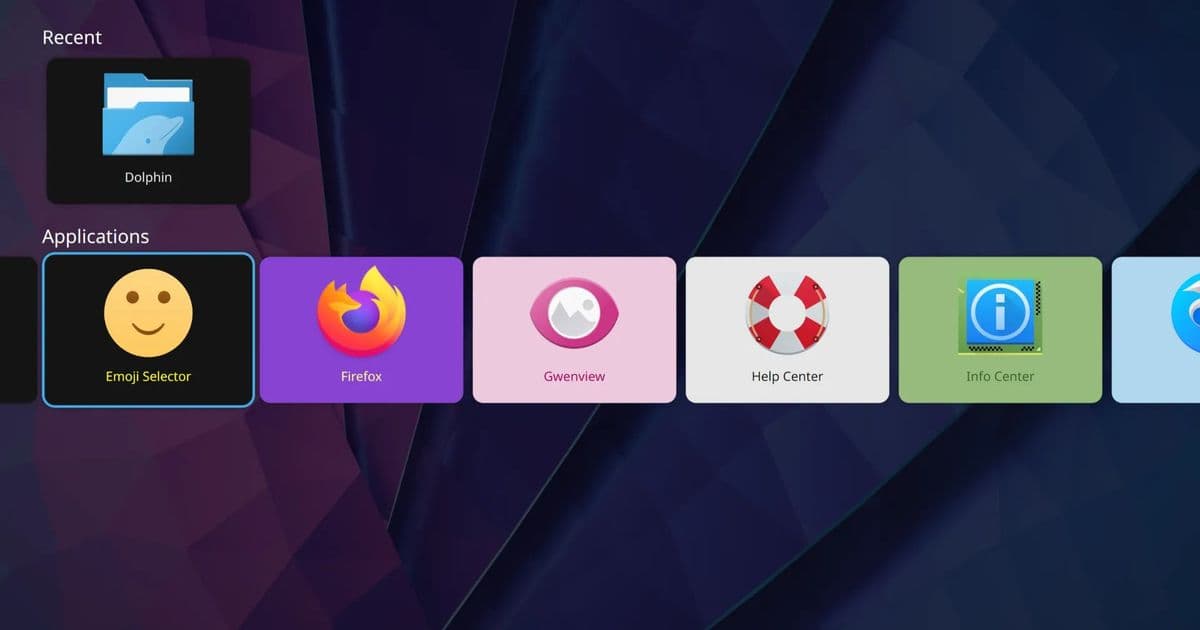
KDE's revived TV interface demonstrates smooth performance and intuitive design ahead of its official debut in Plasma 6.7.
Plasma Big Screen Shows Promising Performance in Plasma 6.7 Beta
With the recent release of KDE Plasma 6.7 beta, there's been significant interest in the revival of Plasma Big Screen, the TV-sized UI designed for living room computing environments. After hands-on testing, this interface appears to be maturing rapidly and could provide a compelling alternative to traditional desktop experiences on home entertainment systems.
What is Plasma Big Screen?
Plasma Big Screen represents KDE's answer to the growing demand for desktop interfaces optimized for large displays and remote control navigation. Unlike the standard Plasma desktop, Big Screen is designed from the ground up for TV viewing, featuring larger elements, simplified navigation, and full-screen application launches. This interface positions Plasma as a serious contender in the living room PC market, particularly with Valve's upcoming Steam Machine on the horizon.
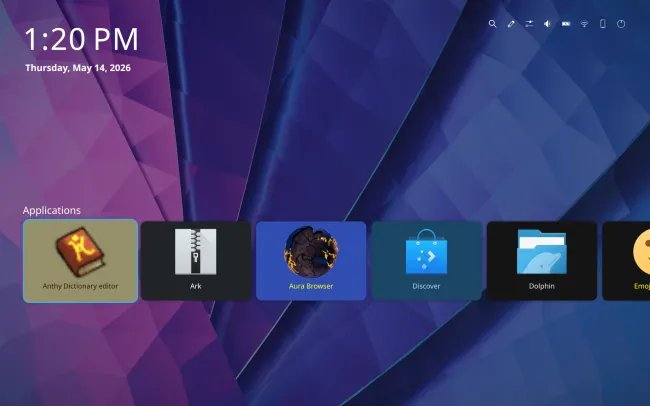 Plasma Big Screen UI showing the main interface
Technical Implementation and Performance
Testing on an AMD Ryzen AI 300 series "Strix Point" system revealed that Plasma Big Screen performs admirably, with no noticeable performance issues or rendering problems during regular usage. The interface maintains fluid animations and responsive interactions, which is crucial for a TV experience where input lag can be particularly noticeable.
The technical foundation of Plasma Big Screen leverages Plasma 6's underlying improvements, including better Wayland support and enhanced GPU acceleration. This results in a more efficient rendering pipeline compared to earlier attempts at a TV interface for KDE. The settings system has been thoughtfully adapted for the big screen environment, with larger text, clearer icons, and simplified navigation paths that work well with both keyboard/mouse and traditional remote controls.
Initial Setup Experience
While the overall experience was positive, there were some initial hurdles during testing with the KDE Neon Unstable Edition. The desktop would crash at startup when accessing the Welcome Center. This issue was resolved by switching to a virtual terminal (VT), upgrading all packages, and rebooting the system. This suggests that while the interface itself is stable, some dependency management might still need refinement for the beta release.
After resolving these initial issues, the experience was seamless. The interface proved intuitive even for users without prior exposure to Plasma Big Screen, indicating that KDE has succeeded in creating an accessible TV interface that doesn't require extensive configuration or specialized knowledge.
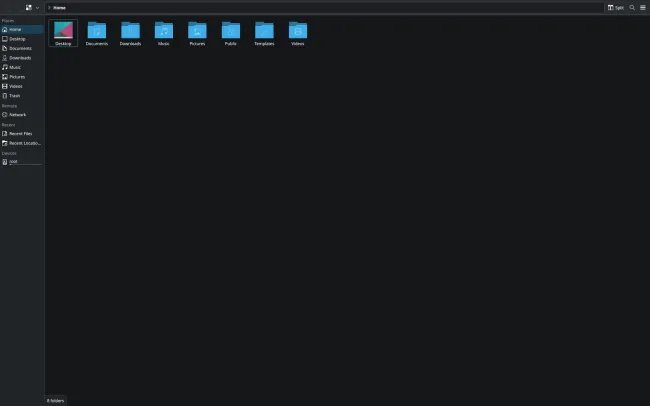 Dolphin file manager in Plasma Big Screen mode
Application Integration and Workflow
One of the standout features of Plasma Big Screen is how it handles applications. Rather than forcing developers to create separate TV-optimized versions, Plasma Big Screen intelligently launches standard Plasma applications in full-screen mode. This approach ensures compatibility with the existing KDE ecosystem while providing a TV-friendly experience.
The workflow is straightforward and intuitive. Applications launch full-screen by default, and navigation between them is handled through a unified activity switcher. This design philosophy reduces the learning curve for users transitioning from traditional desktop computing to a living room setup.
System Requirements and Compatibility
Based on testing with the Ryzen AI 300 series, Plasma Big Screen appears to be relatively undemanding in terms of hardware requirements. This is significant for the living room PC market, where users often prefer smaller, more power-efficient systems.
The interface should work well with:
- Modern AMD and NVIDIA graphics cards
- Intel integrated graphics (recent generations)
- Various input methods including keyboard/mouse, gamepads, and IR remotes
- Both X11 and Wayland sessions (with better performance on Wayland)
Build Recommendations for Plasma Big Screen
For users looking to build a living room PC with Plasma Big Screen, here are some recommended configurations:
Budget Option (Under $500)
- CPU: AMD Ryzen 5 5600G (integrated graphics)
- RAM: 16GB DDR4
- Storage: 512GB NVMe SSD
- Case: Mini ITX with good ventilation
- Input: Wireless keyboard with touchpad
Mid-Range Option ($500-$800)
- CPU: AMD Ryzen 7 5700G or Ryzen 5 7600
- RAM: 16GB DDR5
- Storage: 1TB NVMe SSD
- GPU: Entry-level discrete GPU if needed
- Case: Small form factor with aesthetic appeal
- Input: Bluetooth gamepad and wireless keyboard
High-End Option ($800+)
- CPU: AMD Ryzen 7 7700 or Ryzen 9 7900
- RAM: 32GB DDR5
- Storage: 2TB NVMe SSD
- GPU: Mid-range discrete GPU
- Case: Custom living room PC enclosure
- Input: Advanced remote control with keyboard functionality
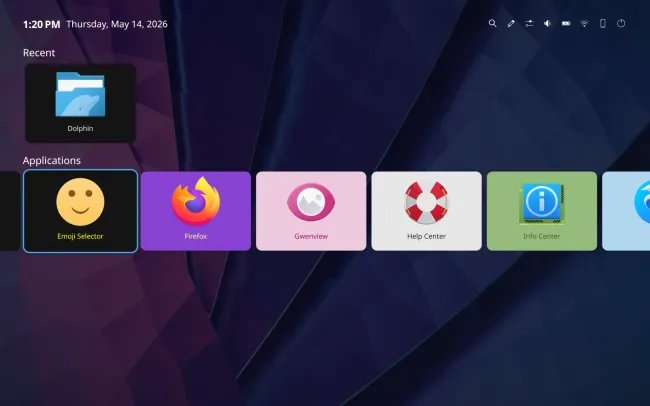 Settings interface in Plasma Big Screen mode
Comparison with Alternatives
Plasma Big Screen enters a market with several established alternatives:
- SteamOS: Valve's gaming-focused OS with Big Picture mode
- LibreELEC: Minimalist Kodi-based system
- Ubuntu Studio: Multimedia-focused Linux distribution
- Windows Media Center: Legacy Microsoft solution
Plasma Big Screen's key differentiators are its full desktop environment, extensive customization options, and seamless integration with the broader KDE ecosystem. Unlike specialized media center solutions, Plasma Big Screen doesn't limit users to specific applications, making it more versatile for general living room computing.
Future Outlook
The positive reception of Plasma Big Screen in the beta phase suggests it will be a mature and polished feature by the time Plasma 6.7 reaches stable release next month. This could significantly boost KDE's presence in the living room PC market, particularly as Valve prepares to launch its new Steam Machine.
Future development will likely focus on:
- Enhanced remote control support
- Improved gamepad integration
- More sophisticated media center features
- Better touch screen support
- Expanded hardware compatibility
Conclusion
Plasma Big Screen represents a significant step forward for KDE in the living room computing space. The beta testing has revealed a polished, performant interface that successfully bridges the gap between traditional desktop computing and TV-optimized experiences. With its intuitive design, smooth performance, and full desktop environment compatibility, Plasma Big Screen is poised to become a compelling option for anyone looking to build a living room PC running Linux.
For those interested in trying Plasma Big Screen ahead of the official release, KDE Neon unstable ISOs are available at Plasma-BigScreen.org. The initial setup may require some troubleshooting, but the resulting experience is well worth the effort for enthusiasts looking to explore the future of living room computing.
{{IMAGE:2}} KDE logo representing the Plasma desktop environment
Comments
Please log in or register to join the discussion