Proxmox Virtual Environment 9.2, built on Debian 13.5 “Trixie”, ships with the Linux 7.0 kernel, QEMU 11.0, LXC 7.0 and ZFS 2.4. New features include a dynamic load balancer, expanded SDN with WireGuard, custom CPU model management, and HA arm/disarm controls. The update is free to download and can be upgraded from 9.1 or installed over a fresh Debian base.
Proxmox VE 9.2 arrives with Linux 7.0 kernel and a dynamic load balancer
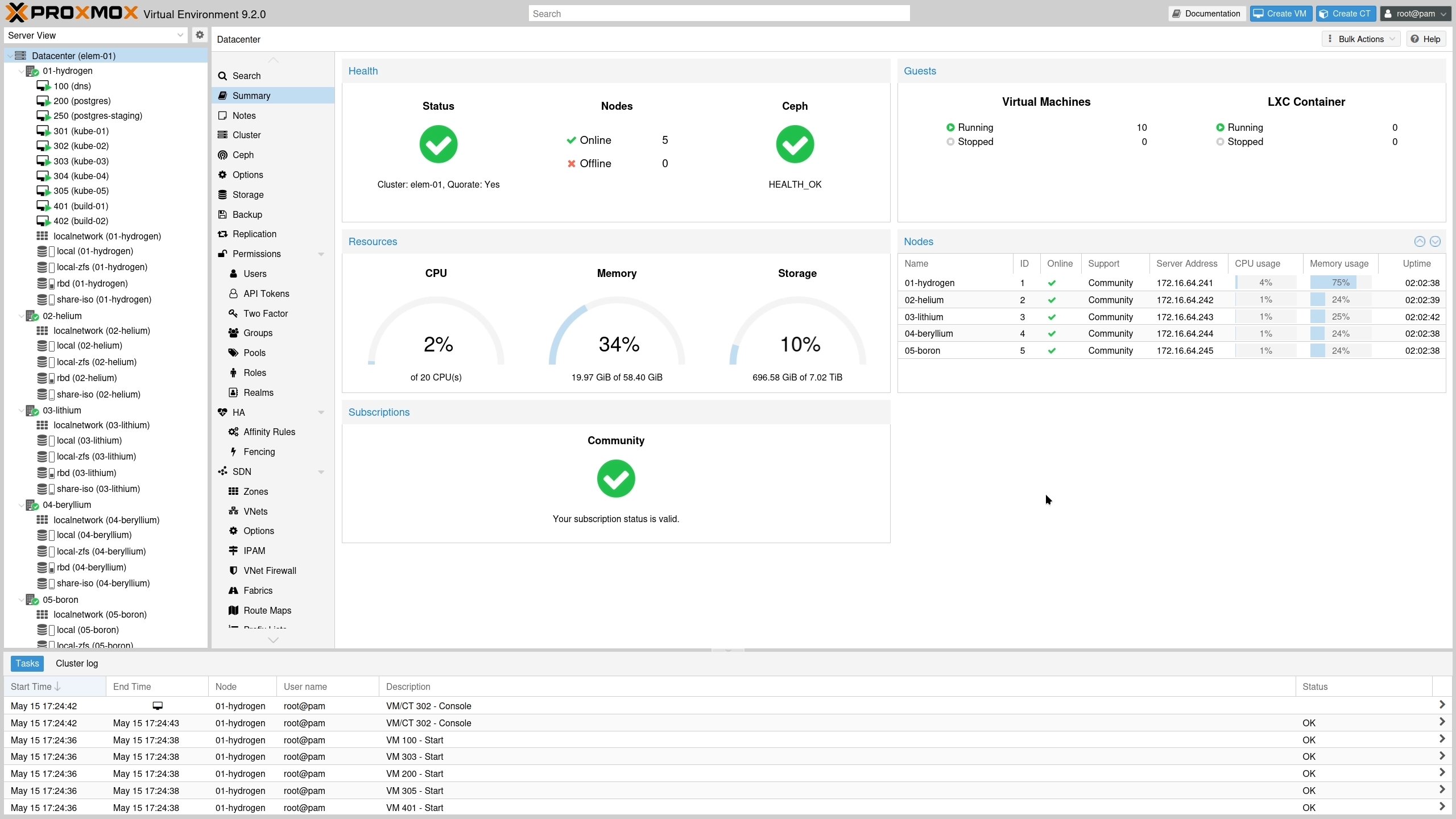
Proxmox Server Solutions has just released Proxmox Virtual Environment 9.2. The Austrian‑originated platform now runs on Debian 13.5 “Trixie” and uses the Linux 7.0 kernel as its default. Alongside the kernel bump, the stack upgrades to QEMU 11.0, LXC 7.0, ZFS 2.4 and the latest Ceph releases (Tentacle 20.2.1 as default, Squid 19.2.3 still available).
What’s new in 9.2?
| Component | New version | Why it matters |
|---|---|---|
| Kernel | Linux 7.0 | Better hardware support, improved scheduler, and new security mitigations |
| Hypervisor | QEMU 11.0 | Adds virtio‑fs improvements, GPU passthrough refinements, and faster live migration |
| Containers | LXC 7.0 | Updated cgroup v2 handling, more kernel features exposed to containers |
| Filesystem | ZFS 2.4 | Faster pool import, native encryption enhancements |
| Storage | Ceph Tentacle 20.2.1 (default) | Higher OSD throughput, new crush map optimizer |
Dynamic Load Balancer
The headline feature is a dynamic load balancer that plugs into Proxmox’s Cluster Resource Scheduler (CRS). Instead of static placement rules, the balancer continuously monitors node CPU, memory and I/O usage, then nudges VMs (including HA‑managed guests) to under‑utilised hosts. Administrators can tune sensitivity, define migration thresholds, and keep HA policies intact. In practice this reduces hot‑spots on large clusters and cuts the number of manual migrations needed during growth phases.
Expanded SDN stack
Proxmox’s software‑defined networking now ships with native WireGuard and BGP support. WireGuard can be used as a lightweight overlay fabric for inter‑node traffic, offering cryptographic isolation without the overhead of IPsec. BGP/EVPN route‑maps and prefix lists give fine‑grained control over route redistribution, while OSPF redistribution and IPv6 underlay support broaden the range of network topologies you can model directly from the web UI.
Custom CPU model management
A dedicated GUI page under Datacenter → CPU Models lets you create, edit, and delete custom CPU profiles. The interface shows a live flag matrix, highlighting which CPU features are present on each node. This makes it easier to expose a consistent virtual CPU to VMs that need specific instruction sets (e.g., AVX‑512 for AI workloads) while avoiding incompatibilities across heterogeneous hardware.
HA arm/disarm
Maintenance windows become less risky with the new HA arm/disarm feature. You can temporarily suspend the HA manager for the whole cluster, perform firmware upgrades or hardware swaps, and then re‑arm it. HA resource states are preserved, so when the cluster is re‑armed the HA stack picks up exactly where it left off, avoiding unnecessary fencing or VM restarts.
Other notable tweaks
- Microsoft and Windows UEFI 2023 certificates can now be enrolled via the GUI or API, simplifying secure boot for Windows guests.
- The installer ISO includes an improved wizard that detects existing Debian installations and offers an in‑place Proxmox conversion.
- Support contracts start at €120 per CPU per year, giving access to stable updates and direct expert assistance.
How does it compare to the previous release?
| Feature | Proxmox VE 8.4 (last LTS) | Proxmox VE 9.2 |
|---|---|---|
| Kernel | Linux 6.6 | Linux 7.0 |
| QEMU | 10.2 | 11.0 |
| LXC | 6.0 | 7.0 |
| ZFS | 2.2 | 2.4 |
| Ceph | Octopus 15.2 | Tentacle 20.2.1 |
| Load balancing | Static CRS only | Dynamic load balancer with live migrations |
| SDN protocols | Open vSwitch, VLANs | WireGuard, BGP, EVPN, IPv6 underlay |
| HA controls | Manual node fencing | Cluster‑wide arm/disarm |
The kernel upgrade alone brings support for newer CPUs (e.g., Intel Xeon E‑2xxx v5, AMD Zen 4) and hardware‑accelerated cryptography, which matters for high‑density virtualization farms. QEMU 11.0’s virtio‑fs enhancements reduce file‑system latency for container‑backed workloads, while ZFS 2.4’s encryption tweaks simplify compliance for regulated environments.
Who should upgrade?
- Enterprises with growing clusters – The dynamic load balancer removes a lot of manual re‑balancing work, especially when you add new nodes or run bursty workloads.
- Organizations that rely on Windows VMs – Native enrollment of modern UEFI certificates smooths secure‑boot deployments.
- Teams that need flexible networking – WireGuard offers a low‑overhead VPN‑style overlay, while BGP/EVPN gives you the tools to build multi‑datacenter fabrics without third‑party appliances.
- Users of heterogeneous hardware – Custom CPU profiles let you standardise the virtual CPU across machines that have different physical CPUs, avoiding the “cannot start VM” errors that arise from mismatched flags.
- Anyone still on 8.4 – While 8.4 will receive critical fixes until August 2026, moving to 9.2 now positions you for the next two years of feature development and security updates.
Upgrade paths
- From 9.1 – A simple
apt update && apt full-upgradeor the one‑click GUI updater will pull the new packages. - From 8.x – Follow the official migration guide on the Proxmox website (migration guide). The process updates the underlying Debian base, swaps the kernel, and migrates configuration files automatically.
- Fresh install – Download the ISO from the official download page and run the installer on bare metal. The wizard detects existing Debian installations and offers an in‑place conversion.
Bottom line
Proxmox VE 9.2 is a solid, incremental step that adds real‑world productivity features rather than just a collection of version numbers. The dynamic load balancer, WireGuard‑enabled SDN, and HA arm/disarm controls address common pain points in large‑scale virtualised environments. Coupled with the Linux 7.0 kernel and updated storage stack, the release feels ready for the next wave of high‑density, mixed‑workload data centres.
For those looking to pair Proxmox with a compact, enterprise‑grade server, the HPE ProLiant MicroServer Gen11 (starting around $1,500) provides a quiet, low‑power chassis that fits neatly into small office spaces.
All links are current as of May 2026. Prices and availability may change.
Comments
Please log in or register to join the discussion