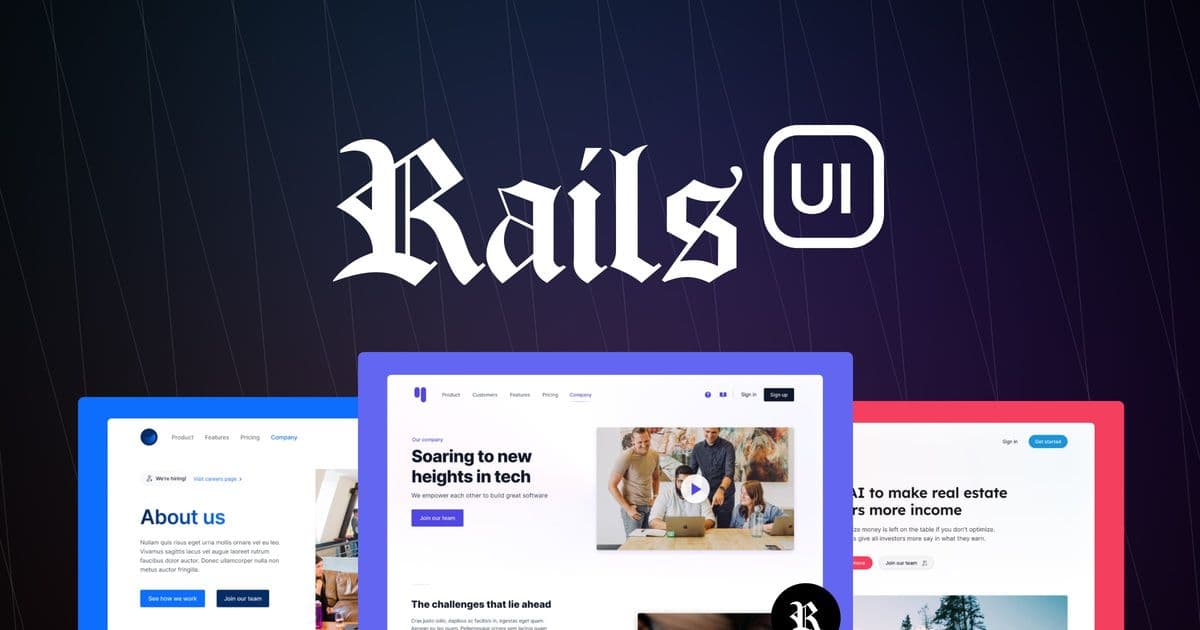
Rails UI offers a collection of professionally designed components and complete application themes specifically built for Ruby on Rails, aiming to eliminate front-end design friction for developers who prioritize backend logic.
For Ruby on Rails developers, the gap between a functional backend and a polished, user-friendly interface often represents a significant time sink. The framework's convention-over-configuration philosophy excels at server-side logic, but leaves the front-end presentation largely to the developer. This is where a project like Rails UI enters the conversation, offering a library of pre-built, Rails-compatible components and complete application themes designed to bridge that gap.
The project positions itself as a solution for developers who want professional-looking applications without deep design expertise. It provides a catalog of UI components—buttons, forms, modals, cards, and more—that are styled to work seamlessly with Rails' built-in form helpers and asset pipeline. The core promise is to let developers focus on business logic while outsourcing the "pretty stuff."
What's Claimed: Components and Complete Themes
Rails UI structures its offering into two main categories: Components and Themes.
The Components library is a collection of individual UI elements. According to the project's documentation, these are designed to be copy-pasted directly into Rails views. The list includes common patterns like accordions, alerts, badges, buttons, cards, dropdowns, and modals. The value proposition here is consistency and speed; instead of writing custom CSS for every button or form field, a developer can use a pre-styled component that aligns with a cohesive design system.
The Themes are more comprehensive. They are complete application layouts and designs for specific use cases. The project currently offers several themes, each targeting a different application domain:
- Hound: A CRM and project management interface. This is available as a free tier.
- Shepherd: A property management SaaS theme, also free.
- Corgie: An artificial intelligence application theme.
- Retriever: A PaaS and server management interface.
- Setter: A hiring and talent management platform.
- Collie: A community platform.
- Husky: A personal finance application.
The premium themes (Retriever, Setter, Collie, Husky) are listed as available for purchase, with Boxer (Agency Management) marked as "Coming soon."
What's Actually New: A Rails-First Design Approach
The novelty of Rails UI isn't in inventing new UI patterns. Accordion, modal, and card components are well-established in web design. Its innovation lies in the integration specificity. Many UI kits are built for generic JavaScript frameworks (like React or Vue) or vanilla HTML/CSS. Rails UI explicitly targets the Rails ecosystem.
This means the components are designed with Rails' conventions in mind. For example, a form component would be structured to work with Rails' form_with or form_for helpers, ensuring that the generated HTML matches the expected structure for Rails' strong parameters and form submissions. The CSS is likely scoped or structured to avoid conflicts with Rails' default stylesheets (like actiontext or trix).
Furthermore, the themes are not just static HTML templates. They are presented as complete starting points for Rails applications. A developer using the "Hound" CRM theme would get a layout that includes navigation, sidebar, and main content areas, all pre-styled. This is different from a generic admin template that requires significant modification to fit into a Rails application's asset pipeline and view structure.
Limitations and Trade-offs
While Rails UI addresses a common pain point, it introduces its own set of considerations.
Customization vs. Consistency: Using a pre-built theme or component library inherently trades some design flexibility for speed and consistency. If an application's brand identity requires highly specific, unconventional UI patterns, the components might need significant modification, potentially negating the time saved. The project's documentation would need to be reviewed for details on customization options—how easy is it to override the provided CSS classes or adjust the component markup?
Dependency and Maintenance: Adopting Rails UI means adding a dependency to the project. The long-term maintenance of this dependency is a factor. How frequently are the components updated? Are they compatible with new versions of Rails? Does the project follow semantic versioning? For a long-lived application, the cost of updating or migrating away from the UI library in the future should be considered.
Learning Curve: While the promise is "no design skills required," there is still a learning curve. A developer needs to understand how to integrate the components into their Rails views, how the CSS is structured, and how to customize them when necessary. The project's documentation and examples are critical here.
Performance: Adding a comprehensive CSS library or theme can impact page load times. The size of the CSS bundle and the efficiency of the selectors used are important for performance. Rails UI's approach to CSS (e.g., using a utility-first framework like Tailwind or a more traditional BEM methodology) would influence this.
Practical Applications and Context
Rails UI is most valuable for specific scenarios:
- Startups and MVPs: For teams building a minimum viable product, the ability to launch with a polished UI quickly is a significant advantage. As one testimonial notes, launching an MVP in "two weeks instead of two months" because the themes look professional is a compelling use case.
- Internal Tools: Building admin panels, dashboards, or internal CRUD applications often doesn't require bespoke design. A theme like "Hound" (CRM/Project Management) could accelerate development for such tools.
- Freelancers and Agencies: For developers who build client projects, a consistent, professional UI library can streamline delivery and impress clients, as mentioned in the project's testimonials.
It is less suited for applications where the user interface is a primary differentiator and requires a highly unique, brand-specific design system. In those cases, a custom design system built from scratch or a more flexible, low-level component library might be a better fit.
Getting Started
The project offers a mix of free and premium content. Free components and themes (like Hound and Shepherd) are available, which allows developers to evaluate the quality and fit before committing to a purchase. The project also maintains a GitHub repository, which is a good place to check for issues, contributions, and the latest updates.
For those interested, the official website at railsui.com serves as the primary hub for documentation, theme previews, and component examples. The GitHub repository can be found at github.com/railsui/railsui.
Conclusion
Rails UI represents a pragmatic solution to a well-understood problem in the Rails community. It doesn't claim to revolutionize front-end development but offers a concrete toolset to reduce the time and effort required to build professional-looking interfaces. Its success for any given project will depend on the alignment between the provided components/themes and the specific design and functional requirements of the application. For developers who value speed and consistency over pixel-perfect custom design, it presents a compelling option worth evaluating.
Comments
Please log in or register to join the discussion