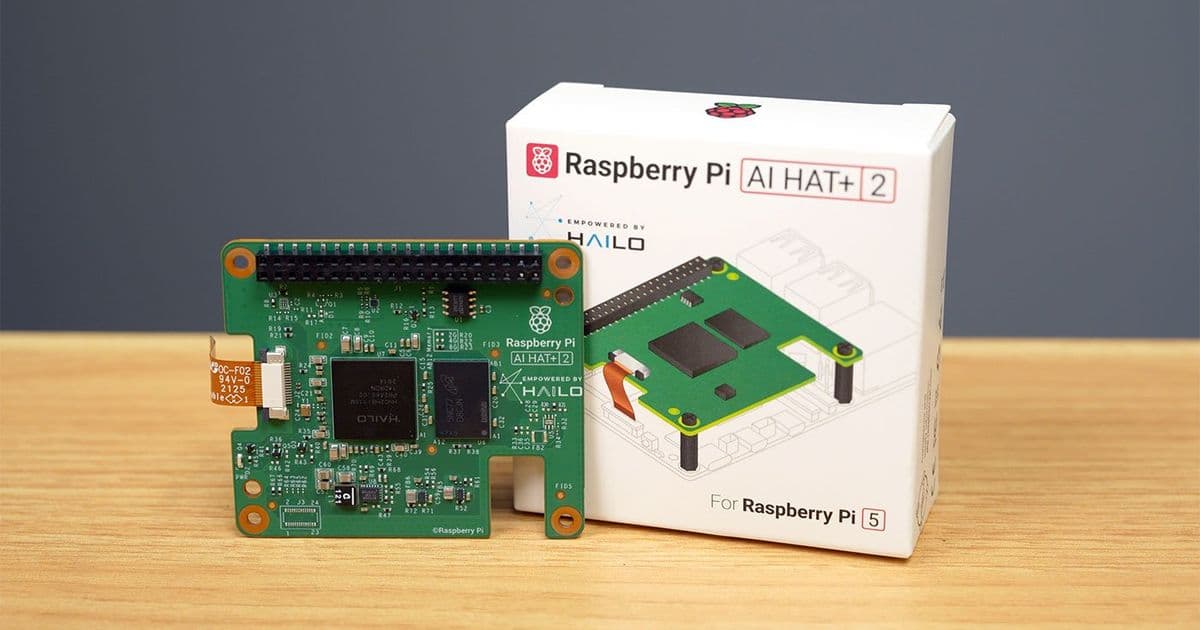
Raspberry Pi's new $130 AI HAT+ 2 adds a Hailo 10H NPU with 8GB of dedicated LPDDR4X memory, promising standalone LLM inference without touching the Pi's system RAM. But benchmark testing reveals the Pi's CPU still dominates for most AI workloads, raising questions about the real-world value proposition.
Raspberry Pi just launched their new AI HAT+ 2, and on paper, it looks like a significant upgrade for local AI processing. For $130, you get a Hailo 10H NPU paired with 8GB of LPDDR4X RAM that can run LLMs entirely standalone, freeing up the Pi's CPU and system memory for other tasks. The chip draws a maximum of 3W while delivering 40 TOPS of INT8 NPU inference performance, plus 26 TOPS INT4 machine vision performance.
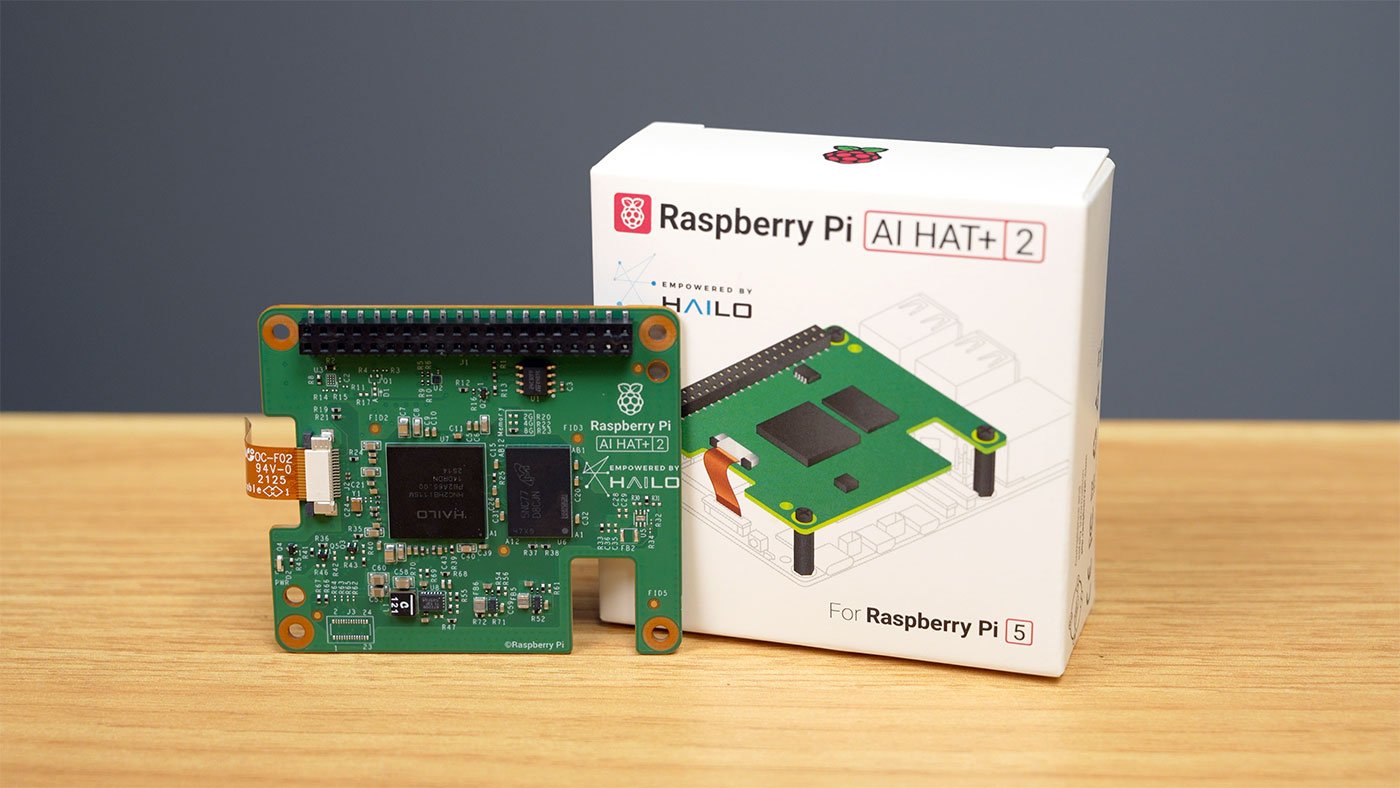
But here's the thing: when I started benchmarking this board against the Pi's own CPU, the results were surprising. And not in the way Raspberry Pi's marketing would want.
LLM Performance: CPU vs NPU
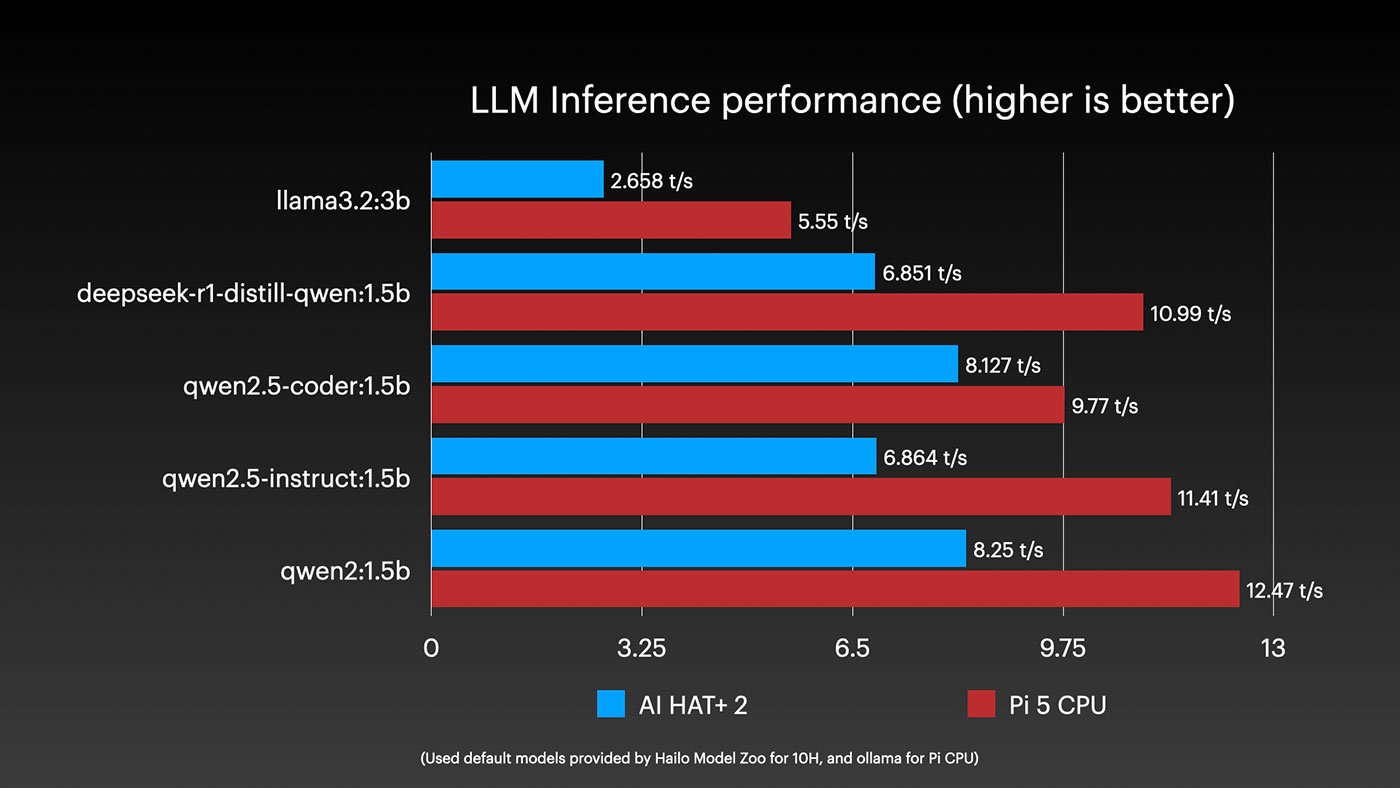
I ran every model Hailo has released so far on an 8GB Pi 5, comparing performance between the built-in CPU and the AI HAT's NPU. Both systems have the same 8GB LPDDR4X configuration, so in theory, they should be competitive.
The reality? The Pi's built-in CPU absolutely trounces the Hailo 10H across the board. The only place the Hailo even comes close is on Qwen2.5 Coder 1.5B, and even then, it's just keeping pace rather than pulling ahead.
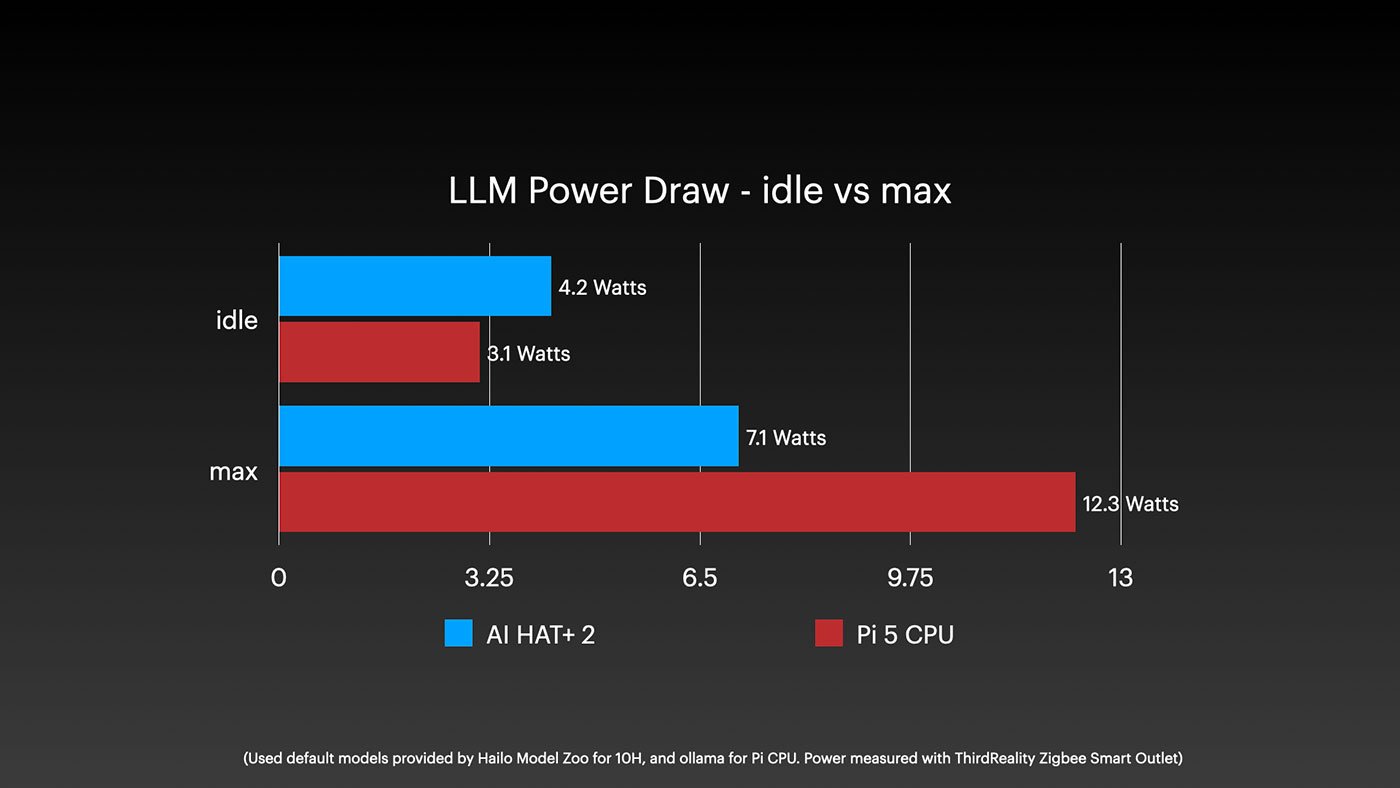
When we look at efficiency, the Hailo does show a slight advantage in most cases. But that efficiency comes at a cost:
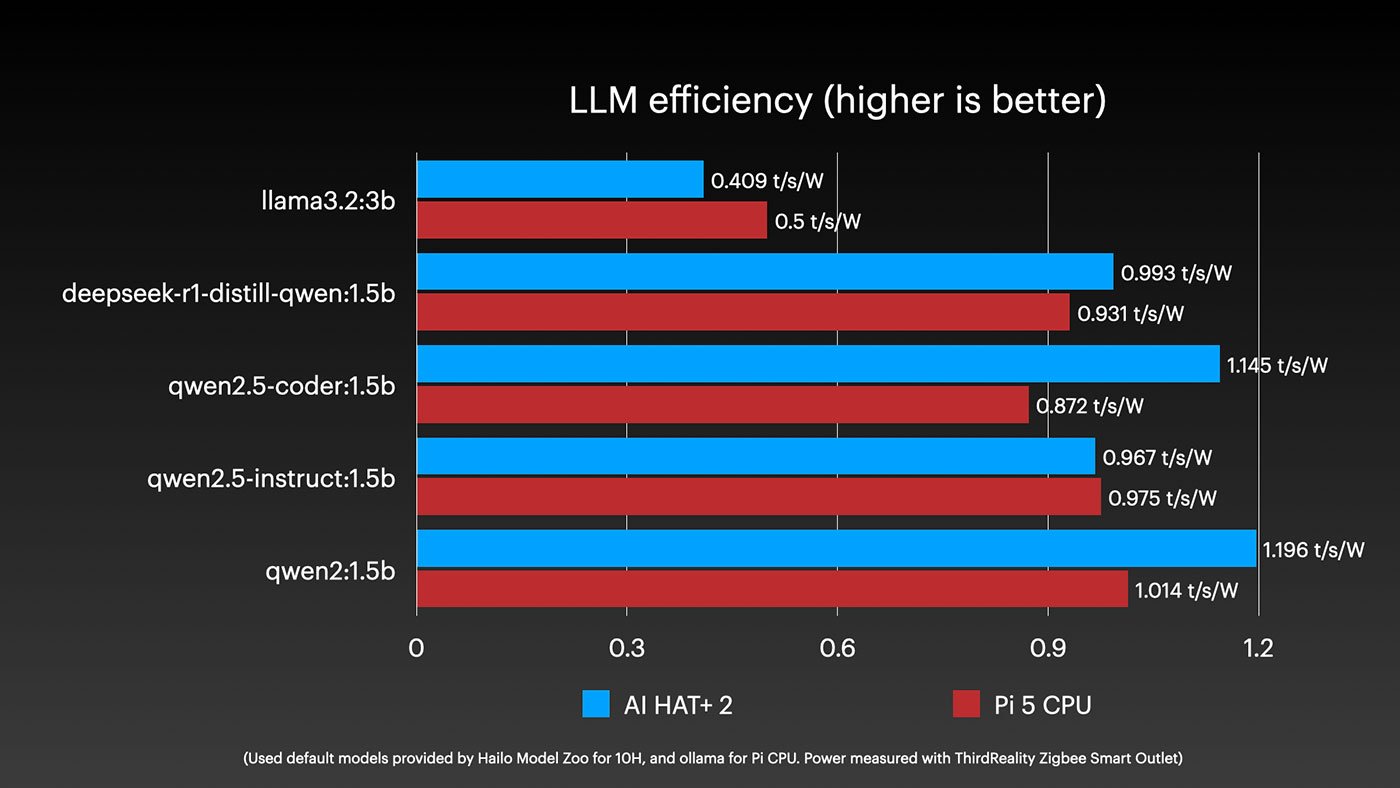
The power draw story explains why the Hailo struggles. The Pi's CPU can push up to 10W on the SoC, while the Hailo 10H is capped at 3W. That power budget limitation fundamentally constrains its inference capabilities.
The 8GB RAM Problem
The bigger issue for LLM use cases is memory capacity. The Pi 5 can be configured with up to 16GB of RAM - that's as much as some decent consumer graphics cards. Most quantized medium-sized models target 10-12GB of RAM usage, leaving space for context which can eat up another 2GB.
This is where the AI HAT+ 2's dedicated 8GB becomes a bottleneck rather than a benefit.
A few weeks ago, ByteShape managed to get Qwen3 30B A3B Instruct running on a 16GB Pi 5 by compressing it down to 10GB. The quality loss was minimal - like a JPEG, it still crushed all the typical benchmarks. Meanwhile, the tiny models I ran on the Hailo 10H struggled to complete basic tasks.
I decided to test this myself. Following my own llama.cpp installation guide, I downloaded the compressed 30B model and asked it to generate a single-page TODO list app.
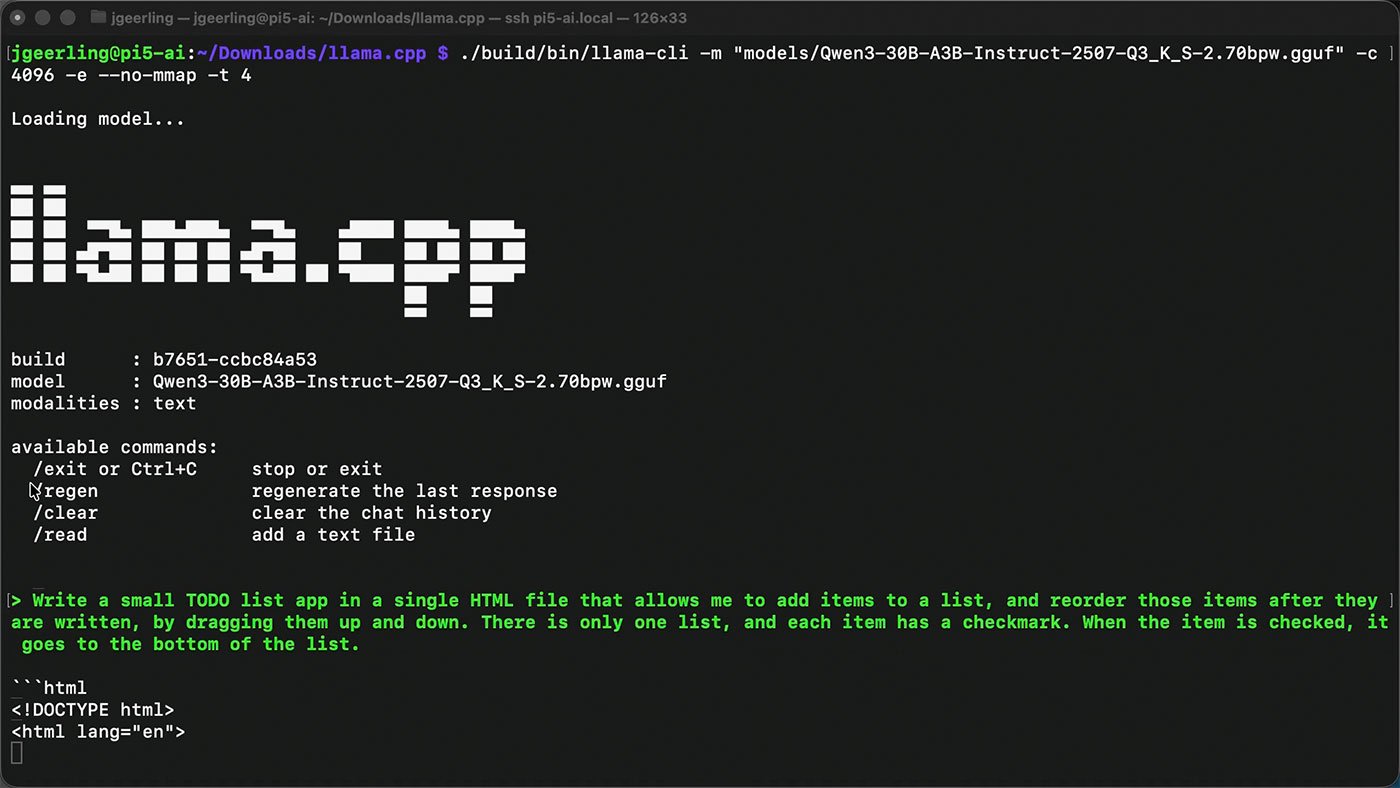
It took a while - we're talking about a Pi CPU with LPDDR4x RAM here - but it delivered. The app had all the required features: unlimited item entry, drag-and-drop rearrangement, check-off functionality that moves items to the bottom.
The crazy part? Even with free local models running on basic Pi hardware, you can accomplish surprisingly useful tasks. Natural language programming was pure science fiction when I started my career. Now it's reality, even on a $130 computer.
Vision Processing: Where It Actually Shines
So if LLMs aren't the AI HAT+ 2's sweet spot, what is? Machine vision processing.
The original AI HAT already handled vision workloads well. When I tested the new board with Raspberry Pi's Camera Module 3 pointed at my desk, it quickly identified my keyboard, monitor (mistaken for a TV), phone, and even the mouse tucked in the back. It ran 10x faster than the Pi's CPU alone.
But here's the rub: the original AI HAT ($110) and AI Camera ($70) can do the exact same thing. The Hailo 10H's 40 TOPS vs the Hailo 8's 26 TOPS doesn't translate to noticeably better real-world results for basic computer vision tasks.
Mixed Mode: The Promise vs Reality
The AI HAT+ 2's headline feature is 'mixed mode' - simultaneous vision processing and inference. You could theoretically run object detection on a video feed while an LLM analyzes the results or generates text-to-speech responses.
In practice? I hit segmentation faults and 'device not ready' errors trying to run two models simultaneously. Hailo hasn't provided working examples, and after fighting with it for hours, I had to move on.
This follows a familiar pattern: hardware-first, software-later. It's the same story with most "AI" hardware these days. The silicon exists before the ecosystem catches up.
The Real Use Case
After extensive testing, I think the AI HAT+ 2 makes sense in three specific scenarios:
1. Power-constrained applications where you need both vision and inference under 10W total. For edge deployments where every watt matters, having a dedicated NPU that doesn't touch system RAM could be valuable.
2. Development platform for the Hailo 10H. If you're designing a product around this chip - like Fujitsu's automatic shrink detection for self-checkouts - this HAT gives you a familiar Raspberry Pi environment for prototyping.
3. Privacy-focused vision systems where you want dedicated hardware for camera processing without sharing resources with other tasks.
But for the average homelab builder or Pi enthusiast? It's harder to justify.
The Better Alternative
If you want to run local LLMs on a Pi, here's my recommendation: skip the AI HAT+ 2 and buy a 16GB Pi 5 instead. You'll spend about the same money ($130 vs $100-120 price difference between 8GB and 16GB models), but get:
- More flexible memory allocation
- Faster inference on medium-sized models
- No dependency on immature NPU software
- Better compatibility with existing tools
For vision processing, the $70 AI Camera or $110 original AI HAT remain better values.
Bottom Line
The AI HAT+ 2 isn't bad hardware - it's just solving problems most Pi users don't have. The 8GB of dedicated RAM is clever, but it doesn't overcome the fundamental constraints of a 3W NPU vs a 10W CPU.
If you're building a specialized device that needs ultra-low-power vision plus inference, this could be your development board. For everyone else, the 16GB Pi 5 remains the smarter investment for local AI.
The real winner here is the validation that local AI on Pi-class hardware is viable. We're just not at the point where dedicated NPU accelerators beat general-purpose CPUs for most workloads. Give it another generation or two, and that equation might change.
Note: All benchmarks run on 8GB Pi 5. VRAM on discrete GPUs runs significantly faster than LPDDR4x on Pi - this isn't trying to compete with desktop AI hardware.
Comments
Please log in or register to join the discussion