A seasoned developer shows how to transform a plain Bash prompt into a compact, information‑rich interface that displays the full path, timestamp, Git branch, and change statistics—all without sacrificing performance. The guide walks through incremental tweaks, code snippets, and visual comparisons that demonstrate the impact of a well‑crafted prompt.
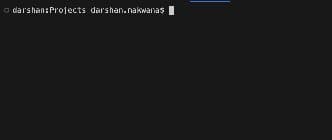
 \n\n### The Default Prompt\n\nBash ships with a minimal prompt string:\n\n
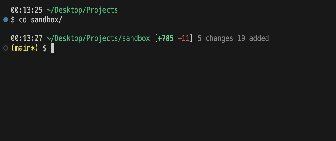 \n\n### Git Branch Awareness\n\nKnowing the current Git branch is essential. The following functions parse the branch and flag a dirty state:\n\n
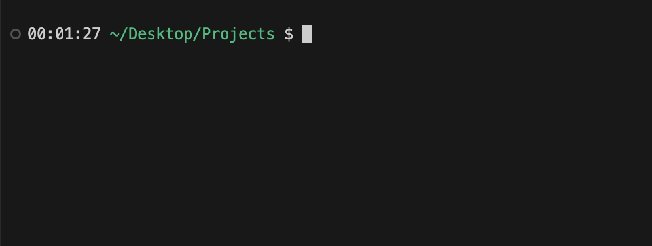 \n\n### Summarizing File Changes\n\nBeyond the branch name, developers benefit from a quick view of pending changes. By combining
 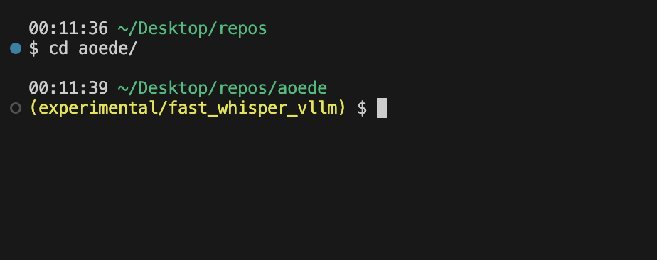 \n\n### Result\n\nThe terminal now displays a timestamp, the full path in green, a concise change summary in bright colors, the current Git branch, and a clean prompt symbol. When no changes are present, the diff section is omitted, keeping the prompt tidy.\n\n
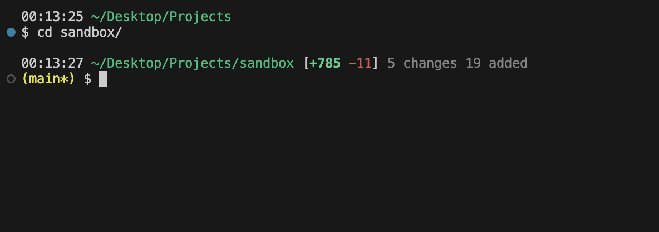 \n\n### Why It Matters\n\nA well‑crafted prompt reduces cognitive load. By surfacing the most relevant information—location, branch, and change status—developers can focus on code rather than context‑switching. The approach scales to other shells (Zsh, Fish) and can be extended with plugins like
Comments
Please log in or register to join the discussion