Developer Ales Janda has created nostalgic skins for the Unix/Linux Midnight Commander file manager, faithfully recreating the interfaces of classic DOS tools like Norton Commander and Far Manager. These skins blend retro aesthetics with modern usability, preserving critical features like file-type color coding while evoking computing's golden age.
For developers who cut their teeth on DOS-era file managers, Midnight Commander (MC) has long been the Unix/Linux terminal's answer to Norton Commander. Now, developer Ales Janda has bridged the nostalgia gap with meticulously crafted skins that transform MC into a visual time machine, resurrecting the interfaces of three legendary file managers:
- Norton Commander: The abandoned DOS pioneer that defined keyboard-driven file management
- Volkov Commander: Another DOS classic optimized for speed and efficiency
- Far Manager: The still-active Windows successor maintaining its textual legacy
Janda's approach prioritizes usability alongside authenticity. While the skins replicate vintage color schemes and layouts, they retain MC's critical quality-of-life enhancements—especially color-coded file types and distinct directory highlighting, absent in the original tools. As Janda notes in the project documentation:
"I tried to make skins as similar as possible but with preserving MC usability... Directories have a different color than files for the same reason."
Technical constraints required thoughtful compromises. Dialog shadows—a recent MC addition—help approximate classic interfaces, but some elements like button colors and precise padding remain unattainable. The skins also don't override specialized views like the Diff Viewer, leaving room for community contributions.
Visual Comparison: Then and Now
Norton Commander Skin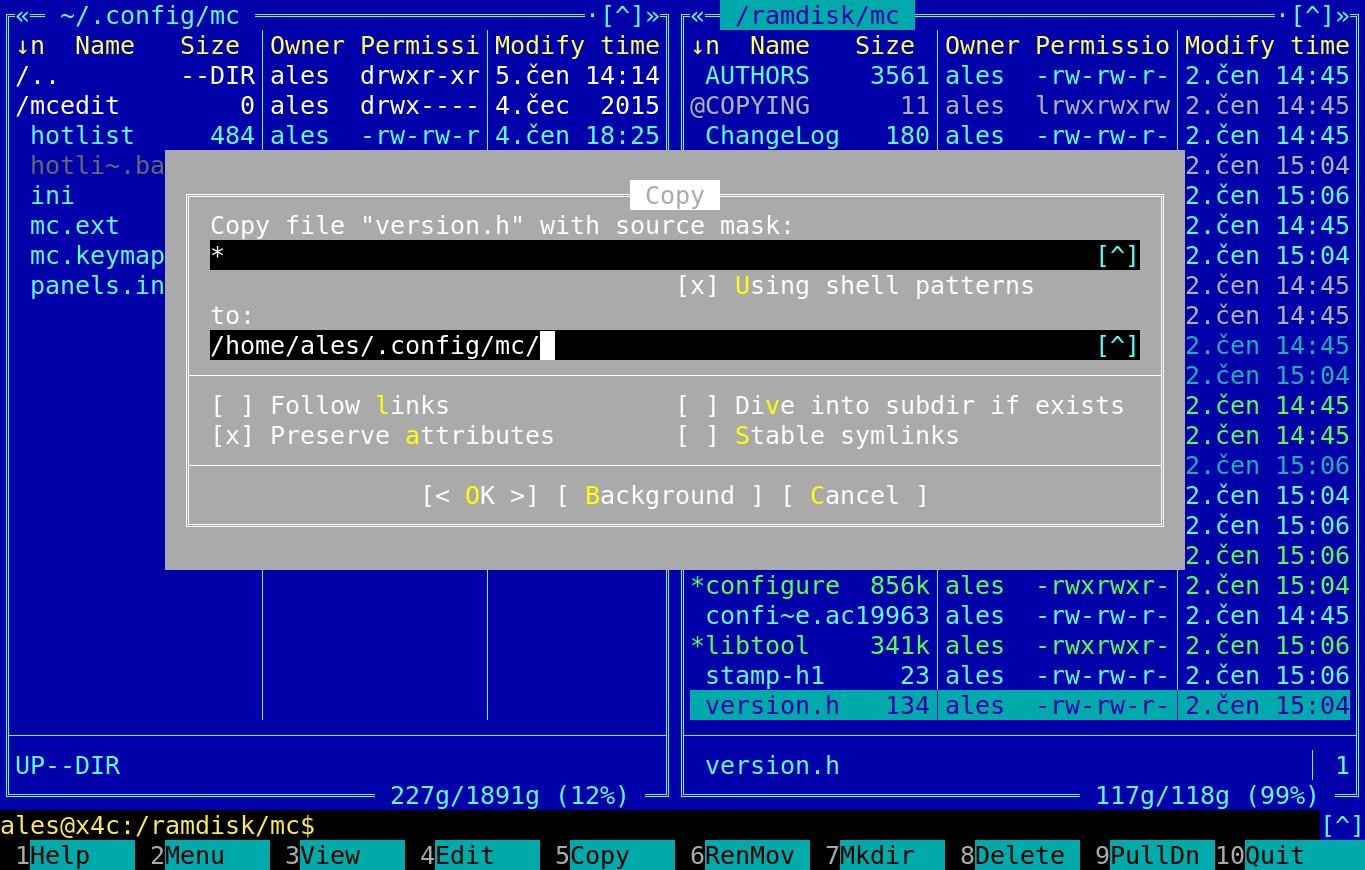
Volkov Commander Skin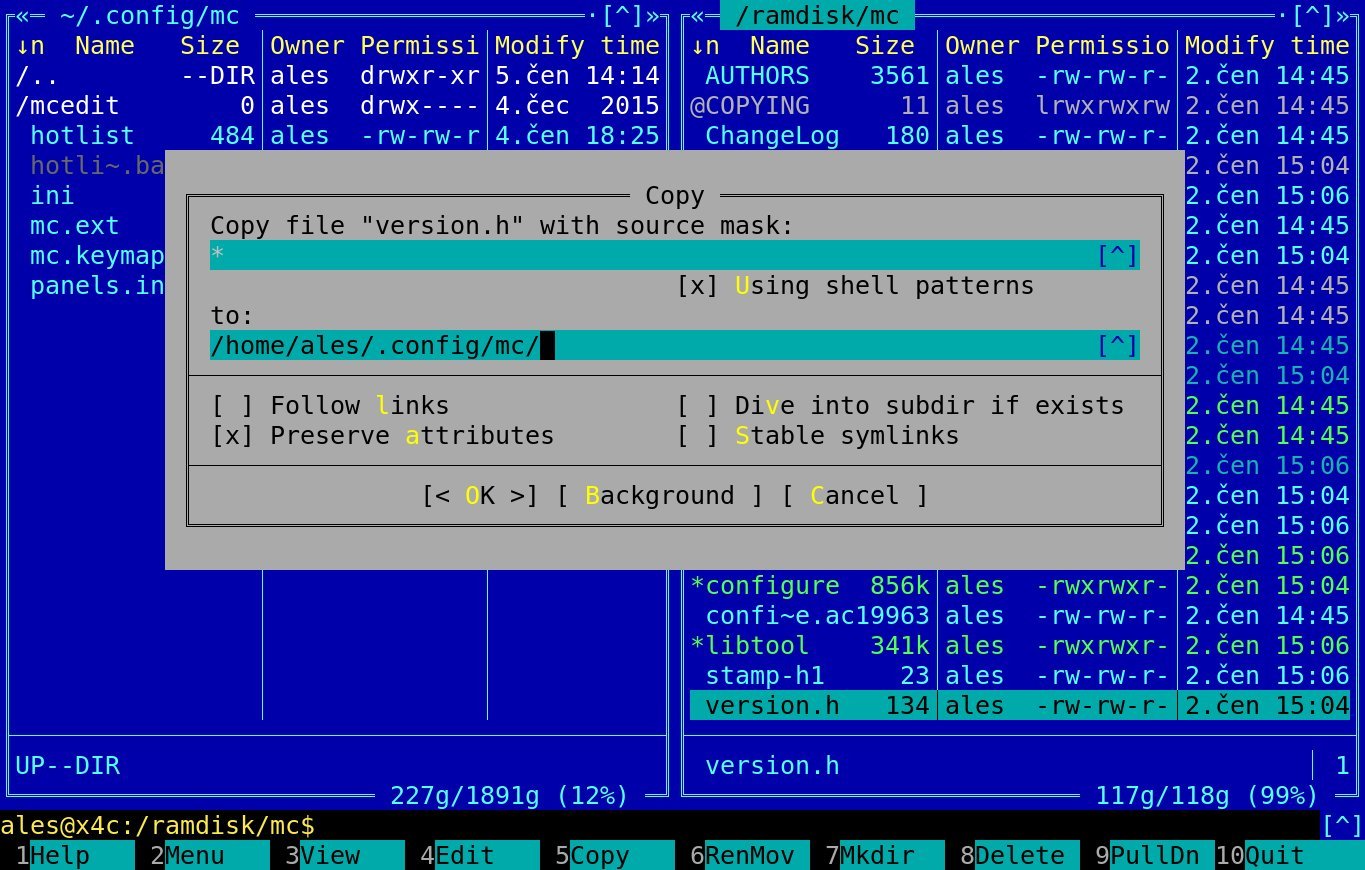
Far Manager Skin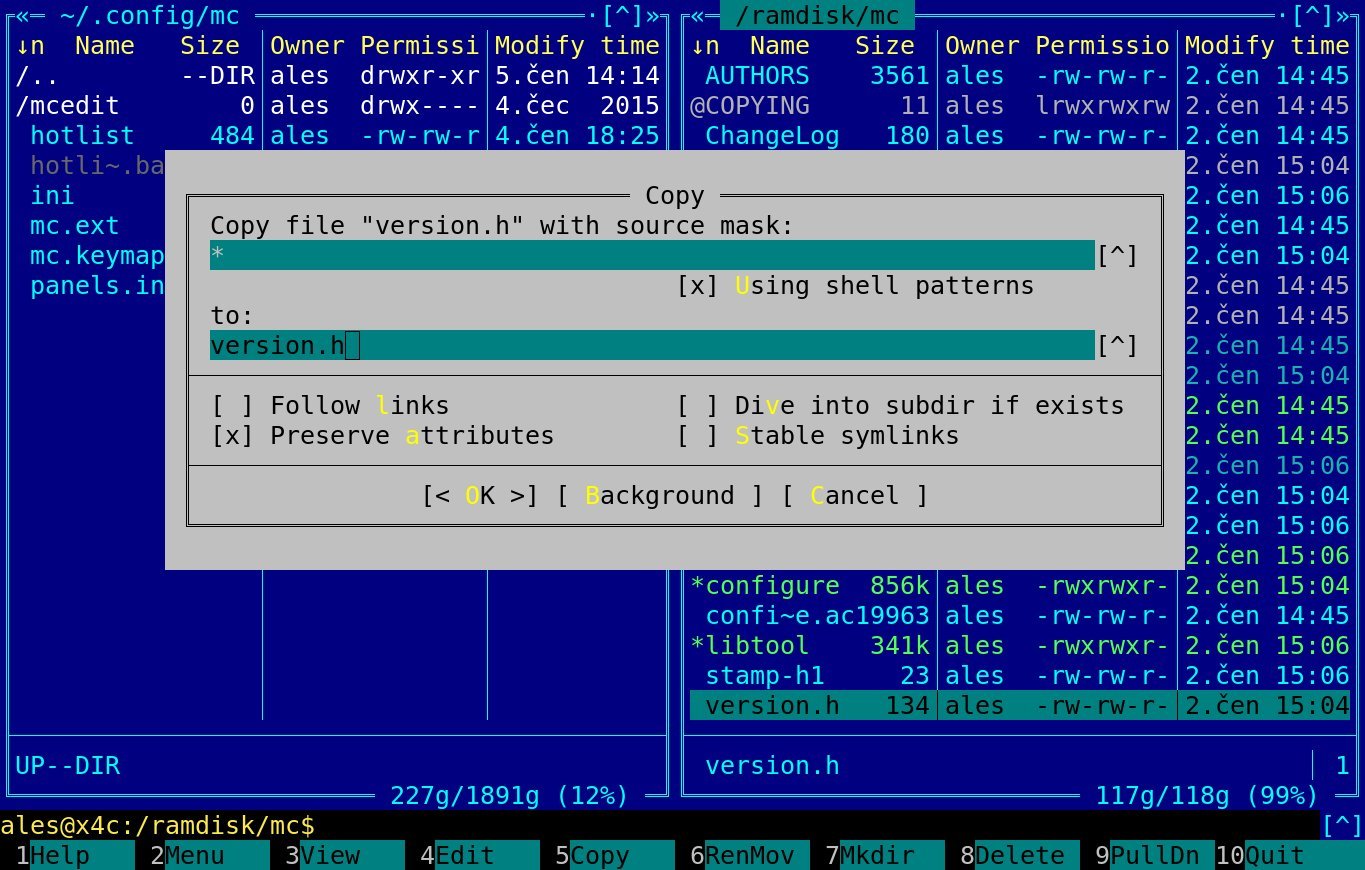
Default Midnight Commander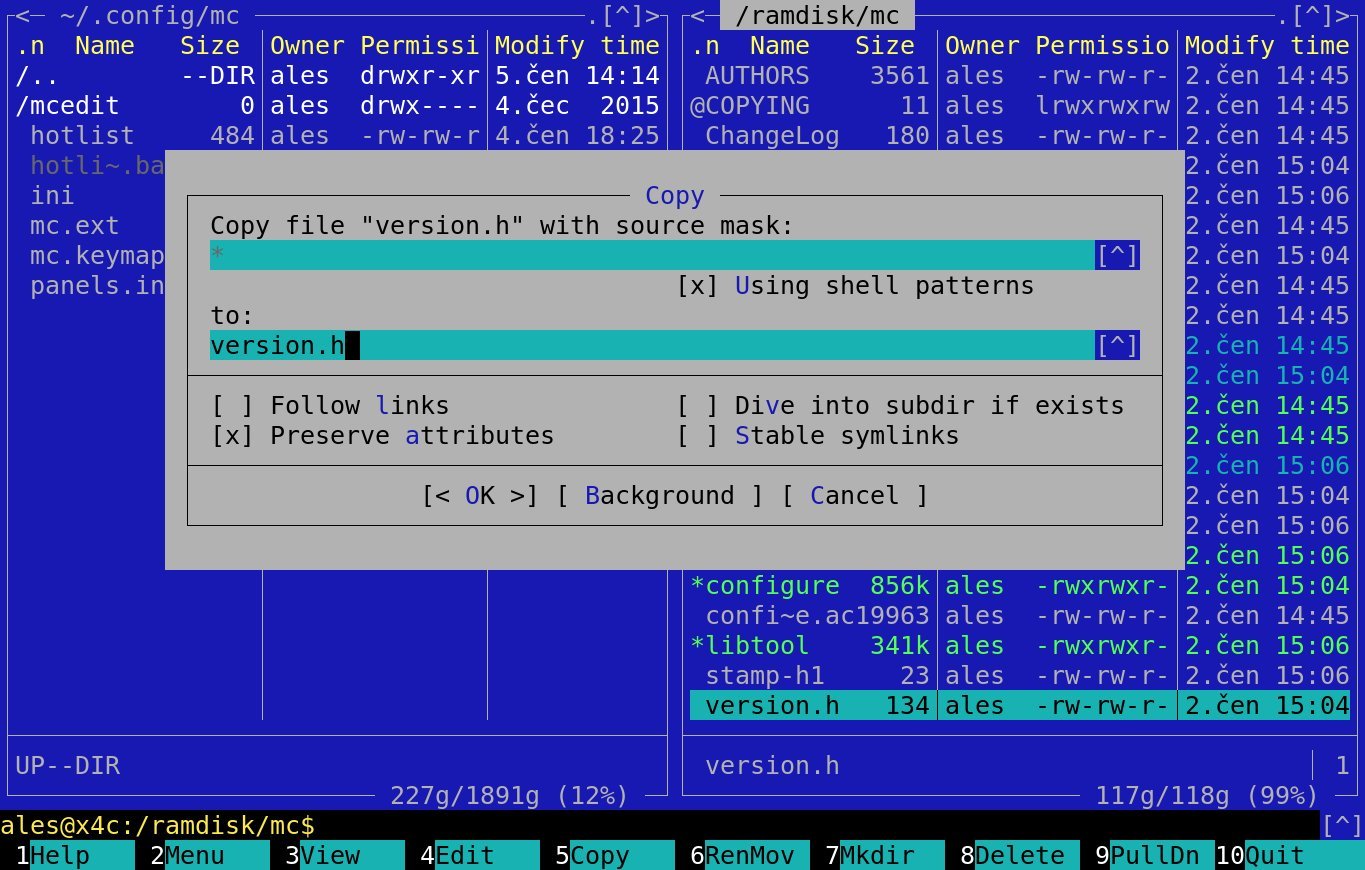
Installation Guide
- Download
.iniskin files from the GitHub repository - Place them in
~/.local/share/mc/skins(create the directory if missing) - Launch MC, press
F9→ Options → Appearance, and select a skin - Save settings via Options → Save Setup
For maximum retro immersion, Janda recommends disabling menu/hint bars (Options → Layout) and suggests experimental font changes—though he cautions against sacrificing readability: "I don't recommend [DOS fonts], it is not so visually usable nowadays." Despite these caveats, he confirms the Volkov skin serves as his daily driver.
Released as public domain, these skins offer more than nostalgia—they're a testament to the enduring efficiency of keyboard-centric workflows. In an age of bloated GUIs, Janda's project reminds us that the most powerful interfaces often emerge from simplicity, one carefully colored ASCII border at a time.
Comments
Please log in or register to join the discussion