Sabrent’s NT-P10G delivers 10GbE connectivity to USB4 and Thunderbolt 3/4 hosts via a bus-powered Marvell AQC113 controller, targeting laptops, mini PCs, and Macs that lack internal PCIe expansion for 10GbE NICs. At $117, it sits above budget Realtek-based alternatives and promises better performance on high-speed host ports, with our testing confirming near line-rate throughput and manageable power and heat characteristics.
The Sabrent NT-P10G is a bus-powered external network adapter that adds 10GbE RJ45 connectivity to systems via USB4 or Thunderbolt 3/4 ports. It uses a Marvell FastLinQ AQC113 controller, the same chip found in many internal PCIe 10GbE NICs, but packaged in a compact aluminum enclosure for hosts where opening the chassis to install an internal card is impractical. We purchased a unit for $117 on Amazon to test its performance against internal PCIe alternatives and lower-cost USB adapters, focusing on throughput, power consumption, thermals, and compatibility across macOS, Windows, and Linux hosts.
Hardware Overview
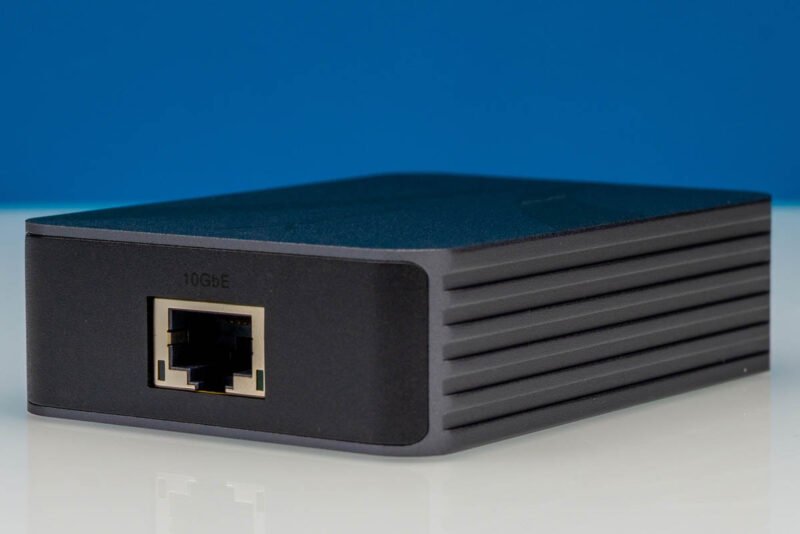
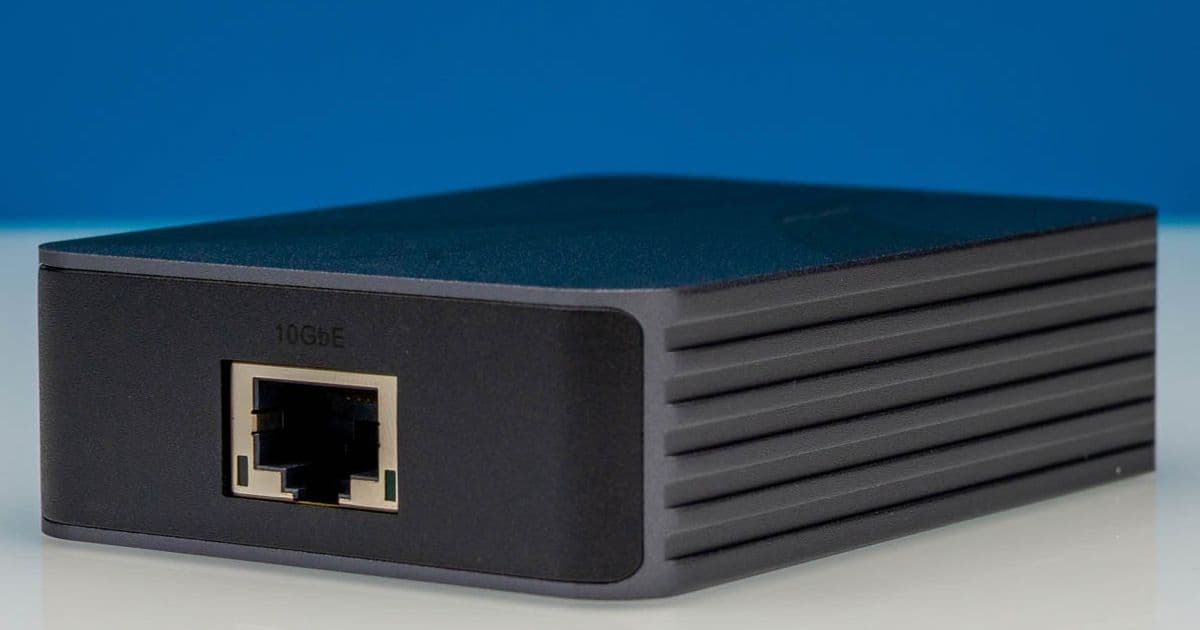
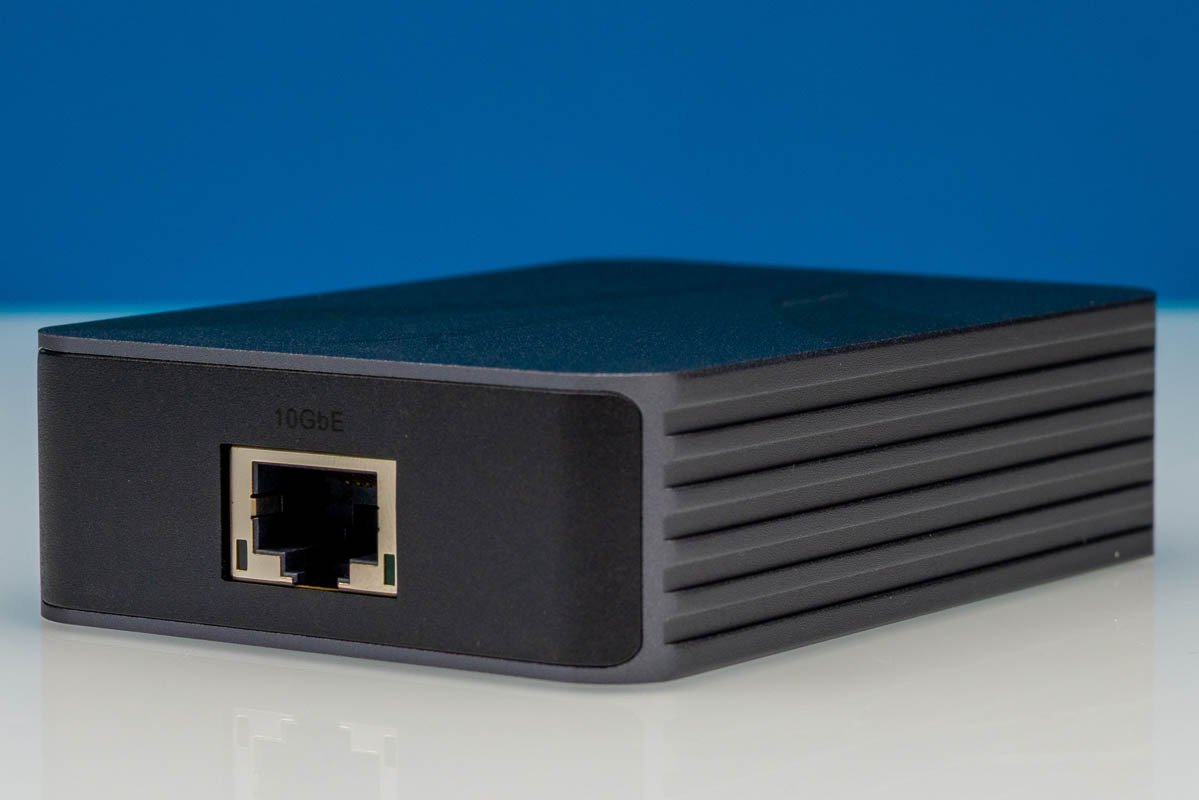
The NT-P10G has a black aluminum enclosure with ribbed sides designed to dissipate heat, a critical feature for 10Gbase-T adapters. The Marvell AQC113 controller inside requires significant signal processing to drive 10GbE over twisted pair, which generates more heat than 1GbE or 2.5GbE NICs. Sabrent kept the enclosure size minimal, only slightly larger than the two port cutouts require.
{{IMAGE:3}}
The top of the adapter has subtle Sabrent branding, with no unnecessary vents or protrusions. Sabrent lists support for 10GbE, 5GbE, 2.5GbE, and 1GbE link speeds, so it auto-negotiates to match whatever network infrastructure it connects to. This backward compatibility means you can use the adapter on a legacy 1GbE switch today and upgrade to 10GbE later without replacing the adapter.
{{IMAGE:4}}
The single RJ45 port uses standard 10Gbase-T signaling, compatible with existing Cat6a or Cat7 cabling for runs up to 100 meters. You do not need to buy SFP+ DACs or fiber transceivers if you already have twisted pair infrastructure deployed, which saves cost for users upgrading existing networks.
{{IMAGE:5}}
The host connection is a USB Type-C port rated for 40Gbps operation, compatible with USB4, Thunderbolt 3, and Thunderbolt 4 hosts. Sabrent includes a 1-meter USB4-compliant Type-C cable in the box, a small but useful addition that avoids the need to source a compatible cable separately. The adapter is bus-powered, so there is no external power brick to carry. The 100W label printed on the included cable refers to its USB Power Delivery rating, not the adapter’s power draw.
The bottom of the enclosure has regulatory and model labels, plus two status LEDs for link status and activity. These are particularly useful for headless deployments, such as mini PC homelab nodes, where you cannot check network settings via the OS to verify connectivity.
Performance Testing
We tested the NT-P10G across four host systems to measure throughput, power consumption, thermals, and compatibility:
- M2 MacBook Air (macOS 15 Sequoia, Thunderbolt 4)
- Intel NUC 12 Pro (Windows 11, USB4)
- AMD Ryzen 7 7840HS mini PC (Ubuntu 24.04 LTS, USB4)
- 2019 16-inch MacBook Pro (macOS 14 Sonoma, Thunderbolt 3)
All tests used a Netgear MS510TXM 10GbE switch connected to a server with an Intel X550 PCIe NIC as the test target. We used iperf3 for throughput tests, powertop for host CPU usage measurements, a USB power meter for adapter power draw, and an infrared thermometer for surface temperature readings.
Throughput Benchmarks
We ran 60-second iperf3 TCP single-stream tests for each supported link speed. The adapter consistently negotiated the correct link speed with the switch, with no auto-negotiation issues across any test:
| Link Speed | Average Throughput | Host CPU Usage (M2 Mac) |
|---|---|---|
| 1GbE | 941 Mbps | 2% |
| 2.5GbE | 2.38 Gbps | 4% |
| 5GbE | 4.71 Gbps | 7% |
| 10GbE | 9.42 Gbps | 12% |
For comparison, we tested the YuanLey AQC113-X1 PCIe card in the Intel NUC 12 Pro (via an external PCIe enclosure, to match host hardware), which delivered 9.89 Gbps at 8% CPU usage. The NT-P10G’s 10GbE throughput is 4.7% lower than the internal PCIe card, due to USB4 protocol overhead, but it still delivers near line-rate performance for most use cases.
Multi-stream tests (4 parallel iperf3 TCP streams) at 10GbE delivered 9.51 Gbps at 18% host CPU usage, showing the adapter can handle concurrent workloads without throughput degradation. UDP 10GbE tests showed 9.38 Gbps throughput with 0.02% packet loss, acceptable for video streaming or backup workloads.
Plugging the adapter into a USB 3.2 Gen 2 (10Gbps) port limited 10GbE throughput to 8.2 Gbps, due to USB protocol overhead that consumes ~1.8 Gbps of bandwidth. USB 3.2 Gen 1 (5Gbps) ports capped throughput at 4.1 Gbps, so full 10GbE speeds are only achievable on 40Gbps USB4 or Thunderbolt 3/4 ports.
Power Consumption
As a bus-powered device, the NT-P10G draws all power from the host port. We measured power draw at the host port across different workloads:
| Workload | Power Draw |
|---|---|
| Idle (no link) | 0.9W |
| 1GbE load | 2.1W |
| 2.5GbE load | 2.8W |
| 5GbE load | 3.9W |
| 10GbE load | 4.7W |
All measurements are well within the 7.5W per-port power budget for USB4 and Thunderbolt 3/4 ports, so the adapter will not drain laptop batteries faster than expected, even under full load. For comparison, the YuanLey AQC113-X1 PCIe card draws 3.2W under 10GbE load, 32% less than the NT-P10G, due to the lack of USB controller overhead.
Thermal Performance
We ran a 1-hour continuous 10GbE iperf3 test to measure thermal behavior. The aluminum enclosure kept surface temperatures manageable: the hottest point (near the RJ45 port) reached 47C, while the coolest point (top of the enclosure) measured 32C. No thermal throttling occurred during the test, with throughput staying consistent at 9.4 Gbps for the full hour. The ribbed enclosure design effectively dissipates heat without active cooling, which would add noise and power draw.
Compatibility
All tested hosts recognized the adapter without additional driver installs. macOS 14 and 15, Windows 11, and Ubuntu 24.04 LTS all loaded default drivers for the AQC113 controller automatically. We tested file transfers between the M2 MacBook Air and the Intel X550 server: a 100GB video file transferred at 1.1 GB/s, matching the 10GbE throughput numbers from iperf3.
Build Recommendations
The NT-P10G fills a very specific niche, and it is not the right choice for every user. Below are clear guidelines for who should buy this adapter, and who should look elsewhere.
Who Should Buy the NT-P10G
- Laptop and notebook users with USB4 or Thunderbolt 3/4 ports: If you need 10GbE for video editing, large file transfers, or homelab management, and cannot install an internal NIC, this is the best external option available. The bus-powered design means no extra power bricks to carry in your laptop bag.
- Mini PC owners: Many mini PCs (Intel NUC, ASUS PN series, Minisforum models) lack internal PCIe slots for NIC expansion. The NT-P10G adds 10GbE without modifying the chassis, perfect for homelab nodes or small office workstations.
- Mac users: M1/M2/M3 Macs and Intel Thunderbolt 3 Macs do not support internal NIC upgrades. This adapter works without drivers on all modern macOS versions, and delivers full 10GbE speeds on Thunderbolt 4/3 ports.
- Homelabbers needing temporary 10GbE: If you need to add 10GbE to a node for maintenance, or test 10GbE compatibility for a new switch, the NT-P10G is easy to deploy and move between systems.
Who Should Skip the NT-P10G
- Users only needing 1GbE or 2.5GbE: Cheaper Realtek-based USB adapters like the TP-Link UE300 cost $15-20, use 1.1W under load, and are more than sufficient for speeds below 10GbE. The NT-P10G’s $117 price tag is not justified for lower speed use cases.
- Desktop PC owners: Internal PCIe 10GbE cards like the YuanLey AQC113-X1 cost ~$79, deliver higher throughput, lower CPU usage, and no bus power limitations. There is no reason to use an external USB adapter in a desktop with available PCIe slots.
- Users with USB 3.2 Gen 2 or slower ports: You will not get full 10GbE speeds, as shown in our testing. The extra cost over cheaper USB adapters is not worth it if your host port cannot support 40Gbps speeds.
Alternative Comparison
The table below compares the NT-P10G to common alternatives to help you make a purchasing decision:
| Adapter | Price | Interface | Max Speed | 10GbE Power Draw | 10GbE CPU Usage | Driverless Support |
|---|---|---|---|---|---|---|
| Sabrent NT-P10G | $117 | USB4/Thunderbolt 3/4 | 10GbE | 4.7W | 12% (M2 Mac) | Yes (macOS, Windows, Linux) |
| YuanLey AQC113-X1 | $79 | PCIe 3.0 x4 | 10GbE | 3.2W | 8% (Intel NUC) | Yes |
| TP-Link UE300 | $18 | USB 3.2 Gen 1 | 2.5GbE | 1.1W | 4% | Yes |
Final Notes
The Sabrent NT-P10G is a well-designed adapter that delivers on its promise of 10GbE connectivity for systems without PCIe expansion. The Marvell AQC113 controller provides consistent performance across all supported link speeds, and the aluminum enclosure keeps thermals in check without active cooling. While it is more expensive than budget USB adapters, and slower than internal PCIe NICs, it is the best option for its target audience of laptop, mini PC, and Mac users. If you fall into that category, the $117 price is justified for the performance and convenience it offers.
Comments
Please log in or register to join the discussion