Microsoft’s Study and Learn Agent brings AI‑driven tutoring directly into Microsoft 365 Copilot, offering scaffolded coaching, flashcards and quizzes at no extra cost for Education licenses. The article compares the new agent with competing AI tutors, breaks down pricing and migration steps, and explains the impact on school IT budgets and learning outcomes.
What changed
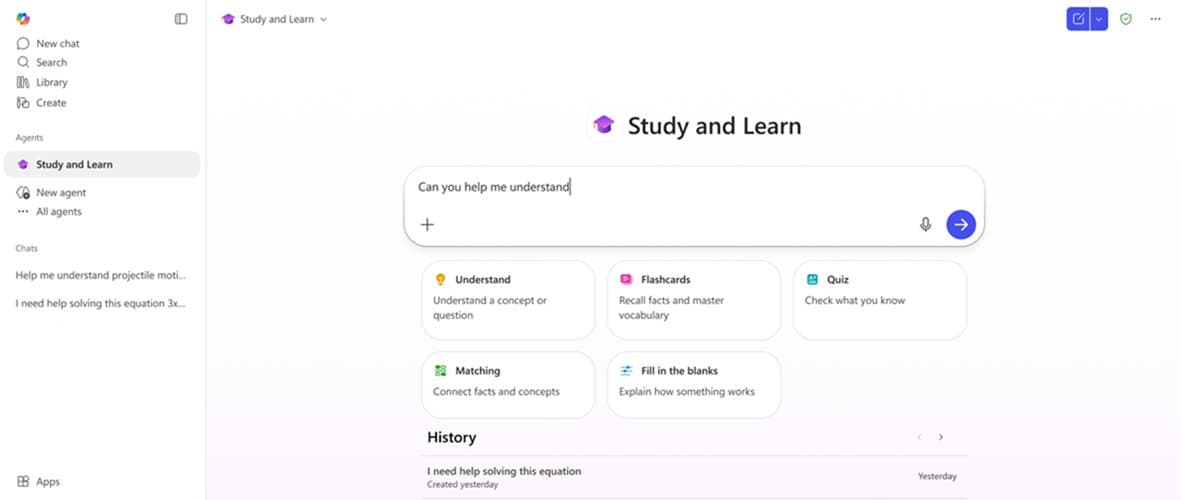
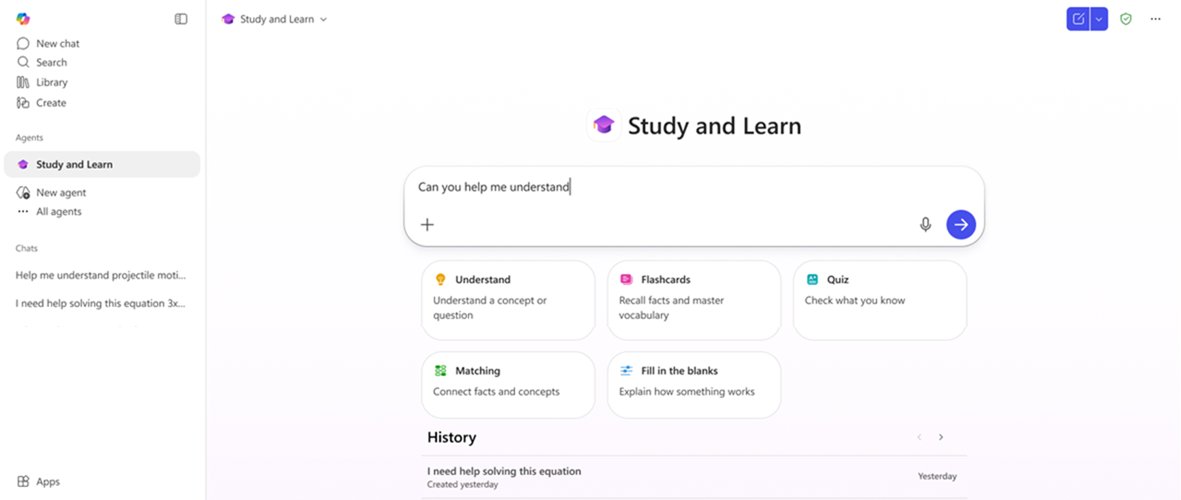
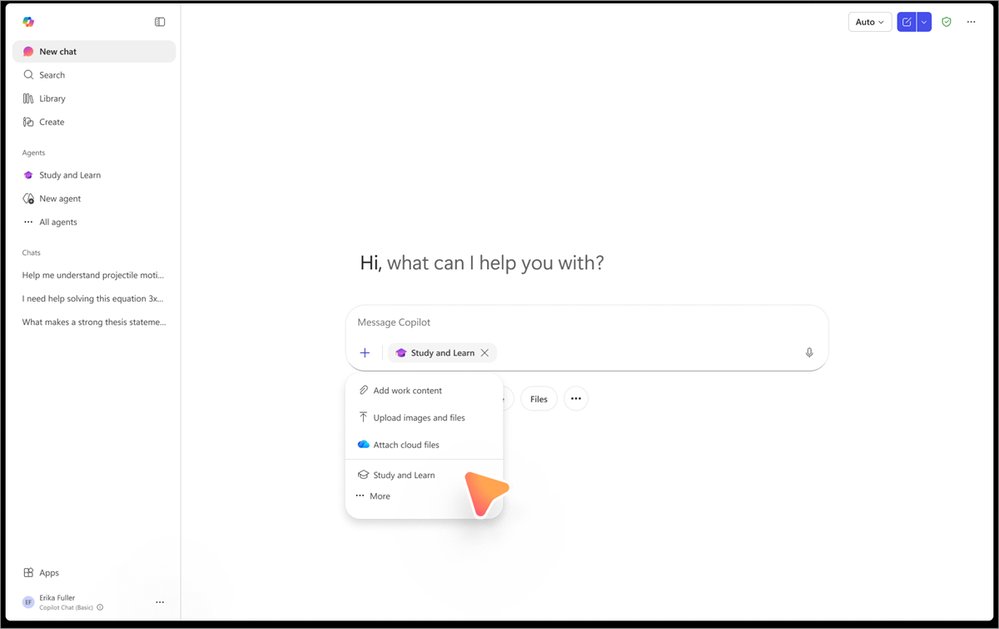
Microsoft announced the general availability of the Study and Learn Agent inside Microsoft 365 Copilot. The agent is a conversational coach that guides students through concepts, generates practice activities and quizzes, and does so while keeping the learner in control. It is enabled for any Microsoft Education license (A1, A3, A5) and lives in the left navigation of the Copilot app and the chat dropdown (https://aka.ms/studyandlearn). The service is currently English‑US only, with additional languages rolling out in the next weeks.
Key new capabilities include:
- Adaptive scaffolding that asks the learner what they already know before offering hints.
- On‑demand creation of flashcards, fill‑in‑the‑blank, matching and multiple‑choice quizzes from the student’s own notes or a topic name.
- Inline explanations that will soon include images for visual subjects.
- Built‑in responsible‑AI controls that tie into the existing Microsoft 365 Education admin console.
Provider comparison
| Feature | Study and Learn Agent (Microsoft) | Khanmigo (Khan Academy) | Google Gemini Tutor | OpenAI ChatGPT for Education |
|---|---|---|---|---|
| Integration | Native to Microsoft 365 apps (Word, Teams, OneNote). No separate login. | Web portal, optional LMS plug‑in. | Integrated with Google Workspace (Docs, Classroom). | Accessible via web or API; requires separate sign‑in. |
| Pricing | Included with Education A1/A3/A5 licences – no extra charge. | Free for basic use; premium tier $10‑$20 per student per month for advanced tutoring. | Free for Workspace for Education users; premium Gemini features billed per‑user per‑month (estimated $5). | Free tier limited; paid “ChatGPT for Education” at $15 per user per month (as of 2026). |
| Curriculum alignment | Leverages the learner’s own documents; can pull from class‑provided files. | Pre‑built Khan Academy content; limited to subjects covered by Khan Academy. | Uses Google Knowledge Graph; strong for Google‑centric curricula. | General‑purpose model; requires prompts to steer toward curriculum. |
| Scaffolding model | Research‑backed adaptive questioning; never gives direct answer first. | Mix of hints and step‑by‑step solutions; may provide full answer on request. | Primarily explanation‑first; hints optional. | Depends on prompt; can be configured for Socratic style but not default. |
| Data residency & compliance | Stores data in the school’s Microsoft tenant; complies with FERPA, GDPR, CCPA. | Data stored in Khan Academy cloud; compliance statements available but less granular control. | Google Cloud data residency options; compliance covered under Google Workspace for Education. | OpenAI stores data in US/EU regions; compliance options improving but still less school‑centric. |
| Admin controls | Toggle Copilot Chat for 13‑17 age group, audit logs, AI‑literacy modules. | Simple enable/disable at org level; limited audit. | Admin console for AI features, but fewer granular controls for age groups. | API key management; limited UI for education admins. |
Why the differences matter
- Cost: Microsoft’s inclusion of the agent in existing licences removes a line‑item expense that many districts struggle to justify. Khanmigo and OpenAI introduce recurring fees that can double the per‑student budget for AI tutoring.
- Integration friction: Schools already using Teams, Word and OneNote can adopt the agent with a single admin switch. Competing tools often require a separate portal login, extra browser tabs, or LMS plug‑ins, which adds training overhead.
- Data governance: The ability to keep student interactions inside the school’s Microsoft tenant satisfies tighter district policies. Google and OpenAI provide compliance, but the data flows through external services, raising additional review steps.
Business impact
Immediate operational benefits
- Reduced tutoring spend – districts that previously allocated funds for after‑school tutoring can re‑allocate a portion of that budget to device refreshes or professional development, because the agent offers 24/7 coaching at no extra cost.
- Simplified admin workflow – enabling Copilot Chat for the 13‑17 cohort is a single toggle in the Microsoft 365 admin center. The same action instantly unlocks Study and Learn for every student with an Education licence, eliminating per‑classroom provisioning.
- Improved learning analytics – interaction logs are stored in the tenant, allowing schools to surface engagement metrics in Power BI dashboards. Administrators can track which concepts generate the most help requests and adjust curriculum pacing.
Migration considerations
| Step | Action | Potential challenges |
|---|---|---|
| 1. Inventory | Verify that all students have an Education A1/A3/A5 licence and are enrolled in the 13‑17 age group. | Legacy licences (e.g., free Office 365 Education) may need upgrade. |
| 2. Enable Copilot Chat | Follow the video guide (https://aka.ms/enablecopilotchatvideo) and set the age‑group policy. | Some schools have strict content‑filter policies; Copilot Chat must be whitelisted. |
| 3. Pilot | Select a small cohort (e.g., a 10th‑grade science class) and run a 4‑week pilot. Capture usage data via the admin audit logs. | Teacher buy‑in is critical; provide the professional‑development module (aka.ms/studyandlearnmodule). |
| 4. Scale | Roll out to additional grades, configure language packs as they become available. | Bandwidth considerations for simultaneous chat sessions; monitor network usage. |
| 5. Optimize | Use the built‑in feedback form to prioritize feature requests and adjust prompting scripts. | Feedback loop may generate a high volume of tickets; assign a dedicated admin liaison. |
Strategic outlook
- Equity: By embedding a coach in tools every student already uses, Microsoft removes the “tutor‑affordability” gap that has persisted for decades. Districts can claim measurable progress on equity goals in state reporting.
- Vendor lock‑in risk: The deep integration with Microsoft 365 makes the agent highly sticky. Schools that adopt it should keep an eye on exportability of interaction data if they ever consider a multi‑cloud strategy.
- Future extensions: The roadmap mentions inline images and multilingual support. When those roll out, districts with bilingual programs can extend the same agent without purchasing a separate product.
Recommendations for IT leaders
- Enable now – The admin toggle is the only technical barrier. Activate Copilot Chat for the 13‑17 group this quarter to meet the upcoming semester deadline.
- Pair with teacher training – Schedule a 30‑minute session on the Study and Learn module for each department head. The hands‑on experience is the fastest way to surface the “question‑first” design.
- Monitor usage – Set up a Power BI report that shows daily active users, average session length, and top‑requested subjects. Use the data to justify continued funding or to negotiate additional Microsoft Education services.
- Plan for multilingual rollout – When additional language packs launch, map them to ESL programs and update the language‑selection policy in the admin console.
By treating the Study and Learn Agent as a core component of the district’s digital learning stack rather than a novelty, schools can achieve measurable gains in student engagement while keeping costs predictable.
Resources
- Enable Copilot Chat step‑by‑step video: https://aka.ms/enablecopilotchatvideo
- Study and Learn Agent portal: https://aka.ms/studyandlearn
- Educator professional‑development module: https://aka.ms/studyandlearnmodule
- Microsoft responsible AI principles: https://learn.microsoft.com/ai/responsible-ai
Comments
Please log in or register to join the discussion