As remote and hybrid work models solidify, robust remote access software is non-negotiable for technical teams. ZDNET's rigorous testing crowns Splashtop as the overall leader for its balance of features, security, and value, while alternatives like Zoho Assist offer compelling affordability and TeamViewer remains a stalwart free option. This analysis dissects performance, security postures, and ideal use cases for developers and IT leaders.
The remote access imperative has evolved from a pandemic stopgap to a core enterprise infrastructure requirement. Whether enabling distributed development teams, providing cross-border IT support, or securely accessing critical resources, the choice of remote desktop software directly impacts productivity, security posture, and operational resilience. ZDNET's latest deep dive, involving extensive hands-on testing and analysis of customer experiences, identifies the standout performers in 2025's competitive landscape.
Splashtop Emerges as the Uncontested Leader ZDNET designates Splashtop as the best remote access software overall for 2025. Its strength lies in a potent combination:
- Comprehensive Feature Set: Robust tools for remote management, drag-and-drop file transfers, remote printing, session recording, and granular security controls.
- User-Centric Design: An intuitive interface simplifies setup and daily operation, even for complex tasks like managing large remote teams.
- Strong Security Foundation: Mandates strong passwords, employs two-factor authentication (2FA), and sends email verification for new device connections, addressing critical access vulnerabilities.
- Cross-Platform Agility: Seamless operation across Windows, macOS, Linux, iOS, and Android.
- Compelling Value: Plans start at $5/month (billed annually) for individuals, scaling to enterprise tiers. The Pro tier ($8.25/month) is recommended for most technical teams.
"Splashtop strikes the optimal balance," notes ZDNET's assessment. "It delivers enterprise-grade capabilities without sacrificing usability or breaking the budget, making it suitable for SMBs and large organizations alike." The primary drawback is the absence of a permanent free tier beyond the trial. 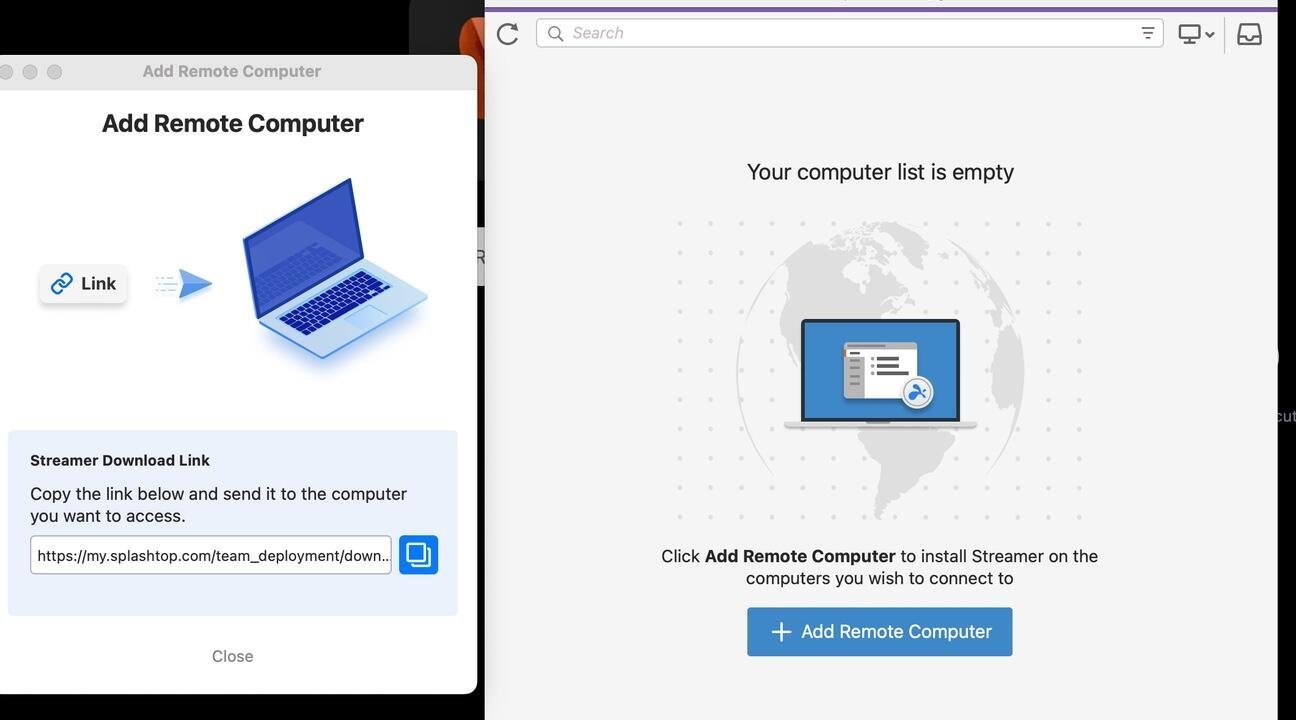
Strategic Alternatives for Specific Needs While Splashtop leads, other solutions excel in niche areas:
- Zoho Assist: Best Value & Affordability ($10/month):
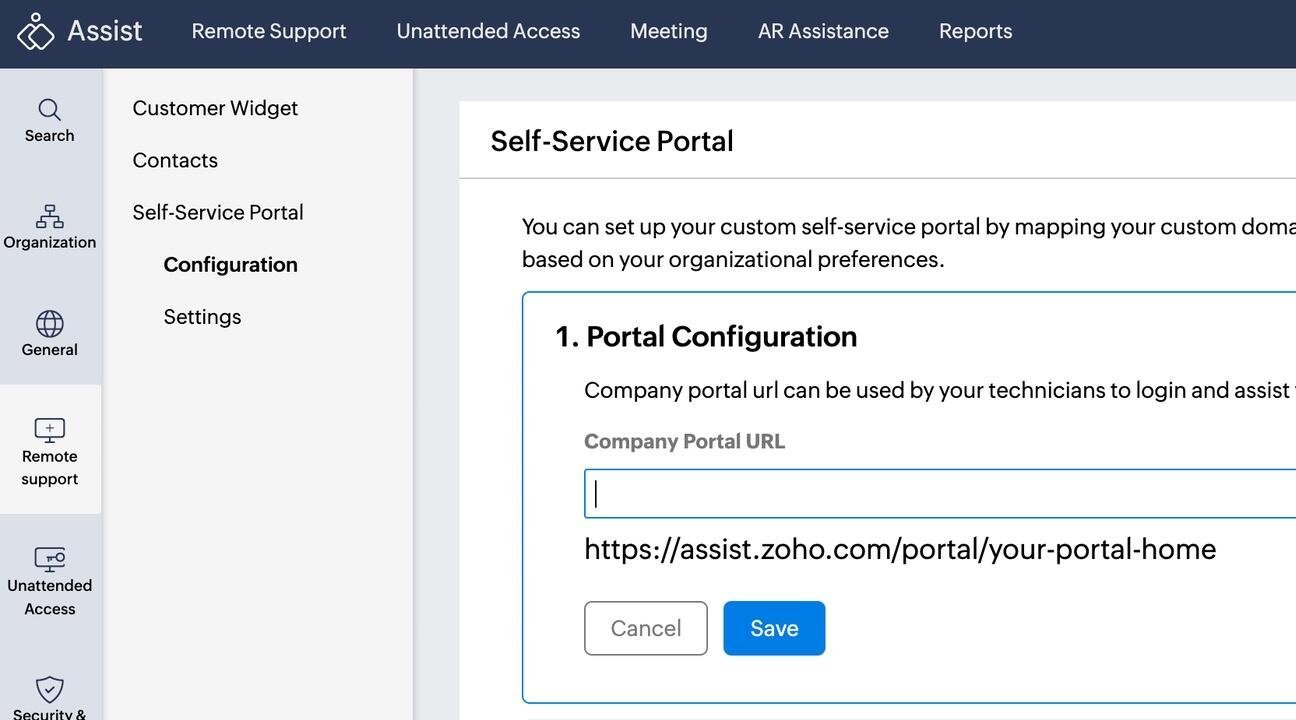 Ideal for businesses prioritizing cost-effectiveness without sacrificing core functionality. Zoho Assist shines with unattended access features, extensive third-party integrations (Slack, Zendesk, Jira), and MFA. Its dashboard provides valuable session metrics. However, users report a cluttered interface and occasional support challenges.
 - RemotePC HelpDesk: Optimized for IT Support ($9.95/yr intro): This solution offers a clean interface specifically tailored for helpdesk workflows, accessible via browser or desktop app. It includes chat, file transfer, and scheduling tools. Pricing is attractive for new customers, but be aware of post-introductory price hikes. Some users report connection stability issues.
- AnyDesk: Unattended Access Powerhouse ($22.90/month): A strong contender for businesses needing extensive unattended device management (supporting up to 100 devices on the base plan). Features include SSO, IAM, session logging, and client branding. However, its premium pricing and reports of service restrictions make it less attractive for budget-conscious teams. Security teams also note its increasing targeting in scams.
- TeamViewer: Reliable Free Tier for Personal/Ad-Hoc Use (Free or $24.90/month): The veteran solution remains a solid choice for individuals or occasional personal tech support. Its free version is straightforward and functional, though performance can lag. Business plans offer AI session insights and integrations but are costly compared to competitors for similar feature sets.
Beyond Features: The Critical Security Imperative ZDNET's analysis underscores that security cannot be an afterthought when selecting remote access tools:
- Vulnerability Exploitation: Recent incidents, like the exploitation of unpatched SimpleHelp RMM flaws and attacks on SonicWall SMA appliances (CVE-2021-20016, CVE-2021-20021, CVA-2021-20022), highlight the risks.
- Scam Vector: Tools like AnyDesk are frequently weaponized in social engineering attacks (e.g., fake security audits).
- Essential Safeguards: Mandatory features include MFA/2FA, end-to-end encryption, granular session permission controls, automatic session logging, and regular, transparent security patching. Disabling remote access when inactive is a fundamental best practice.
- VPN Synergy: Combining remote access software with a router-based VPN significantly enhances connection security.
Choosing Your Tool: A Strategic Framework ZDNET's testing emphasizes matching the solution to the operational need:
- Enterprise-Wide Deployment & Security: Splashtop
- Cost-Effective Business Support/Unattended Access: Zoho Assist
- Dedicated IT Helpdesk Operations: RemotePC HelpDesk
- Large-Scale Unattended Device Management (Budget Allowed): AnyDesk
- Personal/Infrequent Use: TeamViewer (Free)
The Evolving Threat Landscape Demands Vigilance Remote access software is a double-edged sword: essential for modern operations but a prime target for threat actors. The 2025 recommendations highlight solutions that prioritize robust security architectures alongside functionality. As ZDNET concludes, "The right choice hinges not just on features and price, but on a vendor's demonstrated commitment to securing the critical pathway between your users and your resources." Continuous evaluation of security postures and adherence to hardening best practices (like VPN usage and session logging) remain paramount for technical teams deploying these powerful tools.
Source: Analysis based on extensive testing and research by Charlie Osborne and the ZDNET team, Best remote access software 2025.
Comments
Please log in or register to join the discussion