
A VPN app can look perfect on the surface, but without a scalable, observable backend the first real‑world users will flood support with the same complaints. This article breaks down the hidden infrastructure problems that turn a polished UI into a support nightmare, explains how to design a backend that prevents tickets, and weighs the trade‑offs of different visibility and routing strategies.
The Backend Mistake That Turns VPN Apps Into Support Nightmares
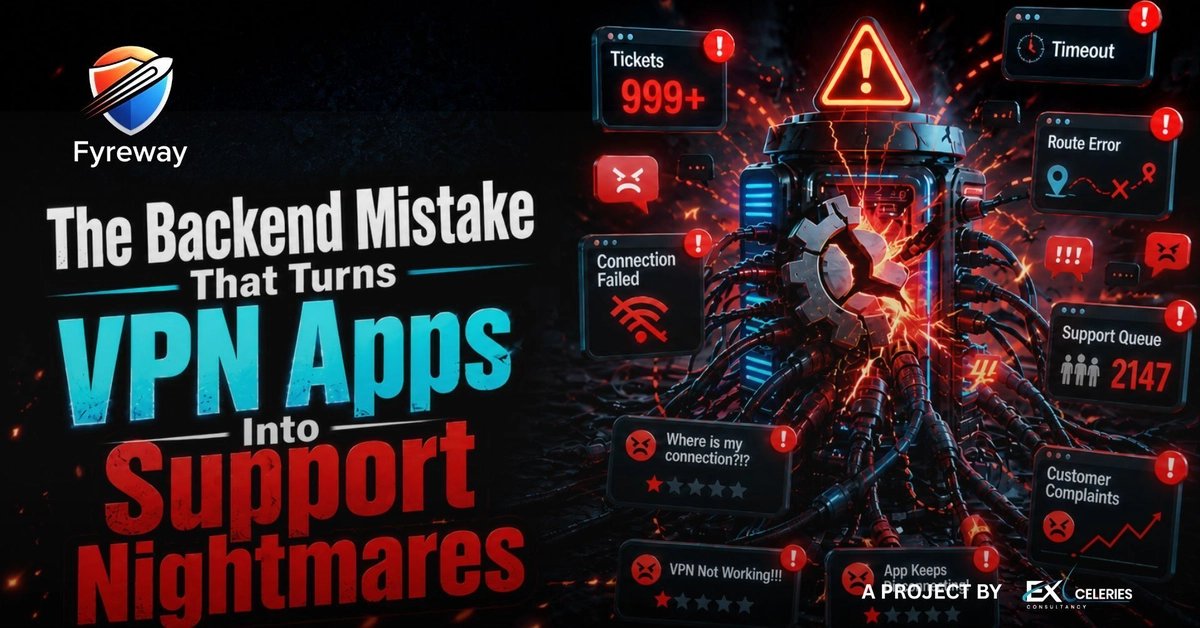
Problem: The UI Is Ready, the Infrastructure Is Not
Most teams launch a VPN by polishing the mobile screens, adding a Connect button, and publishing a list of server locations. In a controlled QA environment the app connects, the list loads, and everything looks fine. The moment real users start connecting from dozens of countries, on cellular, public Wi‑Fi, and old devices, a different set of failures emerges:
- The app reports connected but the browser shows no traffic.
- Premium locations appear slow or completely unavailable.
- Sessions drop during peak hours.
- Users receive generic error messages like connection failed.
These symptoms are rarely independent UI bugs. They are the outward expression of a backend that was treated as a simple socket layer rather than a full‑scale infrastructure product.
Solution Approach: Build the Backend as the Core Product
1. Treat Server Health as a First‑Class Service
A robust VPN backend must continuously monitor:
- Server load (CPU, memory, bandwidth).
- Network latency to major internet exchange points.
- Protocol success rates (WireGuard, OpenVPN, IKEv2).
- DNS resolution health for each region.
Expose these metrics through a centralized dashboard (e.g., Prometheus + Grafana) and feed them into an automated routing engine that can steer new connections away from overloaded nodes.
2. Implement Smart Region Management
Instead of a static list, use a dynamic region selector that:
- Scores each location on health, latency, and capacity.
- Presents only the top‑N healthiest servers to the user.
- Gracefully falls back to a nearby region when the chosen node degrades.
This reduces the “premium location down” tickets dramatically because the client never tries a bad server in the first place.
3. Enable Real‑Time Failure Detection
Deploy health‑checks that run every few seconds:
- TCP handshake success.
- UDP packet loss for WireGuard.
- DNS query latency.
When a check fails, trigger an automatic circuit‑breaker that removes the node from the pool and notifies the ops team via Slack or PagerDuty. The client receives a concise message such as “Switching to a healthier server…” instead of a vague “connection failed.”
4. Correlate Support Tickets with Infrastructure Events
Integrate your ticketing system (Zendesk, Freshdesk) with the monitoring platform. When a user opens a ticket, attach the latest health snapshot for the region they were using. This turns every complaint into a data point that can be aggregated:
- Spatial signals – many tickets from the same country indicate a regional issue.
- Temporal signals – spikes at night point to capacity limits.
- Protocol signals – repeated WireGuard failures suggest a configuration drift.
By visualizing these patterns, support stops guessing and starts addressing the root cause.
5. Deploy Incrementally with Canary Releases
Roll out new server images or routing logic to a small percentage of users first. Monitor error rates and latency before scaling to the full fleet. This limits the blast radius of a misconfiguration and gives the team time to react before tickets explode.
Trade‑offs and Considerations
| Aspect | Benefit | Cost / Complexity |
|---|---|---|
| Full observability | Immediate detection of unhealthy nodes, fewer tickets | Requires instrumentation, storage, and alerting pipelines |
| Dynamic region selection | Users see only healthy servers, higher perceived speed | Adds latency to the client‑side decision logic, needs frequent metric refresh |
| Circuit‑breaker automation | Reduces manual server removal, faster recovery | Risk of false positives; must tune thresholds carefully |
| Ticket‑infrastructure correlation | Turns support data into actionable ops insights | Integration effort, need for consistent tagging of user sessions |
| Canary deployments | Limits impact of bad releases | Requires CI/CD pipelines capable of targeting subsets of the fleet |
The right balance depends on team size and traffic volume. A startup with a few hundred daily users can start with basic health checks and a simple dashboard; a mature service handling millions should invest in automated routing and deep ticket correlation.
A Real‑World Example
Fyreway’s blog post on Scaling a VPN App – Where Everything Starts describes how a mid‑size VPN provider reduced daily support tickets by 62 % after implementing:
- Per‑region load balancers that consulted a health API.
- A Grafana dashboard exposing server‑level metrics to the support team.
- A Slack bot that posted a summary of “top‑complaint regions” each hour.
The result was not only fewer tickets but also a measurable increase in user retention because connections stayed stable during peak hours.
Bottom Line
A VPN app’s front end is only the tip of the iceberg. The real product lives in the backend: health monitoring, smart routing, automated failure handling, and tight feedback loops to support. When teams treat the backend as an afterthought, every user complaint becomes a support nightmare. When they invest in scalable infrastructure and visibility, the support inbox quiets, developers can focus on new features, and the business retains more paying customers.
Further reading
- Your VPN App Isn’t Slow – Your Backend Is Broken (2026)
- Stop Blaming the UI – Why Your VPN App Is Actually Failing
- Most Developers Are Building VPN Apps the Wrong Way

By shifting the focus from a shiny UI to a resilient, observable backend, VPN teams can stop firefighting and start delivering the stable connections users expect.
Comments
Please log in or register to join the discussion