Microsoft releases KB5077181 and KB5075941 cumulative updates addressing security vulnerabilities while adding Cross-Device Resume expansion, MIDI 2.0 support, and accessibility improvements.
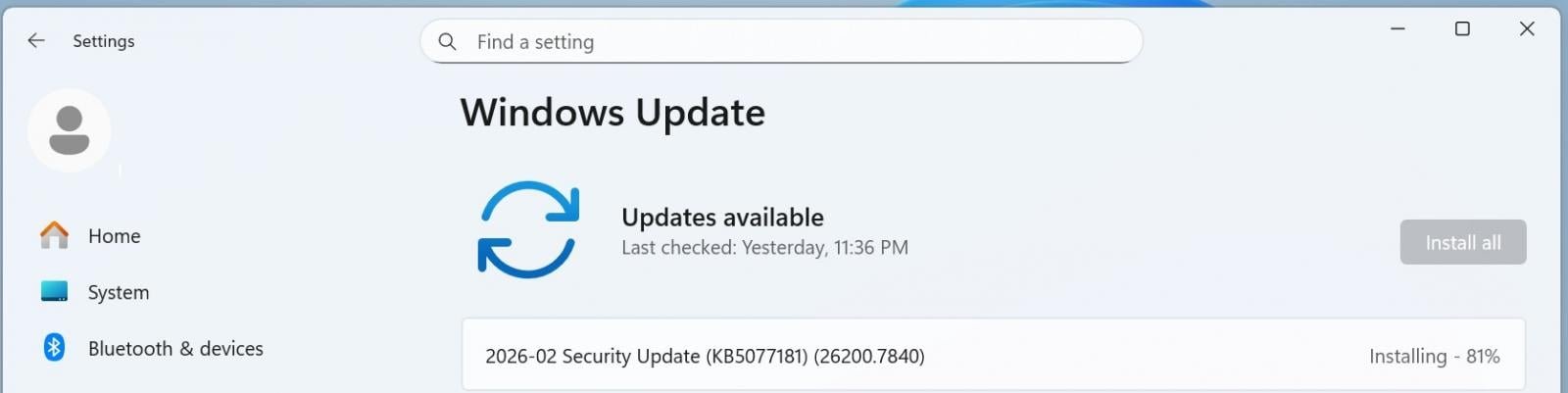
Microsoft has deployed mandatory February 2026 Patch Tuesday updates for Windows 11, delivering critical security patches alongside significant functionality upgrades. The KB5077181 update applies to versions 25H2/24H2 while KB5075941 targets 23H2, collectively patching vulnerabilities disclosed in recent months and introducing new cross-platform capabilities.
These updates are classified as critical due to their inclusion of security fixes. "Patch Tuesday updates remain the frontline defense against emerging threats," notes security analyst Kevin Beaumont. "Delaying installation leaves systems exposed to known exploits that attackers actively target." The updates elevate build numbers to 26200.7840 (25H2), 26100.7840 (24H2), and 22631.6050 (23H2).
Key security and stability improvements include:
- Wi-Fi connectivity: Resolves WPA3-Personal network connection failures occurring after KB5074105 installation
- Secure Boot deployment: Implements phased certificate rollout using device update signals for safer implementation
- Gaming optimization: Fixes device eligibility checks for full-screen gaming experiences
Notable feature enhancements:
Cross-Device Resume expansion: Now supports Android phones from HONOR, OPPO, Samsung, vivo and Xiaomi. Users can:
- Continue Microsoft Copilot sessions between devices
- Transfer browser sessions from Vivo Browser to PC
- Resume Microsoft 365 files across platforms (Microsoft Copilot details)
Windows MIDI Services upgrade:
- Adds native MIDI 2.0 support with WinMM/WinRT compatibility
- Enables shared ports, custom naming, and app-to-app MIDI
- Tools available via Windows MIDI Services portal and GitHub repository
Accessibility improvements:
- Narrator customization for control announcement preferences
- Simplified Voice Access setup with streamlined model downloads
- Adjustable command delay in Voice Typing
Security management:
- Smart App Control toggle without reinstallation requirement (Configuration guide)
- Windows Hello Enhanced Sign-in Security support for peripheral fingerprint readers
Practical deployment guidance:
- Installation: Navigate to Settings > Windows Update > Check for Updates
- Manual option: Download packages from Microsoft Update Catalog
- Enterprise consideration: Test MIDI Services packages noting current lack of digital signatures
- Post-installation: Verify new Device Card appears in Settings home page (Microsoft account required)
Microsoft confirms no known issues with these updates. For systems requiring extended validation, enterprise administrators should monitor the phased Secure Boot certificate rollout. The updates represent Microsoft's continued shift toward integrated cross-device experiences while maintaining monthly security baselines.
Comments
Please log in or register to join the discussion