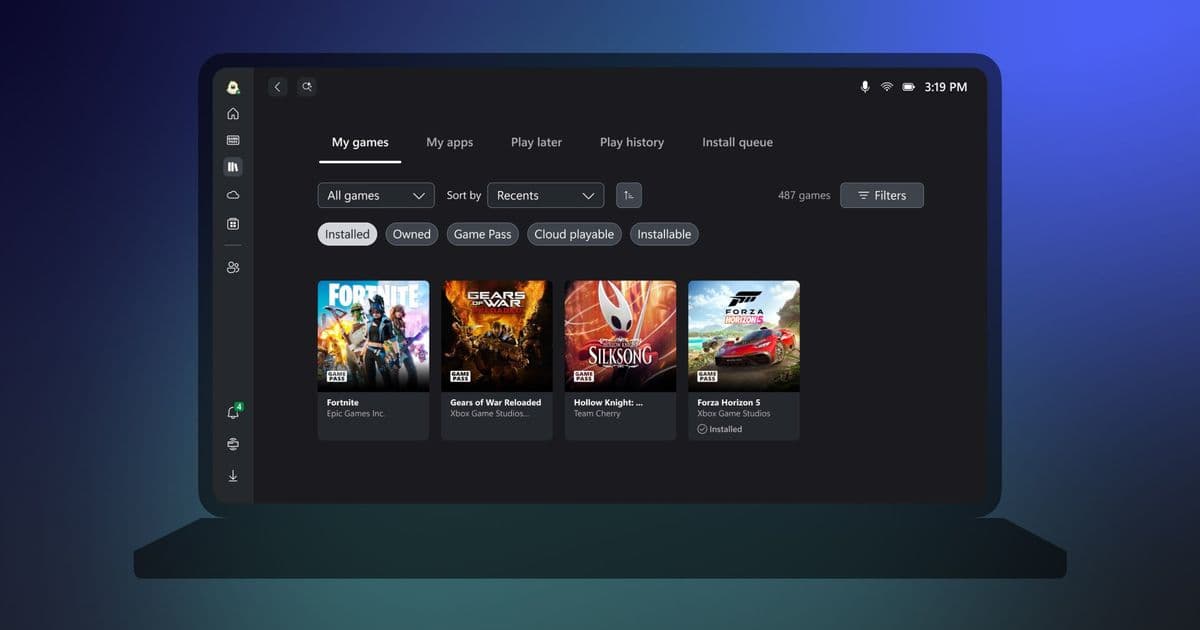
Microsoft's new Xbox app for Windows on ARM finally brings native game downloads and installation to Snapdragon laptops, powered by an updated Prism emulator with crucial AVX/AVX2 support and Easy Anti-Cheat integration.
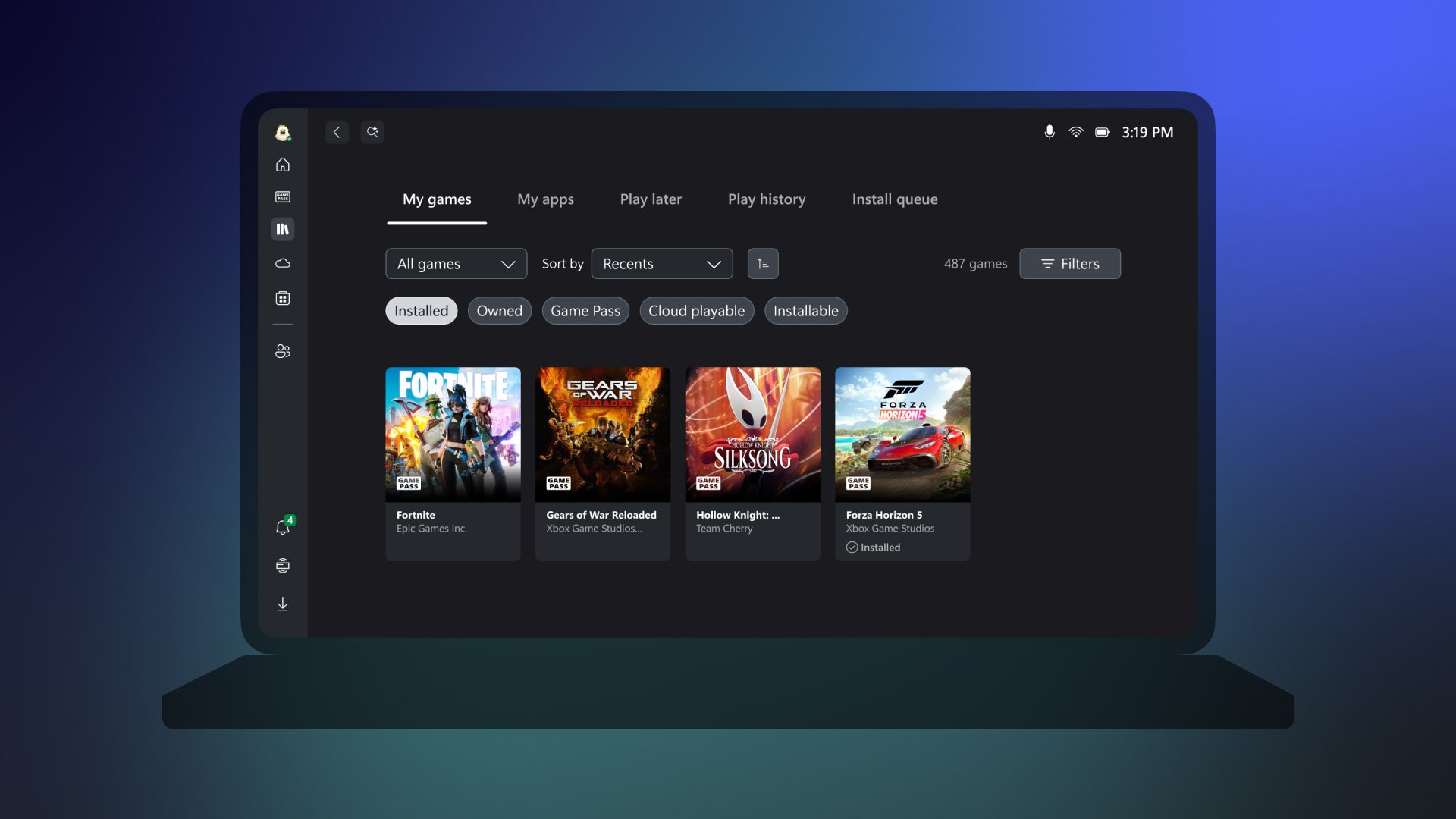
The long-anticipated native Xbox app for Windows on ARM has arrived, marking a significant milestone for Snapdragon-powered laptops. Users can now download and install games directly from the Xbox PC catalogue without relying on cloud streaming, fundamentally changing the gaming proposition for ARM-based Windows devices.
What's New: Native Gaming on ARM
The core advancement comes from Microsoft's updated Prism emulator, which now supports x86 and x64 software on ARM architecture. This isn't merely about running older titles—the emulator now includes support for AVX and AVX2 instruction sets, which are critical for modern PC games. Many contemporary titles rely on these advanced vector instructions for physics calculations, AI processing, and graphics rendering. Without AVX support, games would either fail to launch or experience severe performance degradation.
Epic's Easy Anti-Cheat has also launched for Windows on ARM, a crucial development for multiplayer gaming. This means popular titles like Fortnite and Gears of War: Reloaded are now playable on ARM computers without compatibility barriers. Previously, anti-cheat software was a major roadblock, as it often required kernel-level access that wasn't properly supported on ARM architecture.
For games that still lack native ARM support or don't run well through emulation, Xbox Cloud Gaming remains available as an alternative. Microsoft emphasised that they'll continue working with development studios and partners to broaden compatibility, suggesting this is just the beginning of their ARM gaming push.
How It Compares: ARM vs. Traditional x86 Gaming
The gaming landscape on Windows on ARM has been challenging until now. Previous attempts at running games relied on emulation that often struggled with performance and compatibility. The new Prism emulator with AVX support represents a substantial leap forward, but there are still important limitations to understand.
Performance Considerations:
- GPU Dependency: On Snapdragon X laptops, gaming capability depends heavily on GPU specifications. The integrated Adreno GPU in Snapdragon X chips isn't comparable to discrete gaming GPUs found in traditional laptops.
- Thermal Constraints: ARM laptops are typically designed for efficiency and thin form factors, which means thermal headroom for sustained gaming is limited.
- Memory Bandwidth: While ARM processors have made great strides, memory bandwidth can still be a bottleneck for demanding games compared to dedicated gaming systems.
Compatibility Gaps:
- Not all games will run perfectly, especially those with complex DRM or proprietary anti-cheat solutions beyond Easy Anti-Cheat.
- Some games may require specific tuning or settings adjustments to run smoothly.
- Native ARM games will always offer the best performance, but the library is still limited.
Microsoft's new "Windows Performance Fit" tool attempts to address the uncertainty by helping gamers estimate how well a game might run on their specific hardware. However, the tool doesn't provide specific performance metrics, leaving users to interpret the guidance themselves.
Who It's For: Practical Buyer Guidance
The Ideal Candidate:
- Mobile Professionals: Users who need all-day battery life and lightweight portability but occasionally want to game during travel or downtime.
- Casual Gamers: Those playing titles like Stardew Valley, Hades, Minecraft, or indie games that don't require cutting-edge graphics.
- Students: Who need a laptop for coursework but want the option to play games without carrying a separate gaming device.
- Early Adopters: Tech enthusiasts willing to accept some limitations to experience ARM computing's efficiency benefits.
Who Should Look Elsewhere:
- Hardcore Gamers: If you need to play the latest AAA titles at high settings and frame rates, traditional x86 gaming laptops remain the better choice.
- Competitive Players: While some esports titles work, latency and performance consistency may not meet competitive standards.
- VR Enthusiasts: Virtual reality gaming requires substantial GPU power that current ARM laptops cannot provide.
Practical Considerations Before Buying:
- Check Specific Game Compatibility: Use Microsoft's Performance Fit tool and community forums to verify your favourite games work.
- Manage Expectations: Even with AVX support, performance won't match dedicated gaming hardware.
- Consider the Future: Snapdragon X2 chips are on the horizon, promising significantly more capable GPUs. If you can wait, next-generation ARM laptops may offer substantially better gaming performance.
- Cloud Gaming as Backup: For demanding titles, Xbox Cloud Gaming remains a viable alternative, though it requires a stable internet connection.
Broader Context: The ARM Gaming Evolution
This release represents Microsoft's continued commitment to Windows on ARM, which has evolved from a niche experiment to a legitimate platform. The gaming focus is strategic—gaming drives PC adoption and creates ecosystem lock-in. By bringing Xbox to ARM, Microsoft is:
- Creating a unified ecosystem: Bridging the gap between Xbox consoles and Windows PCs on ARM.
- Supporting future hardware: Laying the groundwork for more powerful ARM chips from Qualcomm and others.
- Competing with Apple: Apple's M-series chips have demonstrated ARM's gaming potential, and Microsoft is responding with native software support.
The January update also brings additional Xbox enhancements: Game Save Sync Indicator for cloud save status, Xbox Cloud Gaming expansion to Hisense and V homeOS smart TVs in 2026, expanded Xbox Play Anywhere support, and additions to the Retro Classics library. These moves show Microsoft's broader strategy of making Xbox accessible across as many devices as possible.
Looking Ahead: The Snapdragon X2 Factor
The current gaming support on ARM is laying the foundation for upcoming laptops powered by Snapdragon X2 chips. While specific details remain limited, industry expectations suggest these next-generation processors will feature significantly more powerful GPUs, potentially closing the performance gap with entry-level discrete graphics cards.
For now, the native Xbox app on Windows on ARM represents a meaningful step forward, transforming Snapdragon laptops from productivity-only devices into capable gaming machines for the right user. The combination of native game installation, improved emulation, and anti-cheat support creates a gaming ecosystem that didn't exist just months ago.
Resources:
- Windows on ARM Gaming Update - Microsoft Blog
- Xbox Wire - January 2026 Updates
- Snapdragon X Series Processors - Qualcomm
- Windows Performance Fit Tool - Microsoft Support
The journey to full gaming parity on ARM continues, but with this release, Microsoft has removed one of the most significant barriers preventing Snapdragon laptops from serving as legitimate gaming machines.
Comments
Please log in or register to join the discussion