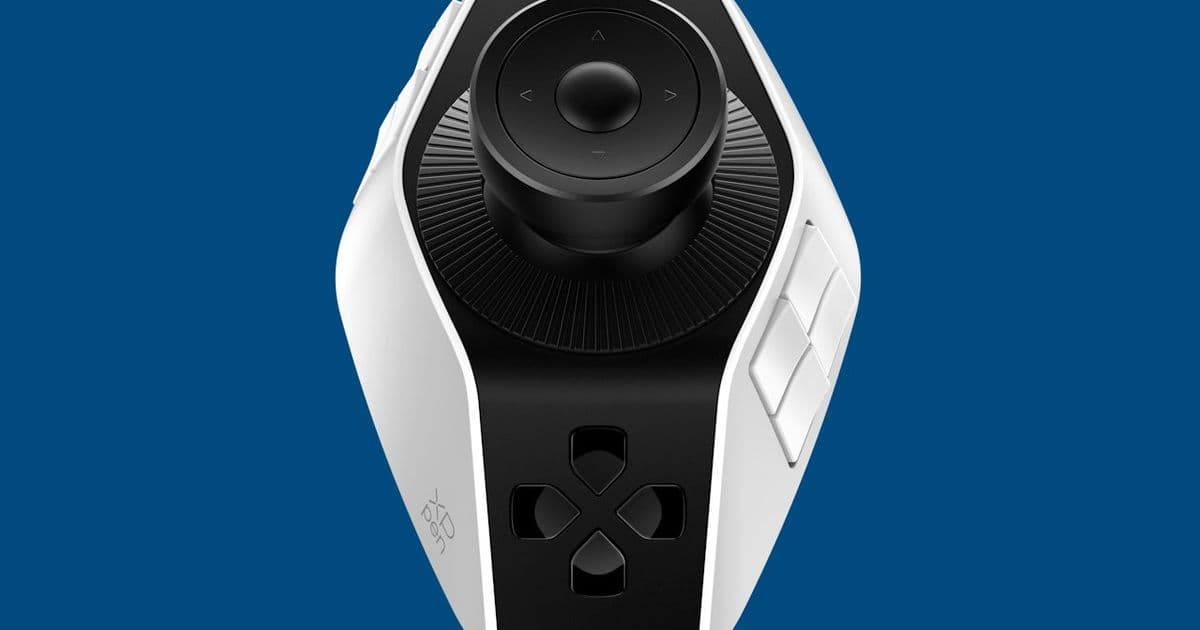
XPPen launches the Pilot Pro editing console, offering video editors a dedicated hardware interface with 16 programmable buttons, three rotary dials, and an 8-way joystick to streamline workflow and boost productivity.
XPPen has expanded its creative hardware lineup with the introduction of the Pilot Pro editing console (ACC02-A), a specialized controller designed to enhance video editing efficiency through tactile, programmable controls. The device targets video editors seeking faster access to commonly used tools and shortcuts, providing a physical interface that can significantly speed up editing workflows compared to keyboard-only operations.
The Pilot Pro features an eight-way joystick with an OK button and four-way touch buttons positioned on top. Surrounding the joystick are two rotary dials—a larger one at the base and a smaller one near the top—with an additional small dial positioned in front. All three dials offer haptic feedback that can be disabled based on user preference. The console includes 16 programmable buttons arranged on both sides of the raised base, plus a 4-way direction pad positioned in the front area.

What sets the Pilot Pro apart from generic editing controllers is its thoughtful design specifically for left-handed users, allowing editors to maintain natural hand positioning while simultaneously using a mouse or touchpad with their right hand. This ergonomic consideration addresses a common pain point in the editing workflow where physical interfaces often force awkward hand positioning.
In terms of connectivity, the Pilot Pro offers flexibility with both wired USB-C and wireless Bluetooth options, ensuring compatibility across different workstation setups. The device supports Windows 10 and higher, as well as macOS 10.12 and higher, making it accessible to most professional editors regardless of their preferred platform.
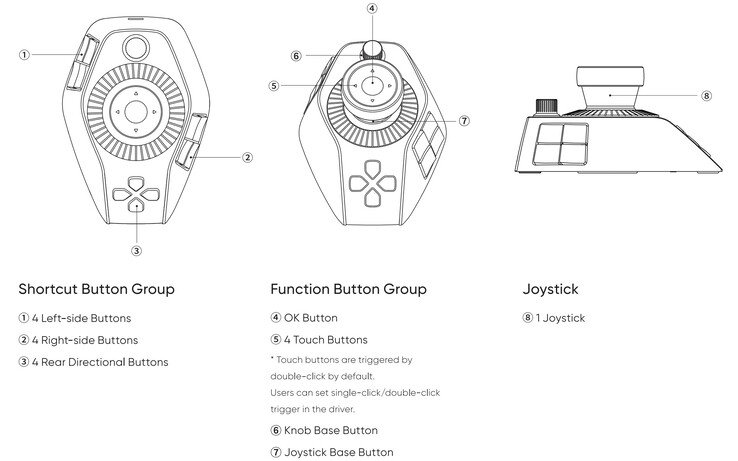
The customization capabilities represent the Pilot Pro's most significant advantage. Each control can be programmed to trigger specific functions within popular video editing applications like Adobe Premiere Pro and Blackmagic DaVinci Resolve. Users can create individual profiles for different projects or applications, effectively transforming the console into a specialized interface tailored to their specific workflow needs.
Beyond video editing, the Pilot Pro's programmable nature extends its utility to other creative applications. Editors can configure the buttons and dials to control functions in Microsoft Word, graphic design software, or virtually any application that benefits from customizable shortcuts. This versatility ensures the device remains useful even when editing projects are temporarily on hold.
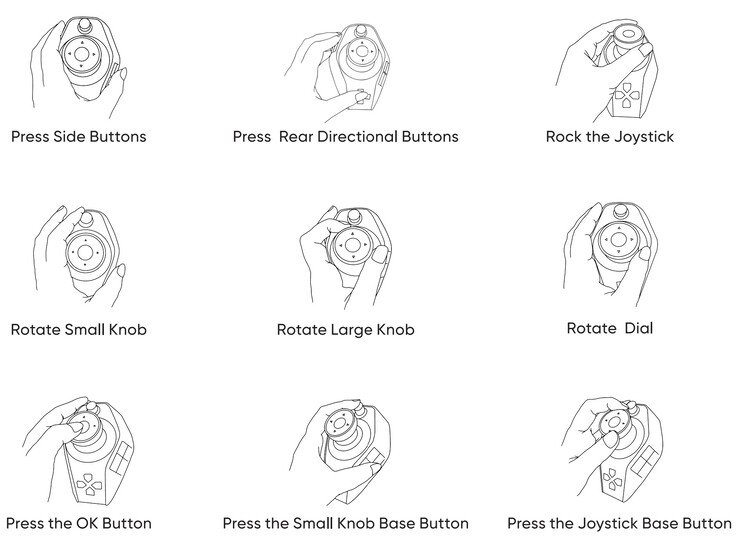
XPPen, known primarily for its graphic drawing tablets and displays such as the Artist Pro 27 (Gen 2), has leveraged its expertise in digital input devices to create a controller that bridges the gap between mouse/keyboard workflows and specialized editing hardware. The Pilot Pro measures 130.25 x 92.5mm x 66.9mm (5.13 x 3.64 x 2.63 in.) and weighs 251g (8.85 oz), making it compact enough to fit comfortably alongside a keyboard without consuming excessive desk space.
Priced at $209.99/€199.99/£169.99, the Pilot Pro positions itself as a mid-range option in the editing controller market. While more expensive than basic keyboard shortcuts, it offers a tangible return on investment for editors regularly working on time-sensitive projects where efficiency gains can translate directly to saved hours of editing time.
The Pilot Pro is now available through XPPen stores in the US, UK, DE, FR, IT, and ES, as well as on Amazon. For editors considering the investment, XPPen offers a practical solution that combines tactile feedback with programmable controls, potentially reducing the repetitive strain associated with extensive keyboard use while providing more intuitive access to essential editing functions.
Comments
Please log in or register to join the discussion