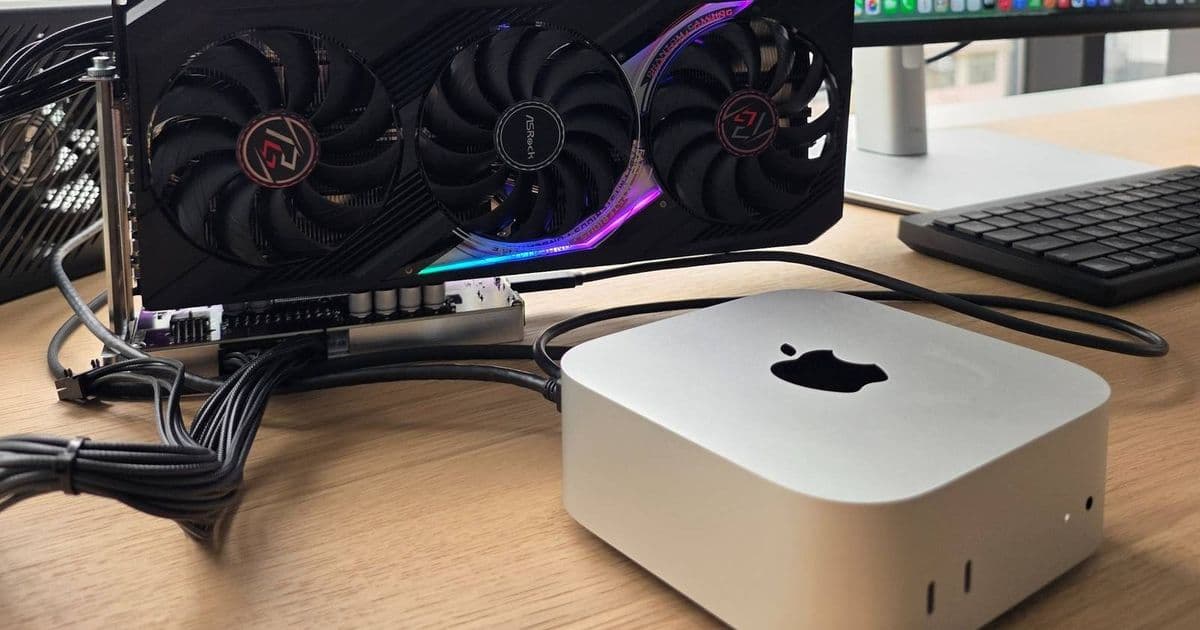
Apple has officially approved TinyGPU drivers for AMD and NVIDIA GPUs on macOS, allowing Mac Mini users to connect external GPUs via Thunderbolt/USB4 and run larger local AI models with official support.
Apple has officially approved TinyGPU drivers for AMD and NVIDIA GPUs on macOS, marking a significant milestone for Mac Mini users who want to run larger local AI models. The tiny corp announced on its X feed that its GPU driver, TinyGPU, has now been accepted by Apple, providing users with both enhanced capabilities and official backing from the Mac Mini's creator.
What TinyGPU Brings to Mac Mini Users
TinyGPU allows you to hook up an AMD or Nvidia GPU to macOS, effectively transforming your compact Mac Mini into a more powerful AI workstation. While the Mac Mini is a little on the small side to fit a high-end GPU like an RTX 5090 inside it, you can use an external dock instead. This opens up possibilities for running larger, more complex AI models locally without relying on cloud services.
Easy Setup Process
The TinyGPU GitHub page includes installation steps that make the setup process straightforward. Users can connect their eGPU via Thunderbolt or USB4 ports and follow the documented procedure to get everything running. The official Apple approval means users can install these drivers with confidence, knowing they meet Apple's standards and won't cause system instability.
Why This Matters for AI Development
Running larger AI models locally offers several advantages: faster inference times, better privacy since data stays on your machine, and the ability to work offline. For developers and researchers who need to test and iterate on AI models, having access to more GPU power through an eGPU can significantly accelerate their workflow.
Mac Mini as an AI Workstation
This development reinforces the Mac Mini's position as a surprisingly capable piece of kit for tech enthusiasts. While it won't be perfect for everyone, the combination of the Mac Mini's compact form factor, macOS's stability, and now the ability to expand GPU capabilities makes it an attractive option for home lab enthusiasts and developers working with AI models.
Getting Started
To take advantage of this new capability, users should visit the TinyGPU GitHub page for the latest installation instructions and compatibility information. The process involves connecting your eGPU, installing the drivers, and configuring your system to use the external GPU for AI workloads.
The official Apple approval of TinyGPU drivers represents a significant step forward for Mac users interested in local AI development, providing both the technical capability and the peace of mind that comes with official support.
Comments
Please log in or register to join the discussion