The Abxylute E1 is a budget retro handheld with a split personality: it excels at emulating PlayStation 1, N64, and Dreamcast games in Linux, but its Android 11 side feels like an afterthought that's clunky to use without a touchscreen.
The Abxylute E1 presents a fascinating case study in product design. On the surface, it's a straightforward budget retro handheld, powered by a Rockchip RK3266 and capable of running games up to the Sega Dreamcast era. But its unique selling point—a dual-boot system with Linux and Android 11—creates a device with a split personality. One side is a competent, well-designed gaming machine. The other is a confusing, poorly executed feature that ultimately detracts from the core experience.
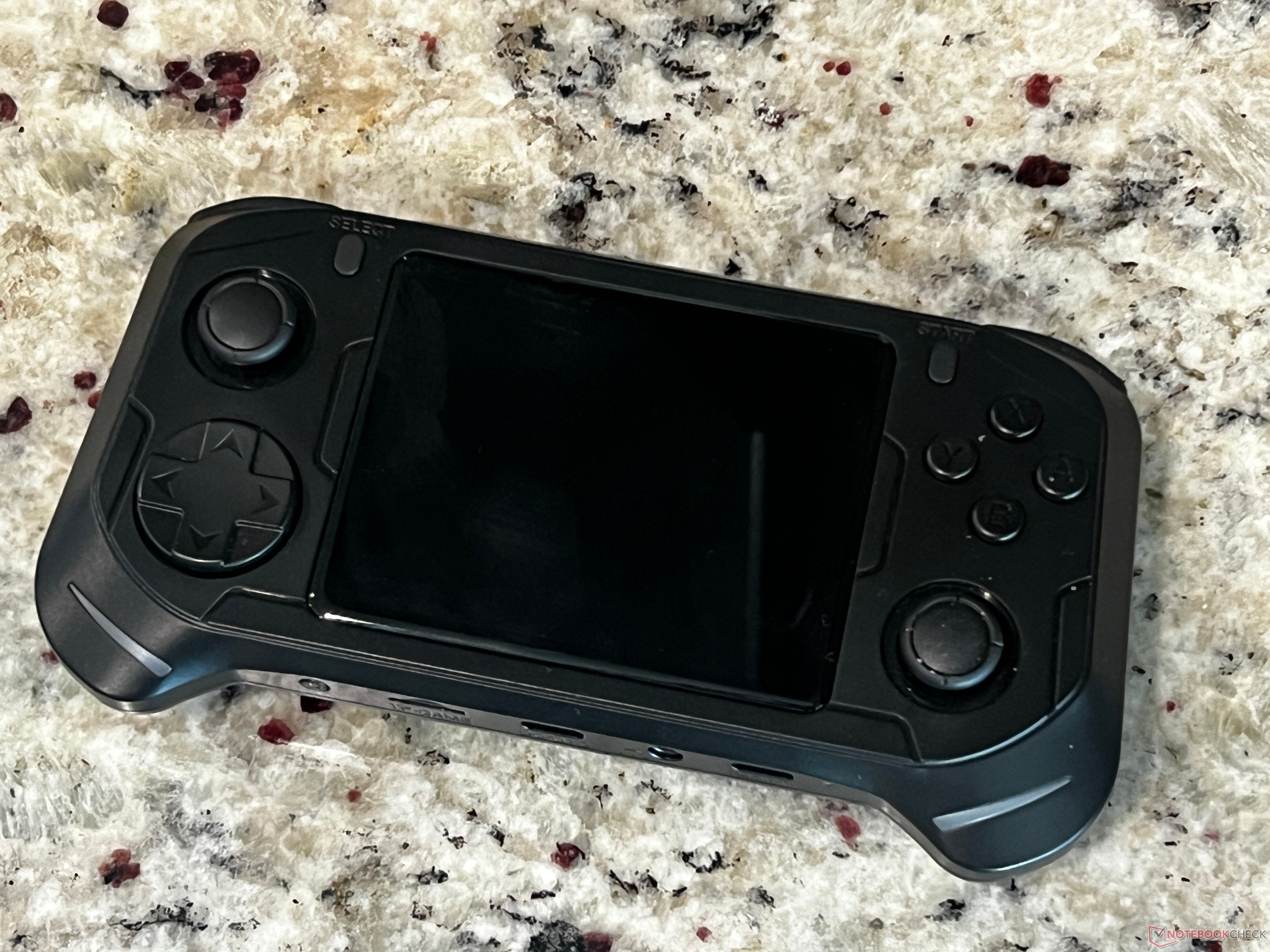
Specifications: Capable for the Price
The hardware under the hood is modest but sufficient for its target. The Rockchip RK3266 is a quad-core ARM Cortex-A55 chip, paired with 2GB of LPDDR4 RAM. This combination is the sweet spot for budget retro emulation. It's not going to run modern Android games or high-end emulators, but for the systems it's designed for, it's adequate.
- CPU: Rockchip RK3266 (ARM Cortex-A55 quad core), 1.8 GHz
- GPU: ARM Mali-G52 GP2, 614 MHz
- RAM: 2 GB LPDDR4
- Storage: 32 GB on-board, microSD up to 512 GB
- Display: 3.5-inch IPS laminated, 640x480
- Controls: Rocker-style D-pad, ABXY face buttons, L1/L2/R1/R2 shoulder buttons, dual carbon-film analog joysticks
- Audio: 2x 1-Watt speakers (rear-facing), 3.5 mm audio jack
- Ports: 1x USB-C charging, 1x USB-C OTG, mini-HDMI, 3.5 mm audio out
- Battery: 3500 mAh lithium, rated at 5 hours playtime
- Dimensions: 178 x 116 x 43 mm (7 x 4.57 x 1.69 in)
- Weight: 224 g (7.9 oz)
The 3.5-inch 640x480 display is a standard resolution for this class of device. It's laminated, which helps with glare and durability, but the low pixel density is noticeable if you're used to modern screens. For retro games, which were designed for lower resolutions, it's generally acceptable.
Design: Ergonomics Done Right
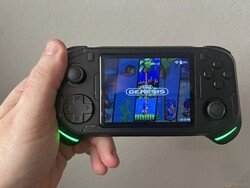
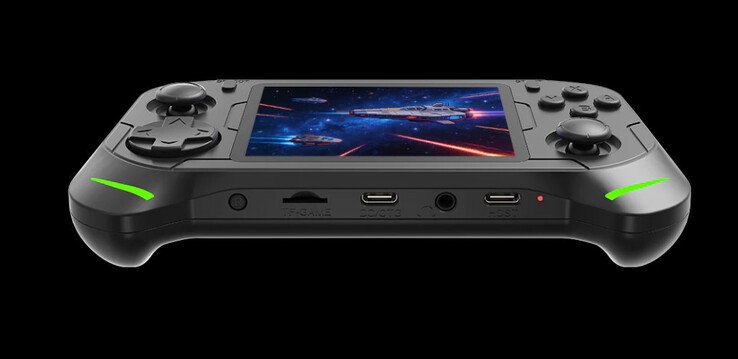
Where the Abxylute E1 truly shines is in its physical design. The device is lightweight at 224 grams and fits comfortably in the hands, even for those with medium to large hands. The grips on the bottom and the subtle humps on the back provide a secure hold for extended gaming sessions.
The control layout is a hybrid of Nintendo and Xbox styles. The ABXY buttons are arranged in a Nintendo pattern, while the analog sticks are positioned like an Xbox controller. This is a sensible choice for a device that will play games from multiple systems.
The D-pad is a pivot-style pad, reminiscent of the Sega Genesis controller. It's accurate and responsive, allowing for precise inputs in fighting games like Street Fighter 2 and platformers like Contra. The face buttons and shoulder buttons are all clicky and provide excellent tactile feedback, though they are on the louder side. This might be an issue in quiet environments.
The analog sticks are carbon-film, not Hall effect sensors. This is expected at this price point. In my month of testing, I didn't experience any stick drift, and they felt firm and responsive.
Build Quality and Ports
The matte plastic construction feels solid and doesn't attract fingerprints. While it's not pocketable for most, it's light enough to toss in a bag. The button feedback is consistently good across the board.
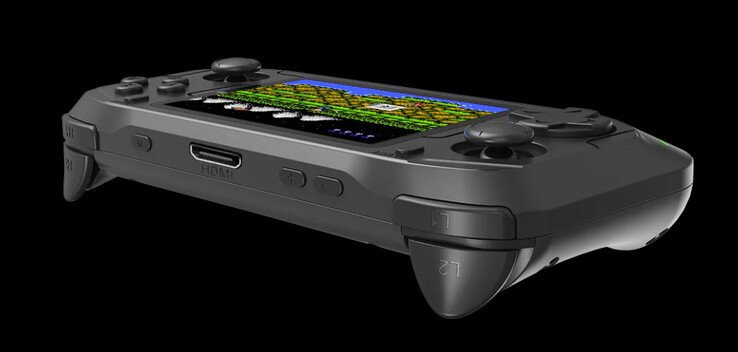
The port selection is practical. Two USB-C ports are a welcome addition—one for charging and one for connecting a controller or other peripherals. A mini-HDMI port allows for connecting to a TV, and a 3.5 mm audio jack is present for wired headphones. The speakers, however, are a weak point. They are rear-facing and produce a thin, tinny sound. For serious gaming, headphones or external speakers are recommended.
Performance: Solid for Retro Gaming
The E1 runs Emulation Station on its Linux partition, which is a popular and user-friendly frontend for retro emulation. The interface is intuitive, and once games are loaded, navigating and launching them is quick and fluid.
The device handles a wide range of systems without issue:
- PlayStation 1: Games run perfectly.
- Nintendo 64: Titles like Goldeneye 007 run fairly smoothly, with only minor stutters in open levels as assets cache.
- Sega Dreamcast: Games like Jet Set Radio run without issue.
- PlayStation Portable: God of War: Chains of Olympus is playable, though some demanding titles may struggle.
The main challenge is loading games. The system creates multiple folders for different consoles, and it's not always clear which one is actually used by the handheld. A bit of trial and error is required. Once games are properly placed, however, the experience is excellent for the price.
The Android 11 Conundrum
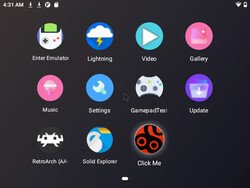
The E1's dual-boot capability is its most unique feature, but also its greatest flaw. By holding a specific button combination, you can boot into Android 11. Abxylute's stated purpose for this is twofold: to provide an alternative method for managing game files and to allow for some Android gaming.
The first use case is partially valid. The pre-installed "Click Me" app allows users to find and download ROM files via a smartphone. This is intended for users who don't have a computer or SD card reader. However, navigating Android without a touchscreen is clunky and frustrating. The interface is not optimized for controller input, making simple tasks like file management a chore.
The second use case—Android gaming—is largely a failure. The hardware is simply not powerful enough for modern Android games. Emulation performance on the Android side is also significantly worse than on Linux. PlayStation 1 games struggle, and N64 and PSP titles are largely unplayable. The Google Play Store is available, but the selection of games that run well is very limited.
In practice, the Android partition feels like an afterthought. It consumes a significant portion of the internal storage (the review unit had only about 6 GB available on the Linux side by default), and its utility is minimal. A more elegant solution for file management, such as a built-in FTP server in Emulation Station, would have been far more useful.
Conclusion: A Good Device Hampered by a Bad Idea
The Abxylute E1 is a competent retro gaming handheld with excellent ergonomics and enough power to play games up to the early 2000s. Its physical design is a standout, and the button quality is excellent for the price. The Linux-based Emulation Station experience is solid and enjoyable.
However, the inclusion of Android 11 is confusing and poorly executed. It adds little value and takes up valuable storage space. For most users, the best course of action is to ignore the Android partition entirely. In fact, repartitioning the included SD card to dedicate more space to the Linux side is highly recommended.
Priced at $89 (often on sale for $79), the Abxylute E1 is a good budget option for getting into retro gaming. It competes with devices like the TrimUI Smart Pro S and Anbernic RG35XX. If you can look past the unnecessary Android bloat, you'll find a well-built, comfortable handheld that delivers a great emulation experience for its cost. Just be prepared to do a little setup work to get the most out of it.
Price and Availability: The Abxylute E1 is available directly from Abxylute for US$89. As of press time, it is on sale for $79 with free shipping.
Comments
Please log in or register to join the discussion