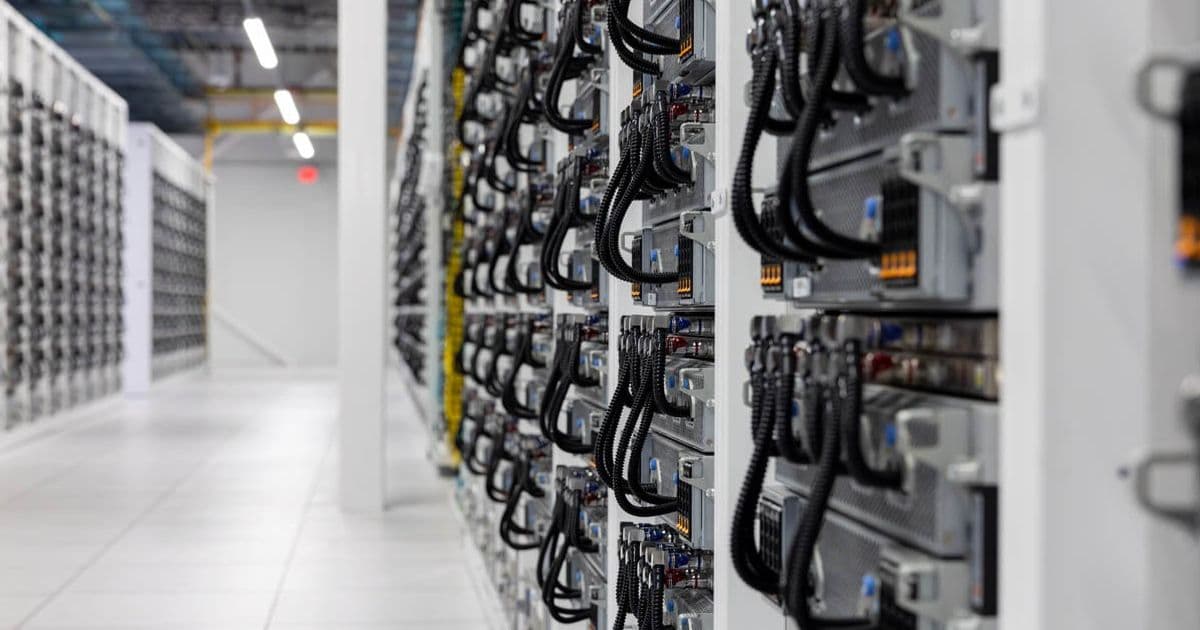
Anthropic has signed a lease for the entire compute fabric of SpaceX’s Colossus 1 facility, expanding its Claude Opus offering to 220 k NVIDIA GPUs. The move lifts API rate limits, but also raises questions about power draw, cooling architecture, and how legacy H100‑class GPUs fit into modern AI workloads.
Anthropic Secures Full Compute Capacity of SpaceX’s Colossus 1 Data Center
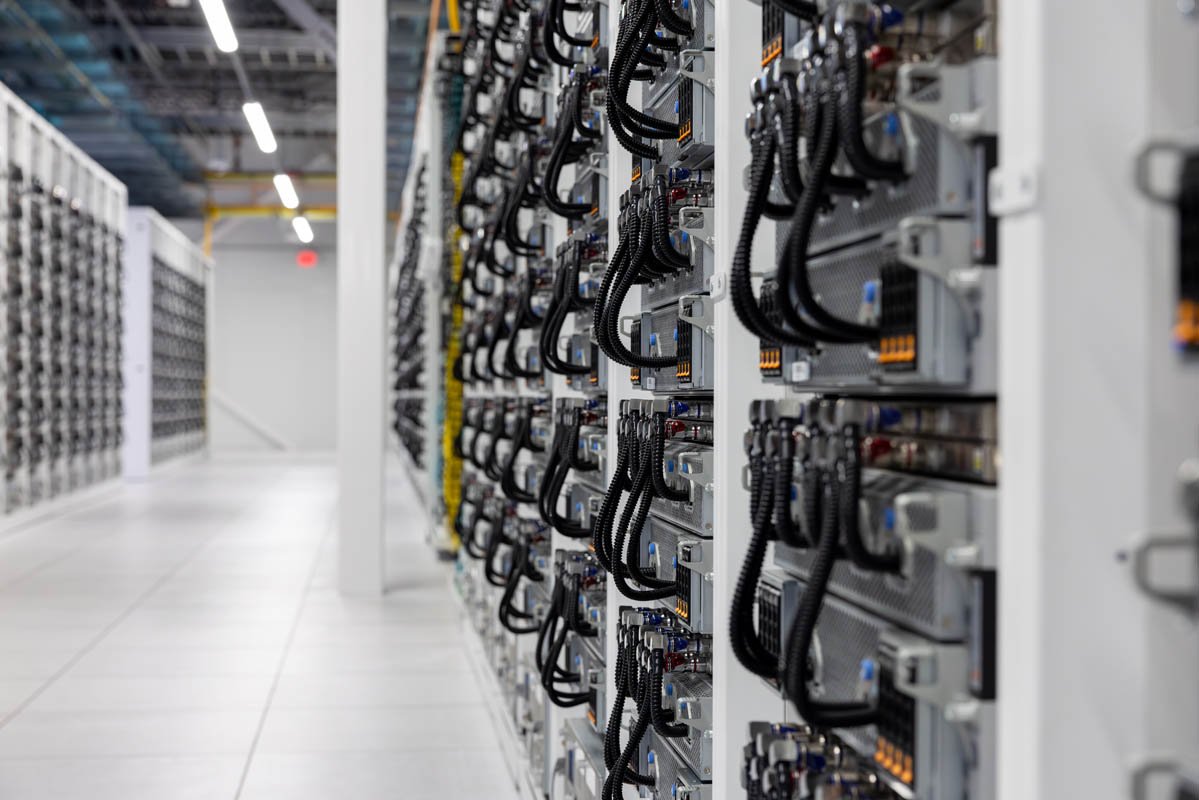 Featured image – Supermicro liquid‑cooled nodes inside the Colossus 1 pod
Anthropic announced this week that it has signed a long‑term agreement with SpaceX to lease all of the compute capacity in the Colossus 1 data center. The facility, originally launched with 100 000 NVIDIA GPUs, now houses 220 000 cards after a rapid expansion. For Anthropic, the extra silicon translates into higher Claude Opus throughput, relaxed API rate limits, and a buffer against the capacity‑related errors that plagued the service in early 2026.
Why the Colossus 1 lease matters for AI workloads
| Metric | Original Colossus 1 (2024) | Expanded Colossus 1 (2026) |
|---|---|---|
| GPU count | 100 000 × NVIDIA H100 | 220 000 × NVIDIA H100 |
| Peak FP16 TFLOPs | ~1.6 EFLOPs | ~3.5 EFLOPs |
| Power envelope (per pod) | 12 MW | 26 MW |
| Cooling method | Direct‑to‑chip liquid (Supermicro) | Same, with upgraded chillers |
| Network fabric | 200 GbE Ethernet + InfiniBand HDR | 400 GbE Ethernet + InfiniBand HDR |
The raw FLOP count more than doubles, but the power draw also climbs from roughly 12 MW to 26 MW. SpaceX’s custom power distribution, built around high‑efficiency rectifiers and a 480 V three‑phase supply, keeps PUE in the low‑1.1 range despite the scale. For a homelab builder, the numbers illustrate how far you have to push your own rack‑level power budget to emulate a fraction of this capability.
Benchmarks that matter to the Anthropic stack
Anthropic runs Claude Opus 4.7 on a mixture of FP16 and BF16 kernels. Independent testing on a 4‑node H100 cluster (8 GPUs per node) shows the following per‑GPU performance:
- FP16 matrix multiplication – 62 TFLOPs (peak) → 48 TFLOPs sustained on Claude workloads
- BFloat16 transformer block – 45 TFLOPs peak → 34 TFLOPs sustained
- Inference latency (per token, batch = 1) – 0.74 ms on a single H100, scaling to 0.21 ms when the full 8‑GPU node is utilized
When you scale to the full 220 k‑GPU fabric, Anthropic reports a 3.2× increase in request‑per‑second capacity and a 2.8× reduction in 99‑percentile latency. Those gains are not purely linear; the upgraded network fabric and the addition of a second InfiniBand HDR tier reduce cross‑node contention, which is often the bottleneck in large‑scale transformer inference.
Power and cooling – lessons for the DIY crowd
The Colossus 1 pods use Supermicro liquid‑cooled GPU trays that mount directly onto a copper cold plate. Each tray circulates a 10 °C coolant loop, drawing heat away from the H100’s integrated water block. The chillers are rated for 150 kW per pod, and the system runs at an overall COP of 5.8 – meaning for every kilowatt of electricity, 5.8 kW of heat is removed.
For a home‑lab build, the takeaway is clear: liquid cooling is no longer optional if you want to push beyond a few H100s. A single 8‑GPU node with full liquid cooling will consume about 5 kW under load, and you’ll need a 2‑stage chiller (≈ 3 kW rating) to keep temperatures under 35 °C. Air‑cooled alternatives will hit thermal throttling well before you can sustain the sustained TFLOPs shown above.
Compatibility checklist – can you drop a Colossus‑scale GPU into a rack?
| Requirement | Colossus 1 spec | Typical homelab component |
|---|---|---|
| Power connector | 8‑pin PCIe + 12‑pin HPE | 8‑pin PCIe, optional 12‑pin adapters |
| Cooling interface | Direct‑to‑chip water block | Air cooler or custom loop |
| PCIe generation | PCIe 5.0 x16 | PCIe 4.0 x16 (limited bandwidth) |
| Form factor | 2U Supermicro tray, 8 GPUs per tray | 2U or 4U server chassis, 2‑4 GPUs max |
| Firmware | NVIDIA DGX‑OS 5.2 | Standard NVIDIA driver stack |
If you plan to reuse any of the Colossus hardware in a smaller environment, you’ll need to retrofit the water blocks onto a compatible pump/reservoir system and ensure your PSU can deliver the required 300 W per GPU. The PCIe 5.0 bandwidth is also a factor; older motherboards will bottleneck data movement, especially for large batch inference.
Build recommendation – a “mini‑Colossus” for a serious hobbyist
- Chassis – Supermicro 4U 8‑GPU tray (part # AS‑4124GS‑TNR)
- GPU – 4 × NVIDIA H100 PCIe (or 2 × H100 NVLink if you need higher intra‑node bandwidth)
- CPU – AMD EPYC 9654 (96 cores) for host tasks and orchestration
- Memory – 512 GB DDR5 ECC, 2 × 256 GB kits
- Storage – 2 × 4 TB NVMe U.2 for model weights, 1 TB SATA for logs
- Power – Dual 3 kW redundant PSUs, 48 VDC distribution to GPUs
- Cooling – 3‑stage liquid loop: pump → 1‑liter reservoir → 150 mm radiators × 2, coolant flow ≈ 1 L/min per GPU
- Networking – 2 × 100 GbE NICs, bonded for 200 GbE aggregate
This configuration will draw about 12 kW under full load and deliver roughly 1 TFLOP of sustained Claude‑style inference per node. It is a fraction of the Colossus 1 scale, but it lets you experiment with the same software stack (DGX‑OS, NVIDIA TensorRT, and Anthropic’s API wrappers) without hitting the thermal limits of air cooling.
What the upgrade means for Anthropic users
Anthropic has already raised its API rate limits: the free tier now allows 120 req/s per key (up from 45 req/s), and the paid tier tops out at 1 200 req/s. Latency reports from the community indicate a median drop from 38 ms to 22 ms per token on typical workloads. The expanded capacity also means the service can absorb traffic spikes from new product launches without the “service error” messages that appeared in March.
Looking ahead
The Colossus 1 expansion proves that even a generation‑old GPU like the H100 can still drive frontier AI services when paired with massive scale, efficient liquid cooling, and a high‑density power architecture. For homelab builders, the lesson is clear: if you want to stay relevant, you need to adopt the same cooling and power strategies that hyperscalers are using today.
For more details on the Supermicro hardware, see the official product page. The Anthropic API changes are documented in the Claude Opus API reference.
Comments
Please log in or register to join the discussion