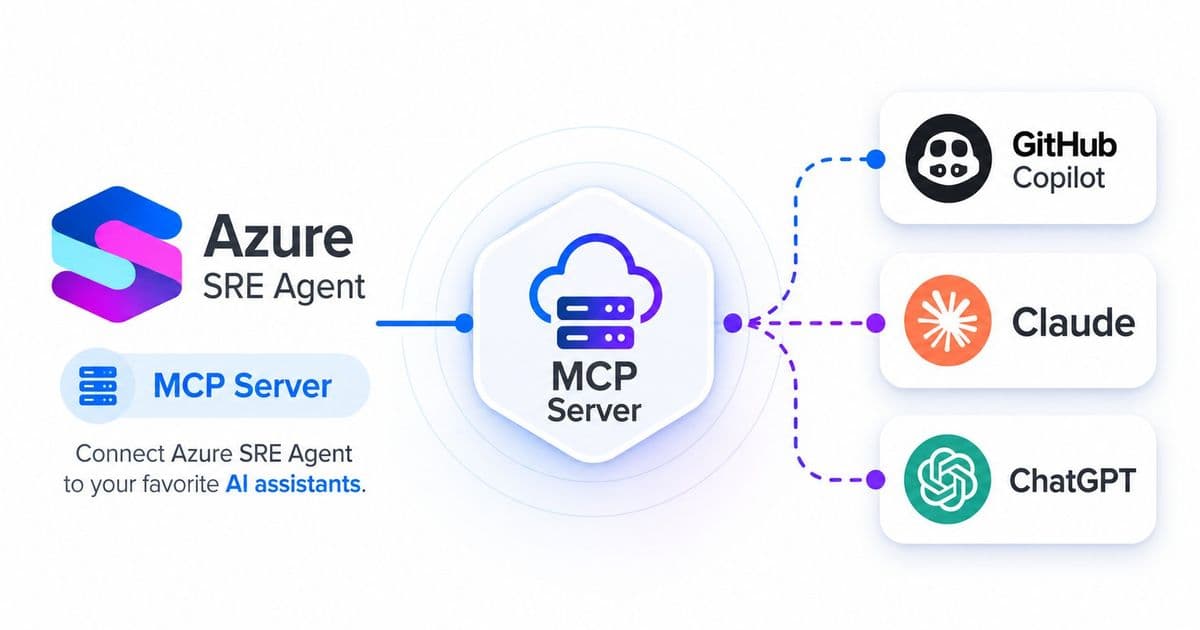
Microsoft's Azure MCP Server now enables direct access to SRE Agents from popular IDEs, terminals, and AI assistants, transforming how developers interact with operational knowledge.
Microsoft has announced a significant integration that bridges the gap between development operations and site reliability engineering through the Azure MCP Server. This development allows developers to access and interact with Azure SRE Agents directly from their daily tools, including VS Code, GitHub Copilot CLI, Cursor, Claude Desktop, and any other MCP-compatible client.
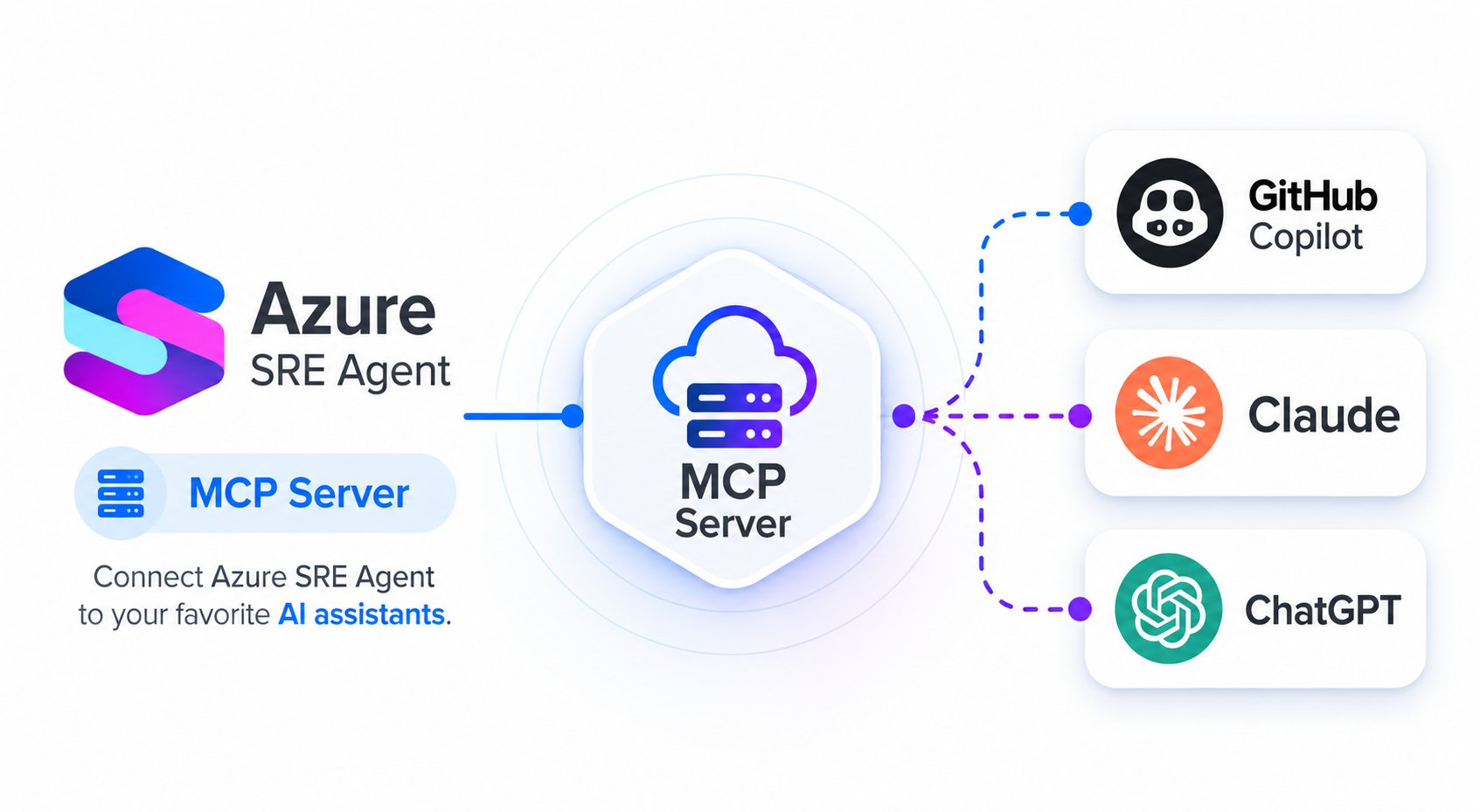
What Changed: MCP Server Integration
The Azure SRE Agent tools are now shipping as part of the Azure MCP Server, accessible through the azure/mcp npm package. This integration eliminates the need for separate CLI tools, portal tabs, or custom integration code. Developers can now communicate with their SRE Agents using natural language queries within their existing development environments.
"Your SRE Agent stops being a destination you visit and becomes part of how your team works every day," explains Microsoft's approach to this integration. The SRE Agent, which already monitors services, learns architecture, and handles operational tasks, now becomes accessible through the interfaces developers already use daily.
Provider Comparison: Azure's Approach vs. Alternatives
While other cloud providers offer SRE tools, Azure's implementation stands out through its deep integration with development workflows. Unlike traditional SRE tools that require context switching between development and operations environments, Azure's MCP Server approach embeds operational knowledge directly into the development process.
Google Cloud's operations tools and AWS's SRE offerings typically require separate interfaces or CLI access, creating friction in the developer experience. Azure's solution, by leveraging the MCP standard, provides a more seamless experience across multiple tools and platforms.
The integration supports seven key functional areas:
- SRE Agent management (list, get, create resources)
- Connector configuration (Kusto, MCP, Azure Monitor)
- Thread management and inspection
- Recurring task scheduling
- Incident management
- Knowledge base and prompt management
- Workflow authoring
Business Impact: Developer Experience and Operational Efficiency
This integration represents a fundamental shift in how development and operations teams interact. By making SRE expertise accessible through natural language interfaces in familiar tools, Azure reduces the cognitive load on developers and accelerates problem resolution.
The practical applications include:
- Architecture planning through natural language requests
- Memory searches for operational patterns
- Connector management for data sources
- Incident response coordination
- Scheduled task management
Security remains a priority, with Azure implementing several safeguards:
- Destructive operations require explicit confirmation
- Secrets are automatically stripped from responses
- Error messages are sanitized
- Data-plane calls are pinned to *.azuresre.ai
- Third-party hosts are restricted
Implementation and Adoption
For organizations looking to adopt this integration, the prerequisites include Node.js LTS, Azure CLI authentication, and the GitHub Copilot CLI (or other MCP-compatible client). The setup process involves adding the Azure MCP Server to the client configuration and assigning appropriate RBAC roles.
"This is about meeting developers where they are," states Microsoft's approach, acknowledging that developer productivity tools must integrate seamlessly into existing workflows rather than requiring context switching.
The Azure MCP Server represents a strategic move toward unifying development and operations through standardized protocols. As organizations increasingly adopt AI-powered development tools, this integration positions Azure to provide more cohesive experiences across the development lifecycle.
For more information on implementing Azure SRE Agents, refer to the official documentation and the Azure MCP Server get-started guide.
Comments
Please log in or register to join the discussion