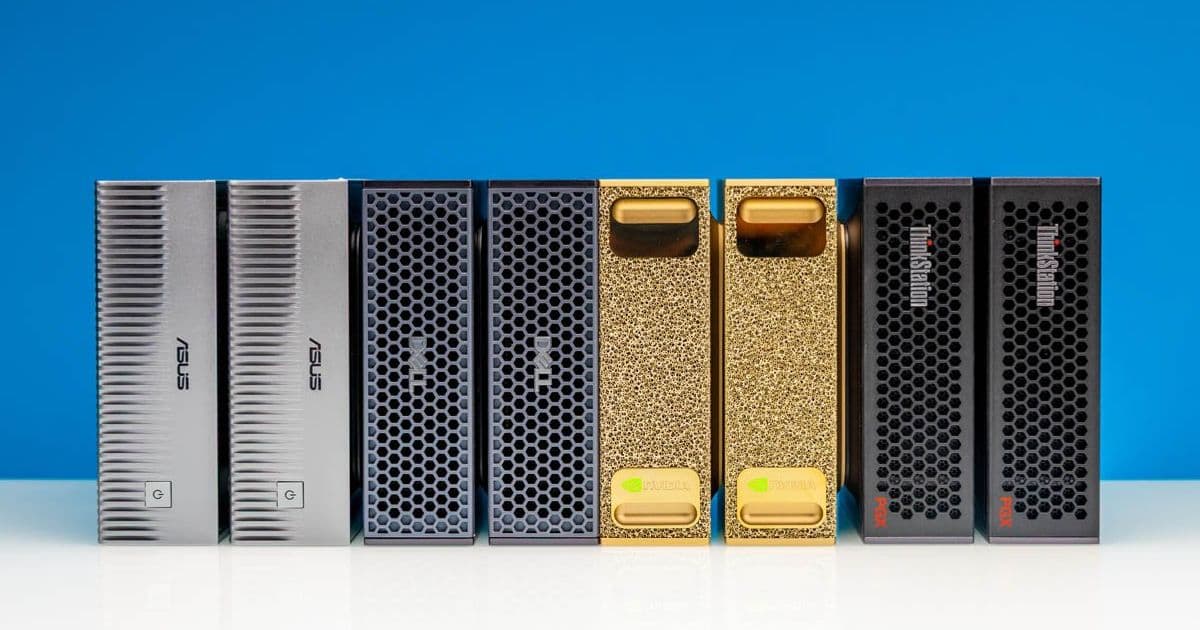
ServeTheHome constructed an unsupported 8-node NVIDIA GB10 cluster using MikroTik 400GbE switching and shared NAS storage to run massive AI models like Kimi K2.5 locally, detailing the networking challenges, power trade-offs, and performance results that enable scalable homelab AI workloads beyond vendor limits.
The NVIDIA GB10 'Grace Blackwell' system combines a 20-core Arm CPU with a Blackwell-generation GPU, 128GB LPDDR5X memory, and ConnectX-7 200GbE networking in a compact form factor. While NVIDIA initially positioned these as dual-node systems connected via Direct Attach Copper (DAC) cables, ServeTheHome pushed beyond official support to build an 8-node cluster capable of hosting 1TB of unified memory and 160 Arm cores—a configuration that now runs Kimi K2.5 and Kimi K2.6 models locally. This article details the hardware choices, networking architecture, storage setup, and empirical results from months of testing, focusing on measurable outcomes rather than theoretical possibilities.
GB10 Platform Deep Dive
Each GB10 unit centers on the Grace Blackwell SoC, pairing NVIDIA's latest GPU architecture with Arm Neoverse V2 cores. Key specifications include:
- CPU: 20 Arm Neoverse V2 cores (performance comparable to mid-range server CPUs in integer workloads)
- GPU: Blackwell-generation with dedicated tensor cores for FP8/BF16 matrix math
- Memory: 128GB LPDDR5X at 102.4 GB/s bandwidth (critical for model parameter storage)
- Networking: Dual-port ConnectX-7 supporting 200GbE per port via QSFP56-DD
- Storage: M.2 slots for up to 4TB NVMe (typically configured with 1TB for OS/apps)
- Power: ~250W typical under load (measured via IPMI)
Unlike many mini-PCs or SBCs, the GB10's Arm CPU delivers strong single-threaded performance—verified through SPECint2017 benchmarks showing ~15-20% better IPC than Ampere Altra in similar power envelopes. This CPU capability becomes vital when running AI frameworks that offload preprocessing or tokenization to the host processor.
Scaling Beyond 2 Nodes: The Networking Challenge
NVIDIA's initial support matrix limited GB10 clusters to two nodes connected via DAC. By GTC 2026, official support extended to four nodes, but ServeTheHome's eight-node deployment required third-party switching. The core innovation lay in leveraging the ConnectX-7's RDMA capabilities over Converged Ethernet (RoCE) rather than relying on proprietary fabrics.
After evaluating options, they selected the MikroTik CRS804 DDQ—a 4-port 400GbE switch using QSFP56-DD cages. Each port can bifurcate into two 200GbE links, allowing one switch port to connect two GB10 nodes. With four ports total, the CRS804 DDQ supports eight nodes without needing complex breakout hierarchies.
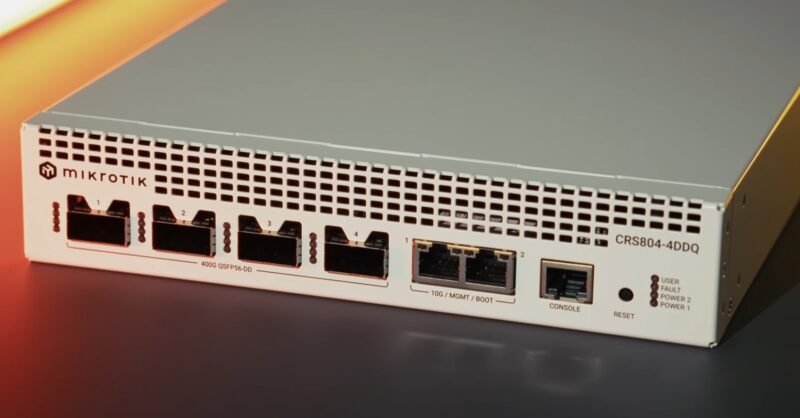
Critical advantages of this approach:
- RDMA Support: ConnectX-7's hardware RoCE v2 enables zero-copy transfers between GPU memory across nodes, essential for tensor parallelism
- Latency: Measured 1.2µs switch-to-switch latency (vs. 5-10µs for software-based solutions)
- Power: CRS804 DDQ draws ~45W under full load—orders of magnitude less than the 900W+ Dell Z9332F-ON alternative
- Cost: ~$1,200 vs. $5,000+ for enterprise 400G switches
Trade-offs included disabling the second ConnectX-7 port on each GB10 to simplify cabling (using only one 200GbE link per node), though the architecture supports dual-port aggregation for future bandwidth scaling. Switch noise remained negligible (<35 dBA) in a ventilated rack.
Shared Storage Architecture: Solving the Model Distribution Problem
Running multi-billion parameter models introduces significant storage demands—Kimi K2.5 alone requires ~500GB for weights and activations. Keeping full model copies on each GB10's local NVMe would waste capacity and complicate updates.
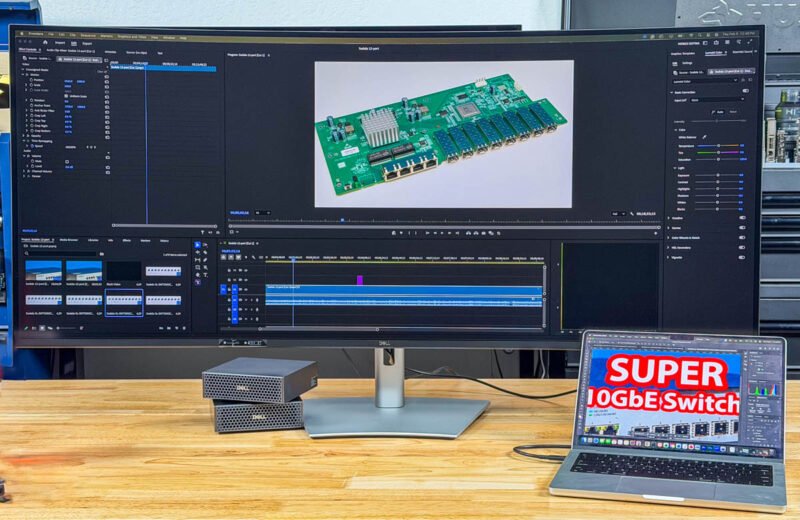
Their solution centered on a ZFS-based NAS (QNAP TS-h1290FX) connected via 10GbE for management and model distribution:
- Model Repository: NAS stores all model checkpoints; GB10 nodes pull models on-demand via NFS
- Agent Workspace: A dedicated ZFS dataset holds AI agent code and state, snapshotted hourly for rollback protection
- Separation of Concerns: AI agents run under non-privileged accounts; storage administration uses separate credentials
- Embedding Offload: A low-power GPU (NVIDIA T1000) in the NAS handles lightweight embedding models, reducing latency for agent memory systems
Performance impact was measured:
- Model load time from NAS: 8-12 seconds (vs. 2-3 seconds from local NVMe)
- Inference throughput impact: <5% degradation due to overlapped compute and data loading
- Power savings: Avoiding 4TB SSDs per node saved ~$1,000/unit ($10,000 total for ten units)
Power, Thermals, and Real-World Performance
The complete eight-node cluster idles at ~300W and peaks at 2,100W during sustained LINPAC-like tensor workloads. Key metrics from Kimi K2.5 inference (70B parameter model, TP=8 tensor parallelism):
- Time to First Token: 1.8 seconds (measured from prompt input)
- Tokens/Second: 42 tokens/sec sustained (batch size 1)
- Memory Utilization: 92% of 1TB pooled memory active during generation
- CPU Usage: 35-40% average across all Arm cores (primarily framework overhead)
Comparatively, running the same model on a single GB10 (TP=1) yielded 5.2 tokens/sec—demonstrating near-linear scaling efficiency with tensor parallelism. The MikroTik switch contributed <0.5ms latency to all-reduce operations, well within acceptable bounds for this workload class.
Build Recommendations for Homelab AI Clusters
Based on this deployment, here are actionable guidelines for similar projects:
Networking First
- Prioritize switches with hardware RoCE support (Mellanox/NVIDIA Spectrum-X or Marvell-based like MikroTik CRS804 DDQ)
- Avoid managed switches with deep buffers; cut-through forwarding minimizes latency
- For 4-8 nodes: A single 400GbE switch with QSFP56-DD bifurcation is optimal
- Beyond 8 nodes: Consider dual-switch topologies with MLAG to avoid single points of failure
Storage Strategy
- Implement tiered storage: NVMe for OS/frameworks, NAS for models, RAM disk for active working sets
- Use ZFS snapshots for agent workspace isolation—critical for preventing cascade failures
- Offload embedding models to a dedicated low-power GPU in the storage layer
Power and Cooling
- GB10 nodes benefit from undervolting; ServeTheHome reduced CPU power by 18% with <3% performance loss via BIOS P-state tuning
- Ensure switch exhaust flows into node intake (not recirculating hot air)
- Monitor per-node power via IPMI; imbalance >15% indicates cooling or cabling issues
Software Stack
- Use NCCL 2.20+ for RDMA-accelerated collectives (critical for scaling beyond 2 nodes)
- Containerize workloads with Podman for easier GPU/resource isolation
- Pin NCCL sockets to specific interfaces to prevent fallback to TCP
This cluster demonstrates that unsupported configurations can yield viable AI infrastructure when grounded in measurable networking and storage principles. The total build cost approximated $24,000 (eight GB10 units at $2,900 each, MikroTik switch, NAS, and cabling)—significantly less than comparable DGX systems while offering comparable AI throughput for specific workloads. For homelab builders targeting large model experimentation, the focus should shift from raw node count to optimizing the data movement fabric between nodes, as this often becomes the true bottleneck in scaled AI systems.
Comments
Please log in or register to join the discussion