
A technical deep-dive into the critical infrastructure considerations for LINE Bot webhooks, covering TLS requirements, signature verification, async processing patterns, and scaling strategies for production deployments.
Building production-ready LINE Bots requires more than just handling incoming messages. The webhook architecture introduces specific security, performance, and operational challenges that can make or break your service. Based on LINE's development guidelines and real-world experience, here's what you need to know about building resilient webhook handlers.
The Security Foundation: TLS and Certificate Management
The LINE platform enforces strict security requirements for webhook servers. As of January 2021, LINE discontinued support for TLS 1.0 and TLS 1.1, requiring servers to support TLS 1.3 for webhook communication. This isn't just a recommendation—it's a hard requirement for receiving messages.
Certificate validation presents another critical layer. LINE maintains a whitelist of trusted root CAs, and your HTTPS server must use a certificate chain that maps to one of these trusted roots. While paid certificates work, Let's Encrypt is officially supported and provides a free, automated alternative. The most common failure mode isn't the root certificate itself, but missing intermediate certificates that prevent proper chain validation.
Beyond protocol versions and certificate chains, you must avoid known-vulnerable cipher suites. SWEET32 and CVE-2016-2183 are explicitly called out as unacceptable. Your TLS configuration should prioritize modern, secure ciphers while maintaining compatibility with LINE's webhook client.
Request Processing: The 1-Second Rule
When LINE sends a webhook event, it expects a response within 1 second. No HTTP status code within that window triggers a timeout, and repeated failures can result in your webhook being blocked by the platform.
This constraint shapes your entire request handling strategy. The recommended pattern is:
- Immediately validate and acknowledge the request with HTTP 200
- Process asynchronously after the response is sent
- Queue messages for downstream processing if needed
This approach prevents slow operations—database queries, external API calls, complex business logic—from blocking your response. Think of the webhook handler as a message router, not a processing engine.
Source Verification: The X-Line-Signature Header
Every legitimate webhook request from LINE includes an X-Line-Signature header containing an HMAC-SHA256 digest of the request body, signed with your channel secret. This signature verification is your primary defense against forged requests.
The verification process:
- Compute HMAC-SHA256 of the raw request body using your channel secret
- Base64-encode the digest
- Compare against the
X-Line-Signatureheader value
Reject any request that fails this check. Processing unsigned or incorrectly signed messages opens your service to spoofing attacks and potential data breaches.
Handling Multiple Events and Future-Proofing
A single webhook request can contain multiple events in an array. Don't assume one request equals one message. Your handler should iterate through all events in the payload.
For attribute mapping and forward compatibility, use switch-case patterns that explicitly handle known event types while safely ignoring unknown ones. This prevents your service from breaking when LINE adds new event types or attributes.
Scaling Considerations: Horizontal Architecture
Message volume can spike unexpectedly. The guidelines explicitly recommend horizontal scaling capabilities and asynchronous processing. Key strategies:
- Auto-scaling: Design for stateless workers that can scale horizontally
- Async-first: Reply immediately, process business logic later
- Queue-based: Use message queues between webhook receipt and actual processing
- Rate limiting: Protect your backend from being overwhelmed
The platform prohibits stress testing against their gateway servers. If you need load testing, use separate infrastructure that simulates webhook behavior.
Webhook Configuration and Auto-Reply Interactions
LINE's webhook toggle interacts with built-in auto-reply and welcome messages in non-obvious ways:
- Webhook ON + Auto-Reply ON: Both trigger, potentially causing duplicate responses
- Webhook ON + Auto-Reply OFF: Recommended—full control via webhook
- Webhook OFF + Auto-Reply ON: Traditional auto-reply mode
- Webhook OFF + Auto-Reply OFF: Not available
The recommended production configuration is webhook-enabled with auto-reply disabled, giving you complete control over response logic.
Error Handling and Monitoring
When your webhook fails to respond correctly or returns errors, LINE's gateway sends email notifications to your registered contact. These notifications cover:
- Webhook delivery failures
- Invalid response codes
- Signature verification failures
- Timeout scenarios
This is your early warning system for webhook health issues. Monitor these emails and treat them as production incidents.
Recommended Request Processing Flow
Based on the guidelines, the optimal processing sequence is:
- Receive webhook → Validate signature immediately
- Return HTTP 200 → Within 1 second, before any processing
- Parse events → Handle multiple events per request
- Queue for async processing → Don't block the response
- Process business logic → Database operations, external APIs
- Send responses → Use the Messaging API
This pattern ensures reliability while maintaining the responsiveness LINE requires.
Operational Checklist
Before going live, verify:
- TLS 1.3 support with trusted root CA
- Intermediate certificates properly configured
- Secure cipher suites enabled
- X-Line-Signature verification implemented
- Response time consistently under 1 second
- Async processing architecture in place
- Horizontal scaling capability
- Error notification emails monitored
- Webhook enabled, auto-reply disabled
- Multiple event handling tested
Conclusion
Building resilient LINE Bots requires treating the webhook as critical infrastructure. The 1-second response window forces architectural decisions around async processing, while security requirements demand proper TLS configuration and signature verification. Scale considerations and error handling complete the production-ready picture.
The guidelines reflect real-world failure modes: certificate chain issues causing silent failures, slow processing triggering timeouts, and unsigned requests leading to security incidents. Each recommendation maps to a specific class of problems that have impacted production systems.
For additional context on webhook security and monitoring, see LINE's official webhook documentation and the error notification guide. The complete development guidelines provide comprehensive coverage of all Bot API considerations.
Debugging Modern Webhook Issues
When webhook problems occur in production, traditional debugging approaches fall short. You're dealing with distributed systems where the LINE platform, your webhook server, and potentially multiple downstream services interact. Error messages get lost in logs, and reproducing production conditions is nearly impossible.
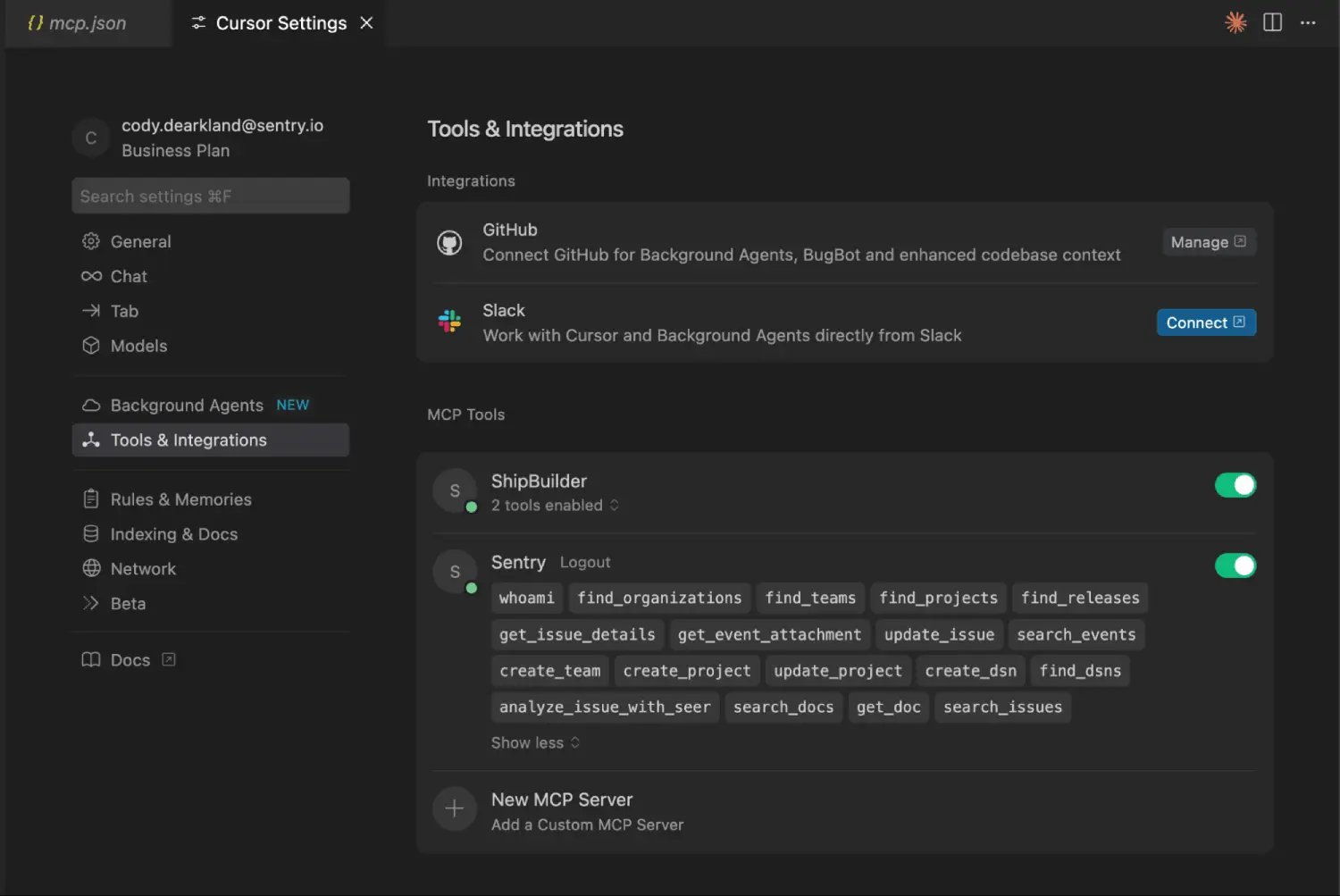
Modern debugging platforms now integrate with this workflow. For instance, Sentry's MCP integration allows you to investigate real webhook issues, understand their impact across your distributed system, and suggest fixes based on actual production context—without manually copying error messages or trying to describe stack traces in chat.
This approach is particularly valuable for LINE Bot development because webhook failures often involve multiple components: signature validation, TLS handshake, response timing, and downstream processing. Having production context directly available accelerates troubleshooting and reduces mean-time-to-resolution.
Comments
Please log in or register to join the discussion