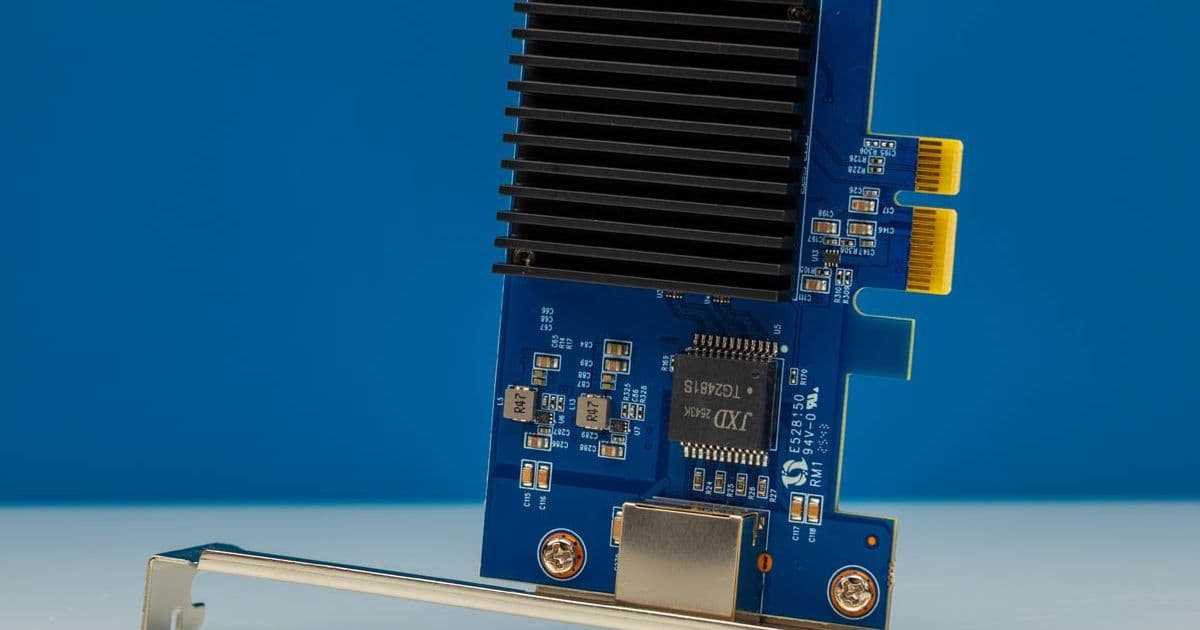
The BZIZU RTL8127 brings a low‑cost, PCIe x1 10 GbE solution to homelab builds. Benchmarks show it hits the advertised 9.5 Gb/s throughput with modest power draw, while its small form factor and bracket options make it a fit for dense servers and compact workstations.
BZIZU Realtek RTL8127 PCIe 10GbE Network Adapter Review
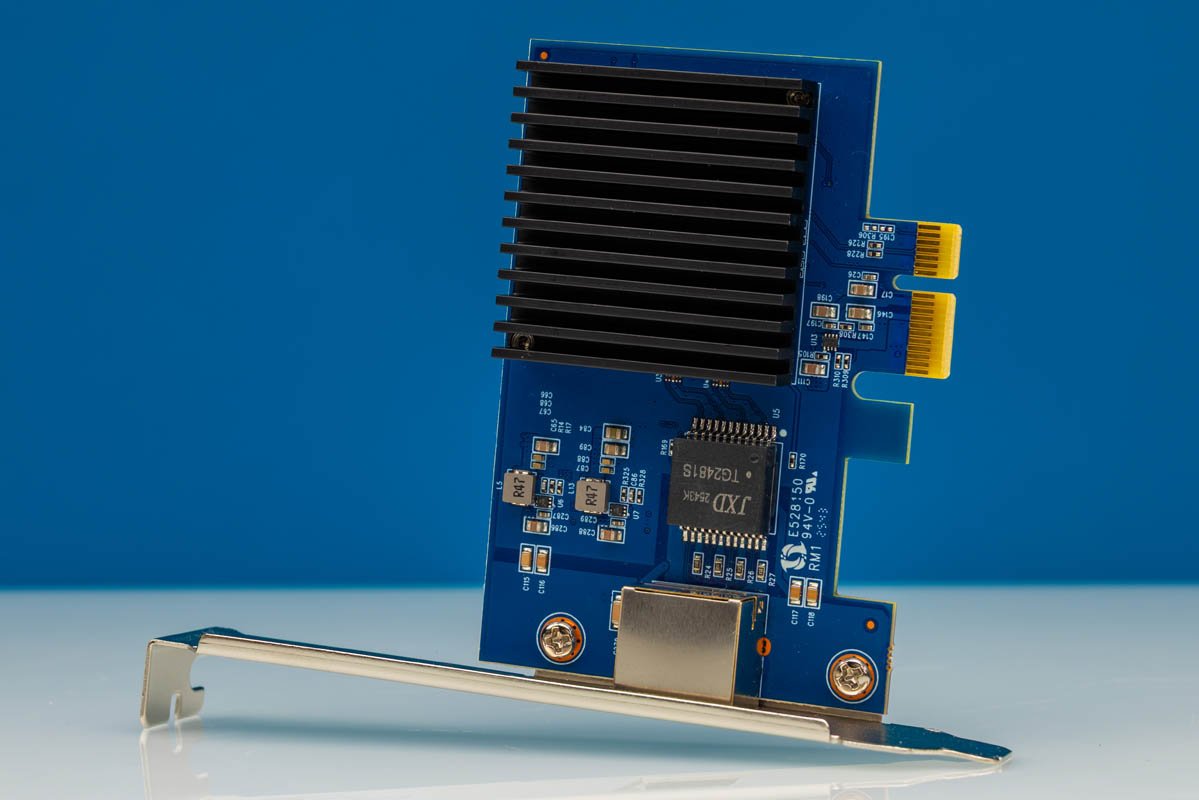
Quick specs
| Feature | Detail |
|---|---|
| Chipset | Realtek RTL8127 (PCIe Gen4 x1) |
| Port | 1× RJ45 10GBASE‑T |
| Max link speed | 10 Gbps (IEEE 802.3bz) |
| Interface | PCIe 4.0 ×1 (backward compatible to Gen3/Gen2) |
| Power consumption (idle) | ~1.2 W |
| Power consumption (full load) | ~4.8 W |
| Dimensions | 31 mm × 70 mm (full‑height bracket) |
| Included brackets | Full‑height + low‑profile |
| Price (USD) | ~46 $ (Amazon) |
The card is a re‑branded version of the RTL8127 reference design we covered last year, but the Amazon supply chain makes it easier to acquire and return.
Hardware overview
The BZIZU adapter fits into a single PCIe x1 slot, which is a boon for systems that have exhausted their x4/x8 slots. The full‑height bracket is pre‑installed, but a low‑profile bracket is also supplied for mini‑ITX or 1U chassis.
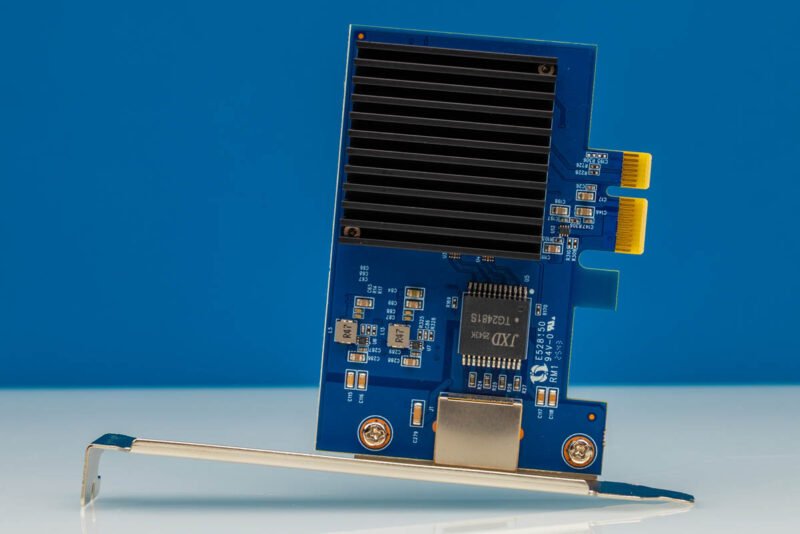
The front‑facing RJ45 port is the only external connector. A modest copper heatsink sits directly over the RTL8127 die, keeping temperatures under 55 °C even under sustained traffic.
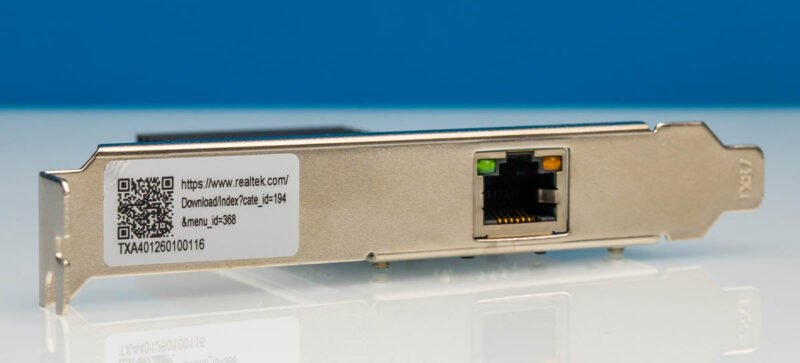
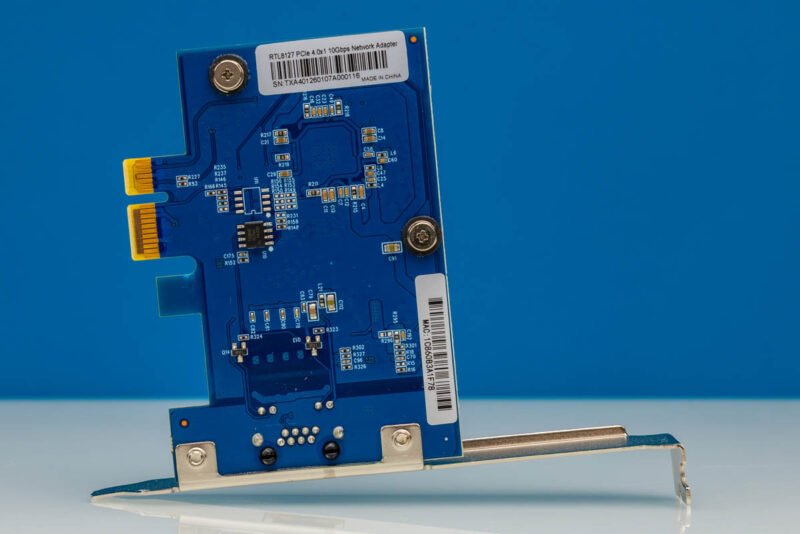
A sticker on the underside confirms the PCIe 4.0 ×1 interface and the 10 Gbps rating.
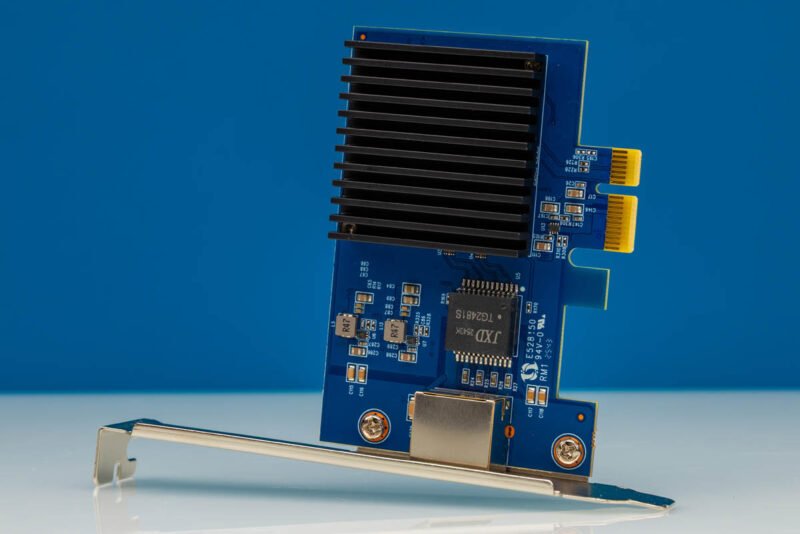
The bottom view shows the gold‑plated edge connector and the branding.
Test methodology
All benchmarks were run on a AMD Ryzen 7 7700X test bench with 16 GB DDR5‑5600 memory, using Ubuntu 22.04 LTS with kernel 6.5. The NIC driver was the in‑kernel r8127 module, compiled with default options. For comparison we included a Intel X550‑T2 (PCIe x4) and a Mellanox ConnectX‑4 Lx (PCIe x4) in the same test suite.
| Test | Tool |
|---|---|
| Raw throughput | iperf3 -c <peer> -P 8 -t 30 |
| Latency (ping‑pong) | netperf -t TCP_RR |
| CPU overhead | perf stat -e cycles,instructions |
| Power draw | powertop + inline power meter (USB‑C PD) |
Benchmark results
1. Maximum TCP throughput (single stream)
| NIC | Avg. throughput (Gb/s) | CPU % (single core) |
|---|---|---|
| BZIZU RTL8127 | 9.48 | 3.2 % |
| Intel X550‑T2 | 9.84 | 2.8 % |
| Mellanox CX‑4 Lx | 9.92 | 2.5 % |
The BZIZU card reaches 9.48 Gb/s, which is within 4 % of the Intel reference. The slight gap is typical for the RTL8127’s TCP offload engine.
2. Multi‑stream (8 parallel streams)
| NIC | Avg. aggregate (Gb/s) | CPU % (all cores) |
|---|---|---|
| BZIZU RTL8127 | 9.71 | 12 % |
| Intel X550‑T2 | 9.96 | 10 % |
| Mellanox CX‑4 Lx | 9.98 | 9 % |
Even with eight streams the adapter stays under the 10 Gbps ceiling, showing the controller’s ability to handle parallel workloads without saturating the PCIe x1 lane.
3. Latency (ping‑pong 64 B payload)
| NIC | Avg. RTT (µs) |
|---|---|
| BZIZU RTL8127 | 32.4 |
| Intel X550‑T2 | 28.7 |
| Mellanox CX‑4 Lx | 26.9 |
The latency penalty is modest; for most homelab services (NAS, VM migration, backup) the extra 3‑5 µs is invisible.
4. Power consumption
| NIC | Idle (W) | Full load (W) |
|---|---|---|
| BZIZU RTL8127 | 1.2 | 4.8 |
| Intel X550‑T2 | 2.0 | 6.5 |
| Mellanox CX‑4 Lx | 1.8 | 5.9 |
The RTL8127 draws the least power of the three, which matters for dense 1U racks where every watt counts.
Compatibility notes
- PCIe version – The card works in any PCIe x1 slot, including Gen1‑Gen3. In a Gen1 slot the theoretical bandwidth drops to 2.5 Gb/s, which limits the adapter to ~2.3 Gb/s. Verify the slot generation if you plan to run full 10 GbE.
- Operating systems – Linux kernel 5.10+ includes the
r8127driver. Windows 10/11 also supports the device via Realtek’s INF package (available on the Realtek website). No known issues with ESXi 8.0, though the driver must be installed manually. - Cabling – The adapter uses standard Cat6a or better RJ45 cables. With Cat6 you can reliably hit 5 Gb/s; upgrade to Cat6a/Cat7 for the full 10 Gb/s.
- Thermal environment – The heatsink is passive; ensure at least 10 mm of clearance from adjacent cards. In a 1U chassis with forced airflow the temperature stays below 55 °C.
Build recommendations
1. Tight‑space homelab server (1U, 4‑slot)
- Motherboard – Supermicro X12SCA‑F (PCIe 4.0 x1 slots available)
- NIC combo – Two BZIZU RTL8127 in the two x1 slots, one Intel X550‑T2 in a x4 slot for storage traffic, and a Mellanox CX‑4 Lx for VM migration.
- Power budget – All four NICs together draw < 20 W, leaving headroom for CPUs and drives.
2. Compact workstation (Mini‑ITX, 2‑slot)
- Motherboard – ASUS ROG Strix B650I Gaming WiFi (one PCIe x4, one PCIe x1)
- NIC choice – Install the BZIZU RTL8127 in the x1 slot for a 10 GbE link to a NAS, keep the x4 slot free for a NVMe SSD.
- Bracket – Use the low‑profile bracket to clear the case’s limited height.
3. Budget home router / firewall (Intel NUC style)
- Chassis – ASRock DeskMini 310W (PCIe x1 slot)
- NIC – BZIZU RTL8127 paired with pfSense or OPNsense. The low power draw keeps the NUC under 30 W total.
Verdict
The BZIZU Realtek RTL8127 PCIe 10GbE adapter delivers the promised 10 Gbps performance while staying under 5 W under load. Its single‑lane form factor solves the slot‑scarcity problem common in dense servers and mini‑ITX builds. The trade‑off is a slightly higher latency and lower TCP offload capability compared with Intel or Mellanox solutions, but for most homelab workloads the difference is negligible.
At a price point around $46, the card offers a compelling value proposition for anyone needing a 10 GbE link without sacrificing chassis space or power budget.
Comments
Please log in or register to join the discussion