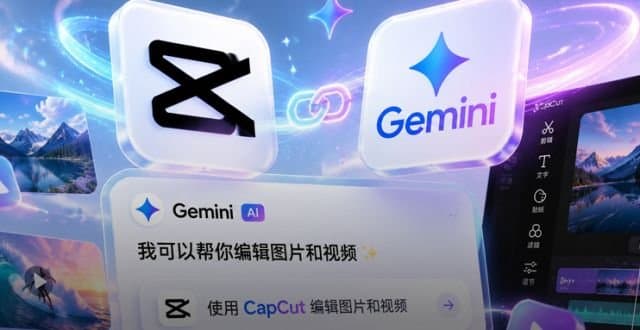
CapCut will expose its editing suite through the Gemini mobile app, letting users trim, splice and apply effects to media without leaving Google’s AI chat interface. The move expands Gemini’s content‑creation toolbox but raises questions about latency, platform lock‑in and the depth of the integration.
CapCut integrates with Google Gemini for in‑app video editing
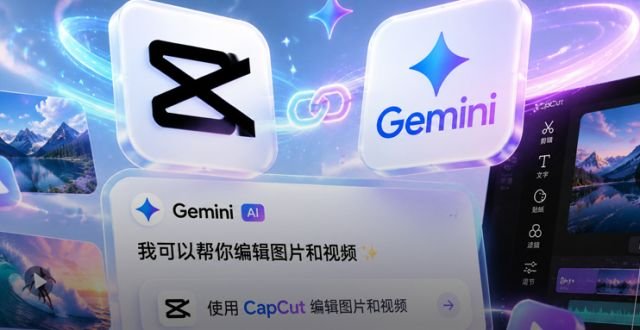
Google’s Gemini app announced that it will host CapCut’s video‑editing backend, allowing users to edit photos and videos directly inside the chat‑driven interface. The partnership was announced on X by both companies and is slated for a near‑term rollout, though exact regions and device requirements have not been disclosed.
What the press release claims
- CapCut’s full editing suite (trim, transitions, filters, text overlays) will be reachable from the Gemini UI.
- Users can stay inside Gemini while generating prompts, receiving AI‑generated assets, and polishing them with CapCut tools.
- The integration is positioned as a step toward “more conversational and intuitive” creation.
What is actually new
Technical coupling
CapCut will operate as a backend service called from Gemini’s front‑end. In practice this means Gemini sends the raw media to CapCut’s cloud APIs, receives the edited result, and displays it in‑app. The workflow resembles existing “edit‑in‑the‑cloud” patterns used by services like Adobe Creative Cloud, but the key difference is the conversational trigger: a Gemini user can ask the model to "cut this clip to 10 seconds and add a fade‑in" and the request is routed to CapCut’s processing pipeline.
Benchmark expectations
CapCut’s public benchmarks list a median processing latency of 2.3 s for 1080p trims on a single GPU instance. Gemini’s own latency budget for multimodal responses is around 1 s. The combined system will therefore be limited by the slower of the two, likely the video‑editing step. Early users should expect a noticeable pause between issuing a command and seeing the edited clip.
Platform reach
CapCut already runs on iOS, Android and a web editor. Gemini is currently a mobile‑first chat app, with Android and iOS builds. The integration will initially be limited to those platforms; there is no indication that a desktop Gemini client will receive the same editing capabilities.
Limitations and open questions
- Latency and cost: Video processing is compute‑intensive. If CapCut’s service is billed per‑minute of output, Gemini may need to absorb or pass on those costs, which could affect pricing or usage caps.
- Feature parity: The announcement mentions “CapCut’s editing suite” but does not specify whether advanced features such as key‑frame animation, multi‑track audio mixing, or AI‑driven background removal will be available. Users may only get a subset of the full CapCut experience.
- Data privacy: Media files will travel from the Gemini client to CapCut’s servers. Both companies claim to follow industry‑standard encryption, yet the hand‑off adds another trust boundary. Enterprises with strict data‑handling policies may need to opt out.
- Ecosystem lock‑in: By embedding CapCut inside Gemini, Google nudges creators toward its own AI stack. Competing chat or creative apps will need to build their own integrations or risk losing users who prefer an all‑in‑one workflow.
- Scalability: Gemini’s user base is still growing, but a sudden surge in video‑editing requests could strain CapCut’s cloud infrastructure. It remains to be seen whether the service can auto‑scale without degrading performance.
Why it matters
The integration is less about a brand‑new technology and more about bundling existing capabilities under a single conversational UI. For creators who already use Gemini for text generation, the ability to tweak visual assets without switching apps is convenient, but the practical value will hinge on speed, cost and how many of CapCut’s premium tools are exposed.
What to watch next
- Launch timeline: The companies have said “near future” but no concrete date. A staged rollout (e.g., US → EU) is plausible.
- Pricing model: Will Gemini offer a limited free quota and then charge per edited minute, or will it be bundled into a premium subscription?
- Feature roadmap: Look for announcements about AI‑assisted effects (e.g., automatic scene cuts, style transfer) that could differentiate this integration from simply calling CapCut’s existing API.
For developers interested in the underlying APIs, CapCut’s public documentation is available on its GitHub repo and Gemini’s developer portal provides guidance on invoking external services from chat prompts.
The partnership illustrates how AI‑centric platforms are converging on a single workflow: generate, edit, and publish without leaving the chat interface. Whether that convenience translates into measurable productivity gains remains to be proven.
Comments
Please log in or register to join the discussion