A consulting‑focused guide that translates real‑world project constraints into a clear recommendation among Microsoft’s three agent‑building platforms, highlighting ownership, user surface, logic complexity, and post‑go‑live governance.
What changed
Enterprises that attended recent Ignite sessions or saw the latest demos are now faced with a familiar dilemma: which Microsoft tool should be used to build the next conversational agent? The market has three officially supported options—Agent Builder, Copilot Studio, and Azure AI Foundry—and each is marketed with its own set of headlines. In practice, projects succeed or fail far more often because the chosen platform does not align with the organization’s ownership model, user surface, or required orchestration complexity, not because a tool is technically inferior.
Provider comparison
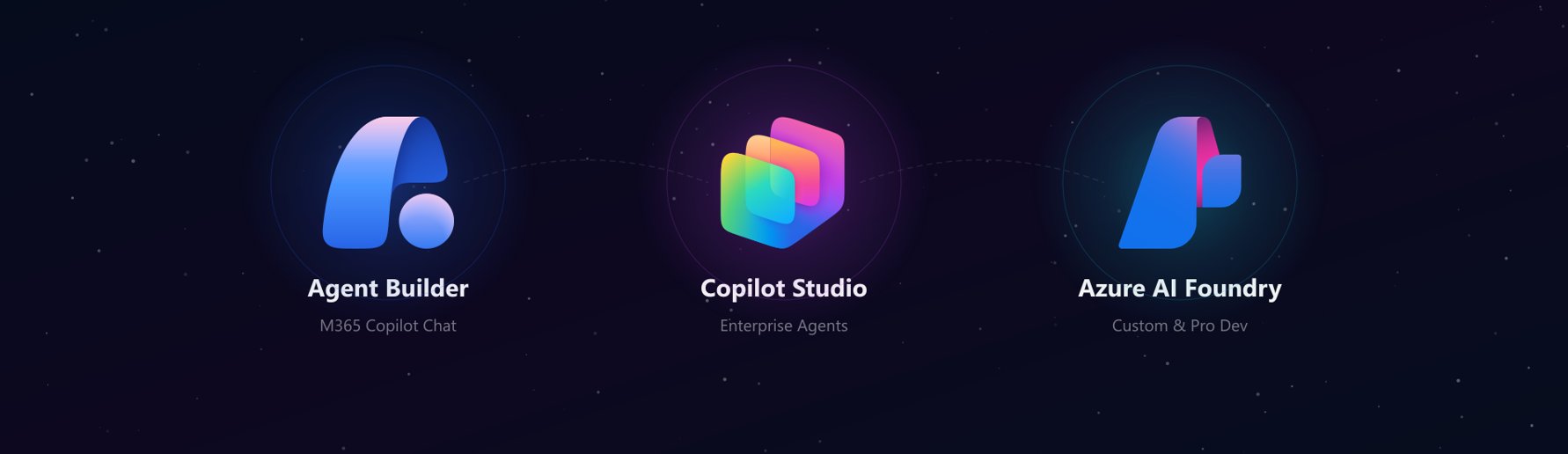
| Dimension | Agent Builder | Copilot Studio | Azure AI Foundry |
|---|---|---|---|
| Typical builder | Business‑maker, no‑code | Power‑platform developer / power user | Professional developer, Python‑savvy |
| Primary user surface | M365 Copilot Chat (native) | M365 Copilot Chat or Teams, web, custom apps | Any surface – custom web, mobile, third‑party UI |
| Logic complexity | Simple Q&A, task routing | Multi‑step flows, 1,000+ Power Platform connectors, configurable fallback & escalation | Fully custom orchestration, Python‑level reasoning, multi‑agent pipelines |
| Post‑go‑live ownership | Business team (maker) | Joint IT + business governance (Power Platform admin center) | Engineering team (Azure RBAC, custom CI/CD) |
| Governance & DLP | Power Platform DLP, M365 admin center | Same as Agent Builder plus granular topic‑level policies | Azure policies, custom RBAC, optional DLP integration |
When to recommend each platform
Agent Builder – maker‑owned, bounded, native M365
Use when the business unit wants to own the entire lifecycle, the use case is narrow (e.g., HR FAQ, simple ticket routing), and the users already live inside M365 Copilot Chat. Distribution is automatic—no Teams app package, no extra app registration, no IT ticket. The trade‑off is a hard ceiling: no external API calls, no dynamic prompt injection, and no complex branching.
Copilot Studio – enterprise‑grade middle ground
Use when you need connectors to internal systems, dynamic content, or multi‑step workflows, but you still want the governance model that IT controls. With over a thousand out‑of‑the‑box Power Platform connectors, most data sources are reachable without custom code. Agents can surface inside M365 Copilot Chat with the same distribution advantage as Agent Builder, while still supporting richer orchestration and topic‑level governance.
Azure AI Foundry – developer‑owned, fully custom
Use when the project requires a proprietary fine‑tuned model, Python‑level control of reasoning chains, or embedding into a non‑Microsoft surface (custom web portal, mobile app). This path demands a professional development team, longer timelines, and a higher cost of ownership, but it provides unrestricted model selection and orchestration flexibility.
Business impact
Ownership mismatch is the biggest risk
The most common production failure is not a missing connector or a latency issue; it is the who‑answers‑the‑2 am‑call problem. If a developer team is expected to maintain a Copilot Studio agent after launch, the cost of on‑call support quickly outweighs the initial savings. Conversely, assigning a maker‑owned Agent Builder bot to a scenario that needs external API calls forces a costly re‑platform to Copilot Studio or Foundry.
Cost and time implications
| Scenario | Approx. build time* | Ongoing ops cost | Typical total cost (3‑yr) |
|---|---|---|---|
| Agent Builder (simple FAQ) | 2–4 weeks | Low (admin only) | $15 k – $30 k |
| Copilot Studio (connector‑driven workflow) | 6–10 weeks | Moderate (Power Platform admin) | $80 k – $150 k |
| Azure AI Foundry (custom model + web UI) | 12–20 weeks | High (engineer on‑call) | $250 k – $500 k |
*Times are averages from Witivio deployments across insurance, manufacturing, and public‑sector clients.
Governance and compliance
Both Agent Builder and Copilot Studio inherit the Power Platform DLP policies, meaning data loss prevention is enforced automatically across all connectors. Azure AI Foundry can be placed under the same Azure Policy framework, but it requires explicit configuration—an extra step that many teams overlook, leading to compliance gaps.
Distribution advantage
A frequent mistake is deploying Copilot Studio agents as standalone Teams apps, ignoring the M365 Copilot Chat channel. When agents surface natively in Copilot Chat, users access them without switching contexts, driving higher adoption and reducing training overhead. This distribution benefit applies to both Agent Builder and Copilot Studio and should be a decisive factor in the selection matrix.
How to apply the framework
- Identify the builder – Who will author and maintain the agent? Maker, power user, or developer?
- Map the user surface – Are users already in M365 Copilot Chat, or do they need a custom UI?
- Assess logic complexity – Simple Q&A, connector‑driven flows, or full Python orchestration?
- Define ownership post‑go‑live – Who will answer support tickets and manage updates?
Answering these four questions yields a single recommendation without debating “which tool is newest.” The framework has been validated across dozens of engagements and reduces time‑to‑decision from weeks to a single planning session.
Elliot Margot – Team Lead, Jumpstart, Copilot and Agents at Witivio (Microsoft Partner)
Connect on LinkedIn
Updated May 19 2026 – Version 1.0
Comments
Please log in or register to join the discussion