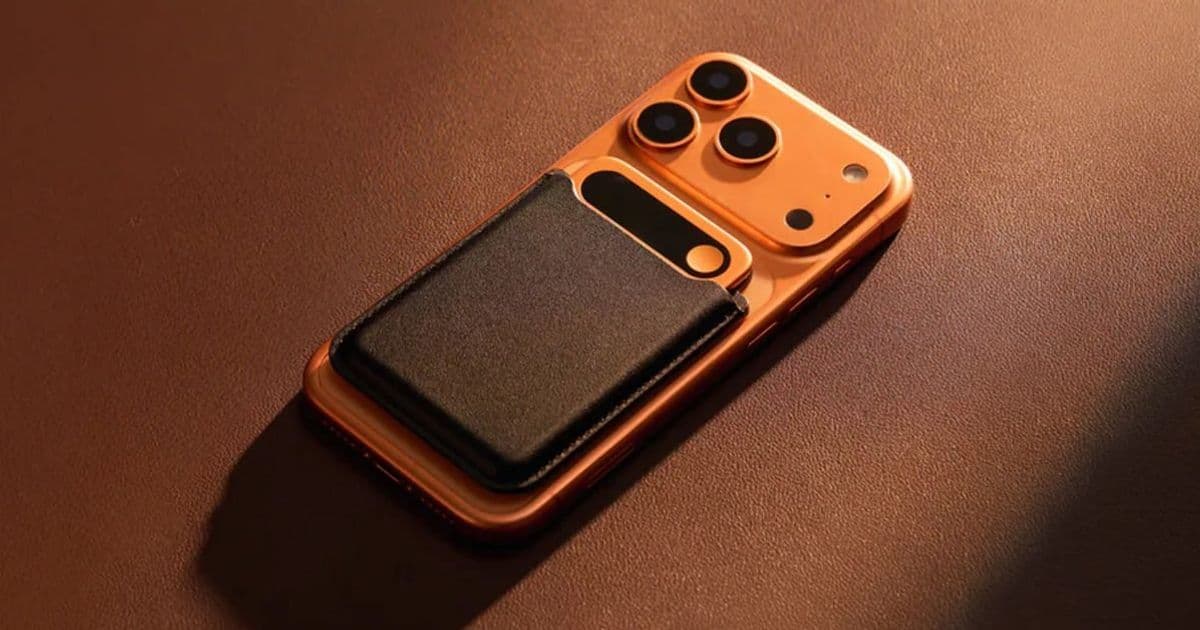
The Comulytic Note Pro is a credit card-sized recorder that hands its audio to Whisper, ChatGPT-5.2, and Gemini 2.5 for transcription and analysis. After a month of testing across English and Portuguese, the hardware quirks matter less than what the companion app does with the recordings.
The Comulytic Note Pro is a small piece of hardware with a big dependency chain. It's a credit card-sized recorder, just a hair under standard card dimensions and 0.12 inches thick, but the device itself is almost beside the point. What you're really buying is a capture front end for a pipeline of cloud AI models: OpenAI's Whisper for transcription, and ChatGPT-5.2 plus Gemini 2.5 for the question-answering layer. After a month carrying it into meetings and media briefings, the most useful way to frame it is this: the gadget isn't made for you, it's made for the AI. The thing made for you is the byproduct.
What the device actually is
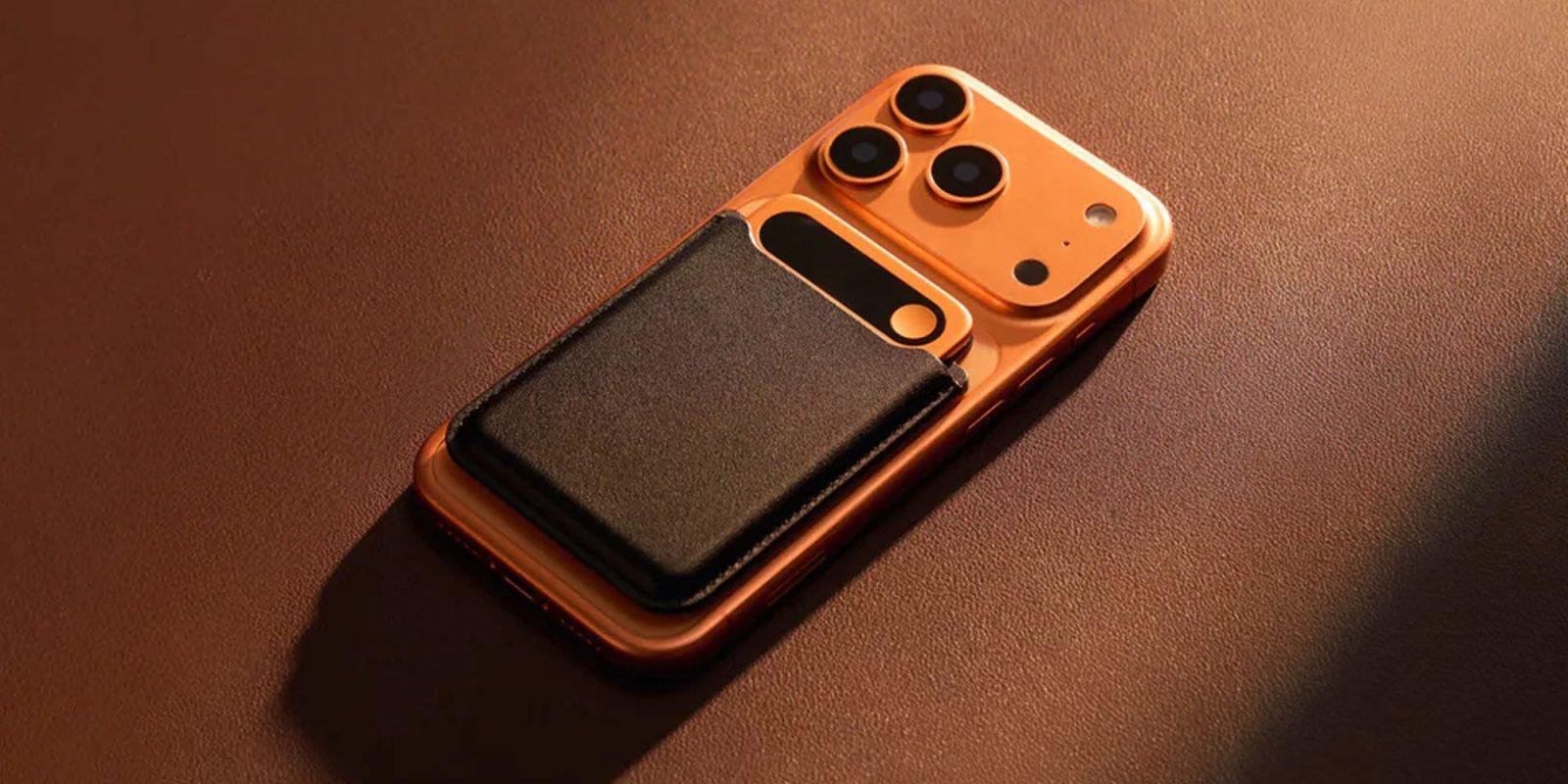
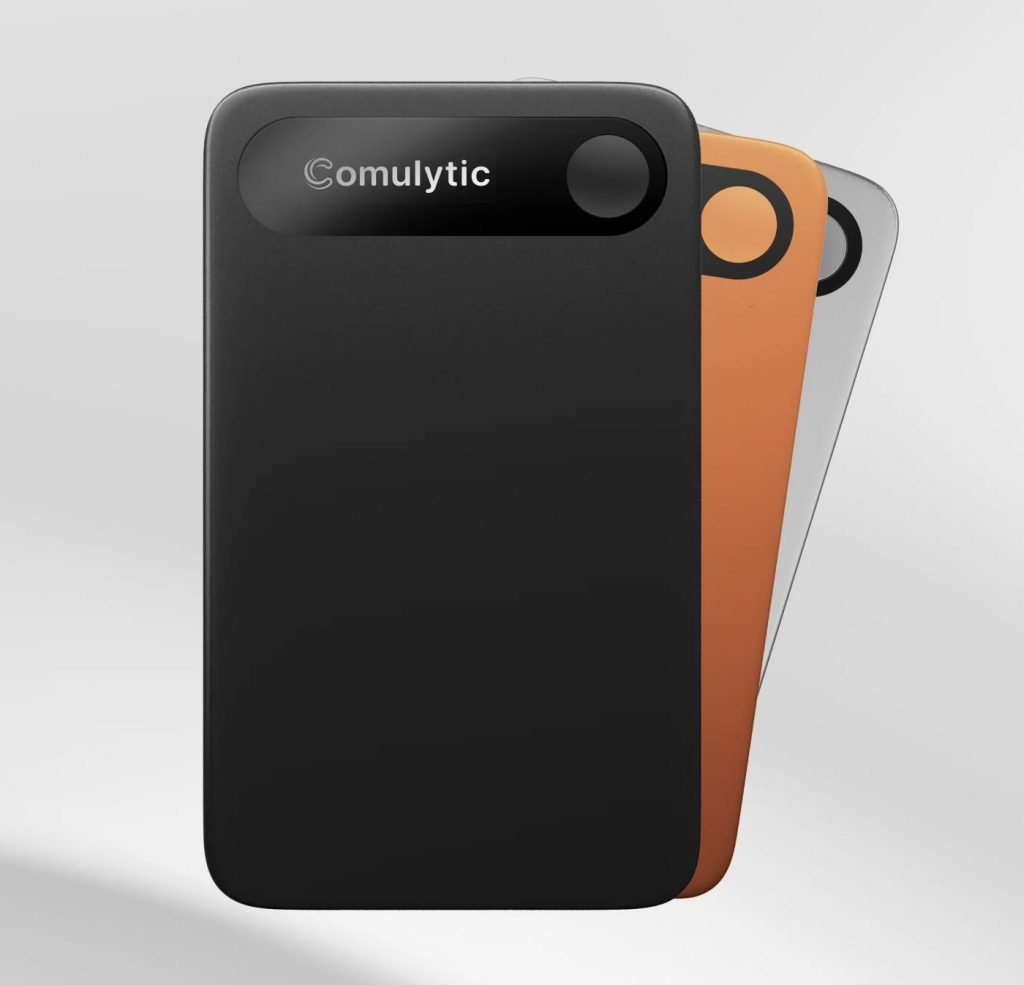
The hardware feels sturdier than its price suggests. It's built from a flush material that reads as professional, ships in black, silver, or orange, and carries a small display showing battery level, Bluetooth status, and recording time. You can leave the screen on continuously or have it light up briefly when you press record. Two microphones sit at the top edge, and charging happens over a proprietary magnetic connector, which is the usual tradeoff: convenient on the desk, one more cable you can't borrow from anyone.
In the box you get a leathery magnetic sleeve and a magnetic ring, both aimed at sticking the recorder to the back of an iPhone or any surface that fits your workflow. Battery life is genuinely a non-issue. Comulytic claims 45 hours of continuous recording and over 100 days of standby from a 90-minute charge. A month of intermittent use didn't come close to draining it, and there was no charge-on-arrival ritual to worry about.
Setup and the app preferences that matter
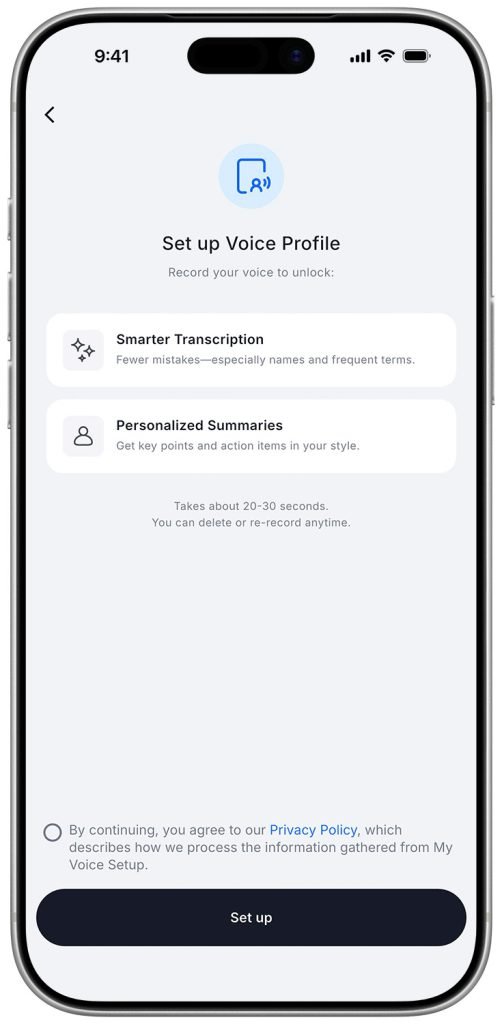
Pairing is the standard download-app, connect-device flow, and it's painless. The preferences are where the product starts customizing itself to you. You set the output language for AI-generated summaries and insights, declare your career so the model can tune its content, and add custom vocabulary for names and terms a generic model would mangle. There's also a voice profile feature that promises sharper transcriptions and summaries written in your style. In testing, toggling it on and off produced no obvious quality difference, so treat it as optional rather than essential.
Two settings stand out for anyone recording long sessions. Recording Segments automatically splits audio into 30-minute, 1-hour, 2-hour, or 3-hour chunks, which hedges against losing a single multi-hour file to a glitch. And offloading recordings to the phone happens two ways: over Bluetooth, which is slow, or over a temporary hotspot that claims up to 10x faster transfers. For long recordings the hotspot path is worth the extra step.
The transcription pipeline
This is the whole reason the device exists. Once a recording lands in the app, the processing tabs do the work. Transcription, backed by Whisper, was accurate across both English and Portuguese, though longer files take a while to process. The Transcript tab presents everything sentence by sentence, time-synced to the audio, with an Outline view that chops the session into podcast-style chapters so you can jump between topics.
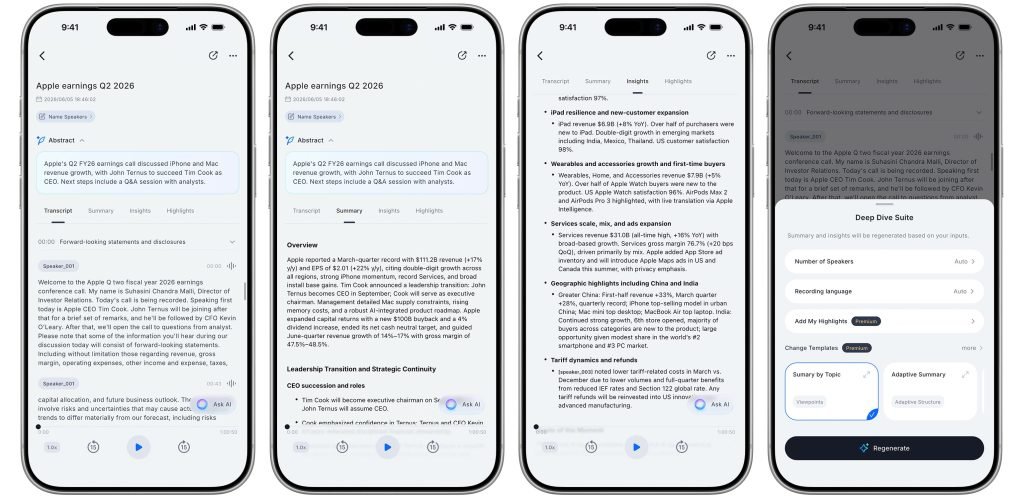
Speaker recognition is the weak spot. It would occasionally merge two people into one speaker or split a single voice into several. That's not unique to Comulytic; reliable diarization remains hard across the whole transcription industry, and it's the kind of thing worth verifying manually before you trust an attribution.
Above the raw transcript sits a stack of analysis layers. The Summary tab gives an overview plus a bulleted breakdown of topics and issues. The Insights tab goes further into consensus points, notable quotes, and follow-up suggestions. There's an Abstract for a high-level glance, and a regenerable Deep Dive Suite covering Summary, Insights, and Highlights. Everything is editable and exportable, which matters because AI summaries always need a human pass. An Ask AI button, powered by ChatGPT-5.2 and Gemini 2.5, lets you interrogate the transcript directly, though it occasionally returned a high-demand error. The fallback is obvious: export the text and paste it into your own ChatGPT session. The app also imports audio from Voice Memos, Photos, and Files, so it isn't locked to its own hardware.
Recording quality is the real compromise
Here's the adjustment that took the longest. The audio quality isn't good in the way we expect from devices built for human listening. Play back a meeting and you'll hear everyone, but it won't approach what an iPhone, a Mac, or a dedicated mic captures. The microphones are also extremely sensitive to physical contact. The smallest tap or swipe against the body gets picked up and can muffle or drown out whoever is talking. Attaching it to the back of an iPhone, the use case the included ring seems to encourage, produced low recording volume and noticeably worse transcriptions. The best results came from laying it flat on the table and leaving it alone. That's a meaningful constraint if your meetings are mobile or handheld.
Pricing and where it fits
The Note Pro lists at $158.99 and is currently $128.99. The free Starter plan is more generous than most competitors that gate basic functionality behind a subscription: it includes unlimited transcriptions and basic summaries, plus 3 monthly uses of the Deep Dive Suite and 10 monthly uses of Instant Abstract and Ask Comulytic. The Premium plan runs $14.99 monthly or $10 per month billed annually for unlimited access to everything.
The honest read is that this device collapses a workflow many of us have been assembling by hand: record a meeting, extract the transcript, paste it into a chatbot, pull out action items. If you were already doing that dance with Voice Memos and ChatGPT, the Note Pro removes the manual steps and keeps capture, transcription, and analysis in one place. If you take few meetings, the value proposition is thinner, and the recording-quality caveats mean you should test it against your actual environment before committing. The hardware is a vessel; the cloud models are the product, and they're good enough that the device's rough edges become tolerable rather than disqualifying.
Comments
Please log in or register to join the discussion