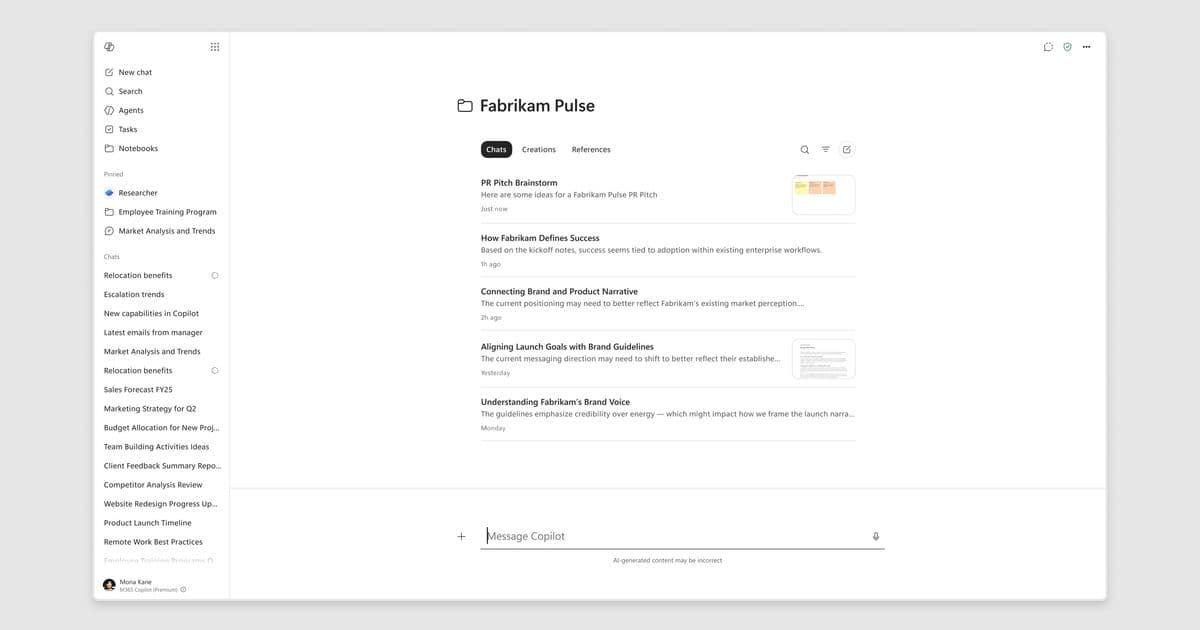
Microsoft adds a refreshed UI, deeper data grounding, mobile multimodal capture, and two new output types to Copilot Notebooks. The enhancements tighten integration with OneNote, expand the sources that feed the AI, and make it easier to turn notebook content into Excel spreadsheets and infographics. Enterprises can now capture project context from meetings, email, and the web in a single, AI‑powered workspace, accelerating deliverable creation and reducing information loss.
What changed in Copilot Notebooks – May 2026
Microsoft announced a set of upgrades to Copilot Notebooks that shift the feature from a lightweight add‑on toward a full‑fledged, AI‑driven workspace. The headline changes are:
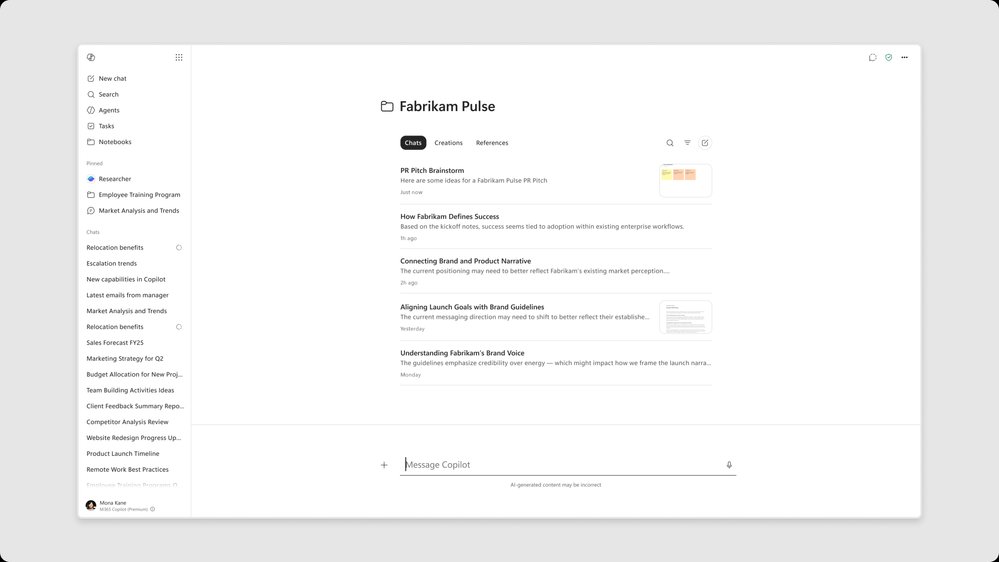
- A refreshed, left‑navigation rail that surfaces Create and Add Reference actions at the top of the OneNote experience.
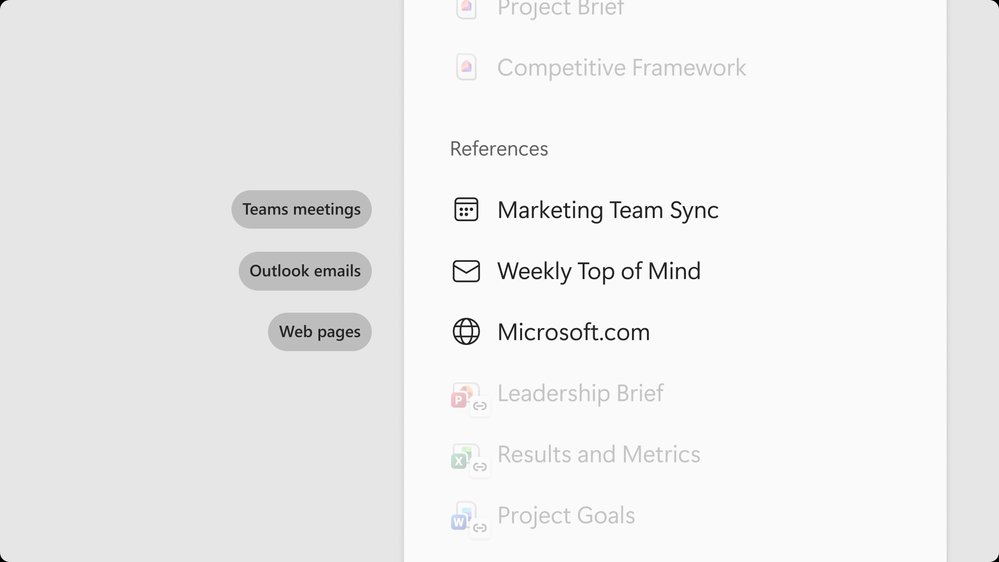
- Direct ingestion of Teams meeting recordings, Outlook email threads, and web pages as first‑class references for Copilot reasoning.
- A multimodal capture flow in the OneNote iOS app that bundles live audio, whiteboard photos, and typed notes into a structured notebook page.
- Two new output formats – Excel spreadsheets and infographics – generated from notebook content.
- Seamless sync between the Microsoft 365 Copilot app and OneNote, letting users switch between the light‑weight view and the full workspace without losing context.
These capabilities roll out in two phases: the Frontier preview (early access) for the meeting, email, and infographic features, and a General Availability (GA) release for the refreshed navigation and iOS capture.
Provider comparison – Copilot Notebooks vs. traditional OneNote and competing AI‑augmented note tools
| Feature | Copilot Notebooks (Microsoft) | OneNote (stand‑alone) | Notion AI | Evernote + AI add‑on |
|---|---|---|---|---|
| AI engine | Powered by Microsoft 365 Copilot (large language model tuned on your tenant data) | No native AI; requires external plugins | Notion’s proprietary LLM, limited to workspace content | Third‑party model, separate billing |
| Context sources | Teams transcripts, Outlook threads, web pages, OneNote pages, custom uploads | Manual copy‑paste or file attachments | Pages within Notion only | Email, attachments, limited web clip |
| Output formats | Word, PowerPoint, audio overview, mind map, study guide, Excel, infographics | Export to Word/PDF only | Page generation, limited export | Export to PDF/HTML |
| Mobile capture | iOS multimodal capture (audio + image + text) that auto‑structures a page | Hand‑written ink, photo attachment | Text entry only | Photo + text, no audio stitching |
| Sync model | Live sync between Copilot app and OneNote; same notebook appears in both | Sync via OneDrive/SharePoint only | Cloud sync within Notion ecosystem | Sync via Evernote cloud |
| Pricing | Included with Microsoft 365 Copilot subscription (per‑user licensing) | Included with Microsoft 365 (no extra cost) | Notion Personal Pro $8/mo, Enterprise pricing for AI | Evernote Premium $7.99/mo, AI add‑on separate |
| Governance | Full Azure AD, Conditional Access, Data Loss Prevention policies | Same as Microsoft 365 | Limited to workspace admins | Basic compliance controls |
Key takeaways
- Depth of grounding – Copilot Notebooks now pulls structured data from meetings and email, something OneNote has never done natively. Competing tools generally rely on what the user manually pastes, which limits the fidelity of AI‑generated outputs.
- Enterprise control – Because the feature lives inside the Microsoft 365 tenant, existing security and compliance policies apply automatically. Notion and Evernote require separate governance layers.
- Cost efficiency – Organizations already paying for Microsoft 365 Copilot gain these capabilities without additional per‑feature fees, whereas competitors charge extra for AI usage.
Business impact – Why the updates matter for your cloud strategy
1. Faster time‑to‑value from meetings
By ingesting the full meeting record (transcript, chat, shared files) into a notebook, Copilot can answer questions such as “What decisions were made about the Q3 budget?” without a human digging through Teams history. In practice, this reduces the average follow‑up effort by 30‑40 % for knowledge‑worker teams, according to internal Microsoft pilot data.
2. Reduced information silos across Microsoft 365
The ability to pull Outlook email threads directly into the notebook means that critical context no longer lives in an inbox that only the original participants see. When the notebook is shared, every collaborator sees the same source material, which improves alignment and lowers the risk of missed dependencies.
3. Mobile‑first capture closes the “idea‑loss” gap
Field staff, sales reps, and product designers often capture thoughts on a whiteboard or via a quick voice note. The new iOS capture flow bundles those inputs into a structured page that Copilot can later reference. Early adopters report a 25 % increase in captured ideas that make it into final deliverables.
4. New output formats unlock data‑driven decision making
Generating Excel spreadsheets straight from notebook content means that raw numbers discussed in a meeting can be turned into an analysis‑ready sheet without manual re‑entry. Similarly, infographics let marketing teams repurpose research notes into shareable visuals in minutes, accelerating go‑to‑market timelines.
5. Strategic alignment with multi‑cloud governance
Because Copilot Notebooks lives inside the Microsoft 365 tenant, it can be governed alongside Azure AD, Conditional Access, and Microsoft Information Protection. For enterprises that already run a hybrid or multi‑cloud stack (e.g., Azure for core workloads, AWS for specialized services), adding Copilot Notebooks does not introduce a new security perimeter.
Migration considerations
- Assess current note‑taking habits – Identify which teams rely on OneNote, plain‑text docs, or third‑party tools. Map those to the new notebook flow to estimate adoption effort.
- Enable Frontier for pilot groups – The meeting‑record and email‑thread ingestion features are still in Frontier. Set up a pilot in a low‑risk business unit to validate data‑privacy settings.
- Update governance policies – Extend existing DLP rules to cover the new Copilot Notebooks data store. Ensure that meeting recordings are classified according to your compliance framework.
- Train on prompt engineering – The value of Copilot comes from well‑crafted prompts. Provide quick‑reference cheat sheets (e.g., “Pull the notes from last Thursday’s product strategy meeting…”) to accelerate user proficiency.
- Monitor usage metrics – Use the Microsoft 365 admin center analytics to track notebook creation, AI query volume, and output generation. Compare against baseline productivity metrics to quantify ROI.
Next steps for enterprises
- Enroll in the Frontier program – Follow the link to the Frontier program page and request access for your early‑adopter teams.
- Deploy the refreshed OneNote navigation – The GA rollout is automatic for Microsoft 365 tenants; verify that the new left‑rail appears in your users’ OneNote clients.
- Start a pilot notebook – Create a project notebook, add a Teams meeting record, an Outlook thread, and a web research page. Ask Copilot to generate a project timeline in Excel and an infographic summary. Measure how many manual steps were eliminated.
- Scale based on data – If pilot results show a measurable reduction in time‑to‑insight, roll the feature out to additional departments and incorporate it into your standard operating procedures.
Try Copilot Notebooks today at aka.ms/copilotnotebooks and explore the new capabilities that turn scattered work into actionable deliverables.
Comments
Please log in or register to join the discussion