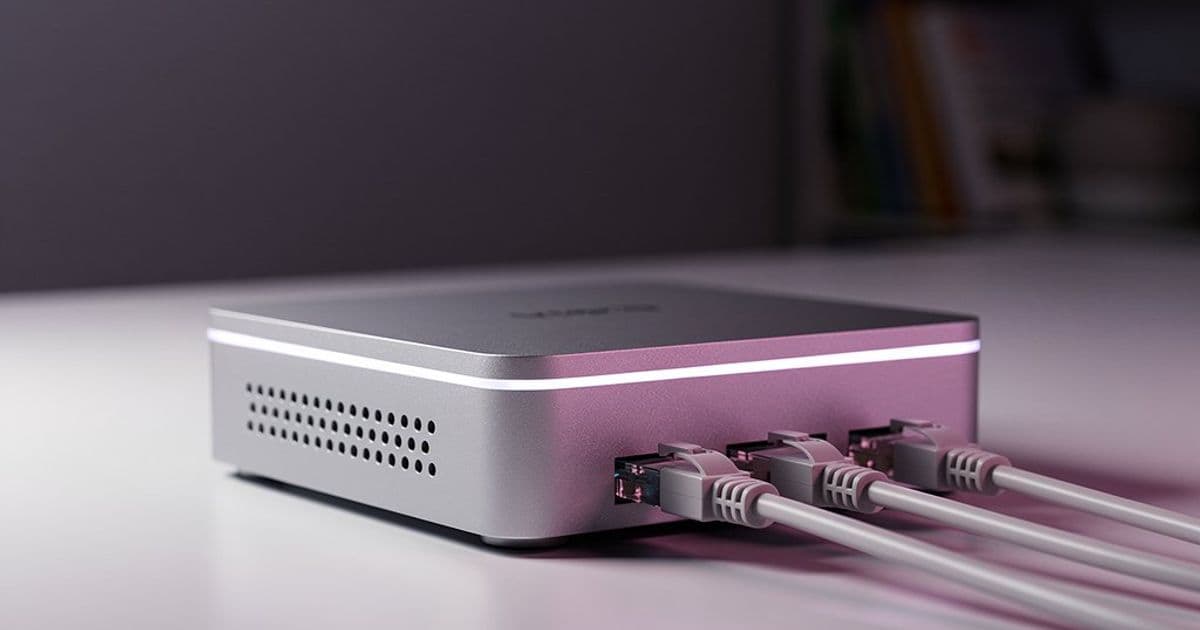
Debian's new FreedomBox Blend turns a standard installation into a ready-to-run private cloud server, offering over 40 self-hosted services through a web interface. This hands-on review explores its capabilities, limitations, and how it stacks up against alternatives like TrueNAS, OpenMediaVault, and YunoHost for homelab builders looking to reclaim their data from commercial cloud providers.
The dream of running your own private cloud server has long been a staple of homelab enthusiasts, but the barrier to entry has remained stubbornly high. You need to pick a distribution, install it, configure services, manage updates, and maintain security. For most people, this is a non-starter. Enter Debian's FreedomBox Blend, a pre-configured package that aims to transform a blank Debian installation into a fully functional private cloud server with minimal fuss.
The FreedomBox project, initiated by FSF legal expert Eben Moglen, has been around since 2010, originally targeting tiny plug computers like the SheevaPlug. The vision was always simple: give individuals and small groups an easy way to host their own files, email, chat, and other services without relying on US-based cloud giants. For years, it remained a niche project, but with growing concerns over data sovereignty—especially in the EU following recent US political shifts—the timing feels right for a resurgence.
Debian's integration of FreedomBox as a "Blend" makes it more accessible than ever. During a standard Debian installation, users can select FreedomBox from the list of pre-configured software bundles. This installs not just the core OS, but also the Plinth web administration interface, an LDAP server for user management, and a containerized environment for running services. The result is a server that's ready to configure within minutes of installation.
The Plinth Interface: Your Command Center
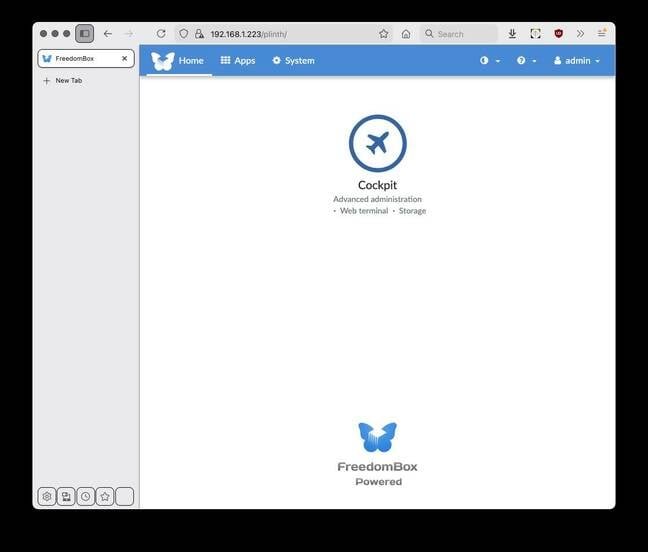
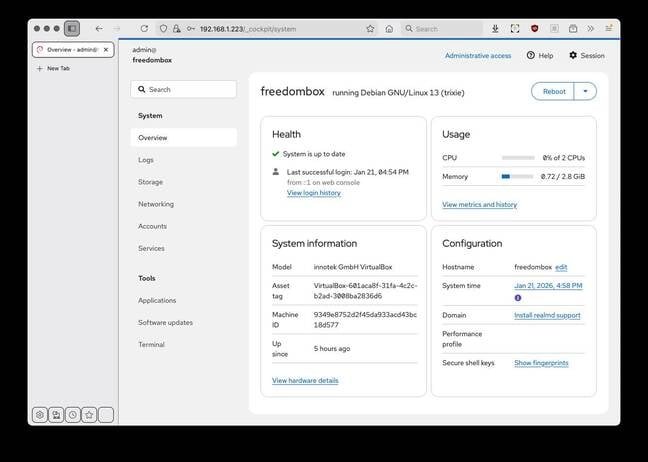
Once installed, accessing Plinth via a web browser reveals a clean, straightforward dashboard. The initial view is sparse, showing only the Cockpit system management tool by default. Cockpit provides a more traditional server management interface, allowing you to monitor system resources, manage storage, and handle basic administration tasks. It's a useful companion to Plinth, though the need to switch between interfaces is one of the rough edges mentioned in the review.
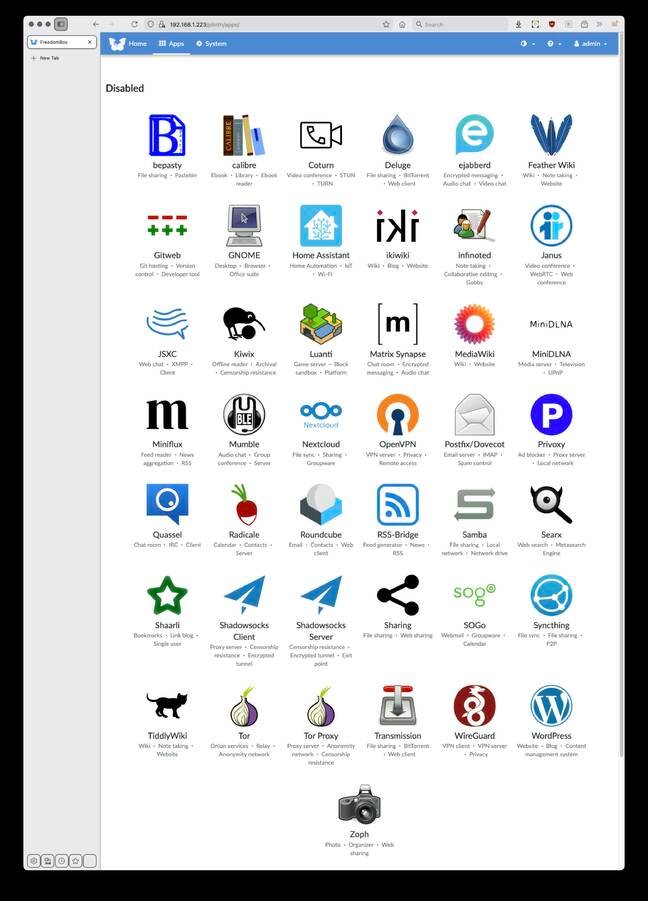
The real power lies in the Apps screen, where you'll find 43 different services ready to install with a single click. This is where FreedomBox distinguishes itself from simple NAS solutions. It's not just about file storage; it's a comprehensive private cloud platform.
Service Overlap and Choice
The 43 "apps" actually represent about 30 distinct service types, with multiple options for certain functions. This flexibility is both a strength and a potential source of confusion:
Communication & Collaboration:
- Matrix Chat: Synapse provides a full Matrix homeserver for decentralized chat
- Video Conferencing: Janus offers WebRTC-based video calls
- Email & Groupware: Choose between Roundcube (webmail), SOGo (groupware with calendar/contacts), or Nextcloud (full private cloud with file sync)
Media & Content:
- Photo Management: Zoph for organizing and serving photo libraries
- Paste Service: BePasty for your own Pastebin alternative
- Wiki Options: Feather Wiki, Ikiwiki, TiddlyWiki, or MediaWiki
Networking & Privacy:
- VPN Solutions: OpenVPN server and WireGuard (both server and client modes)
- Censorship Circumvention: Shadowsocks client and server apps
- Tor Integration: Both Tor node and proxy server options
File Sharing:
- Bittorrent: Deluge or Transmission clients
- File Synchronization: Nextcloud or other sync solutions
This overlap allows users to choose the tool that best fits their needs. For instance, if you only need webmail, Roundcube is lightweight. If you want a full groupware suite, SOGo might suffice. But if you also need file sync and cloud storage, Nextcloud becomes the obvious choice.
Containerized Architecture & Automatic Updates
All server applications run in containers, which provides isolation and makes updates safer. FreedomBox automatically updates itself and all installed apps daily at 2 AM by default. This "set it and forget it" approach is crucial for non-technical users who shouldn't need to manually patch security vulnerabilities.
The containerization does have implications for storage management. All containers and their data live under /var/lib, which makes it challenging to separate storage across different devices. For homelab builders with dedicated NAS hardware or RAID arrays, this limitation might require creative workarounds or custom configuration outside the FreedomBox framework.
Real-World Use Cases
The review author considered several practical scenarios:
Replacing Pi-hole: While FreedomBox doesn't include a Pi-hole app, it offers Privoxy for network-wide ad blocking. For users running Ubuntu desktops with local Privoxy instances, extending this to the entire network via a FreedomBox server is appealing.
Home Media Server: With services like Zoph for photos and various streaming options, it could serve as a central media hub, though dedicated media server distros like OpenMediaVault might offer more specialized features.
Communication Hub: Running Synapse for Matrix chat and Janus for video calls creates a private communication network immune to commercial service outages or privacy concerns.
Development & Testing: The ability to quickly spin up wikis, paste services, and other tools makes it useful for development teams or hobbyists.
The Competition: How FreedomBox Stacks Up
The homelab space has several established players, each with different strengths:
TrueNAS Community Edition: Based on a customized Debian with a newer kernel and OpenZFS. Excellent for storage-focused setups with robust RAID and snapshot capabilities, but less focused on the diverse service catalog that FreedomBox offers.
OpenMediaVault: Also Debian-based, with native Linux RAID support. Strong on file serving and media streaming with plugins, but again, more limited in service variety compared to FreedomBox's 43 apps.
YunoHost: The closest competitor in the personal private cloud space. Also Debian-based (still on Debian 12 with 32-bit support), it's described as more modest and less intimidating than FreedomBox. However, it's less current and offers fewer services. YunoHost supports various ARM boards, VMs, and old PCs (which it calls "ordinosaur" - a French portmanteau of "ordinateur" and "dinosaur").
Proxmox: Primarily a virtual machine host, though it offers backup and email gateway features. More suited for virtualization enthusiasts than those wanting a simple, all-in-one private cloud.
Small Business Distros: Options like ClearOS, Koozali SME Server, and Zentyal exist, but they're often outdated (ClearOS and Koozali still based on CentOS 7, EOL since June 2024) and overkill for home use.
FreedomBox's advantage lies in its focus on the home user who wants simplicity without sacrificing capability. It's less intimidating than enterprise solutions but more comprehensive than basic NAS distros.

Hardware Considerations
The original FreedomBox vision targeted plug computers like the SheevaPlug, GuruPlug, and DreamPlug. These have largely been superseded by the Raspberry Pi, which offers better performance and expansion options. The review author considered using an old HP Microserver but noted the storage management limitations. Ultimately, a Raspberry Pi seems like an ideal platform for experimentation—low power consumption, sufficient performance for most services, and easy to set up.
Power consumption is a key consideration. A Raspberry Pi running FreedomBox should consume less than 5 watts, comparable to an old incandescent lightbulb. This makes it practical to run 24/7 without significant electricity costs, unlike traditional servers or even many NAS devices.
The Blockchain Distraction
The review mentions that blockchain-based solutions like ZeroNet and Logos are aggressively pushing into the private cloud space. The author's stance is clear: "if it's got the word 'blockchain' in it, it's bollocks." These solutions unnecessarily complicate what should be a straightforward problem. The internet needs simple, maintainable home servers, not blockchain magic.
Getting Started
To try FreedomBox:
- Download the latest Debian installer from debian.org
- During installation, select FreedomBox from the Blends menu
- After installation, access Plinth via
https://your-server-ip:8443 - Create an admin account and start installing apps
The FreedomBox website provides additional documentation and community support. For hardware recommendations, the Raspberry Pi is an excellent starting point, though any x86 or ARM system running Debian will work.
Conclusion: A Promising Option for 2026
FreedomBox has been around for over 15 years, but its integration into Debian as a Blend makes it more accessible than ever. The timing is right—growing data sovereignty concerns, improving hardware options like the Raspberry Pi, and mature container technology create the perfect storm for personal private clouds.
The rough edges mentioned in the review (multiple admin interfaces, storage management limitations) are typical of Debian-based projects. They're not deal-breakers for enthusiasts willing to work around them, and they're likely to improve as the project matures.
For homelab builders who measure everything—power consumption, performance, storage efficiency—FreedomBox offers a compelling balance. It's not as specialized as TrueNAS for storage or as lightweight as a minimal Debian setup, but it provides an integrated platform for running dozens of services with minimal maintenance.
The author plans to test it on a spare Raspberry Pi, and that's probably the best recommendation: start small, experiment with the 43 apps, and see which services actually matter for your use case. In a world where "cloud" usually means someone else's computer, FreedomBox offers a practical path back to owning your digital life.
Links & Resources:
Comments
Please log in or register to join the discussion