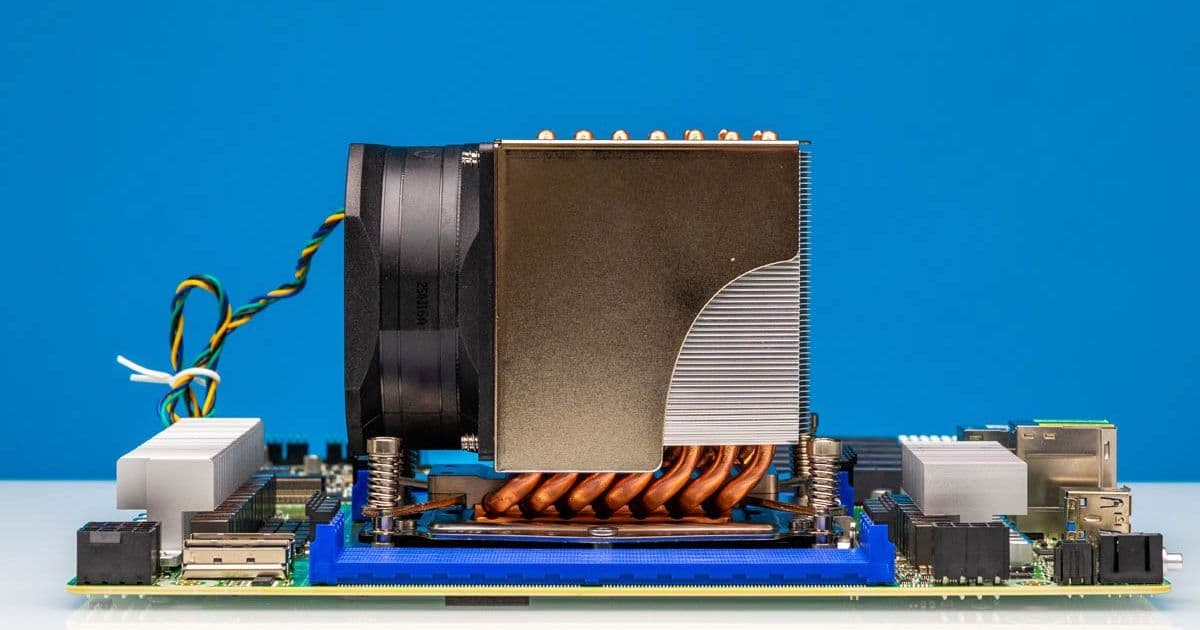
With AmpereOne processors demanding active cooling, the Dynatron W23 emerges as the sole dedicated 3U heatsink solution. We examine its design, thermal performance, and installation on the ASRock Rack AMPONED8-2T BCM motherboard.
When building servers around AmpereOne processors like the A192-32X, cooling becomes a critical design constraint. Unlike the Ampere Altra Max, which had multiple heatsink options including passive solutions, AmpereOne requires active cooling. This limitation led us to the Dynatron W23, a 3U active cooler specifically designed for the LGA5964 socket.
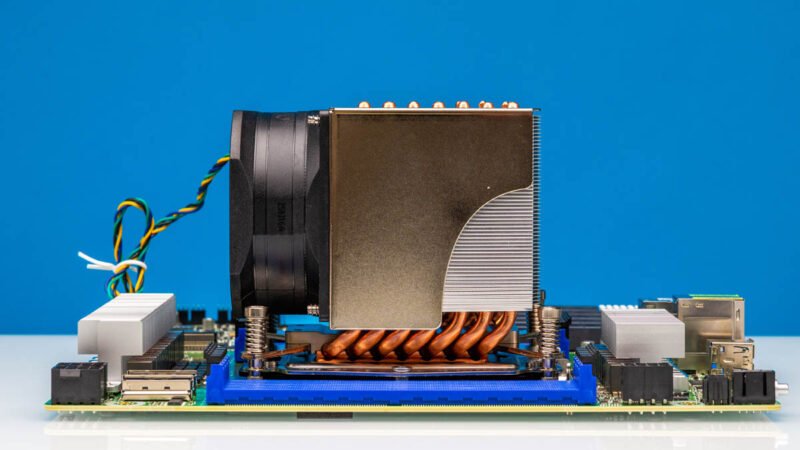
The Dynatron W23 represents a purpose-built solution for a niche market. Server builders working with AmpereOne processors have few alternatives, making this cooler's performance characteristics particularly important for homelab enthusiasts and data center operators alike.
Design and Construction
The W23 features a compact 3U form factor with an integrated fan assembly. The heatsink mounts using four screws, and the fan attaches with two additional screws. This design ensures secure mounting while maintaining compatibility with server chassis height restrictions.
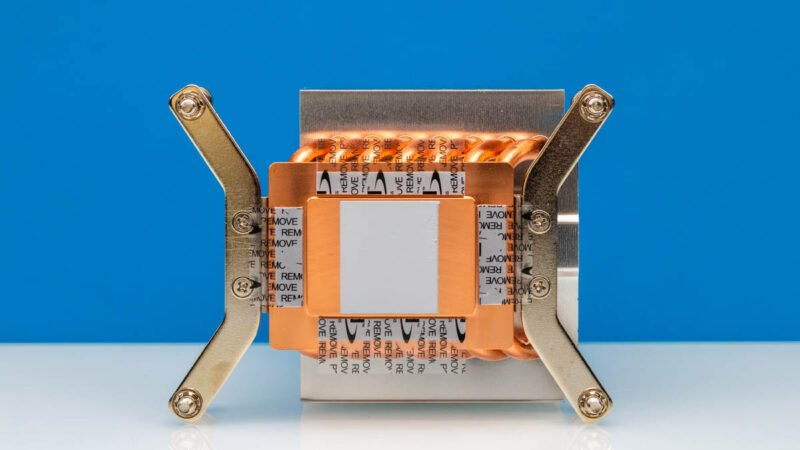
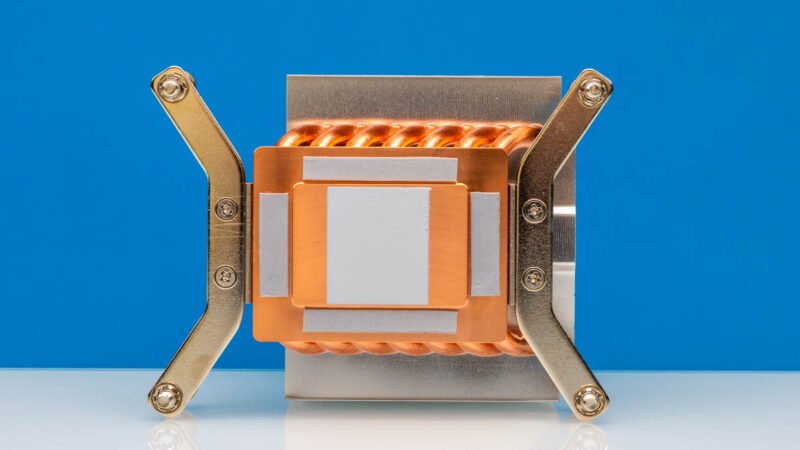
The thermal interface design reveals thoughtful engineering for AmpereOne's unique architecture. The heatsink features five contact points:
- Center contact: Directly cools the CPU core die
- Four surrounding contacts: Cool the heatspreader covering PCIe controllers and memory controllers
This multi-point contact approach addresses AmpereOne's heterogeneous design, where different functional blocks generate varying heat loads.
Socket Compatibility and Installation
The LGA5964 socket presents specific challenges for cooler design. The Dynatron W23's narrow profile ensures it doesn't interfere with memory slots—a critical consideration on server motherboards where DIMM density affects total system capacity.
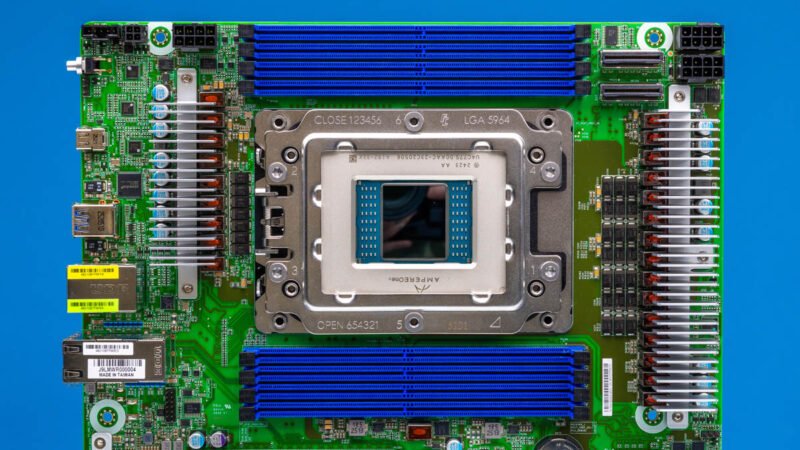
Installation follows standard server procedures:
- Apply thermal interface material (pre-applied paste on our unit)
- Align heatsink with socket mounting points
- Install four mounting screws
- Attach fan assembly
- Connect 4-pin PWM fan header to motherboard
The airflow direction matches standard server chassis design, moving air from front to back for optimal thermal management in rack environments.
Thermal Performance Considerations
While this review focuses on the physical design and installation, thermal performance depends on several factors:
CPU Load Profile: AmpereOne processors like the A192-32X feature 192 cores with varying power states. The cooler must handle both idle and full-load conditions.
Ambient Temperature: Server room temperatures significantly impact cooling efficiency. The W23's performance should be evaluated across typical data center ranges (18-27°C).
Airflow Context: In a 1U or 2U chassis, the W23's 3U height means it's typically used in larger enclosures where case fans provide additional airflow. The cooler's effectiveness depends on the entire thermal system.
Build Recommendations
For homelab builders considering AmpereOne systems:
Motherboard Selection: The ASRock Rack AMPONED8-2T BCM provides a solid foundation with proper socket support and fan headers. Ensure your chassis has adequate clearance for the 3U cooler.
Fan Configuration: The W23's single fan header connects to the motherboard's PWM control. Configure BIOS fan curves to balance noise and cooling—AmpereOne processors can throttle at high temperatures, affecting performance.
Thermal Interface: While the unit comes with pre-applied paste, consider high-quality thermal paste for improved transfer efficiency, especially in warmer environments.
Chassis Planning: The narrow design helps with memory access, but verify that your chassis can accommodate the cooler's height. Standard 4U server chassis provide ample room.
Market Context
The limited cooler options for AmpereOne highlight a broader trend in the server hardware ecosystem. As specialized processors enter the market, cooling solutions often lag behind, creating bottlenecks for builders. The Dynatron W23 fills this gap effectively, though its exclusivity suggests room for competition in the future.
For now, homelab enthusiasts working with AmpereOne have a reliable, purpose-built solution. The W23's design demonstrates understanding of server thermal requirements: secure mounting, proper airflow direction, and targeted cooling for heterogeneous processor architectures.
As AmpereOne adoption grows in edge computing and cloud infrastructure, we expect more cooling options to emerge. Until then, the Dynatron W23 remains the go-to choice for active cooling in 3U server configurations.
Comments
Please log in or register to join the discussion