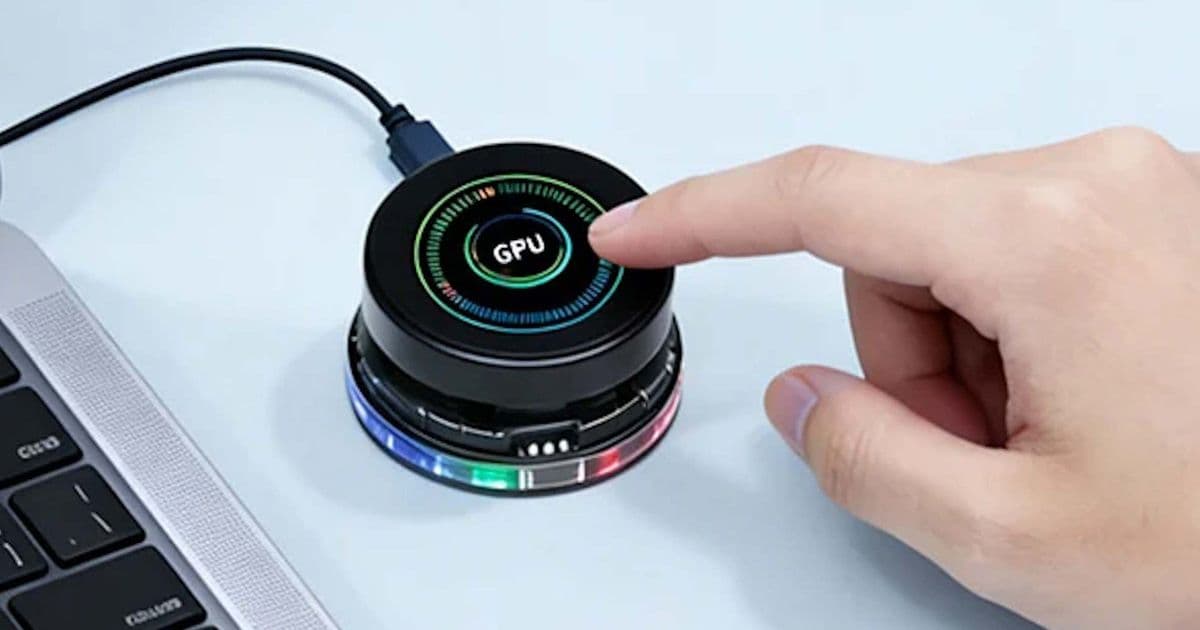
Elecrow’s new CrowPanel packs a 1.46‑inch 360×360 touchscreen, an ESP32‑S3 MCU and rotary‑knob mechanics into a tiny USB‑powered board. At $30 it targets makers who want a compact, Wi‑Fi/BLE‑enabled display for custom smart‑home interfaces, secondary PC screens, or sensor hubs.
Elecrow CrowPanel: 1.46‑inch round smart‑home display hits the market
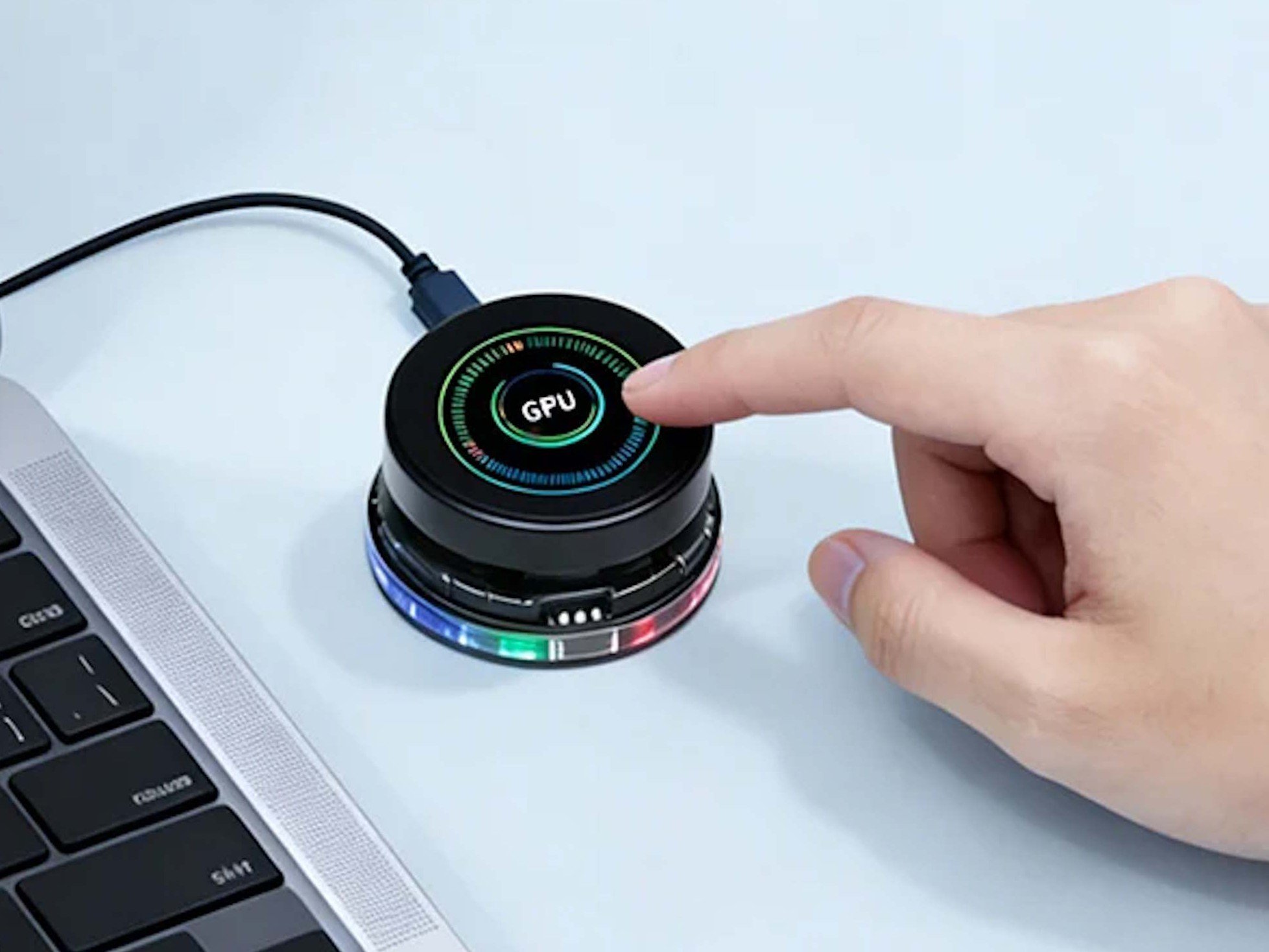
Elecrow, a name that shows up often in maker‑focused storefronts, has just released the CrowPanel – a tiny, circular touchscreen that doubles as a development board. The device is aimed squarely at hobbyists and engineers who need a compact visual interface without the bulk of a full‑size LCD.
What’s new?
| Feature | Specification |
|---|---|
| Screen size | 1.46 in diagonal, circular panel |
| Resolution | 360 × 360 px (≈ 176 ppi) |
| Touch | Capacitive, 10‑point multitouch |
| Processor | ESP32‑S3 (dual‑core Xtensa LX7, 240 MHz) |
| Connectivity | 2.4 GHz Wi‑Fi, Bluetooth 5.0 (BLE) |
| Interfaces | USB‑C (power + data), UART, I²C, SPI |
| Power | USB‑C 5 V, no internal battery |
| Dimensions | 45 mm × 45 mm × 12 mm (approx.) |
| Price | US $30 (direct from Elecrow) |
The panel’s most visible novelty is the rotary knob built into the rim. Turning the knob sends a hardware‑level event that can be mapped to UI actions, making it useful as a volume dial, menu selector, or even a physical encoder for IoT dashboards.
How it compares to the competition
| Device | Size | MCU | Connectivity | Price |
|---|---|---|---|---|
| Elecrow CrowPanel | 1.46 in round | ESP32‑S3 | Wi‑Fi + BLE, USB‑C data | $30 |
| TTGO T-Display | 1.14 in rectangular | ESP32‑S2 | Wi‑Fi + BLE, USB‑C | $12 |
| M5Stack Core2 | 2 in rectangular | ESP32‑S3 | Wi‑Fi + BLE, USB‑C | $45 |
| Raspberry Pi Pico W + 1.3‑in LCD (DIY) | 1.3 in rectangular | RP2040 + Wi‑Fi module | Wi‑Fi only, separate power | $20 (parts) |
The CrowPanel sits between the ultra‑cheap TTGO boards and the more feature‑rich M5Stack Core2. Its key advantage is the circular form factor and the integrated rotary encoder, which neither of the competitors provide out of the box. The ESP32‑S3 adds hardware‑accelerated vector instructions and a richer peripheral set compared with the older ESP32‑S2 found in the TTGO.
Development environment
Because the board is built around an ESP32‑S3, it can be programmed with any of the standard ESP‑IDF toolchains, but Elecrow supplies a Arduino‑compatible core that works directly in the Arduino IDE. This lowers the barrier for beginners who already have a sketch library for Wi‑Fi, BLE, and touch handling.
For richer graphical interfaces, Elecrow points developers to LVGL (Light and Versatile Graphics Library). LVGL runs comfortably on the ESP32‑S3, and the 360 × 360 framebuffer fits within the chip’s internal RAM when using a 16‑bit colour depth. Sample code on Elecrow’s GitHub shows how to:
- Initialize the display via SPI
- Register rotary‑knob events as LVGL input devices
- Push sensor data from an attached I²C temperature sensor onto the screen in real time
The board also exposes UART and I²C pins on the breakout side, so you can attach external peripherals such as BME280 environmental sensors, small relays, or even a tiny speaker for audio feedback.
Practical use‑cases
- Smart‑home controller – Pair the CrowPanel with Home Assistant over BLE or Wi‑Fi and use the rotary knob to scroll through rooms, while the touchscreen shows the current temperature, light status, or a media player.
- Secondary monitor for a laptop – Connect via USB‑C and run a custom VNC client that streams a lightweight UI. The round shape makes it ideal for showing a clock, calendar, or a compact status dashboard.
- DIY IoT sensor hub – Hook a DHT22 sensor to the I²C bus, let the ESP32‑S3 read humidity/temperature, and publish the data to an MQTT broker. The screen can display live graphs using LVGL’s chart widget.
- Rotary encoder for media – Map knob turns to volume up/down and taps to play/pause. The touch surface can act as a track selector.
Because the board does not contain a battery, it must stay powered via the USB‑C cable. This is a trade‑off: you lose true portability, but you gain a stable power source that can also carry data, simplifying the wiring for most desk‑bound projects.
Who should consider buying it?
- Makers and educators who need a small, programmable display for classroom demos or hackathon projects.
- Home‑automation enthusiasts looking for a custom control surface that can be wall‑mounted or placed on a desk without a bulky enclosure.
- Developers of niche UI concepts – the circular layout encourages radial menus, clock‑style interfaces, or compact status rings that are harder to prototype on rectangular screens.
- Anyone comfortable with Arduino or ESP‑IDF – the board is not a plug‑and‑play consumer device; you’ll need to write firmware or adapt existing LVGL examples.
If you prefer a ready‑made consumer smart‑display with a built‑in battery and voice assistant, the CrowPanel will feel too hands‑on. But for projects where you want full control over the UI and connectivity, the price‑to‑feature ratio is compelling.
Where to get it
The CrowPanel is sold directly from Elecrow’s storefront (shipping worldwide, though some regions may incur higher fees). The standard kit includes the board, a USB‑C cable, and a set of sample code on the product page. For deeper integration, check the official documentation and the GitHub repository, which hosts the Arduino core, LVGL examples, and schematics.
Elecrow’s round display is also a rotary knob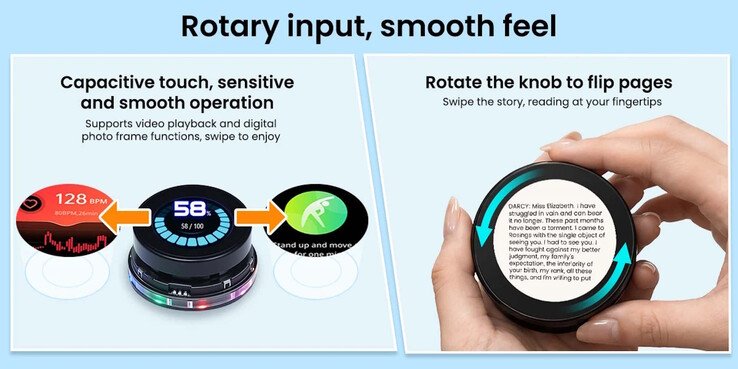
Comments
Please log in or register to join the discussion