A comprehensive look at the newest developments in web technologies including Heerich.js for 3D voxel scenes, advanced CSS selectors, scroll-driven animations, and significant updates from Chrome 148 and Safari 26.5.
The web development landscape continues to evolve at a rapid pace, with new tools, syntaxes, and browser capabilities emerging regularly. This deep dive explores the most significant recent developments that are shaping how we build and experience web applications.
Heerich.js: Stylish 3D Voxel Scenes
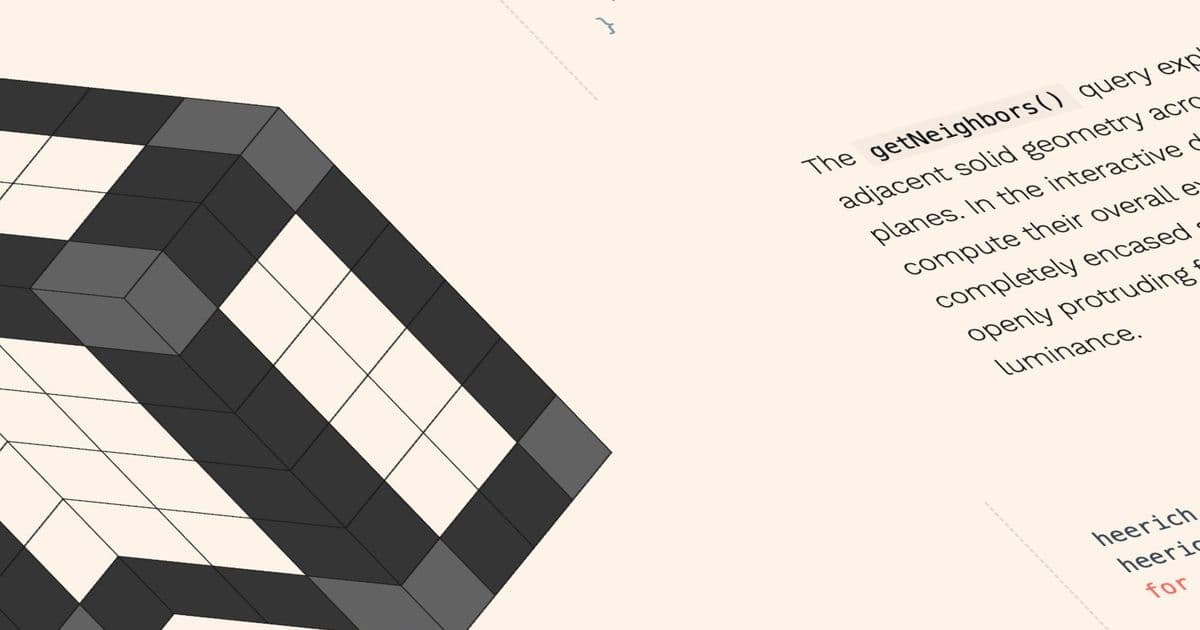
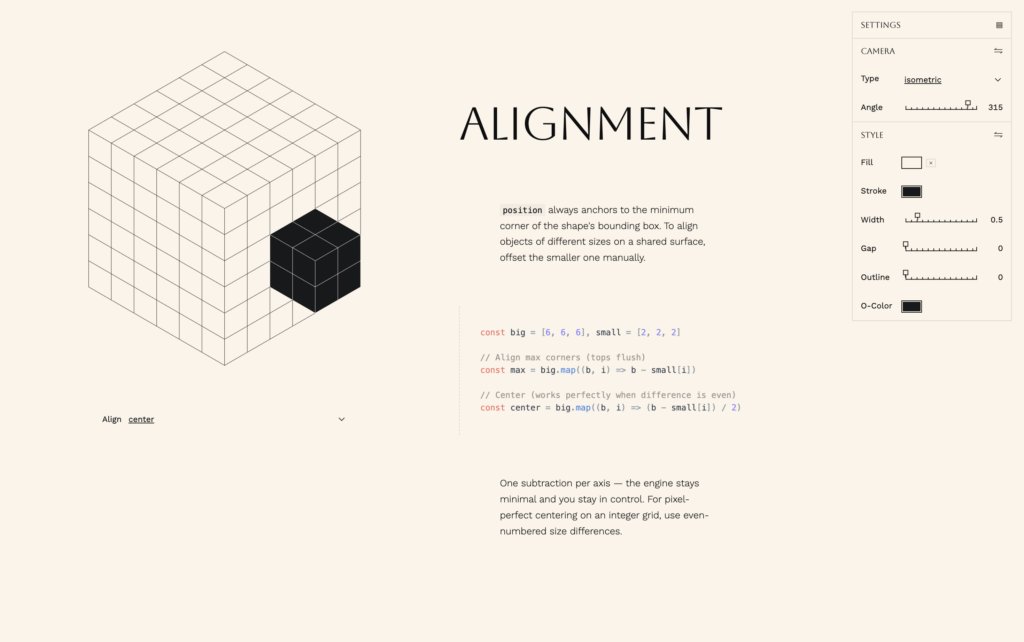
David Aerne's Heerich.js represents an interesting intersection of art and web technology. Inspired by the sculptures of Erwin Heerich, this tiny engine enables developers to create 3D voxel scenes rendered as SVG. The most compelling aspect is that these scenes can be styled using CSS variables, bringing the familiar power of CSS styling to 3D graphics.
What makes this particularly noteworthy is how it bridges the gap between 3D graphics and web technologies. By leveraging SVG and CSS, developers can create 3D scenes without needing to learn complex 3D libraries or WebGL. This approach lowers the barrier to entry for incorporating 3D elements into web projects while maintaining the flexibility of CSS styling.
The implementation is elegant in its simplicity. Since SVG elements can accept CSS variables, the voxel scenes become fully styleable through familiar CSS syntax. This means developers can apply colors, animations, and responsive behaviors using the same techniques they already know for regular web elements.
Polypane's Snippet Store: Streamlining Component Development
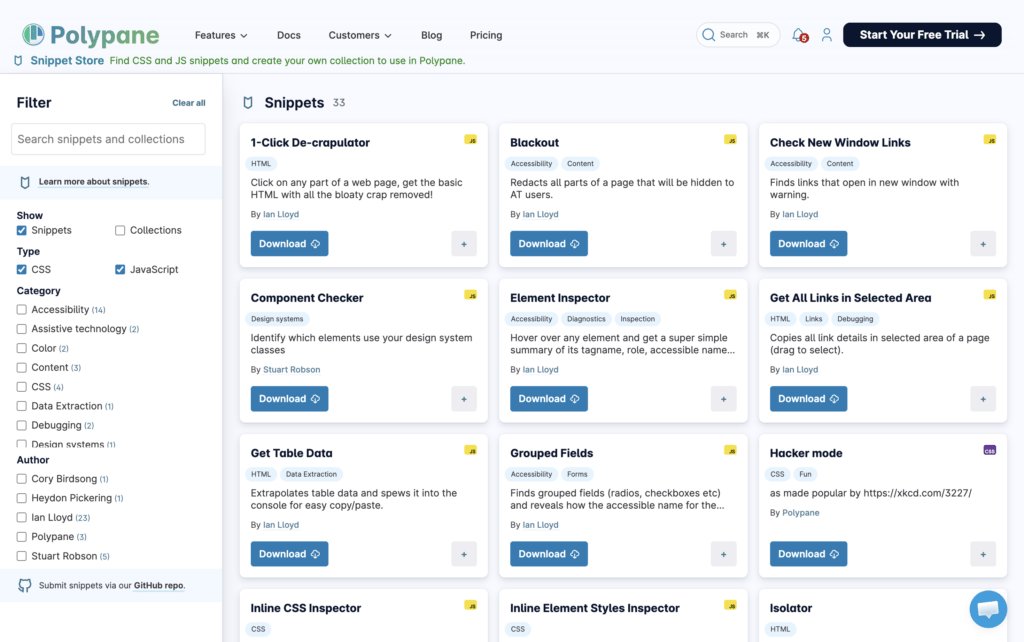
Polypane, widely regarded as one of the best browsers for web development, has launched a snippet store that addresses a common pain point: copying components without extraneous code. The "1-Click De-crapulator" (a wonderfully descriptive name) allows developers to select a component and copy just the essential HTML, stripping out all the unnecessary markup that often accompanies copied code.
This tool demonstrates an understanding of developer workflows and the frustration that comes with copying components from live websites. By providing clean, reusable code snippets, Polypane helps developers maintain consistency and efficiency in their projects. The snippet store likely includes a curated collection of commonly used components, saving developers time and ensuring best practices.
Animating Focus with View Transitions
Chris Coyier's exploration of focus animations using view transitions represents an important advancement in accessibility and user experience. The article contrasts "unnecessary motion" with WebAIM's conditional prefers-reduced-motion implementation, striking a balance between engaging animations and accessibility considerations.
Focus indicators are crucial for keyboard navigation, yet they're often overlooked in designs. By animating focus transitions, developers can make keyboard navigation more intuitive and visually apparent. This is particularly important for users with motor impairments who may rely heavily on keyboard navigation.
In the comments section, Kilian Valkhof (founder of Polypane) shared a CSS-only technique for what Coyier calls "flying focus". This approach demonstrates how pure CSS can achieve sophisticated animations without JavaScript, improving performance and maintainability.
The :nth-child() of Syntax: A Powerful CSS Selector
One of the most significant CSS additions that has flown under the radar is the :nth-child() of syntax. This selector allows developers to select elements based on their position among siblings matching a specific selector, rather than just their position among all siblings.
For example, div:nth-child(2 of .intro) means "from all siblings, select the second .intro, but only if it's a
div:nth-of-type(2), which can only select elements of the same type. The new syntax provides much more flexibility for complex selection patterns.
The syntax also works elegantly with parent selectors. Since & represents the parent selector, .intro { :nth-child(2 of &) { /* ... */ } } means "from all siblings, select the second .intro within .intro". This capability simplifies styling complex component hierarchies.
Browser support for this syntax is now considered "Baseline," meaning it's widely supported across modern browsers. This makes it a safe option for production projects targeting contemporary browsers.
Understanding the Range Syntax for Media and Container Queries
The range syntax introduces a more readable approach to writing media and container queries using comparison operators (>, <, >=, <=). For example, instead of writing @media (min-width: 768px) and (max-width: 1024px), developers can now write @media (768px <= width <= 1024px), which is more intuitive and easier to read.
Ahmad Shadeed provided an excellent explanation of how the range syntax works, but it's important to pay close attention to browser support. Container queries and their range syntax are being implemented at different times across browsers. For instance, container style queries are shipping in Firefox 151, but the range syntax for these queries requires a flag.
This staggered implementation can lead to confusion if developers aren't careful. The range syntax represents a significant improvement in readability for responsive design queries, but developers need to test thoroughly across browsers and use appropriate fallbacks until support becomes more consistent.
Mastering Scroll-Driven Animations
Scroll-driven animations have been a hot topic in web development, but they can be particularly challenging to understand, especially those using the view() timeline. Josh Comeau's comprehensive explanation makes these complex concepts more accessible to developers.
The article emphasizes the importance of mastering scroll-driven animations before scroll-triggered animations become more widespread. This sequencing makes sense because scroll-driven animations provide a foundation for understanding how scroll positions can drive animations, which is a prerequisite for more complex scroll-triggered behaviors.
The practical examples and clear explanations help demystify these advanced animation techniques, empowering developers to create more engaging and performant scroll-based experiences. As web applications increasingly use scroll as an interaction mechanism, understanding these techniques becomes essential.
Chrome 148 Updates: New Web Platform Features
Chrome 148 brings several significant updates to the web platform:
- Name-only container queries (now Baseline): This feature allows developers to create container queries based on element names rather than requiring specific CSS properties to be set.
- revert-rule keyword: Provides a way to explicitly revert a property to its inherited or initial value.
- @rule() function for feature queries: Enhances the ability to test for CSS features dynamically.
- loading attribute for /: Provides more control over media loading behavior.
Notably, Safari lacks support for several of these features, highlighting the ongoing challenge of maintaining cross-browser compatibility for cutting-edge web technologies.
Safari 26.5: New CSS and JavaScript Features
Safari 26.5 introduces several noteworthy features:
- :open pseudo-class (now Baseline): Allows styling elements based on their open/closed state, useful for details/summary elements and other disclosure widgets.
- Updated random() function: Provides more powerful random number generation capabilities.
Chrome and Firefox currently lack support for the updated random() function, demonstrating how browser implementations can vary even for seemingly straightforward features.
The Importance of Staying Current
These developments illustrate the rapid pace of innovation in web technologies. New syntaxes, features, and tools are constantly emerging, each offering new ways to create more engaging, accessible, and performant web experiences.
For developers, staying current with these changes is both a challenge and an opportunity. On one hand, it requires continuous learning and adaptation. On the other hand, these new capabilities allow for more sophisticated and efficient solutions to common web development problems.
The emergence of tools like Heerich.js and Polypane's snippet store also shows how the developer ecosystem is creating specialized tools to address specific pain points, improving the overall developer experience.
As we look to the future, we can expect continued innovation in areas like 3D graphics on the web, advanced animation techniques, and more powerful CSS capabilities. The key for developers is to balance experimentation with practicality, adopting new technologies where they provide clear benefits while maintaining compatibility with the broader web ecosystem.
Comments
Please log in or register to join the discussion