
Google is integrating Gemini AI directly into Gmail with features designed to transform email from a constant stream into an organized workflow. While some additions like Help Me Write may feel redundant, the introduction of AI Inbox and Smart Overviews targets the core pain points of information overload and buried context.
For anyone who has watched their inbox swell past the point of manageability, the promise of AI assistance is met with a healthy dose of skepticism. We have seen AI draft responses and suggest subject lines, but the fundamental experience of email—sorting, prioritizing, and hunting for that one critical message—has remained largely unchanged. Google's latest push with Gemini inside Gmail aims to shift that paradigm, not just by automating composition, but by restructuring how we interact with our mail entirely.
In a recent announcement, Blake Barnes, Google's Vice President of Product for Gmail, outlined the company's vision for a "personal, proactive inbox assistant." The driving force is simple: email volume is at an all-time high, and the sheer act of managing the flow of information has become as demanding as the emails themselves. This isn't just about adding a chatbot; it is about fundamentally rethinking the inbox as a workspace rather than a chronological dump.

The Gemini Feature Set: Hits and Misses
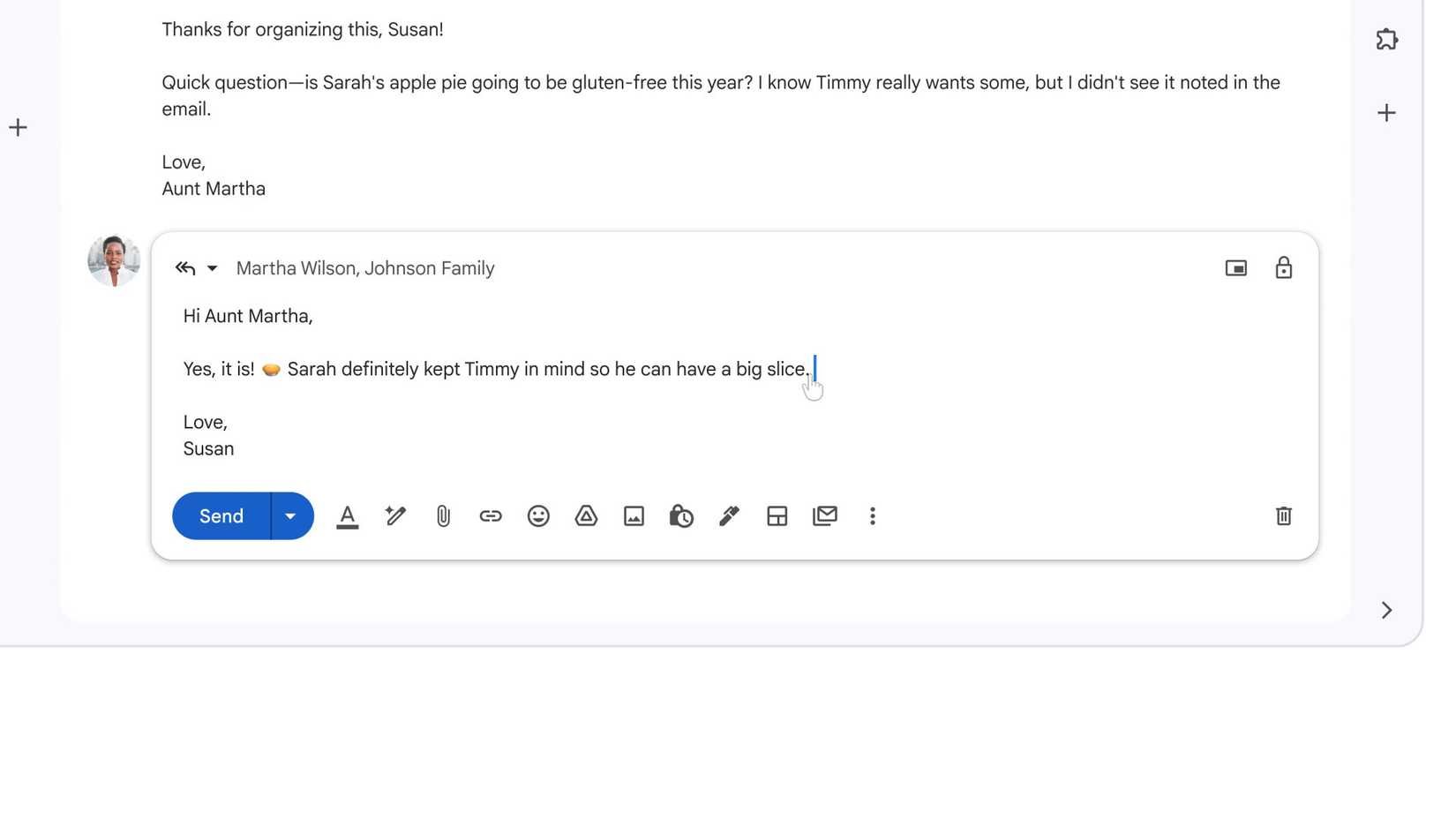
Google is rolling out a suite of features powered by its Gemini models, and not all of them are created equal. The standard AI writing aids are present and accounted for. Help Me Write allows the AI to generate entire emails from scratch based on a simple prompt, effectively automating the drafting process for common requests. Suggested Replies have been upgraded from the basic smart replies we are used to, now promising to better match a user's specific tone and context. Then there is Proofreading, a feature that checks grammar, style, and clarity.
While these tools are technically impressive, they represent an evolution of features we have already seen. For many users, especially those who already subscribe to tools like Grammarly, the value proposition is tied directly to the cost of admission. Access to Proofreading and the more advanced composition tools is gated behind Google's premium AI subscriptions: the Google AI Pro plan at $20 per month or the Ultra tier at $249 per month. If you are not already invested in that ecosystem, these features might feel like nice-to-haves rather than essential upgrades.
AI Inbox: Prioritization Over Presentation
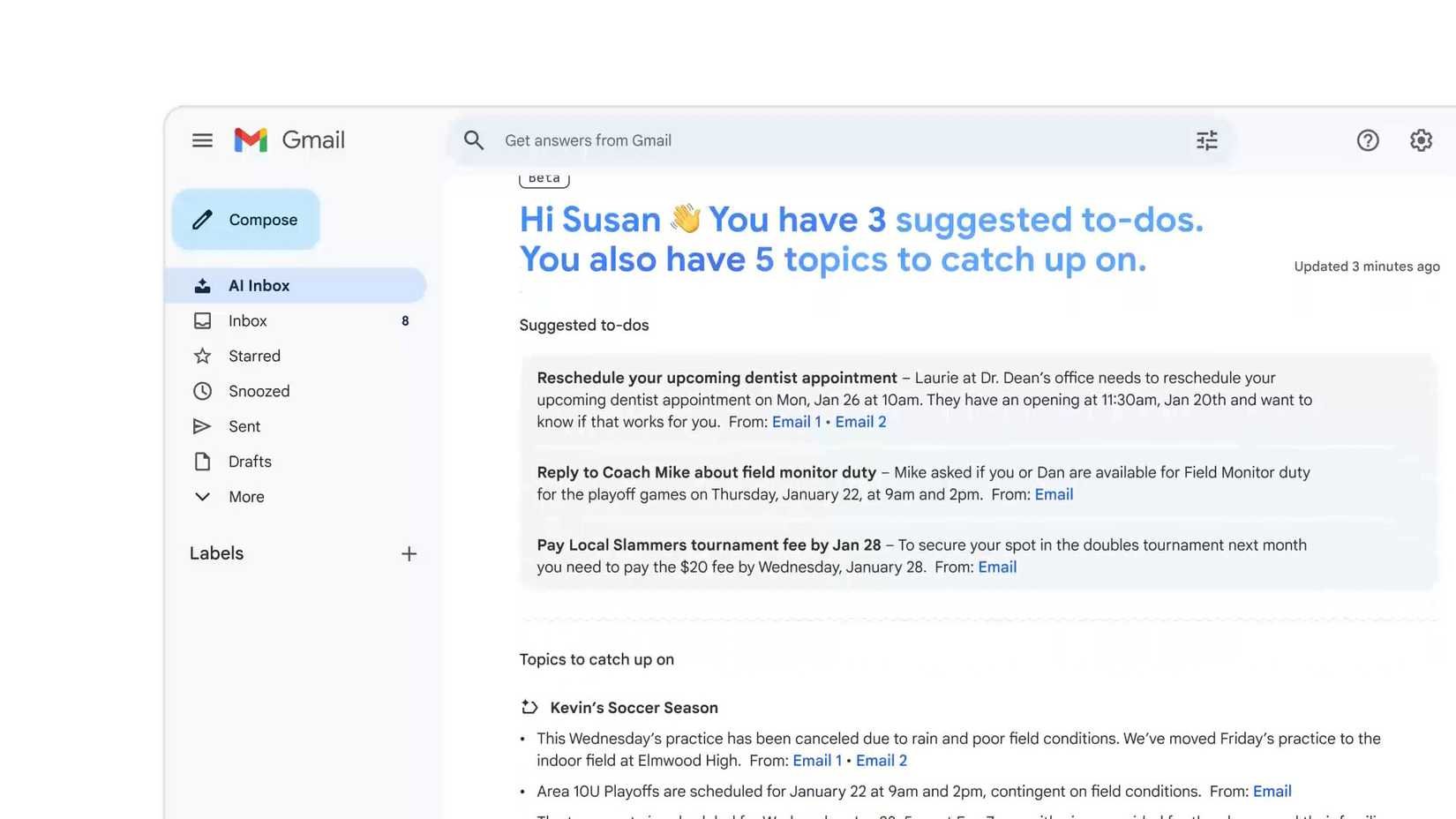
Where things get genuinely interesting is with the features that tackle inbox structure. AI Inbox is perhaps the most significant shift in Gmail's interface in years. Instead of the traditional vertical list of subject lines and snippets, AI Inbox generates a personalized briefing.
Think of it as a morning briefing for your email. The feature scans your inbox and surfaces:
- To-do lists: Action items extracted from emails, such as "Submit the Q3 report by Friday" or "Confirm flight details."
- Summaries: Brief digests of longer email threads or newsletters, giving you the gist without needing to open each one.
- Prioritized messages: The emails that require your immediate attention are pushed to the top, while lower-priority notifications and newsletters are filtered out of the immediate view.
This approach moves Gmail from a passive notification system to an active task manager. The goal is to reduce the cognitive load of sifting through hundreds of messages to find the two or three that actually require your input. Currently, AI Inbox is rolling out to a limited group of "trusted testers" in the US using consumer Gmail accounts, with Workspace accounts slated to get access later.
Smart Overviews: Finding the Needle in the Haystack
The second major utility play is Smart Overviews. If AI Inbox is about managing what is new, Smart Overviews is about making sense of what is old. We have all been there: you remember an email from years ago containing a specific detail—a shipping address, a contract clause, a password reset link—but finding it means navigating a labyrinth of search terms and scrolling.
Smart Overviews turns Gmail's search bar into a natural language query engine. You can ask, "What was the address for the client meeting in Chicago last spring?" or "Find the email where Sarah mentioned the budget increase," and the AI will parse your request, dig through threads, and provide a direct answer.
This mirrors the functionality of Google's Search AI Overviews, but applied to the private, unstructured data within your inbox. It relies on the AI's ability to understand context and nuance, rather than just keyword matching. For power users buried in years of email history, this could be a massive time-saver.

The Ecosystem and Rollout
The integration of these features signals Google's broader strategy: embedding AI deeply into its core productivity suite to justify its subscription tiers. While the basic AI features might trickle down to free users eventually, the truly transformative tools—like the full AI Inbox and advanced Smart Overviews—are likely to remain premium differentiators.
For Workspace users, the implications are even larger. The ability to summarize long internal threads or pull action items from group conversations could standardize how teams communicate. However, the current rollout is focused on individual consumers, suggesting Google wants to refine the experience before bringing it to the enterprise environment where data privacy and accuracy are paramount.
Ultimately, Google is betting that the future of email isn't about writing faster, but about processing smarter. By turning the inbox into a prioritized briefing and search into a conversation, they are addressing the actual stress of email management. If these features deliver on their promise, the "reinvention" of Gmail might be the first AI upgrade that feels less like a gimmick and more like a genuine necessity.
Comments
Please log in or register to join the discussion