
A new image‑diffing engine, Honeydiff, outpaces the industry’s go‑to libraries by an order of magnitude, unlocking richer analysis and faster feedback for developers. The article explores the technical innovations, benchmark results, and practical implications for visual testing workflows.
Honeydiff vs. the Status Quo
Visual testing has long relied on a handful of pixel‑comparison engines that, while functional, never pushed beyond a basic “are these images different?” check. The new Rust‑based Honeydiff engine claims to break that ceiling, delivering an 8‑ to 16‑fold speed increase and a suite of analytical features that were previously impractical.
The Landscape Today
Most visual‑testing tools—Playwright, Percy, Chromatic, Applitools—use a pixel‑matching library at their core. The de‑facto standard, pixelmatch, is pure JavaScript, single‑threaded, and easy to embed. Its simplicity, however, limits scalability; once screenshots exceed a few million pixels, the single‑threaded loop becomes a bottleneck.
Enter odiff, an open‑source engine originally written in OCaml and later rewritten in Zig with SIMD optimizations. It is the fastest publicly available image‑diff tool, but it remains single‑threaded and was designed as a general‑purpose library, not a visual‑testing backbone.
Why Honeydiff Was Built
The founder of Vizzly, after four years at Percy, found the existing engines unsatisfactory for modern, large‑scale visual testing. The key pain points were:
- Limited performance on high‑resolution, full‑page screenshots.
- Lack of advanced analysis—no spatial clustering, perceptual scoring, or intensity statistics.
- Dependency risk—building a commercial platform on a third‑party library introduces maintenance and feature‑lock concerns.
Honeydiff was conceived to address these gaps from the ground up, offering a modular, extensible engine that could be tuned for specific workflows.
Benchmarking the Difference
The author ran a head‑to‑head comparison on an Apple Silicon Mac (macOS 24.6.0) using production screenshots:
| Image Size | Honeydiff | pixelmatch | odiff 4.1.1 |
|---|---|---|---|
| 2.5 M px (dashboard) | 20 ms | 80 ms | 240 ms |
| 2.1 M px (Full‑HD) | 15 ms | 80 ms | 240 ms |
| 18 M px (full‑page) | 80 ms | 450 ms | 710 ms |
Speed wins: Honeydiff processes an 18‑million‑pixel screenshot in under 0.1 s, a performance that would make a CI pipeline feel instantaneous.
Why the Gap Exists
- Parallelism: Honeydiff uses Rayon for work‑stealing across all CPU cores, saturating 2–3 cores on an M‑series chip. pixelmatch and odiff are single‑threaded.
- Lazy computation: Core pixel comparison is lean; optional features (SSIM, clustering, intensity stats) run only when requested.
- Early exit: A
maxDiffsthreshold stops the comparison as soon as the limit is reached—ideal for quick‑fail CI checks.
The result is a throughput of 127–227 million pixels per second, depending on image characteristics.
Accuracy Matters
Speed is meaningless if the results are wrong. In RGB mode with no anti‑aliasing, Honeydiff matches odiff’s pixel‑perfect parity:
Honeydiff: 11,726 different pixels (0.46%)
odiff 4:   11,726 different pixels (0.46%)
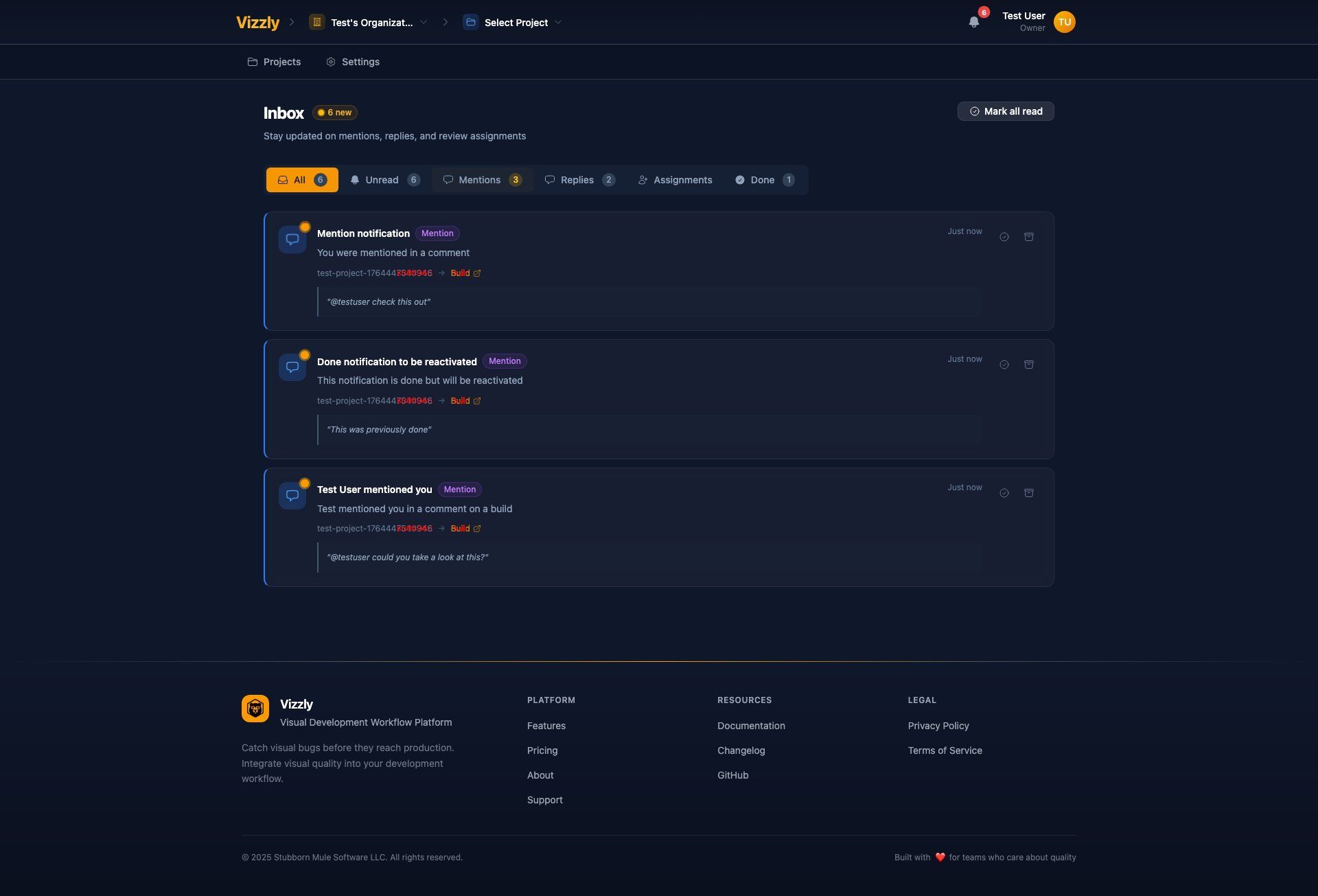
When anti‑aliasing is enabled, Honeydiff detects 11,914 differing pixels versus odiff’s 702. The higher count reflects a more conservative approach that flags real changes missed by odiff’s aggressive filtering.
Rich Analysis Beyond Pixel Counts
Visual testing tools traditionally answer a single question: Are these images different? Honeydiff expands the scope:
- Spatial clustering groups adjacent differing pixels into distinct bounding boxes, providing context such as three separate regions changed instead of 5,000 pixels.
- SSIM perceptual scoring evaluates structural similarity, guarding against false positives where a minor pixel change shifts layout.
- Intensity statistics (min, max, mean, std‑dev) reveal the nature of the change—whether a single pixel glitch or a widespread color shift.
These features are opt‑in, allowing developers to balance depth of insight against performance.
Visual Example
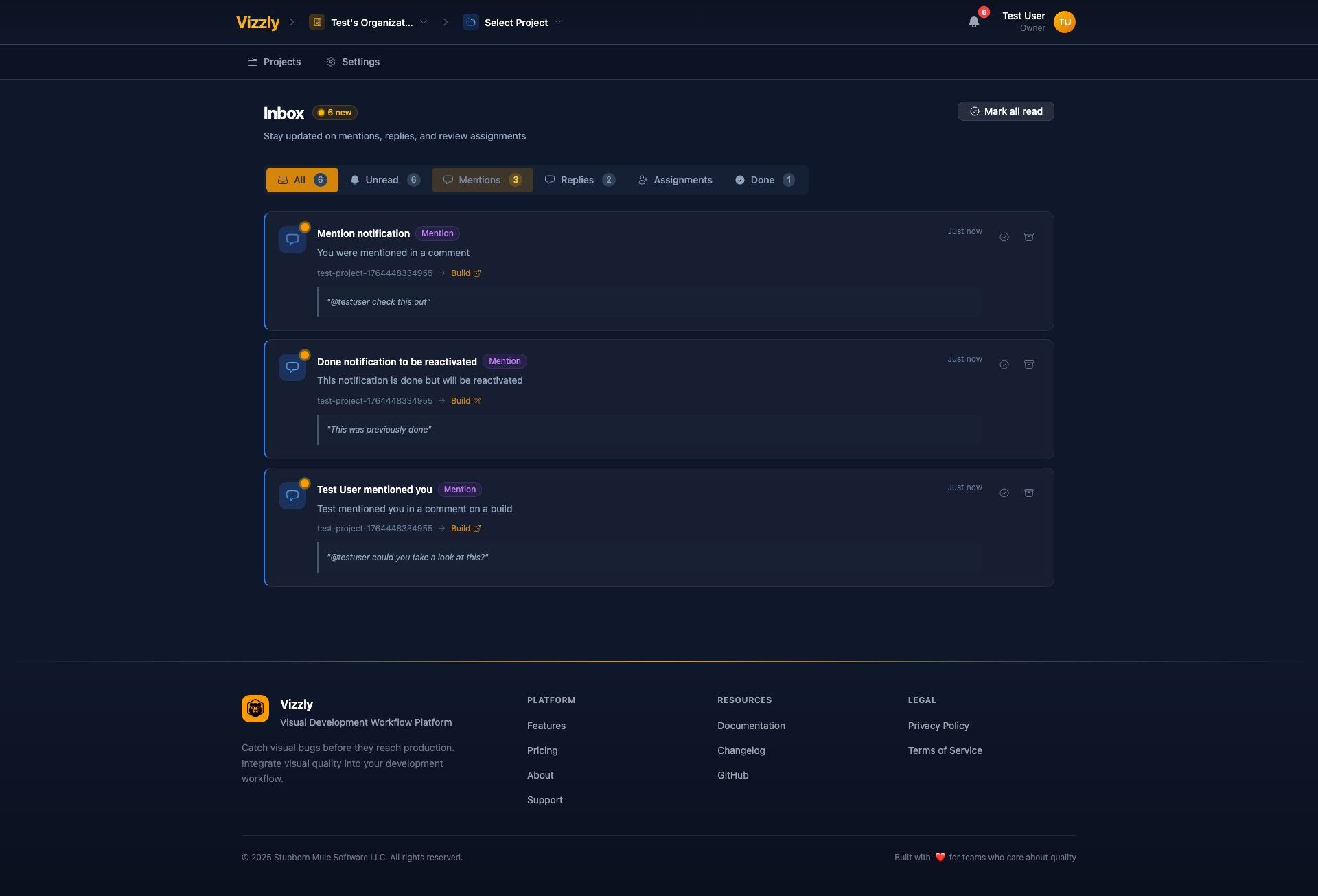
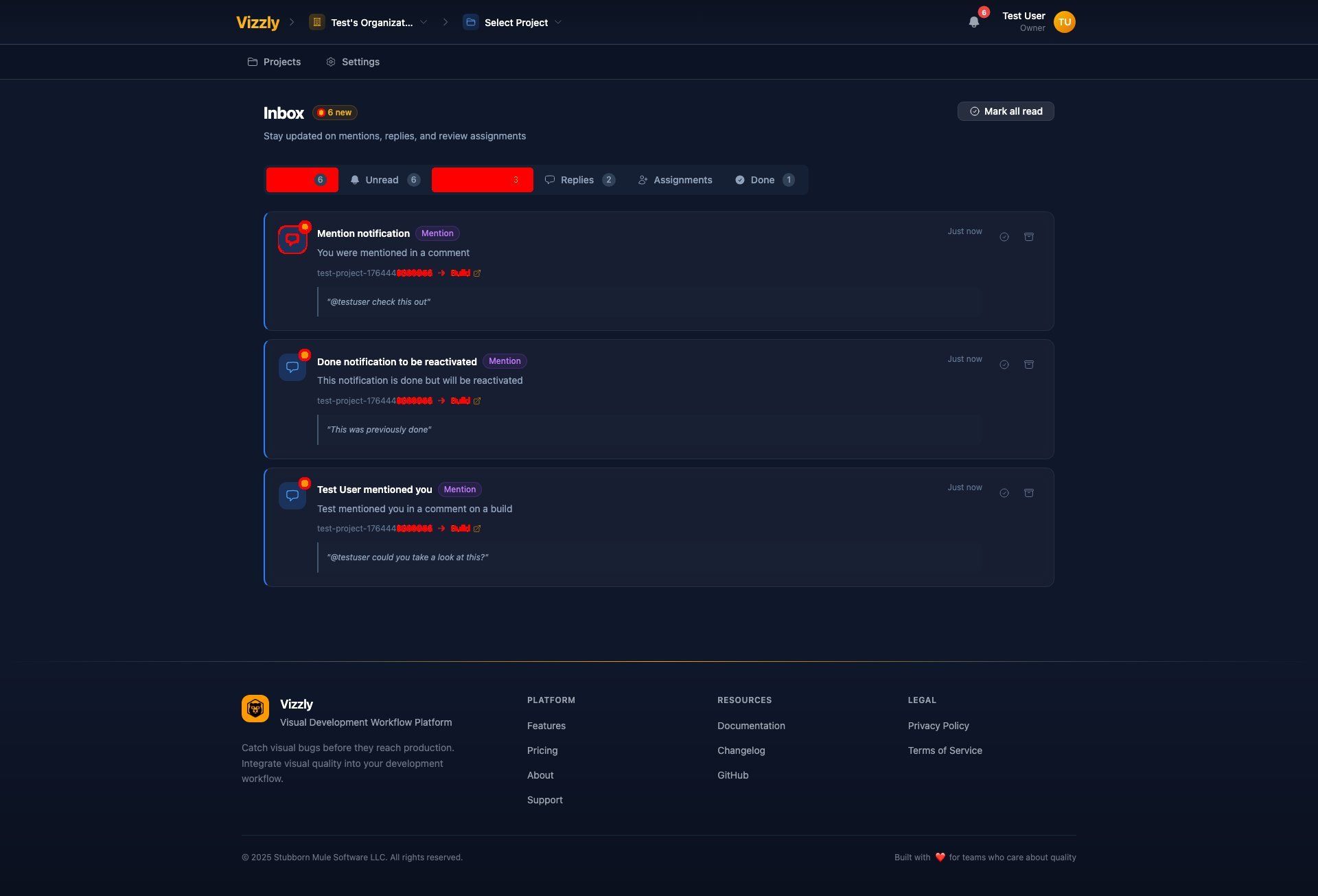
The following screenshots illustrate a baseline notification, its current version, and the diff outputs from Honeydiff and odiff:
{{IMAGE:5}}
The Honeydiff diff highlights 11,914 pixels, capturing subtle changes that odiff missed.
Practical Impact
- Local Development: With a 20 ms comparison, visual feedback arrives before a developer finishes scrolling, enabling rapid iteration.
- Continuous Integration: A suite of 200 screenshots that would take 48 s with odiff runs in just 4 s with Honeydiff, eliminating CI bottlenecks.
- Feature‑Rich Testing: The ability to auto‑approve “hot spots” based on SSIM and clustering reduces manual review of dynamic content.
Using Honeydiff in Your Projects
Honeydiff is available as an NPM package:
npm install @vizzly-testing/honeydiff
import { compare, quickCompare } from '@vizzly-testing/honeydiff';

// Boolean check
const identical = await quickCompare('baseline.png', 'current.png');

// Full comparison with advanced data
const result = await compare('baseline.png', 'current.png', {
  antialiasing: true,
  includeClusters: true,
  includeSSIM: true,
});

console.log(result.diffPercentage);   // 0.33
console.log(result.diffClusters);     // spatial regions
console.log(result.perceptualScore);  // SSIM score
Pre‑built binaries for macOS, Linux, and Windows are also provided.
Looking Ahead
The architecture that powers Honeydiff opens doors beyond visual testing. Planned features include:
- Accessibility testing—WCAG color‑contrast analysis with a 98 %+ false‑positive reduction.
- Color‑blindness simulation to preview UI under different visual impairments.
These capabilities are made possible because the engine was built with extensibility and performance as core principles.
The Bottom Line
Honeydiff delivers a measurable performance advantage, richer analytical data, and a clean separation from third‑party dependencies. For teams that rely on visual testing as part of their development and CI pipelines, the engine offers a tangible upgrade that keeps pace with the growing scale and complexity of modern web applications.
Comments
Please log in or register to join the discussion