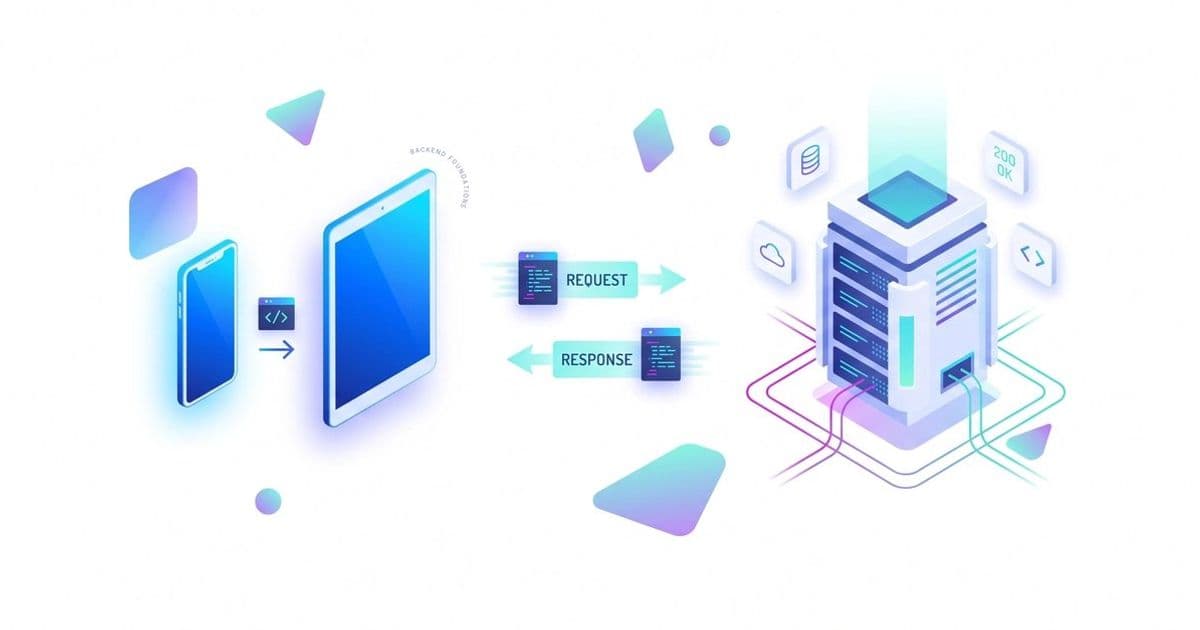
An in-depth exploration of HTTP protocol fundamentals, statelessness, message structure, API design patterns, and practical implementation strategies for backend engineers.
HTTP Protocol Deep Dive: Everything Every Backend Engineer Must Know
This post is an in-depth explanation of HTTP (Hypertext Transfer Protocol), the core foundation of the internet. Whenever your frontend (browser or mobile app) communicates with a backend server, it happens through HTTP. The post explains that HTTP is inherently stateless — meaning the server does not remember previous interactions and treats every new request as independent. It also covers the different parts of an HTTP message (method, URL, headers, body) and their roles in detail. Headers are compared to address labels on a courier parcel that carry important extra information (metadata). The post further discusses API design best practices, including the correct use of HTTP methods (GET, POST, PUT, PATCH), CORS (Cross-Origin Resource Sharing), the importance of status codes (200, 404, 500), and techniques like caching and compression to improve server performance.
Key Concepts Breakdown
1. Statelessness
Simple Explanation: The server does not store any memory of previous requests. Every request must be self-contained, meaning it should include all necessary information (such as authentication tokens) to be processed.
Why It Matters: This makes backend architecture simple and highly scalable. If one server goes down, another server can handle the request without losing any session data.
2. HTTP Headers (Metadata)
Simple Explanation: Headers are key-value pairs that provide additional information about the request or response. Examples include which browser the client is using (User-Agent), the expected response format (Accept: application/json), or whether the user is authenticated (Authorization).
Why It Matters: They make communication between frontend and backend flexible without modifying the actual data in the body.
3. Idempotent vs Non-Idempotent Methods
Simple Explanation: A method is idempotent if calling it once or multiple times produces the same result on the server (e.g., GET, PUT, DELETE). If each call creates a different result, it is non-idempotent (e.g., POST).
Why It Matters: When the network fails and the client retries a request, you need to know whether retrying is safe or if it might create duplicate entries.
4. CORS & Pre-flight Requests (OPTIONS)
Simple Explanation: For security reasons, browsers block direct API calls from one domain to another. For complex requests (such as those with JSON data or custom headers like Authorization), the browser first sends an OPTIONS request (pre-flight) to ask the server for permission.
Why It Matters: Without proper CORS setup, browsers will reject third-party API calls — one of the most common issues in frontend-backend integration.
5. HTTP Status Codes
Simple Explanation: These are three-digit numbers that indicate the result of a request: 2xx (Success), 3xx (Redirection), 4xx (Client errors like 400 Bad Request or 404 Not Found), and 5xx (Server errors).
Why It Matters: Frontend applications can use these codes to show appropriate messages or update the UI without always parsing the response body.
6. Caching (E-Tags & 304 Not Modified)
Simple Explanation: If the data has not changed, the server sends a 304 Not Modified status instead of the full response. The browser then uses its locally cached version.
Why It Matters: This saves bandwidth and can improve application speed by up to 10 times.
Real Job Scenario
Problem Context: You are working on an AI-driven Document Intelligence platform called LexAI. Your frontend (React/Vite) is running on http://localhost:5173 and your backend API (FastAPI) is on http://localhost:8000. When a user uploads a PDF, the frontend sends a POST request with Authorization: Bearer and Content-Type: application/json, but the request fails. The browser console shows a red "CORS Error", while the backend logs show no incoming request.
Why It's Difficult: The frontend engineer thinks the backend is down, while the backend engineer insists the code is correct and no request is reaching the server. Hours are wasted in debugging.
How This Concept Helps: Understanding CORS and pre-flight requests solves this issue directly. Since the frontend and backend are on different ports (5173 to 8000) and the request includes non-simple headers (Authorization) and content type (application/json), the browser sends an OPTIONS request first to check permissions.
Step-by-Step Solution:
- Check Network Tab: Open browser developer tools and look at the Network tab. You will see an OPTIONS request failing before the actual POST request.
- Identify the Block: The backend is not properly handling the OPTIONS request or not returning the correct Access-Control-Allow-Origin headers.
- Backend Fix: Configure CORS middleware in your backend (FastAPI, Django, etc.).
- Configure Origins & Headers: Add http://localhost:5173 to the allowed origins and explicitly allow Authorization and Content-Type in Access-Control-Allow-Headers.
- Cache Pre-flight: Set the Access-Control-Max-Age header so the browser caches the pre-flight response (e.g., for 24 hours) and avoids sending OPTIONS on every request.
Final Result: The pre-flight check passes (returning 204 No Content), the original POST request succeeds, and the blocker between the API and UI teams is resolved.
Practical Implementation Guide
Step 1: Always use the correct HTTP methods.
Use POST to create new records, PATCH for partial updates, and PUT only when completely replacing a resource.
Step 2: Standardize status codes.
Return 401 Unauthorized for unauthenticated users, 403 Forbidden for permission issues, and 500 for server errors. Avoid sending all errors as 200 OK with custom JSON messages.
Step 3: Enable data compression.
For APIs returning large JSON responses, turn on Gzip or Brotli compression at the server level (NGINX or API Gateway). This can reduce a 25MB payload down to 3MB.
Step 4: Handle large file uploads properly.
For images, videos, or PDFs, use multipart/form-data instead of JSON to allow streaming and prevent server crashes.
Technical Insights & Tradeoffs
HTTP's stateless nature is perfect for horizontal scaling and load balancing because no server needs to remember user sessions. The tradeoff is that every request becomes larger as you must send authentication tokens (like JWTs) with each call.
Common Mistake: Many developers use PUT for partial updates. PUT means complete replacement and is idempotent. For updating just one field (like phone number), PATCH should be used.
When NOT to use HTTP Caching: Avoid it for real-time dashboards or AI-generated streaming content (like ChatGPT). In such cases, WebSockets or Server-Sent Events (SSE) are better choices.
Workplace & Career Impact
Deep knowledge of HTTP helps you make better technical decisions in system design and confidently justify your choices during architecture discussions. Status codes act as a universal language that improves collaboration between frontend and backend teams. Mastering these fundamentals moves you from being just a framework developer to a true Software Architect.
Quick Recap
HTTP is a stateless protocol that manages data transfer between client and server. Every request is self-contained and carries important metadata through headers. HTTP methods tell the server the intended action, while status codes define the outcome. Browsers enforce CORS and pre-flight requests for security. Caching, compression, and proper use of methods and codes are essential for building efficient and scalable backends.
Understanding Check Questions
You are building a profile page backend. The user wants to update only their phone number. Should you use PUT or PATCH for this action, and why?
Your system is moving from a monolith to a microservices architecture with 5 different API servers. How does HTTP's stateless property help you manage user login sessions?
A mobile app (non-browser client) and a web frontend are both sending the same POST request (with JSON and auth token) to the backend. The web app gets blocked while the mobile app works fine. What is the reason behind this difference in the context of CORS and OPTIONS requests?
Thank you for reading! I hope this deep dive helped you build a stronger understanding of HTTP and how it powers modern applications. If you found it useful, feel free to share it with other developers.
Now it's your turn — try answering the Understanding Check Questions in the comments below. I'd love to read your answers and discuss them with you. This is one of the best ways to truly internalize these concepts. Happy coding! 🚀

Comments
Please log in or register to join the discussion