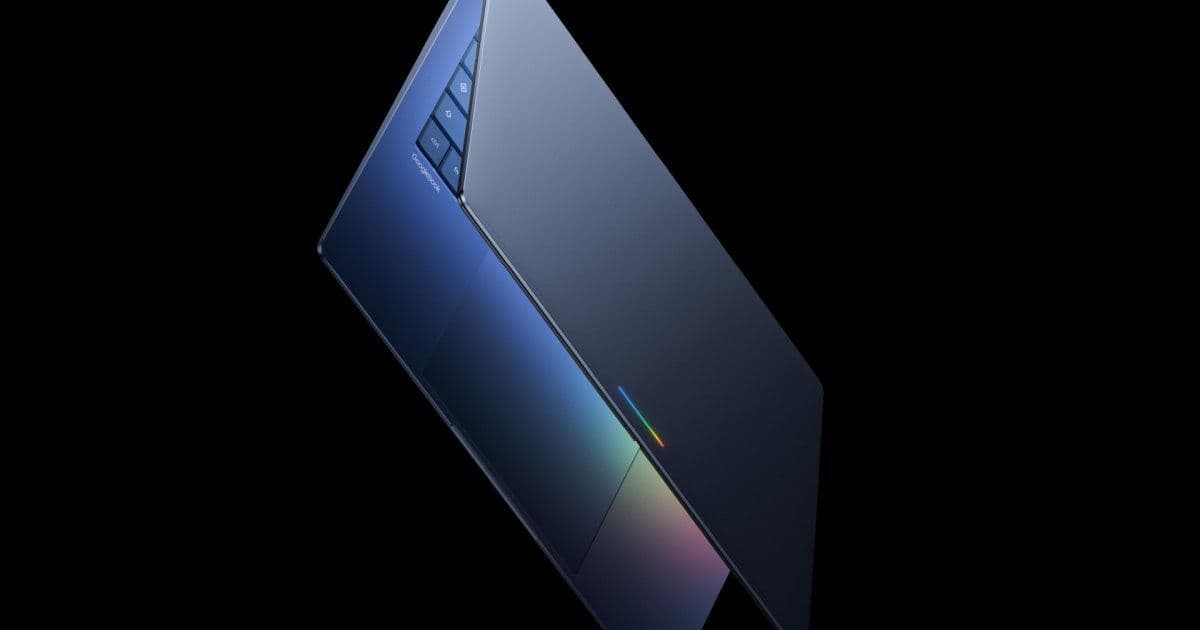
After 15 years, Google is replacing ChromeOS with Android-based Googlebook, featuring deep integration of Gemini AI while maintaining Chrome browser functionality. The new platform promises better cross-device experiences and premium hardware design.
Almost exactly 15 years after introducing the Chromebook platform, Google is revealing what comes next. Say goodbye to the Linux-based operating system built around a web browser and hello to an Android-based operating system that puts Google's Gemini AI features front and center.
The transition marks a significant shift in Google's approach to education and consumer computing. ChromeOS, with its browser-centric architecture, served as Google's entry into the laptop market, particularly in education. However, the limitations of a web-based operating system became increasingly apparent as users demanded more flexibility and app compatibility.
Platform Evolution: From ChromeOS to Googlebook
ChromeOS gradually incorporated more features over the years, including support for Android apps and the ability to run native Linux applications. These additions, however, often felt like clunky, imperfect implementations that didn't always work seamlessly. The move to an Android-based operating system with a desktop-like user interface promises to resolve these issues, ensuring that most Android apps run without compatibility problems.
Google emphasizes that this transition brings "a much better experience when you have multiple devices." The new platform will keep data and notifications synchronized across devices while allowing users to run the exact same apps on both a Googlebook and a phone. This continuity enables users to seamlessly pick up work on their Googlebook where they left off on their mobile device, or vice versa.
AI Integration: The Magic Pointer and Beyond
Google is positioning Googlebook as an OS "designed for intelligence," with Gemini capabilities baked directly into the operating system. One standout feature is the "Magic Pointer," which allows users to wiggle their mouse cursor to request contextual suggestions from Google's AI service. For example, hovering over a date in an email might prompt Gemini to offer setting up a meeting. Similarly, selecting two pictures could generate options to combine or compare them.
Another AI-powered feature enables the creation of custom widgets by using Gemini to connect data from multiple apps into "one personalized dashboard." This approach represents Google's broader strategy to integrate AI more deeply into its products, moving beyond simple assistants to contextual, system-wide intelligence.
Cross-Platform Considerations
While the shift to Android promises better app compatibility, challenges remain. Android applications not specifically designed for laptop or tablet screens may still open in phone-shaped windows, potentially limiting their usability on larger displays. This issue has plagued third-party attempts to adapt Android for desktop use over the years, with varying degrees of success.
The inclusion of a full-fledged, desktop-class Chrome browser with plugin support is noteworthy. It suggests Google recognizes that many users still rely on web-based workflows and ensures backward compatibility with existing Chromebook functionality. This hybrid approach allows users to essentially operate their Googlebook like a traditional Chromebook if desired.
Hardware Partnership and Premium Positioning
Google has been working with major hardware manufacturers including Acer, Asus, Dell, HP, and Lenovo on Googlebook devices, with the first models expected to launch later this year. The company appears eager to distance the new platform from the Chromebook's association with budget devices.
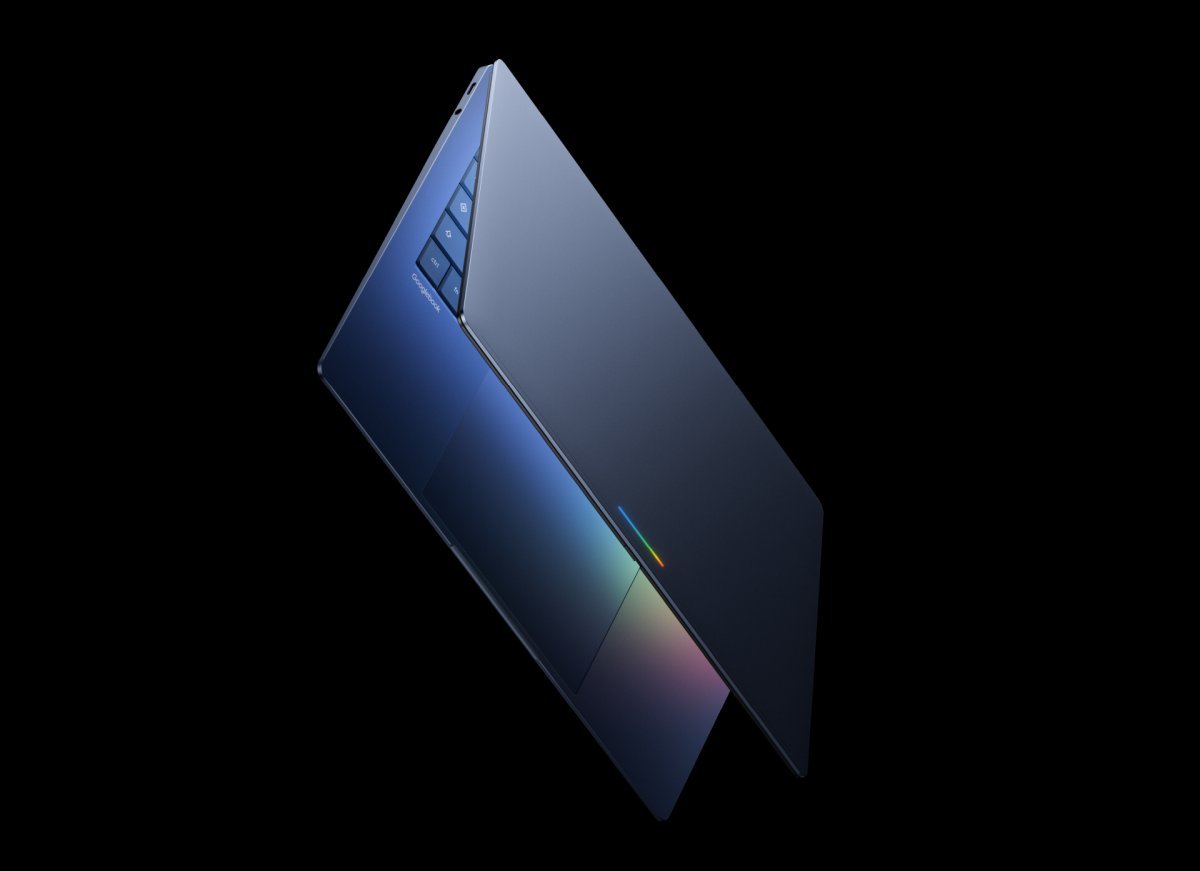
According to Google, "every Googlebook will be built with premium craftsmanship and materials, coming in a variety of shapes and services." A brief teaser video shows a laptop with a thin and light design, a fingerprint sensor, and other premium features. Notably, every model will feature a "glowbar" – an RGB light strip on the lid – a design element previously seen in the 2015 Google Chromebook Pixel, which was Google's first attempt at a premium laptop.
Developer Impact and Migration
For developers, the transition from ChromeOS to Googlebook represents both opportunities and challenges. The Android-based platform should simplify app development and deployment, as applications won't need to navigate the ChromeOS containerization system. However, developers will need to ensure their apps properly adapt to the desktop interface and take advantage of the new AI capabilities.
Google hasn't yet detailed the specific SDK versions or platform requirements for Googlebook, but developers should anticipate compatibility with modern Android development tools and frameworks. The company will likely provide documentation and migration guidelines as the launch approaches.
Cross-Platform Strategy
The consolidation of ChromeOS and Android into Googlebook reflects a broader industry trend toward operating system convergence. Microsoft has pursued a similar strategy with Windows and Android integration, while Apple continues to bridge its mobile and desktop ecosystems.
For users invested in Google's ecosystem, the transition promises a more seamless experience across devices. The ability to run the same applications on phones and laptops, combined with synchronized data and notifications, could significantly enhance productivity and user convenience.

What This Means for Chromebook Users
Current Chromebook users may wonder how this transition affects their existing devices and workflows. While Google hasn't specified the exact upgrade path, the company typically supports ChromeOS devices for several years after release. Chromebook users should continue receiving security updates and feature improvements for the foreseeable future.
The long-term support for ChromeOS devices will likely depend on hardware capabilities. Newer Chromebooks with sufficient processing power and memory might be eligible for upgrades to Googlebook, while older devices may remain on ChromeOS until they reach their end-of-life date.
First Impressions and Industry Response
The announcement of Googlebook has generated considerable discussion in the tech community. Some view it as a natural evolution of ChromeOS, addressing the platform's limitations while leveraging the strengths of Android. Others express concerns about potential privacy implications of deeper AI integration and the learning curve associated with a new operating system.
Industry analysts will be watching how Google positions Googlebook against competitors like Microsoft's Windows and Apple's macOS. The success of the platform will likely depend on several factors: hardware quality, price points, app ecosystem development, and the effectiveness of the AI features in solving real user problems.

Looking Ahead
As with any major platform transition, the coming months will be critical for Googlebook. The company will need to address numerous questions regarding hardware specifications, pricing, software features, and the upgrade path for existing ChromeOS users.
Google's ability to execute this transition smoothly will impact its position in the education and consumer laptop markets. If successful, Googlebook could establish Android as a serious desktop contender and further integrate AI into everyday computing experiences. If not, the company may face challenges in convincing users and developers to embrace yet another new platform.
For developers and IT professionals supporting Google's ecosystem, now is the time to begin familiarizing themselves with Android development tools and preparing for the eventual migration from ChromeOS. While the specific timeline remains unclear, the direction is clear: Google is betting that Android, enhanced with AI capabilities, represents the future of its laptop and desktop offerings.
Comments
Please log in or register to join the discussion