iOS 26.5 brings end‑to‑end encryption to green‑bubble RCS chats. The article explains carrier requirements, the new Settings toggle, and a quick way to see encryption status for any conversation.
iOS 26.5 upgrades Messages with encrypted RCS
Apple’s iOS 26.5 release, rolled out earlier this month, finally extends the same end‑to‑end protection that iMessage users have enjoyed for years to carrier‑based RCS chats. The feature lands in the native Messages app and is enabled by default, but developers and power users need to understand the moving parts before they can rely on it for secure communication.
Why encrypted RCS matters for cross‑platform apps
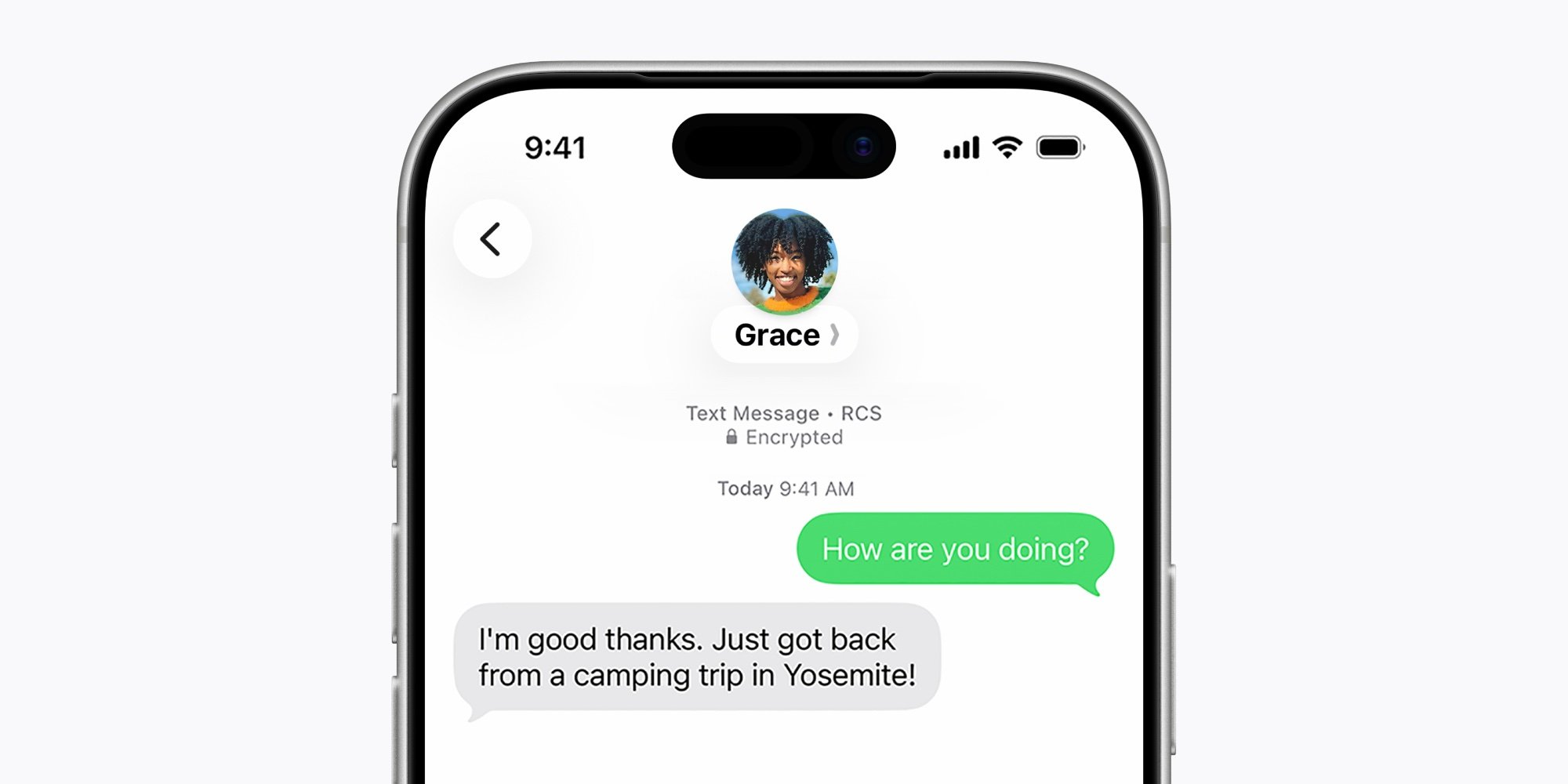
Many cross‑platform messaging solutions—Flutter, React Native, or native bridges—still have to route messages through the carrier when a user falls back to the green bubble. Prior to iOS 26.5 those messages were only protected by transport‑level TLS, leaving the content readable by the carrier or a network attacker. With end‑to‑end encryption (E2EE) now available, a single codebase can treat iMessage and RCS as equally private, simplifying compliance for GDPR, HIPAA, or any data‑sensitivity policy.
Carrier support matrix
Apple maintains a list of carriers that have implemented the required encryption keys. The current set includes:
- AT&T (US)
- Verizon (US)
- T‑Mobile (US)
- Rogers (Canada)
- Vodafone (UK & EU markets)
- Telstra (Australia)
You can view the official list on Apple’s support page here. If your carrier is missing, the toggle in Settings will still appear, but the conversation will fall back to unencrypted RCS.
Enabling and confirming the feature on your iPhone
- Open Settings → Apps → Messages → RCS Messaging.
- Verify that End‑to‑End Encryption is switched on.
- Ensure RCS Messaging itself is enabled; otherwise the toggle is greyed out.
Even with the toggle on, encryption only activates when all participants are on carriers that support the encrypted RCS profile. If any party is on an unsupported network, the chat reverts to standard RCS without encryption.
Quick way to see encryption status per conversation
The lock icon that appears at the top of a chat is useful for new threads, but it can be hard to locate in older conversations. iOS 26.5 adds a clearer indicator in the conversation details view:
- Open the chat you want to inspect.
- Tap the contact’s name or profile picture at the top of the screen.
- Scroll to the very bottom of the Details screen.
- Look for the status line:
- Encrypted – "This conversation is encrypted end‑to‑end, so messages can’t be read while they’re sent between devices."
- Not encrypted – "This conversation is not encrypted end‑to-end."
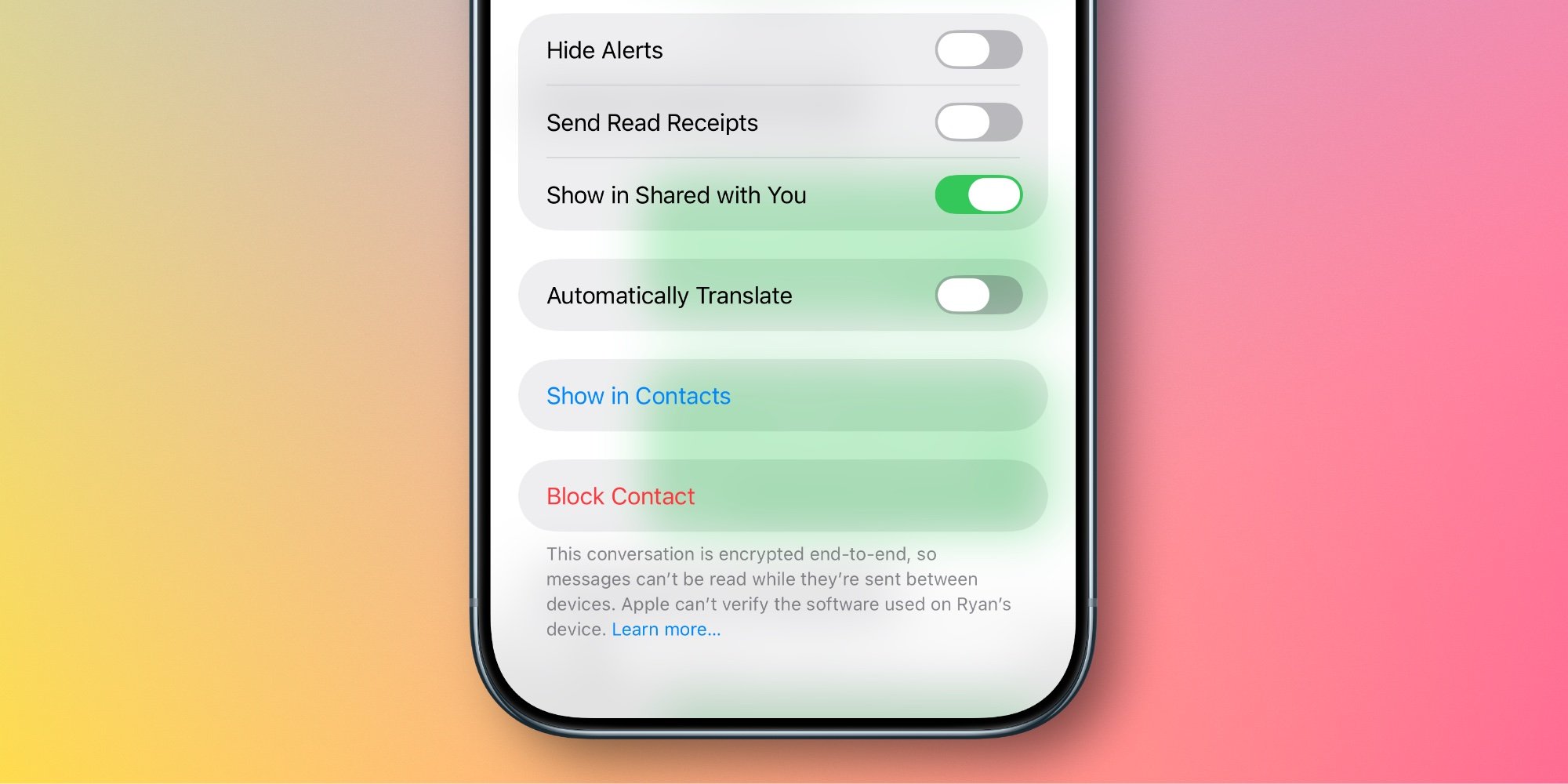
This method works for any thread, regardless of age, and removes the guesswork of whether the lock icon is currently displayed.
Impact on cross‑platform development
For teams that ship a single codebase to both iOS and Android, the new E2EE RCS on iOS narrows the feature gap that previously forced platform‑specific fallbacks. When using libraries such as React Native Gifted Chat or Flutter’s flutter_sms, you can now rely on the OS to handle encryption, reducing the need for custom key‑exchange logic.
However, keep these considerations in mind:
- Carrier variance: Android devices may already support encrypted RCS via Google’s Jibe service, but the list of supported carriers differs. Your app should surface a warning if any participant’s carrier lacks support.
- Fallback handling: Continue to provide a clear UI cue when a conversation is not encrypted, so users understand the security state.
- Testing: Use Apple’s TestFlight builds to validate the Settings toggle and the status message on devices with different carrier profiles. The Apple Developer portal offers a Carrier Simulation tool for this purpose.
Migration checklist for existing apps
| Step | Action | Why it matters |
|---|---|---|
| 1 | Update the app’s Info.plist to include NSRCSMessagingUsageDescription if you request RCS permissions. |
Prevents a runtime crash when the system prompts for RCS access. |
| 2 | Query CNContact for supportsRCS flag (available in iOS 26 SDK). |
Lets you show a per‑contact encryption badge in your UI. |
| 3 | Add a listener for RCSMessagingDidChangeNotification. |
Detects when a user toggles the encryption setting while the app is running. |
| 4 | Test with both encrypted and unencrypted carriers using TestFlight. | Guarantees graceful degradation for unsupported networks. |
Bottom line
iOS 26.5’s encrypted RCS brings parity between blue‑bubble iMessage and green‑bubble carrier chats, giving developers a unified security model across platforms. By checking the status message in the conversation details view, you can confirm that a given thread is truly protected, and you can adjust your app’s UI and logic accordingly.
Related resources
- Official Apple announcement: iOS 26.5 adds encrypted RCS messaging
- Carrier support list: Apple Support – Encrypted RCS carriers
- Flutter plugin for RCS: rcs_flutter
- React Native guide: react-native-rcs-messaging
Comments
Please log in or register to join the discussion