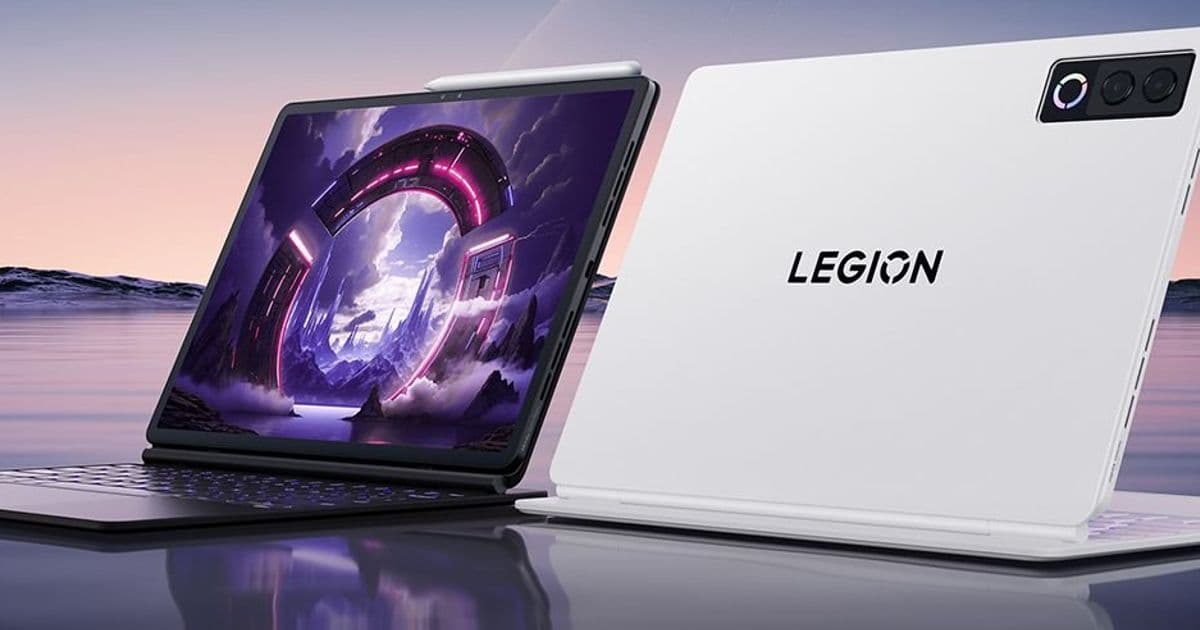
Lenovo’s new Legion Y900 tablets move beyond the 8.8‑inch format, offering high‑refresh‑rate 4K displays, Snapdragon 8 Gen 5 or Dimensity 9500S CPUs, LPDDR5x memory, UFS 4.1 storage, and optional accessories. Prices start at $450 in China, and the devices ship with Android 16.
Lenovo expands Legion Y900 line with 11‑inch and 13‑inch Android gaming tablets
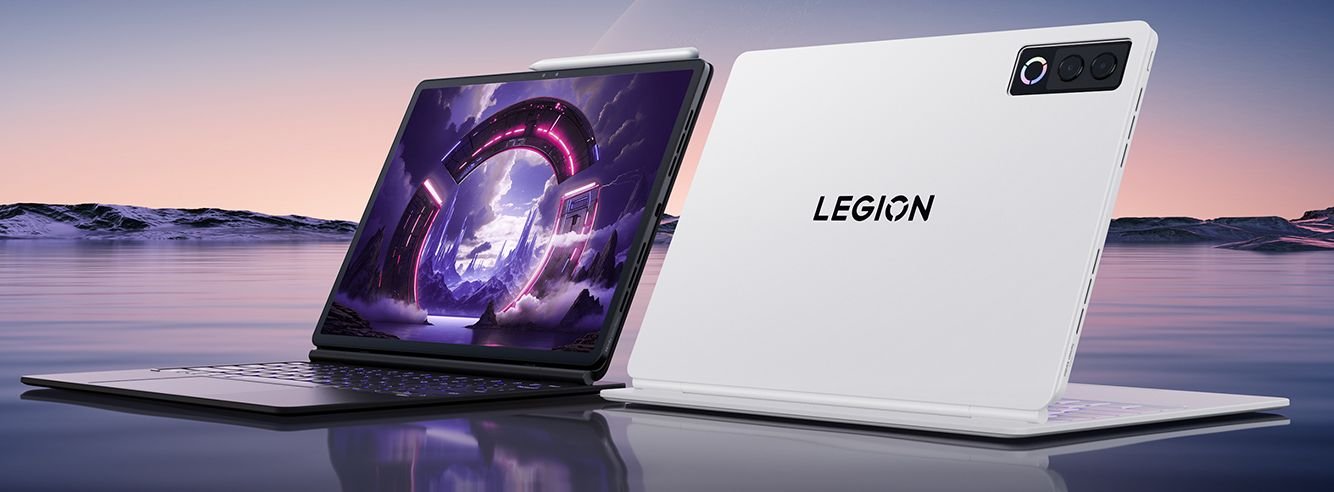
Lenovo’s Legion Y900 series, previously limited to an 8.8‑inch form factor, now includes two larger models for the Chinese market: an 11.1‑inch tablet powered by MediaTek’s Dimensity 9500S and a 13‑inch version that runs Qualcomm’s Snapdragon 8 Gen 5. Both devices run Android 16 and target the high‑end gaming tablet niche.
What’s new on the hardware side?
| Feature | Legion Y900 11.1" | Legion Y900 13" |
|---|---|---|
| CPU | MediaTek Dimensity 9500S (octa‑core, up to 3.2 GHz) | Qualcomm Snapdragon 8 Gen 5 (octa‑core, up to 3.4 GHz) |
| Display | 3840×2560 px, 144 Hz, 1100 nits peak | Same resolution and refresh, same brightness |
| Battery | 11 000 mAh | 12 700 mAh |
| Speakers | Quad‑speaker array | Six speakers (2 tweeters + 4 woofers) |
| RAM / Storage | 8 GB / 12 GB LPDDR5x; 256 GB / 512 GB UFS 4.1 | Same baseline, optional 16 GB / 512 GB configuration |
| Weight | 480 g (1.1 lb) | 599 g (1.32 lb) |
| Camera | 13 MP rear, 8 MP front | 13 MP + 2 MP rear, 8 MP front, RGB rear bar |
| Ports | USB 3.2 Gen 1 Type‑C (5 Gbps, video out, 68 W fast charge) | Same |
| Pen support | Lenovo Pen Pro 2nd‑gen, 8192 pressure levels | Same |
| Keyboard | Optional detachable RGB‑backlit keyboard with touchpad | Same |
Both tablets are only 6 mm thick, feature LPDDR5x memory, and use the latest UFS 4.1 storage standard, which translates into fast app launches and quick asset streaming for games.
Developer impact
Android 16 SDK requirements
The devices ship with Android 16, meaning developers must target API level 34 or higher to take full advantage of the OS features (e.g., improved gaming mode, higher‑refresh‑rate window management, and enhanced input handling). Existing games that already support Android 12/13 should run without modification, but to unlock the 144 Hz refresh rate you’ll need to request android:preferredRefreshRate="144" in your manifest and test on the actual hardware.
Performance considerations
- CPU choice – Snapdragon 8 Gen 5 offers a higher single‑core boost, which benefits games that rely on fast physics or AI. Dimensity 9500S is still competitive but may lag in sustained multi‑core workloads. Profiling with Android Studio’s Profiler on each device will reveal where optimizations are needed.
- Thermal envelope – The larger 13‑inch model packs a bigger battery but also a more power‑hungry SoC. Expect higher sustained temperatures under heavy load; consider using Game Mode APIs to throttle frame rates when thermal limits are approached.
- Memory bandwidth – LPDDR5x paired with UFS 4.1 provides ample bandwidth for texture streaming. Games that stream high‑resolution assets (e.g., 4K textures) should see fewer hiccups compared to older tablets.
Cross‑platform tooling
Developers using Unity, Unreal Engine, or Godot can continue to export to Android as before. However, to guarantee the 144 Hz experience you should:
- Enable variable refresh rate in the engine settings.
- Test with the Android Game SDK (available via the Android Game Development Kit) which adds APIs for controller input, haptics, and low‑latency audio.
- Verify that the optional detachable keyboard does not interfere with touch input by handling
InputDevice.SOURCE_KEYBOARDevents correctly.
Migration path for existing Legion apps
If you already ship a game for the older Legion Y700 tablets, the migration steps are straightforward:
- Update
targetSdkVersionto 34 in yourbuild.gradle. - Add a high‑refresh‑rate manifest entry as shown above.
- Test on both CPUs – use the Android Emulator with the Pixel 7 Pro (Android 16) image and attach a physical device if possible.
- Optimize texture formats – consider using ASTC 6x6 or ETC2 to balance quality and memory usage on the 4K panel.
- Leverage the new Pen API if your app includes drawing features; the 8192‑level pressure data can be accessed via
android.view.InputDevice.getMotionRange().
Availability and pricing
- 11‑inch model – starts at ¥3,200 (~$450) for the 8 GB + 256 GB configuration.
- 13‑inch model – starts at ¥4,000 (~$560) for the base spec, with a premium 16 GB + 512 GB variant priced around ¥5,200.
Lenovo has not confirmed export plans beyond China, but the company has previously released Legion tablets internationally under the Legion Tab brand, so a broader rollout is plausible.
Bottom line
The new Legion Y900 tablets bring desktop‑class performance, a 4K 144 Hz panel, and a full suite of accessories to the Android gaming tablet segment. For developers, the shift to Android 16 and the inclusion of Snapdragon 8 Gen 5 mean a modest update to SDK targets and a chance to showcase ultra‑smooth frame rates. If you’re already targeting high‑end Android devices, the Y900 line should be a drop‑in upgrade; otherwise, it offers a clear path to reach the premium mobile gaming audience.
For more details, see the official Lenovo announcement and the full spec sheets on the Lenovo website.
Comments
Please log in or register to join the discussion