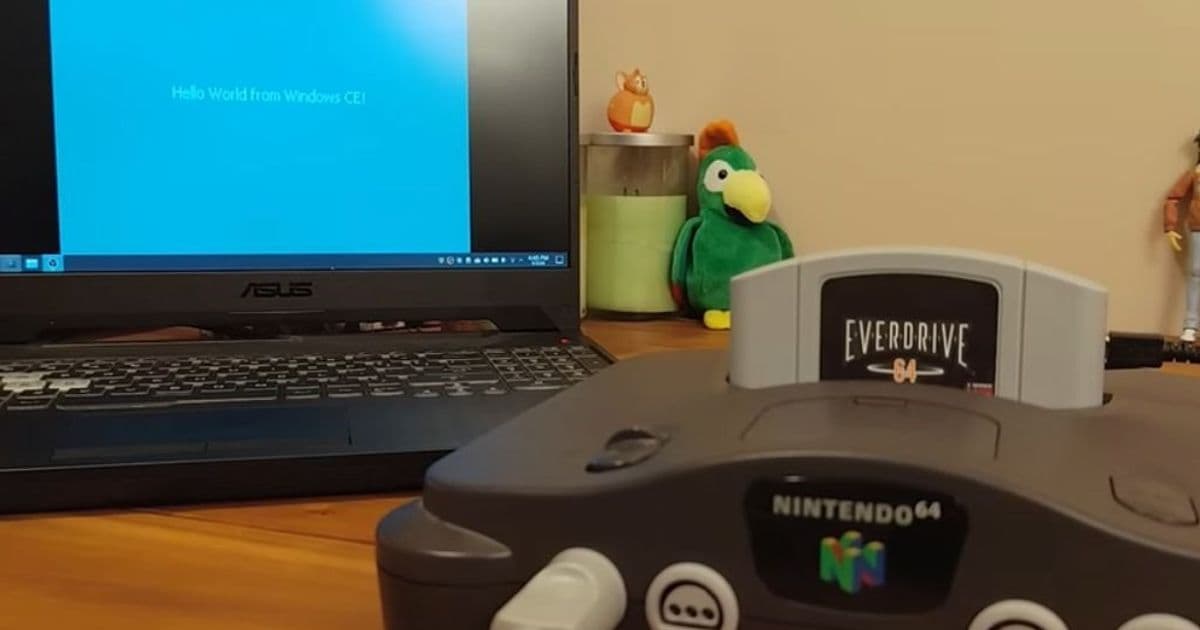
DIY developer Throaty Mumbo ports Microsoft’s Windows CE 2.11 to the Nintendo 64 using a custom EverDrive cartridge, writing every driver from scratch. The result is a fully functional desktop that boots in seconds, uses the console’s RDP GPU for acceleration and maps the N64 controller to mouse input.
Modder Gets Windows CE 2.11 Running on a Nintendo 64 – A Retro‑Hack Review
What’s new
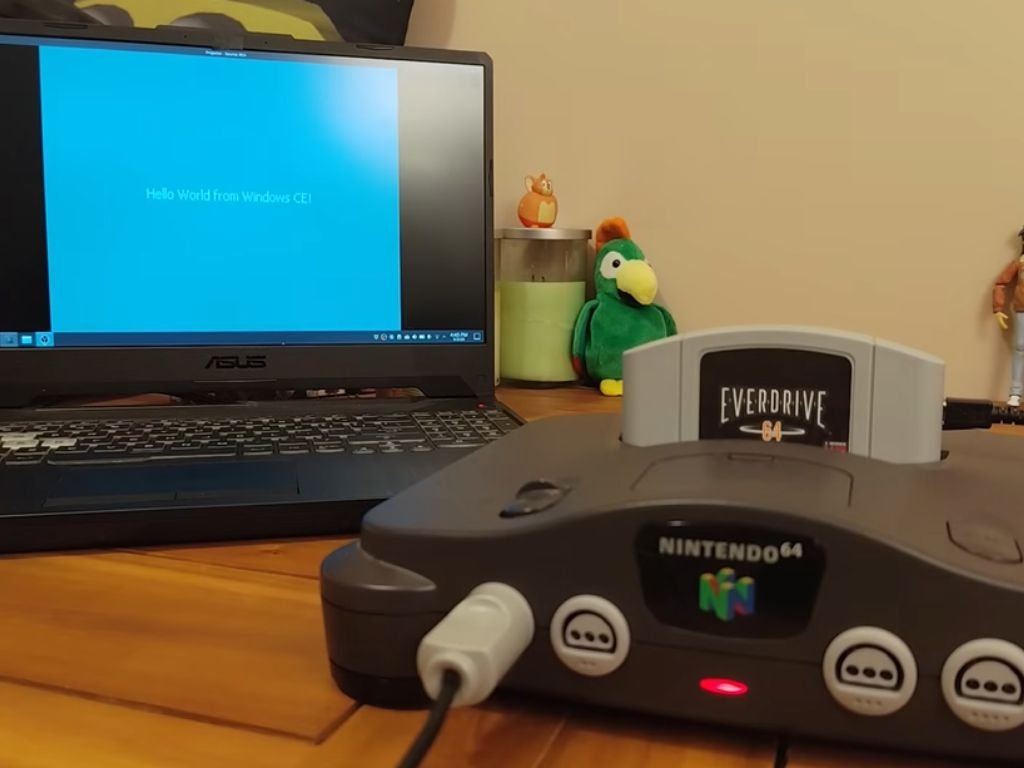
After months of reverse‑engineering, hobbyist Throaty Mumbo succeeded in loading Windows CE 2.11 onto a Nintendo 64. The project uses an EverDrive 64 X7 cartridge that stores a 3.5 MiB ROM image (named N64C4.Z64). When the console powers up, a tiny bootloader hands control to a custom kernel build that mirrors the original CE binary, then hands off to a set of home‑grown drivers for graphics, audio, and input.
Key technical points:
- CPU compatibility – Both the IBM WorkPad Z50 and the N64 share a MIPS R4300i core, allowing the CE kernel to run unmodified.
- Graphics – The port taps the N64’s Reality Display Processor (RDP) for 2‑D acceleration. A simple driver translates the CE framebuffer calls into RDP texture‑fill commands, delivering a crisp 320 × 240 desktop that refreshes at 60 Hz.
- Input – The standard N64 controller is remapped: A = left‑click, B = right‑click, analog stick = mouse movement. An official N64 mouse works natively for finer control.
- Audio – Sound is routed through the console’s RI‑RSP audio pipeline, supporting 16‑bit PCM at 44.1 kHz, which is sufficient for the system’s UI tones and the included demo games.
- Storage – An SD card inserted into the EverDrive acts as a virtual hard‑disk. CE applications compiled for the MIPS‑R4300 can be copied to the card and launched from the Start menu.
The entire setup boots in under five seconds and drops straight into a familiar Windows CE desktop with taskbar, Start menu, Recycle Bin, and a handful of pre‑installed utilities.
How it compares
| Feature | Nintendo 64 Port | Original IBM WorkPad Z50 | Modern handhelds (e.g., GPD Win 4) |
|---|---|---|---|
| CPU | MIPS R4300i @ 93 MHz (stock) | MIPS R4000 @ 100 MHz | Intel Core i5‑1135G7 @ 2.4 GHz |
| RAM | 4 MiB (CE limit) | 16 MiB | 8 GiB |
| Storage | 3.5 MiB ROM + SD card | 64 MiB flash | 256 GiB SSD |
| GPU | RDP (hardware‑accelerated 2‑D) | None (software) | Intel Iris Xe |
| Input | N64 controller ↔ mouse mapping | Physical keyboard | Touchscreen + keyboard |
| OS version | Windows CE 2.11 (1997) | Windows CE 2.11 | Windows 11 |
| Power draw | ~12 W (original PSU) | ~5 W | ~15 W |
Compared with the original WorkPad, the N64 version loses a few megabytes of RAM but gains hardware‑accelerated graphics that the tiny laptop never had. Against modern handhelds, the port is obviously limited in performance and memory, but it demonstrates that a 1990s OS can still run on a console designed for games.
Who it’s for
- Retro‑tech enthusiasts who enjoy watching a classic OS run on a piece of hardware it was never meant for. The visual novelty of a Windows CE desktop on a CRT TV is a strong draw.
- Developers interested in low‑level driver work. The public GitHub repo (https://github.com/ThroatyMumbo/CE‑N64) contains the full source for the graphics, audio, and input layers, offering a sandbox for learning MIPS assembly and N64 hardware programming.
- Collectors looking for a conversation piece. The EverDrive cartridge is inexpensive, and the ROM image is under 4 MiB, so the modification does not risk bricking the console.
- Anyone hoping to run legacy CE applications (e.g., Pocket Office, early handheld games) without digging out an original WorkPad.
Limitations
- Memory ceiling – CE 2.11 caps usable RAM at 4 MiB; any modern app that expects more will crash.
- No networking – The N64 lacks Ethernet or Wi‑Fi, so internet‑enabled CE features are unavailable.
- Controller ergonomics – While the mouse works, the standard N64 pad is not ideal for prolonged point‑and‑click work.
- Software ecosystem – CE’s app library is tiny, and most binaries must be recompiled for the R4300i.
Bottom line
Throaty Mumbo’s Windows CE 2.11 port is less a practical OS solution and more a proof‑of‑concept that showcases the flexibility of the MIPS architecture and the power of the N64’s RDP. It provides a fully functional, albeit limited, desktop environment that boots instantly and runs a handful of classic demos. For anyone fascinated by the intersection of vintage hardware and software, the project is a must‑see, and the open‑source code offers a solid foundation for further experimentation.
Source: Throaty Mumbo’s GitHub repository and the accompanying demo video.
Comments
Please log in or register to join the discussion