
LocalSend, an open‑source cross‑platform file‑sharing tool, lets users move files across a LAN without leaving the local network. Because the data never traverses the internet, it sidesteps many privacy concerns tied to cloud services, but users must still consider network security and compliance when handling personal or regulated data.
A simple way to move files without a USB stick
When you need a 4 GB video on a second computer, the old‑school method is to copy it to a flash drive, walk across the room, and paste it again. That “sneakernet” works, but it adds friction, risks loss or theft of the drive, and often forces you to juggle different file‑system formats.
Enter LocalSend – a free, open‑source utility that discovers devices on the same local network, lets you pick a file or folder, and streams it directly to the target machine. It runs on Windows, macOS, Linux, Android, and iOS, and the installer is only about 15 MB, so the whole process is fast to set up.
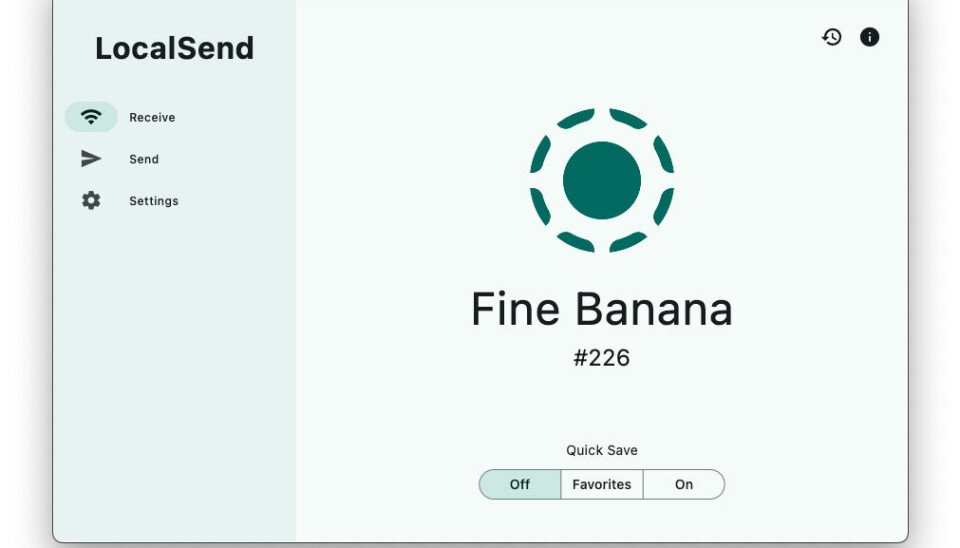
How LocalSend stays on the LAN
LocalSend uses multicast DNS (mDNS) to announce each instance on the network, assigning a whimsical nickname such as happy‑apple or spicy‑banana. When two devices see each other, they establish a TLS‑encrypted channel over the local IP range. Because the traffic never leaves the router, no external bandwidth is consumed and there is no exposure to internet‑facing attacks.
The tool’s source code lives on its GitHub repository and is also packaged for Snap, Flathub, and the Apple App Store. Regular builds are signed, which helps users verify they are running an untampered binary.
Why privacy‑savvy users should care
From a data‑protection standpoint, keeping transfers confined to the LAN eliminates several risk vectors:
- No third‑party cloud storage – there is no need to upload a file to a remote server that could be subpoenaed or breached.
- Zero exposure to ISP monitoring – the traffic never traverses the ISP’s network, so it is invisible to mass‑surveillance tools that rely on deep‑packet inspection of internet flows.
- Encryption by default – the TLS tunnel encrypts the payload, protecting it from any rogue device that might be sniffing the Wi‑Fi broadcast.
However, the security of a LocalSend transfer still depends on the underlying network:
| Risk | Mitigation |
|---|---|
| Untrusted Wi‑Fi (e.g., public hotspot) | Use a dedicated home router or a VPN that terminates inside the LAN. |
| Rogue device on the same subnet | Enable router‑level client isolation or use a strong Wi‑Fi password. |
| Out‑of‑date software | Keep LocalSend and the operating system patched; the project releases security updates on GitHub. |
If you are handling personal data covered by GDPR or CCPA, the fact that the file never leaves your premises can simplify compliance. You do not need a data‑processing agreement with a cloud provider, and you avoid the cross‑border transfer rules that apply when data moves to a server outside the European Economic Area. Nevertheless, you must still document the transfer in your records‑of‑processing activities, because the act of moving personal data—even locally—counts as processing under GDPR Article 4(2).
Impact on businesses and IT teams
For small‑to‑medium enterprises, LocalSend offers a cost‑free alternative to commercial file‑sync solutions that often require per‑user licences. It can replace ad‑hoc USB drives in environments where data‑loss incidents are a concern. Because the tool does not store files centrally, it does not create a single point of failure, but it also does not provide versioning or audit trails out of the box.
Enterprises that need auditability can wrap LocalSend in a network‑monitoring solution that logs which devices communicated and at what time, thereby creating an internal evidence trail without exposing the payload to external services.
What changes now that LocalSend is gaining traction?
- Policy updates – Companies should revise acceptable‑use policies to explicitly allow LAN‑only transfer tools, provided they meet encryption standards.
- Network segmentation – IT departments may create a dedicated VLAN for file‑sharing devices, limiting exposure to critical assets.
- Training – Users need a brief walkthrough on verifying device nicknames and confirming the correct recipient, to avoid accidental data leaks.
- Compliance checks – Data‑protection officers should record the use of LocalSend in their DPIA (Data Protection Impact Assessment) when personal data is involved, noting that the transfer stays within the organization’s jurisdiction.
Bottom line
LocalSend proves that a well‑designed open‑source project can make the old sneakernet feel obsolete while respecting the privacy expectations of modern users. By keeping file transfers on the local network, encrypting the traffic, and avoiding third‑party clouds, it aligns nicely with GDPR and CCPA principles. Organizations that adopt it should still enforce basic network hygiene and document the process, but they can enjoy a frictionless, cost‑free way to move large files between Windows, macOS, Linux, Android, and iOS devices.
Comments
Please log in or register to join the discussion