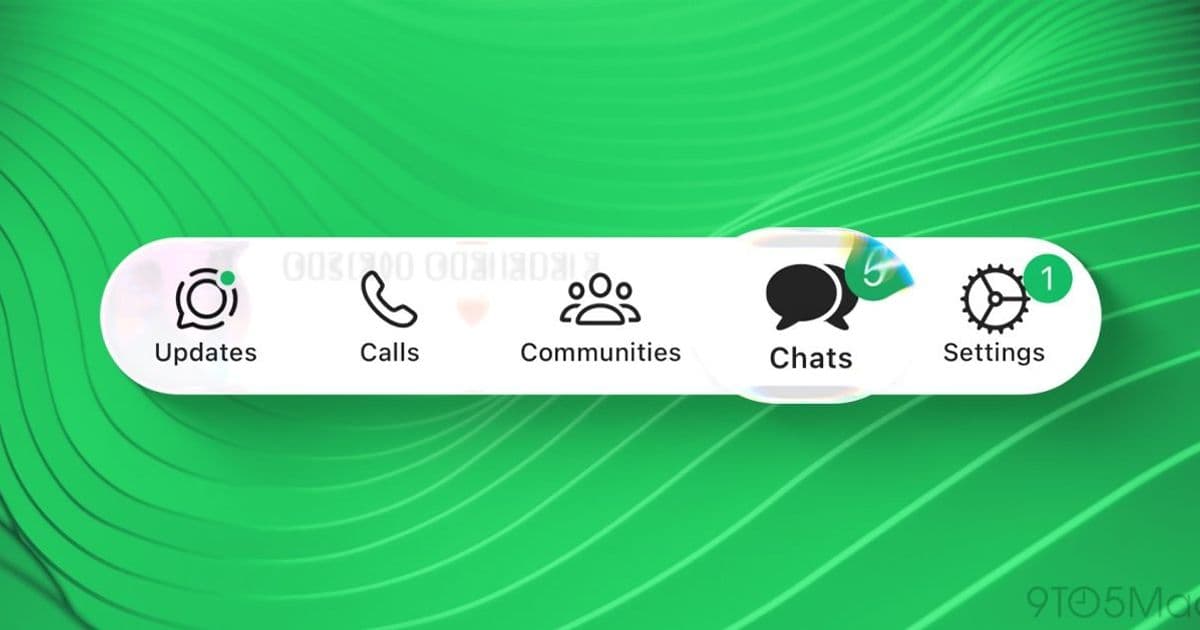
Meta is extending the first phase of its Liquid Glass redesign to more iOS users, updating the navigation bar, chat header and select in‑chat elements while keeping other parts of the app on the classic look.
WhatsApp expands Liquid Glass UI rollout on iOS
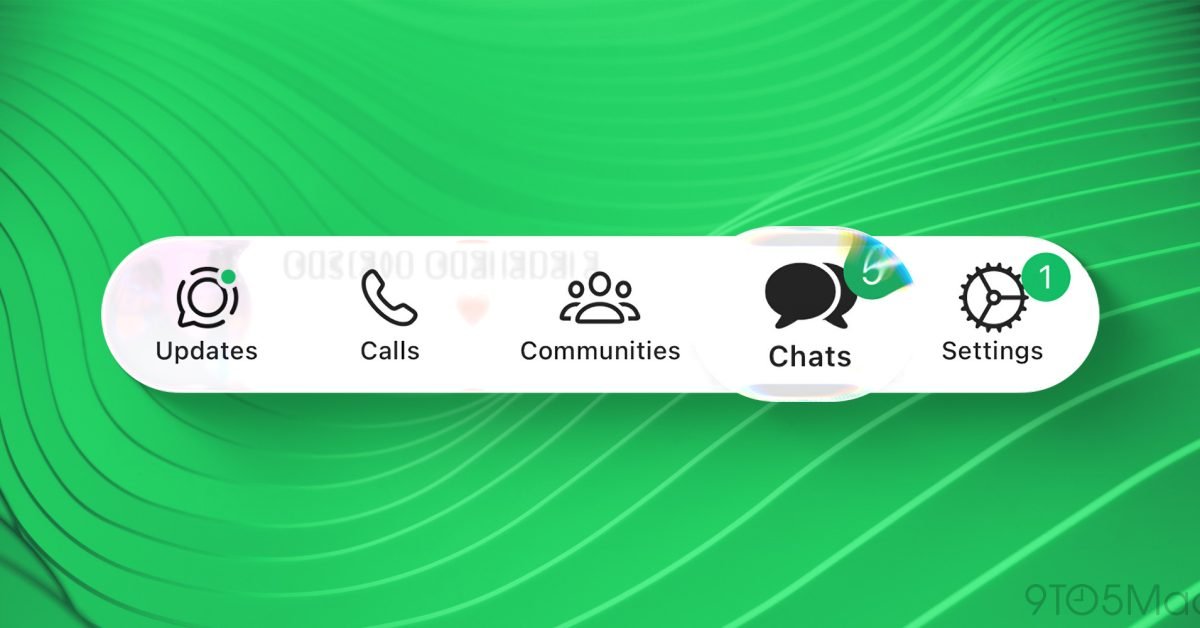
WhatsApp is moving past the closed‑beta phase of its Liquid Glass redesign and making the new look visible to a broader slice of iOS users. After a limited test last fall, the company is now updating the bottom navigation bar, the top bar of the Chats screen and a handful of in‑chat components for anyone who has opted into the latest version of the app.
What the update changes
| Area | New look | Status |
|---|---|---|
| Bottom navigation bar | Semi‑transparent glass with subtle blur, icons appear to float above the background | Rolled out to most users |
| Chats screen header | Same glass effect, now includes a frosted‑backdrop for the search field and profile avatar | Rolled out |
| In‑chat bubbles (selected) | Light‑weight overlay that gives a sense of depth when you tap a message | Rolled out |
| Voice message player | Retains the classic solid background | Still classic |
| Reaction menu | Classic dark‑mode style | Still classic |
| Context menus (copy, forward, etc.) | Classic style | Still classic |
The update is incremental: Meta is focusing on the most visible UI elements first, then will likely migrate the voice message player, reaction picker and other menus in later weeks.
Why the redesign matters for iOS users
iOS already encourages a glass‑like aesthetic through its system‑wide blur effects. By adopting a similar visual language, WhatsApp reduces the visual friction between the app and the rest of the operating system. The result is a more cohesive feel that makes the app appear as a natural extension of iOS rather than a separate, boxed‑in experience.
From a performance standpoint, the new UI relies on Apple's UIVisualEffectView and hardware‑accelerated blur pipelines, which means the extra translucency does not noticeably drain battery life on recent iPhones. Early reports from users with iPhone 15 Pro and later models confirm smooth scrolling and unchanged message delivery latency.
How to check if you have the new UI
- Open WhatsApp on an iPhone running iOS 17 or later.
- Look at the bottom navigation bar – the icons should sit on a blurred pane instead of a solid color.
- Open the Chats tab and notice the top bar; a faint frosted glass should be visible behind the search field.
- Tap a message; if a light overlay appears around the bubble, you are seeing the new in‑chat element.
If any of these cues are missing, you are still on the classic UI. The rollout is gradual, so you may receive the update in the next few days.
Ecosystem lock‑in considerations
WhatsApp’s move to a more iOS‑native appearance is a subtle reminder of how tightly the app now aligns with Apple’s design guidelines. While the core messaging functionality remains platform‑agnostic, the visual experience is becoming increasingly iOS‑centric. Users who switch between Android and iOS may notice a disparity: Android still runs the original solid‑color UI, and Meta has not announced a parallel rollout for that platform.
For power users who rely on third‑party automation tools (e.g., shortcuts that interact with WhatsApp UI elements), the new glass layers could affect element detection. Developers should test their scripts against the updated UI and adjust any image‑recognition or accessibility‑label references accordingly.
What’s next?
Meta has hinted that the next wave will bring the Liquid Glass treatment to the voice message player and the reaction picker. Those components are more interaction‑heavy, so the company will likely fine‑tune blur performance before making the switch.
If you enjoy the refreshed look, consider enabling the “Use System Appearance” option in WhatsApp’s Settings → Chats → Theme. This ensures the app automatically follows iOS’s Light/Dark mode, keeping the glass effect consistent across both themes.
Marcus Mendes is a Brazilian tech podcaster and journalist who has covered Apple since the mid‑2000s. Follow his insights on Threads.
Comments
Please log in or register to join the discussion