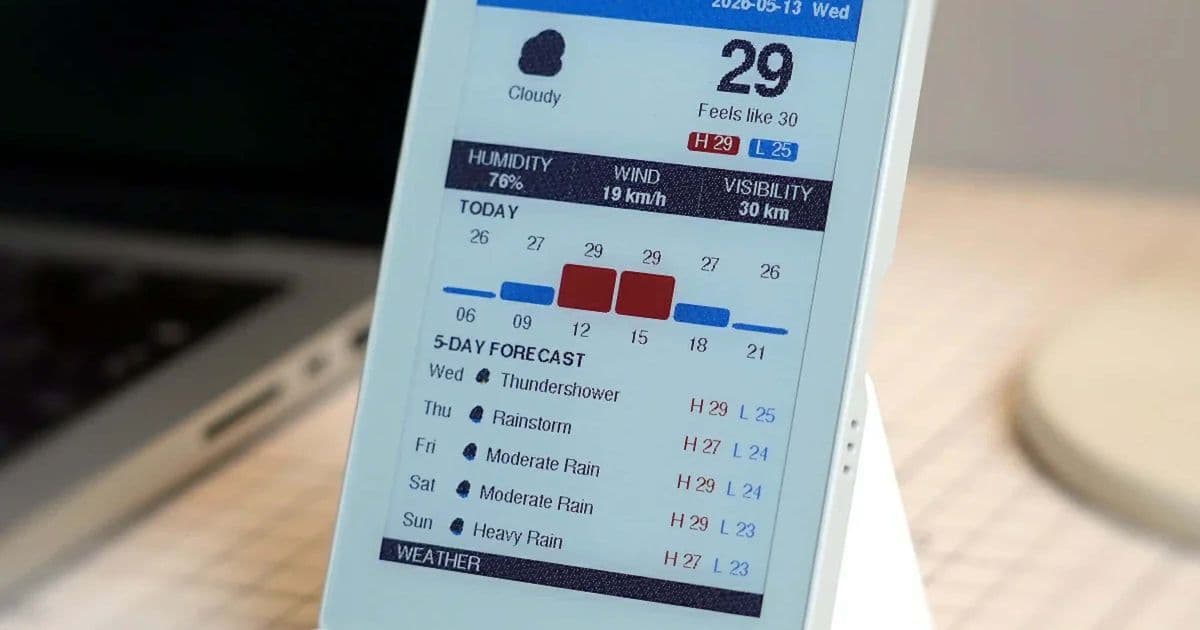
M5Stack has released the M5Paper Color ESP32S3 dev kit, a compact smart home display featuring a 4-inch color e-ink screen, WiFi connectivity, and battery power, priced at $75. This development board combines the readability advantages of e-ink technology with smart home capabilities, targeting developers and DIY enthusiasts.
M5Stack has introduced the M5Paper Color ESP32S3 dev kit, a unique combination of an e-ink display and development board that brings smart home functionality to the energy-efficient display technology. This compact device measures just 4 inches diagonally, making it smaller than most e-readers while offering color capabilities that could revolutionize how information is displayed in smart home environments.
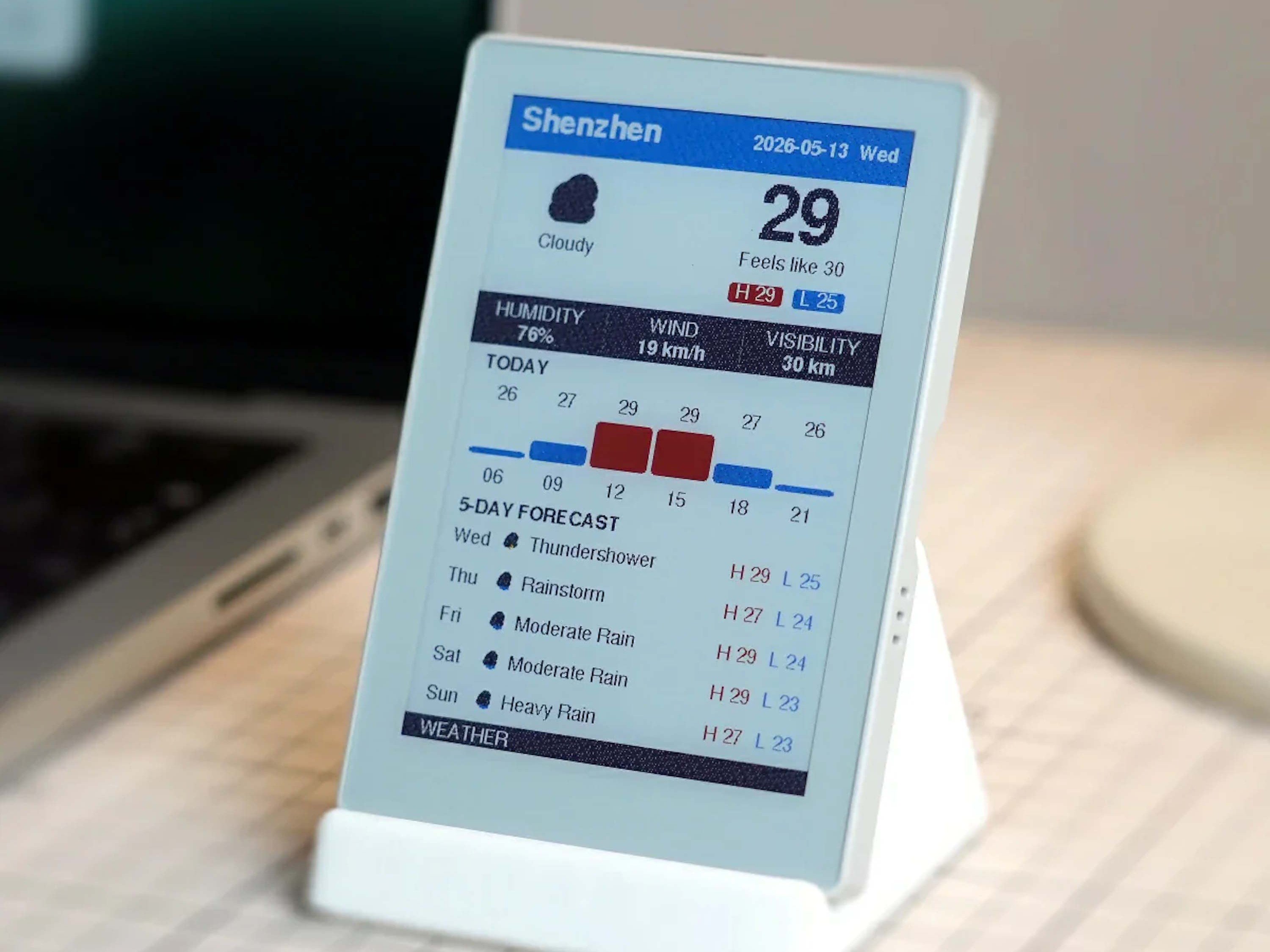
The centerpiece of this device is its 4-inch E Ink Spectra display, which offers a resolution of 400 x 600 pixels and, importantly, supports color—a feature not commonly found in smaller e-ink displays. This color capability opens up new possibilities for displaying information beyond simple monochrome text, including weather forecasts with color-coded conditions, smart home status indicators with color coding, or even simple graphical interfaces.
E-ink technology brings several advantages to this smart home display. Like other electronic ink displays, it requires minimal power to maintain a static image, making it ideal for applications where information doesn't need to update rapidly. The display remains highly readable in bright ambient light without requiring strong backlighting, addressing a common limitation of traditional LCD and OLED displays. However, the trade-off is slower response times, making it less suitable for video or rapidly changing content.
Under the hood, the M5Paper Color ESP32S3 is powered by an ESP32-S3R8 processor featuring two Xtensa LX7 cores clocked at up to 240 MHz. This provides sufficient processing power for most smart home applications while maintaining energy efficiency. The device includes 16 MB of flash storage and 8 MB of PSRAM, offering ample space for firmware and applications. For additional storage needs, such as displaying photos or larger datasets, a microSD card slot is available, though M5Stack essentially recommends using one for media-heavy applications.
Connectivity options are somewhat limited but sufficient for smart home purposes. The device supports WiFi exclusively in the 2.4 GHz band, which is adequate for most smart home devices and IoT applications. This wireless capability enables the display to function as a smart home hub or information display, pulling data from various IoT devices or online services.
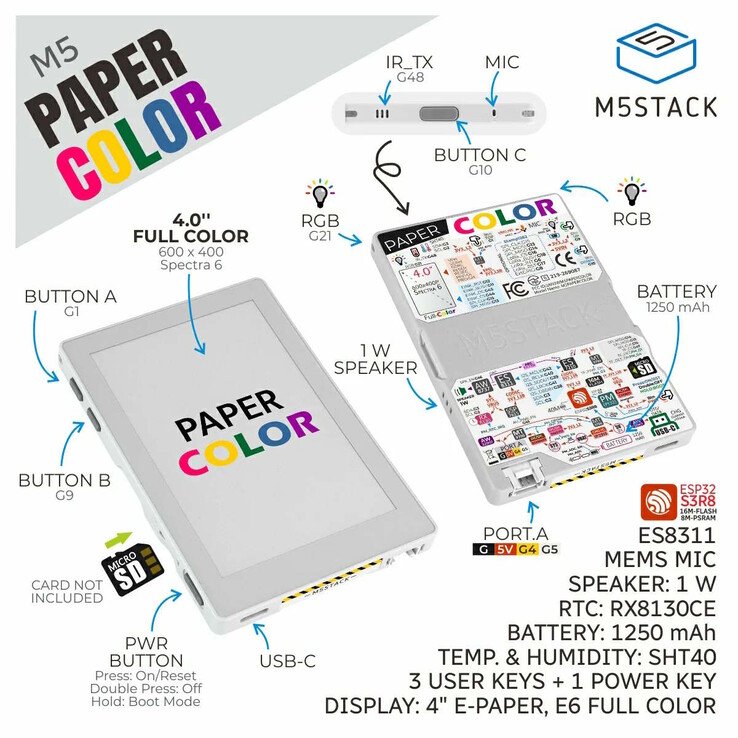
Powering the device is a 1,250 mAh battery, allowing it to operate without a permanent power connection. This portability makes it suitable for temporary installations or locations where wiring would be difficult. However, given the power requirements of the WiFi module and the display's refresh capabilities, battery life will vary significantly depending on usage patterns—more frequent updates and WiFi connectivity will naturally reduce battery duration.
The device includes several additional features that enhance its versatility. A speaker and microphone are onboard, enabling audio feedback and voice command capabilities. Physical buttons provide tactile control, which can be programmed for various functions. These components, combined with the e-ink display, create a multifunctional development platform.
Compared to other smart home displays on the market, the M5Paper Color ESP32S3 occupies a unique niche. Unlike battery-powered e-readers like the Kindle or Kobo, it's designed specifically for smart home integration and development. Compared to traditional smart displays like the Amazon Echo Show or Google Nest Hub, it offers superior battery life and sunlight readability but lacks the processing power for complex applications and voice assistant integration. For developers and DIY enthusiasts, the M5Stack provides a more customizable platform than commercial smart displays.
The target audience for this device is primarily developers, hobbyists, and DIY smart home enthusiasts who want to create custom display solutions. The e-ink technology makes it particularly suitable for displaying information that doesn't change frequently—such as daily schedules, weather forecasts, security system status, or energy consumption data. Its battery capability allows for placement in locations without convenient power outlets, while the WiFi connectivity ensures it can remain updated with real-time information.
At $75, the M5Paper Color ESP32S3 dev kit is competitively priced compared to other development boards with display capabilities. While it's more expensive than basic ESP32 development boards, the integrated color e-ink display justifies the cost for applications requiring this specific display technology. For comparison, dedicated e-ink displays of similar specifications often cost $50-100 alone, making this an attractive option for those who need both the display and processing capabilities.
M5Stack has positioned this device as a development kit rather than a consumer product, meaning users will need to handle most of the programming and configuration themselves. The company provides development resources and documentation, but this isn't a plug-and-play solution like many commercial smart displays. For those comfortable with programming and electronics, however, this opens up endless possibilities for custom smart home solutions.
The M5Paper Color ESP32S3 represents an interesting intersection of e-ink technology and IoT development. By combining the readability and energy efficiency of e-ink with the connectivity and processing power of modern microcontrollers, M5Stack has created a device that could find applications in smart homes, digital signage, environmental monitoring, and custom IoT projects. Its color display capability, in particular, addresses a common limitation of e-ink technology and could lead to innovative uses that haven't yet been explored.
For more information and to purchase the device, visit the official M5Stack product page.
Comments
Please log in or register to join the discussion